







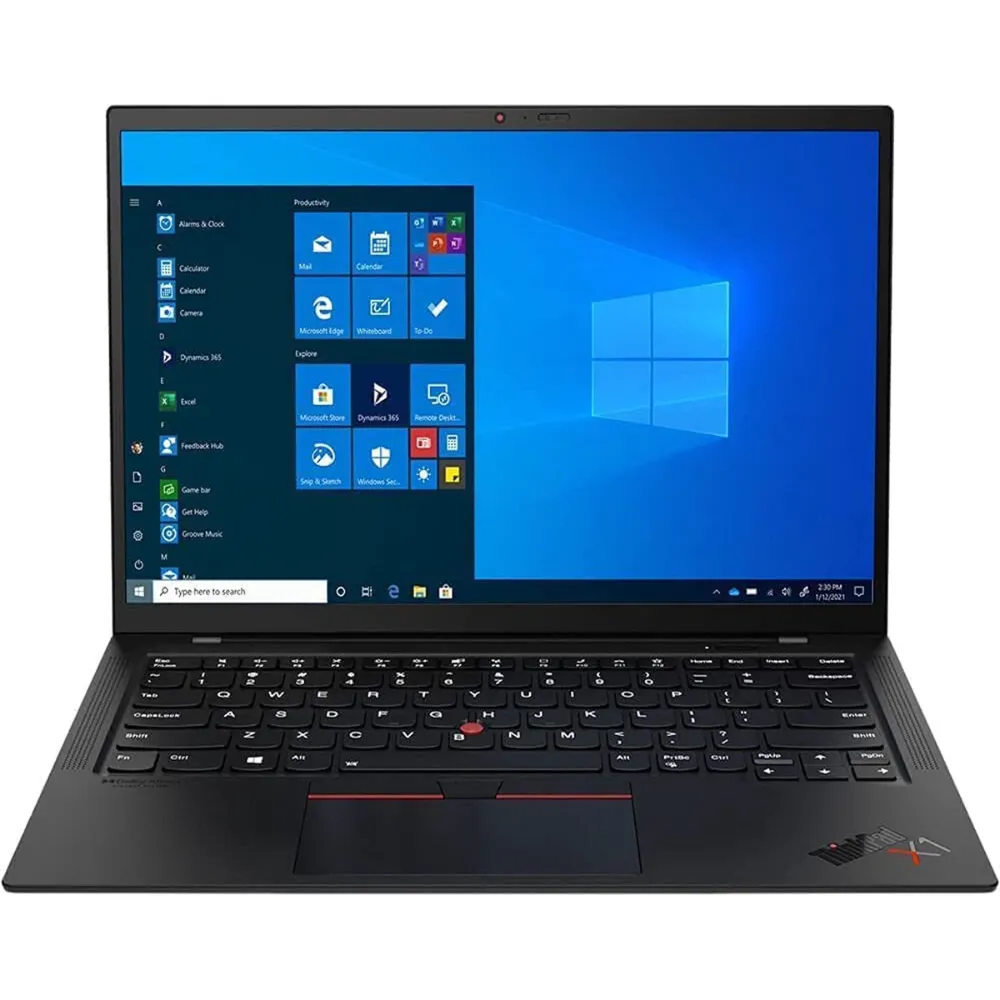

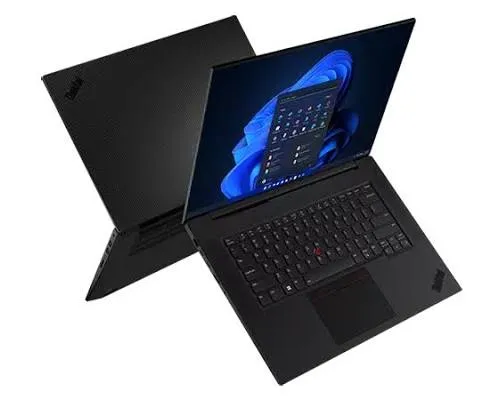

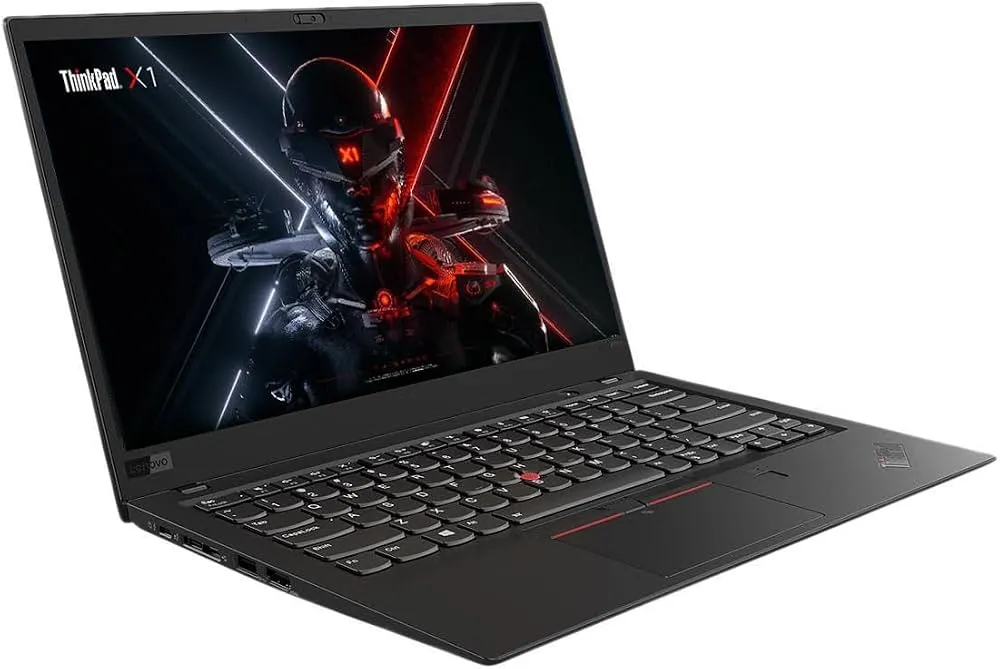
Lenovo Thinkpad X1 Carbon Gen 6 Laptop – Core i5

| Brand and Model | Lenovo ThinkPad X1 Carbon Gen 6 |
| CPU Model | 8th Gen Intel Core i5 |
| Installed RAM Memory Size | 16GB |
| Graphics Card Description | Integrated Intel UHD Graphics 620 |
| Hard Disk Size | 256GB SSD |
| Screen Size | 14 Inches |
| Colour | Black |
850 AED 1,000 AED
Overview
The Lenovo Thinkpad X1 Carbon Gen 6 laptop offers a lightweight business computing experience for professionals who value portability, dependable everyday performance, and a comfortable working environment. Lenovo combines an 8th Generation Intel Core i5 processor with 16GB RAM and 256GB SSD storage in this compact 14-inch laptop. As a result, users can handle office applications, online research, document editing, and everyday multitasking without carrying a bulky computer. Moreover, its slim design makes it a practical option for people who frequently move between the office, home, and meetings.
Lenovo Thinkpad X1 Carbon Gen 6 Laptop Specifications
Before choosing this model, review its main hardware details. The following table covers the supplied configuration and highlights components that may vary between individual units.
| Specification | Details |
|---|---|
| Brand | Lenovo |
| Model | ThinkPad X1 Carbon Gen 6 |
| Processor | Intel Core i5, 8th Generation |
| Processor Cores | Depends on the exact CPU model |
| RAM | 16GB LPDDR3 |
| Storage | 256GB SSD |
| Graphics | Integrated Intel UHD Graphics 620 |
| Display Size | 14 inches |
| Display Resolution | Depends on the installed panel |
| Battery | Integrated 57Wh battery |
| Weight | Approximately 1.13 kg, depending on configuration |
| Memory Upgrade | RAM soldered to the motherboard |
| Operating System | Depends on the seller’s configuration |
| Warranty | Depends on the seller |
Portable Design for a Flexible Workday
Portability stands out as one of the main strengths of the ThinkPad X1 Carbon Gen 6. Lenovo uses a carbon-fiber-reinforced display cover and a magnesium-based bottom structure to keep the chassis light while maintaining a business-focused design. Furthermore, its approximate starting weight of 1.13 kg makes daily transportation easier.
For example, professionals can carry this laptop to meetings, classrooms, business trips, and shared workspaces with less effort. Meanwhile, the 14-inch screen provides a useful viewing area for documents, spreadsheets, and web applications. Therefore, this model offers a practical balance between screen size and mobility.

Everyday Performance with an 8th Generation Core i5
The Intel Core i5 processor handles common productivity tasks such as browsing, email, office software, presentations, and document management. However, Lenovo offered different 8th Generation Core i5 processors for this laptop, so the exact CPU model matters when comparing performance.
Some configurations feature processors such as the Core i5-8250U or Core i5-8350U. Both options provide four cores and eight threads, although their clock speeds and business features differ. Consequently, buyers should check the processor name in the exact product listing or system information before making a final decision.
In addition, 16GB of RAM gives users room to keep several everyday applications open at the same time. The 256GB SSD also helps the system load applications and access stored files quickly. Overall, this hardware combination suits office work, study, communication, and general business productivity.
Intel UHD Graphics 620 for Everyday Visual Tasks
The integrated Intel UHD Graphics 620 manages everyday graphics tasks without requiring a separate graphics card. For instance, users can watch videos, view presentations, work with standard office applications, and connect to compatible external displays.
Nevertheless, this graphics solution targets everyday computing rather than demanding 3D production or modern high-end gaming. Therefore, users who regularly work with complex visual projects should consider a laptop with a dedicated GPU. On the other hand, the integrated graphics help the X1 Carbon maintain its lightweight business-laptop profile.
14-Inch Display and Comfortable Productivity
The 14-inch display gives users enough room for common work tasks while keeping the laptop easy to carry. Lenovo offered several screen configurations for the X1 Carbon Gen 6, including different resolutions and panel technologies. As a result, brightness, sharpness, and viewing characteristics can vary between individual units.
Before purchasing, check the exact display resolution and panel specifications. In particular, users who spend long hours reading documents or reviewing images should compare screen brightness and resolution. Furthermore, a suitable display configuration can make everyday work more comfortable.
Connectivity and ThinkPad Business Features
The ThinkPad X1 Carbon Gen 6 provides a selection of ports for everyday office equipment and external displays. Depending on the configuration, users can find USB-A, USB-C with Thunderbolt 3 support, HDMI, and a 3.5mm audio connection.
Lenovo also brings familiar ThinkPad features to this model. The keyboard supports comfortable typing, while the TrackPoint offers another way to control the pointer. Additionally, selected configurations include a fingerprint reader and ThinkShutter camera cover. However, buyers should verify these features on the exact unit because hardware options can differ.
Who Should Consider the Lenovo Thinkpad X1 Carbon Gen 6 Laptop?
The Lenovo Thinkpad X1 Carbon Gen 6 laptop can suit professionals, students, managers, and frequent travelers who prioritize a lightweight computer for everyday productivity. Its 16GB RAM, SSD storage, and Core i5 processor provide a useful foundation for common work applications.
Moreover, its compact 14-inch form makes it convenient for people who regularly carry a laptop between different locations. However, users who need demanding graphics performance, extensive video editing capabilities, or modern gaming features should compare more powerful alternatives. You can explore other options in our Lenovo ThinkPad collection and browse additional business laptops.
What to Check Before Buying
Since the ThinkPad X1 Carbon Gen 6 belongs to an older laptop generation, the condition and exact configuration deserve particular attention. First, confirm the installed Core i5 processor model and check that the laptop actually has 16GB RAM and a 256GB SSD.
Next, inspect the screen for dead pixels, discoloration, and uneven brightness. Also, review the battery condition, keyboard, touchpad, ports, webcam, and charging adapter. Finally, ask the seller about the operating system, warranty, and overall device condition. These checks can help you choose a unit that matches your expectations.

Conclusion
The Lenovo Thinkpad X1 Carbon Gen 6 laptop remains a practical choice for users who want a lightweight business laptop for everyday tasks. Its 8th Generation Intel Core i5 processor, 16GB RAM, 256GB SSD, and 14-inch display provide a balanced setup for office work, study, and mobile productivity. Furthermore, its ThinkPad keyboard, business-oriented features, and portable construction add to its appeal. However, buyers should verify the exact processor, display, battery condition, and overall configuration before ordering.
Frequently Asked Questions
1. Which processor does the Lenovo ThinkPad X1 Carbon Gen 6 use?
Lenovo offered this model with different 8th Generation Intel Core i5 processors. The exact CPU depends on the individual configuration, so check the product code or system information before purchasing.
2. How much RAM does this configuration have?
This configuration comes with 16GB LPDDR3 memory. Lenovo sold the RAM directly on the motherboard, so users cannot upgrade it like standard removable laptop memory.
3. Does the ThinkPad X1 Carbon Gen 6 include an SSD?
Yes. The specified configuration includes a 256GB SSD. This storage provides space for the operating system, applications, documents, and everyday files.
4. Which graphics solution does this laptop use?
This configuration uses integrated Intel UHD Graphics 620. It handles everyday visual tasks, video playback, and standard office applications, but it does not target demanding professional graphics workloads.
5. Is the Lenovo ThinkPad X1 Carbon Gen 6 suitable for travel?
Yes. Its lightweight construction and 14-inch display make it convenient for commuting, business trips, and mobile work. However, check the battery condition carefully because the laptop belongs to an older generation.
| Brand | |
|---|---|
| Model | ThinkPad X1 Carbon Gen 6 |
| Processor | |
| RAM | |
| Graphics | |
| Storage | |
| Screen Size | |
| Weight | 1.13 kg |
| Battery | |
| Camera | Integrated Camera |
| Color | |
| Keyboard | US-English |
| Condition | Used-Excellent (Fully Tested) |
| Operating System | Window 10 Pro |
| Warranty | 3 Months |
Based on 0 reviews
Only logged in customers who have purchased this product may leave a review.
Related products
-
Lenovo Thinkpad
Lenovo ThinkPad X1 Carbon Gen 8 – Core i5, 16GB RAM, 256GB SSD
Lenovo ThinkpadLenovo ThinkPad X1 Carbon Gen 8 – Core i5, 16GB RAM, 256GB SSD
Brand and Model Lenovo ThinkPad X1 Carbon Gen 8 CPU Model 10th Gen Intel Core i5 Installed RAM Memory Size 16GB Graphics Card Description Integrated Intel UHD Graphics 8GB Hard Disk Size 256GB SSD Screen Size 14 Inches Colour Black SKU: n/a -
Business Laptops, Dell Latitude, Dell Latitude 5000 series, Office and Student
Dell Latitude 5420 14″ Laptop Intel Core i7-11610U 16GB RAM 256GB SSD
-10% Business Laptops, Dell Latitude, Dell Latitude 5000 series, Office and Student
Dell Latitude 5420 14″ Laptop Intel Core i7-11610U 16GB RAM 256GB SSD
Business Laptops, Dell Latitude, Dell Latitude 5000 series, Office and StudentDell Latitude 5420 14″ Laptop Intel Core i7-11610U 16GB RAM 256GB SSD
SKU: n/a -
Business Laptops, Lenovo Thinkpad, Office and Student
Lenovo ThinkPad T480s Core i7 8th 16GB 256GB
-11% Business Laptops, Lenovo Thinkpad, Office and Student
Lenovo ThinkPad T480s Core i7 8th 16GB 256GB
Business Laptops, Lenovo Thinkpad, Office and StudentLenovo ThinkPad T480s Core i7 8th 16GB 256GB
Brand and Model Lenovo Thinkpad T480s CPU model Intel Core i7 8th Gen Installed RAM memory size 16GB DDR4 Graphics card description 2GB Nvidia graphics Hard disk size 256 GB SSD Nvme Screen size 14.1 Inches Full HD Colour Black SKU: n/a -
Business Laptops, HP Elitebook, HP Elitebook 800 Series, Office and Student
HP EliteBook 840 G11 14 Inch Laptop – Intel Core Ultra 7 155U | 16GB RAM | 256GB SSD | Intel Graphics | Windows 11 Pro
-14%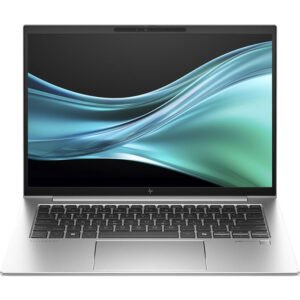 Business Laptops, HP Elitebook, HP Elitebook 800 Series, Office and Student
HP EliteBook 840 G11 14 Inch Laptop – Intel Core Ultra 7 155U | 16GB RAM | 256GB SSD | Intel Graphics | Windows 11 Pro
Business Laptops, HP Elitebook, HP Elitebook 800 Series, Office and StudentHP EliteBook 840 G11 14 Inch Laptop – Intel Core Ultra 7 155U | 16GB RAM | 256GB SSD | Intel Graphics | Windows 11 Pro
SKU: n/a

There are no reviews yet.