










Overview
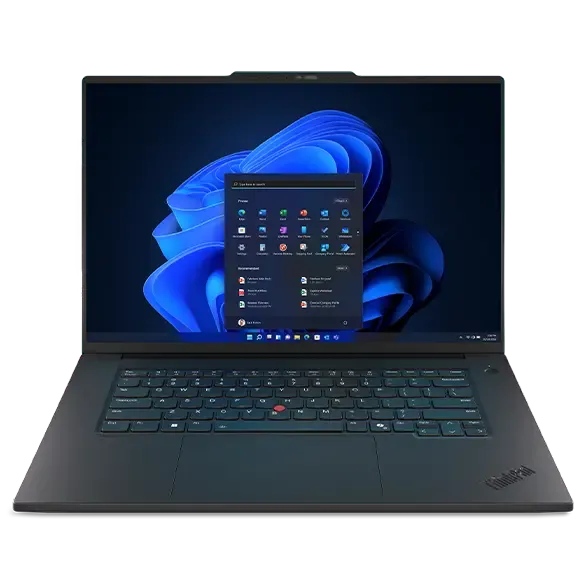
The Lenovo ThinkPad P1 Gen 2 laptop is a 15.6-inch mobile workstation built for users who need more than standard office performance. This configuration pairs the six-core Intel Core i7-9850H processor with 16GB DDR4 memory, a 512GB NVMe SSD, and a dedicated NVIDIA Quadro T2000 Max-Q graphics card. Together, these components create a practical platform for technical applications, CAD work, 3D modelling, and demanding multitasking.
Unlike a conventional business notebook, the ThinkPad P1 Gen 2 places particular emphasis on professional graphics and workstation connectivity. It is part of the Lenovo ThinkPad P Series, a range designed for users whose workloads benefit from workstation-oriented hardware. Its relatively slim 15.6-inch format also makes it easier to move between an office, classroom, and worksite than many larger workstation systems.
Workstation Performance with the Intel Core i7-9850H
At the centre of this configuration is the Intel Core i7-9850H, a 9th Generation Coffee Lake Refresh processor. It has 6 cores and 12 threads, a 2.6GHz base frequency, and a maximum turbo frequency of up to 4.6GHz. The processor also includes 12MB of Intel Smart Cache and a 45W thermal design power rating.
This hardware is suited to workloads that benefit from several processing threads. For example, developers can run code editors, local development tools, and multiple browser windows together. Engineers can also use compatible CAD applications, while office professionals can handle large spreadsheets and several business applications at the same time.
Furthermore, the processor’s turbo frequency helps with tasks that rely more heavily on individual CPU cores. However, sustained performance depends on cooling, power settings, and the condition of the laptop. For particularly demanding rendering or simulation projects, users should check the requirements of their specific software before choosing this older-generation workstation.
NVIDIA Quadro T2000 Max-Q: Dedicated Professional Graphics
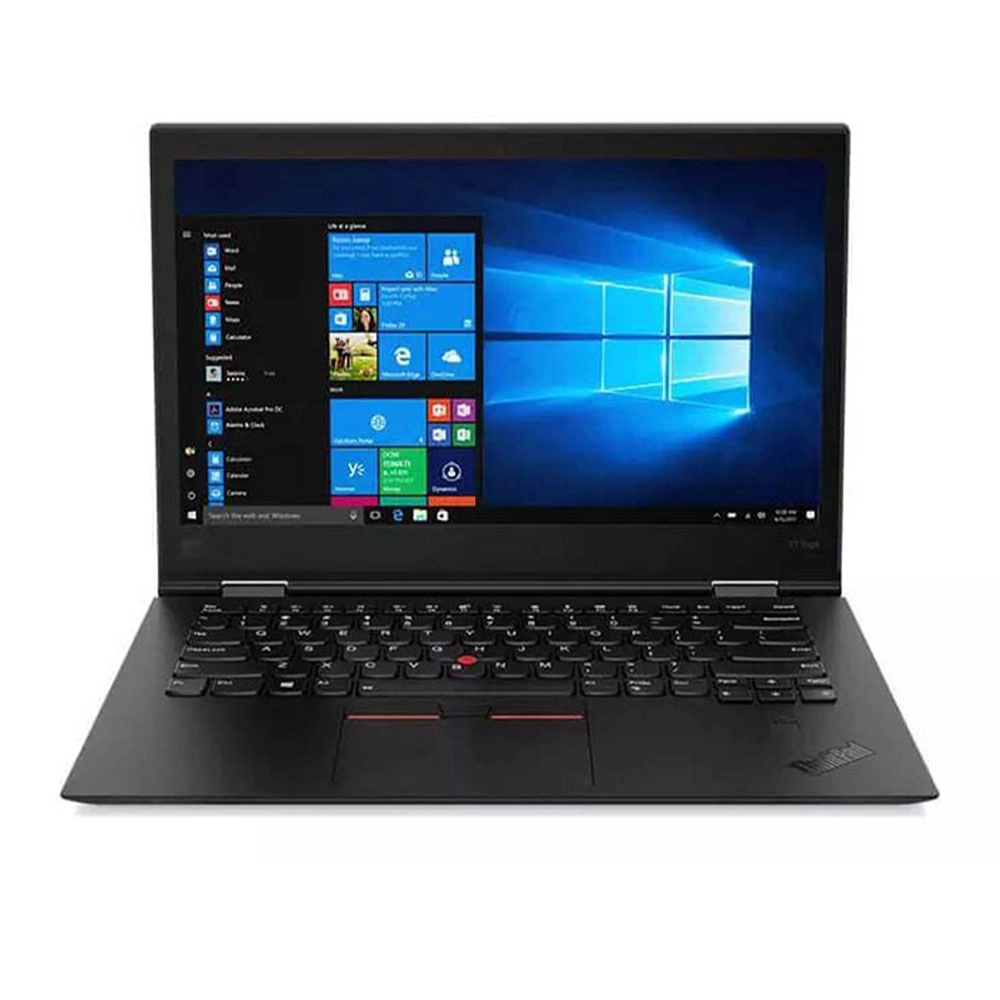
The graphics configuration is one of the main reasons to consider this ThinkPad. It includes the NVIDIA Quadro T2000 Max-Q with 4GB of GDDR5 memory, a dedicated GPU designed for professional workstation workloads. It works alongside the processor’s integrated Intel UHD Graphics 630, allowing the system to use different graphics resources according to the task and power requirements.
The Quadro T2000 Max-Q can support compatible engineering, architectural, and design applications. Its dedicated graphics memory is useful when working with 3D scenes, technical models, and visual projects that place greater demands on the GPU than ordinary office software.
Nevertheless, 4GB of graphics memory places limits on complex scenes, large datasets, and advanced rendering workloads. This is not a modern high-end gaming GPU either. Users who mainly play demanding new games or perform intensive GPU rendering should compare it with newer graphics solutions before making a decision.
16GB DDR4 Memory and 512GB NVMe Storage
This configuration comes with 16GB of DDR4-2666 RAM. The memory capacity supports everyday professional multitasking, including office software, development environments, research tools, and moderate creative workloads. It also gives users room to keep several applications open while working on a project.
An important advantage of the ThinkPad P1 Gen 2 is its memory upgrade flexibility. The laptop has two SO-DIMM slots and supports up to 64GB of DDR4 memory. Therefore, users whose workloads grow over time can consider installing additional compatible RAM instead of replacing the entire laptop.
For file storage, the system includes a 512GB PCIe NVMe SSD. Compared with a traditional mechanical hard drive, this storage technology provides faster access to files and helps reduce operating system and application loading times. The platform also supports up to two M.2 SSD drives, offering an additional upgrade path for users who need more project or application storage.
15.6-Inch Display for Technical and Creative Work
The 15.6-inch screen provides a larger working area than compact 13- or 14-inch notebooks. This can be useful when viewing technical drawings, comparing documents, arranging application panels, or working with spreadsheets.
Lenovo offered different display configurations for the ThinkPad P1 Gen 2, including Full HD IPS and Ultra HD options. However, the exact resolution, brightness, colour coverage, refresh rate, and touch functionality depend on the individual unit. Buyers should confirm the installed panel rather than assume that every P1 Gen 2 has the same display quality.
For professional design work, checking the actual panel specification is particularly important. A higher resolution can provide more workspace, while colour-sensitive projects require verified colour coverage and calibration information.
Chassis, Keyboard, and Everyday Mobility
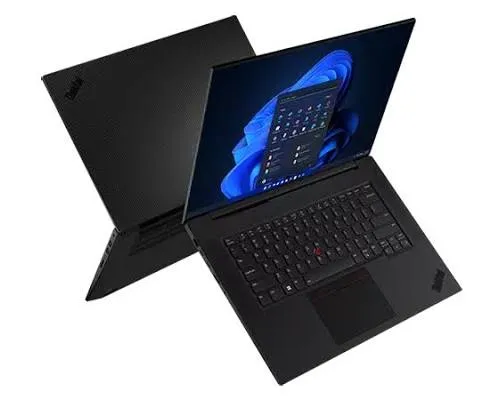
The ThinkPad P1 Gen 2 combines a carbon-fibre and glass-fibre hybrid top cover with an aluminium bottom cover. This construction gives the workstation a professional chassis while keeping its weight relatively low for a machine with dedicated graphics. The listed configuration weighs approximately 1.7kg, although the final weight can vary with the display and installed components.
The ThinkPad keyboard is designed around extended typing sessions. This model’s listed configuration has a US-English keyboard, and the keyboard design includes backlighting and spill-resistant features. Its touchpad and TrackPoint provide alternative ways to navigate the operating system, which can be useful when working without an external mouse.
For users who frequently travel with a workstation, the combination of a 15.6-inch display and approximately 1.7kg starting weight offers a useful balance between screen space and portability. Even so, it remains a professional laptop rather than an ultra-light everyday notebook.
Ports, Wireless Connectivity, and Battery
The available connections make the ThinkPad P1 Gen 2 suitable for a desk-based workstation setup. Its port selection includes two USB-A 3.1 Gen 1 ports, two USB-C Thunderbolt 3 ports, HDMI 2.0, an SD card reader, and a combined 3.5mm headphone and microphone jack.
The Thunderbolt 3 connections support high-speed data transfer, DisplayPort connectivity, and power delivery with compatible equipment. As a result, users can connect supported external monitors, storage devices, and docking stations without relying entirely on adapters.
Wireless connectivity on supported configurations includes Intel Wi-Fi 6 AX200 and Bluetooth 5.1. The laptop also has an integrated 80Wh battery. Actual battery runtime depends on battery health, screen settings, graphics activity, and workload. Since this is an older-generation model, checking the battery’s current condition is especially important before purchase.
Who Is the ThinkPad P1 Gen 2 Suitable For?
This configuration is best suited to users who need a portable workstation for professional and technical applications rather than a laptop focused only on basic office tasks.
- Engineering and CAD users: The dedicated Quadro GPU and six-core processor can support compatible design and engineering software.
- Developers: Six CPU cores, twelve threads, and upgradeable memory provide a useful foundation for programming tools and multitasking.
- Graphic and 3D designers: The dedicated GPU can assist with compatible graphics applications, although its 4GB memory limits particularly complex projects.
- Business professionals: The 15.6-inch display, keyboard, and broad port selection suit office workflows and external monitor setups.
- Technical students: Students working with engineering, architecture, or design applications may benefit from its workstation-oriented hardware.
On the other hand, users who mainly need a laptop for web browsing, streaming, and basic documents may not need a dedicated Quadro GPU. Similarly, those working with demanding modern games, advanced GPU rendering, or very large 3D scenes should consider a newer workstation with more graphics memory.
Technical Specifications
| Specification | Details |
|---|---|
| Brand | Lenovo |
| Product Series | ThinkPad P Series |
| Model | ThinkPad P1 Gen 2 |
| Processor | Intel Core i7-9850H |
| Processor Generation | 9th Generation |
| Processor Architecture | Coffee Lake Refresh |
| CPU Cores | 6 Cores |
| CPU Threads | 12 Threads |
| Base Frequency | 2.6GHz |
| Maximum Turbo Frequency | 4.6GHz |
| CPU Cache | 12MB Intel Smart Cache |
| Processor TDP | 45W |
| Installed Memory | 16GB DDR4-2666 |
| Memory Slots | 2 SO-DIMM Slots |
| Maximum Supported Memory | 64GB |
| Storage Capacity | 512GB |
| Storage Type | PCIe NVMe SSD |
| Storage Expansion | Up to 2 M.2 SSD Drives |
| Dedicated GPU | NVIDIA Quadro T2000 Max-Q |
| Graphics Memory | 4GB GDDR5 |
| Integrated GPU | Intel UHD Graphics 630 |
| Display Size | 15.6 Inches |
| Display Technology | IPS (panel-dependent) |
| Display Resolution | Full HD or Ultra HD (configuration-dependent) |
| Refresh Rate | Configuration-dependent |
| Battery Capacity | 80Wh |
| Starting Weight | Approximately 1.7kg |
| Chassis Materials | Carbon-fibre / glass-fibre hybrid top cover and aluminium bottom cover |
| USB Ports | 2 × USB-A 3.1 Gen 1 |
| USB-C Ports | 2 × Thunderbolt 3 |
| Video Output | HDMI 2.0 |
| Card Reader | SD Card Reader |
| Audio | 3.5mm Headphone / Microphone Combo |
| Wireless Connectivity | Wi-Fi 6 (Intel AX200, supported configurations) |
| Bluetooth | Bluetooth 5.1 (supported configurations) |
| Keyboard | Backlit, spill-resistant (configuration-dependent) |
| Pointing Devices | Touchpad and TrackPoint |
| Operating System | Configuration-dependent |
Advantages and Limitations
Advantages
- Six-core, twelve-thread Intel Core i7-9850H processor with turbo speeds up to 4.6GHz.
- Dedicated NVIDIA Quadro T2000 Max-Q graphics with 4GB GDDR5 memory.
- Two SO-DIMM slots with support for up to 64GB DDR4 RAM.
- 512GB PCIe NVMe SSD and support for a second M.2 drive.
- Thunderbolt 3, HDMI 2.0, USB-A, and SD card connectivity.
Limitations
- The Quadro T2000 Max-Q has 4GB of graphics memory, which can restrict demanding modern 3D workloads.
- The 9th Generation processor is an older platform compared with current workstation CPUs.
- Display resolution, brightness, and colour coverage vary by installed panel.
- Battery runtime may be reduced by age and previous usage, so battery health needs checking.
Conclusion
The Lenovo ThinkPad P1 Gen 2 laptop is a workstation-oriented choice for users who value dedicated professional graphics, expandable memory, and a practical selection of ports. Its Core i7-9850H processor, Quadro T2000 Max-Q GPU, 16GB RAM, and 512GB NVMe SSD provide a balanced hardware combination for compatible CAD, design, development, and business applications.
Its strongest advantages are the dedicated Quadro graphics, upgradeable memory, and relatively portable 15.6-inch workstation design. However, the older processor platform and 4GB GPU memory should be considered before choosing it for demanding modern workloads.
Before purchasing, review the exact display configuration, battery health, storage condition, and included accessories. Also confirm the product’s current stock, listed condition, and warranty details on the Lenovo ThinkPad P1 Gen 2 product page. You can explore other models through the Lenovo ThinkPad range and the ThinkPad P Series category.
There are no reviews yet.