







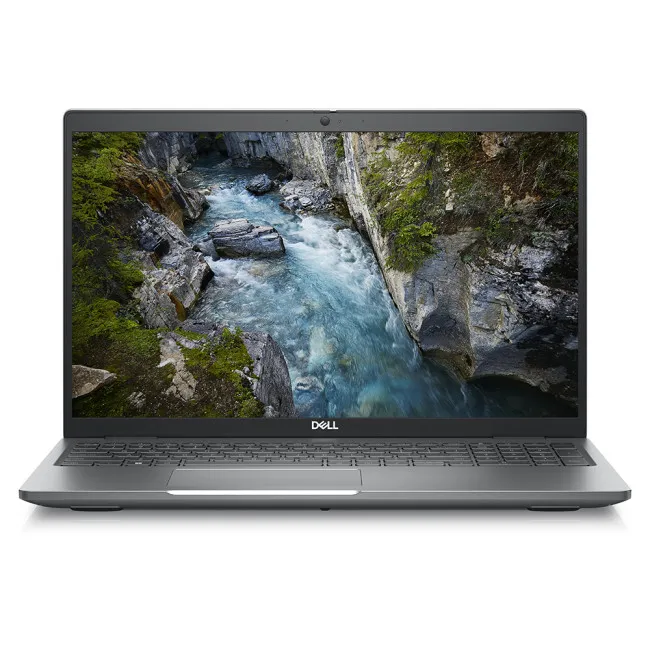

Dell Precision 3581 | Intel Core i7-13700H | 16GB RAM | 512GB SSD | NVIDIA RTX A500 4GB | 15.6 inch | Renewed

| Brand & Model | Dell Precision 3581 |
| Processor | Intel Core i7-13700H (13th Generation, 14 Cores, 20 Threads, Up to 5.00GHz) |
| Memory (RAM) | 16GB DDR5 4800MHz |
| Storage | 512GB M.2 PCIe Gen 4 NVMe SSD |
| Graphic Card | NVIDIA RTX A500 – 4GB GDDR6 Dedicated Graphics Memory |
| Display | 15.6-inch Full HD (1920 × 1080) IPS Display |
| Color | Gray (Titan Gray) |
| Condition | Used (Renewed) |
2,000 AED
Overview
The Dell Precision 3581 is a professional mobile workstation designed for users who need reliable computing power for technical and business tasks. It combines a 13th Generation Intel Core i7-13700H processor with 16GB DDR5 RAM, a 512GB SSD, and NVIDIA RTX A500 graphics with 4GB of GDDR6 memory.
This hardware combination makes the system suitable for many professional applications. For example, you can use it for programming, CAD projects, technical drawings, office work, and everyday multitasking.
In addition, its 15.6-inch display gives you a practical workspace for documents and design tools. The workstation also includes modern connection options, such as Thunderbolt 4.
This product is in Renewed condition. Therefore, it can be a practical choice for buyers who want a professional Dell workstation at a lower cost than a new model.
Intel Core i7-13700H: 13th Generation Performance
At the heart of the Dell Precision 3581, you will find the Intel Core i7-13700H processor. This 13th Generation CPU has 14 cores and 20 threads. It can also reach a maximum turbo frequency of 5.0GHz.
The processor uses a hybrid architecture. It combines Performance-cores for demanding tasks with Efficient-cores for lighter workloads. As a result, it can manage different applications throughout your workday.
For example, you can run development tools, work with large spreadsheets, and keep several browser tabs open. Moreover, the processor offers useful performance for compatible engineering and design software.
This CPU makes the Precision 3581 a strong option for users who need more processing power than a standard office laptop can provide.
NVIDIA RTX A500 4GB: Professional Graphics
The Dell Precision 3581 in this configuration features an NVIDIA RTX A500 Laptop GPU with 4GB GDDR6 memory.
The RTX A500 belongs to NVIDIA’s professional graphics range. It supports compatible design and engineering applications, including many CAD and 3D visualization workflows.
Its dedicated graphics memory also helps supported software handle visual data. Therefore, users can work with technical drawings, view 3D models, and complete suitable graphics tasks.
However, the RTX A500 is an entry-level professional GPU. It is not designed for demanding high-end rendering or advanced graphics workloads. If your projects involve complex 3D scenes, you may need a workstation with a more powerful graphics card.
16GB DDR5 RAM for Everyday Multitasking
This configuration comes with 16GB of DDR5 memory. It gives you enough capacity for many professional and everyday tasks.
You can work with office applications, browse the web, attend online meetings, and use compatible design software. Additionally, DDR5 provides a newer memory standard than the DDR4 technology used in many older laptops.
The Precision 3581 supports memory configurations of up to 64GB. So, you can consider a RAM upgrade if your work requires more memory in the future. However, check the installed memory modules and the device configuration before upgrading.
512GB SSD for Faster File Access
The 512GB SSD provides storage for your operating system, applications, documents, and project files.
An SSD also helps the computer start quickly and load programs with less waiting than a traditional hard drive. As a result, you can move between your regular applications more smoothly.
Furthermore, the 512GB capacity offers a useful balance between storage space and everyday performance. If you work with large project folders or media files, you can add external storage when needed.
15.6-Inch Display for Work and Study
The Dell Precision 3581 has a 15.6-inch display. This screen size gives you room to work with documents, spreadsheets, design tools, and multiple application windows.
Dell offered different display configurations for this model. These include Full HD panels with different brightness, color coverage, and touch options.
Therefore, the exact display features depend on the individual unit. Check the screen resolution and panel details before purchase if these features are important for your work.
Design, Ports, and Connectivity
The Precision 3581 has a professional design with a Titan Gray finish. Its body suits office environments, classrooms, and mobile workstations.
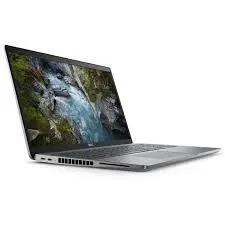
It also provides a useful selection of ports for connecting accessories and external displays. These include:
- Two Thunderbolt 4 USB-C ports
- USB 3.2 Gen 1 ports
- HDMI 2.0
- RJ-45 Ethernet
- Headphone and microphone combo jack
- MicroSD card reader
These connections make it easier to build a practical workstation setup. For example, you can connect external monitors, wired networks, storage devices, and compatible docking stations.
The approximate starting weight is 1.80kg. Therefore, you can carry the device between your workplace, home, and classroom.
Technical Specifications
| Specification | Details |
|---|---|
| Brand & Model | Dell Precision 3581 |
| Processor | Intel Core i7-13700H, 13th Generation |
| CPU Cores / Threads | 14 Cores / 20 Threads |
| Maximum Turbo Frequency | Up to 5.0GHz |
| Memory (RAM) | 16GB DDR5 |
| Maximum Supported RAM | Up to 64GB |
| Storage | 512GB SSD |
| Graphic Card | NVIDIA RTX A500 4GB GDDR6 |
| Display | 15.6-inch |
| Display Resolution | Depends on configuration |
| Display Options | Full HD options available |
| Color | Titan Gray |
| Connectivity | Thunderbolt 4, USB 3.2, HDMI 2.0, RJ-45 |
| Card Reader | MicroSD |
| Condition | Renewed |
| Approximate Weight | 1.80 kg |
Who Should Choose the Dell Precision 3581?
The Dell Precision 3581 can meet the needs of many users who work with professional software and technical projects.
Here are some suitable use cases:
- Engineering students: Work with compatible engineering and design applications.
- CAD users: Create technical drawings and work with suitable 3D models.
- Programmers: Run development environments and manage coding projects.
- Business professionals: Handle reports, spreadsheets, presentations, and daily office tasks.
- Technical users: Use applications that benefit from a dedicated professional GPU.
- Multitaskers: Switch between several applications with the help of the Core i7 processor and 16GB RAM.
However, users who need advanced rendering or very demanding 3D performance should compare this model with higher-tier workstation options.
Explore Dell Workstations at iDita
If you want to compare this model with other Dell computers, visit the Dell brand collection. You can explore different models and find a configuration that matches your needs.
For more professional systems from the same family, browse the Dell Precision 3000 Series. You can also visit the complete Workstation Laptops category to compare other mobile workstations.
Final Verdict
The Dell Precision 3581 combines a 13th Generation Intel Core i7 processor, 16GB DDR5 RAM, a 512GB SSD, and NVIDIA RTX A500 graphics.
Its 14-core processor offers strong performance for multitasking and professional applications. Meanwhile, the dedicated RTX A500 supports compatible CAD and technical graphics software.
The 15.6-inch display, Thunderbolt 4 ports, and practical storage capacity also make it suitable for office and mobile work. Although the RTX A500 has limits with demanding 3D workloads, it can handle many everyday professional graphics tasks.
Overall, the Dell Precision 3581 Renewed is a practical option for users who want a modern mobile workstation with a 13th Generation Core i7 processor and dedicated NVIDIA graphics.
Frequently Asked Questions
1. Which processor does the Dell Precision 3581 use?
This configuration uses the Intel Core i7-13700H from the 13th Generation Intel Core family. It has 14 cores, 20 threads, and a maximum turbo frequency of up to 5.0GHz.
2. What graphics card does this Dell Precision 3581 have?
This version includes the NVIDIA RTX A500 Laptop GPU with 4GB of GDDR6 memory. It supports compatible professional design and engineering applications.
3. Is the Dell Precision 3581 suitable for CAD software?
Yes. Its Core i7 processor and dedicated RTX A500 graphics can support many CAD applications and technical drawing tasks. However, performance depends on the software and project size.
4. Can I upgrade the RAM on the Dell Precision 3581?
Yes. Dell lists memory configurations of up to 64GB for this model. Check the installed modules and compatible memory specifications before upgrading.
5. How much does the Dell Precision 3581 weigh?
Its starting weight is approximately 1.80kg. The exact weight can vary with the installed display, battery, and other configuration options.
| Brand | |
|---|---|
| Model | Dell Precision 3581 |
| Processor | |
| RAM | |
| Storage | |
| Graphics | |
| Screen Size | |
| Color | |
| Condition | Renewed, Used-Excellent (Fully Tested) |
| Weight | 1.8 kg |
| Battery | |
| Camera | Integrated Camera |
| Keyboard | US-English |
| Operating System | Window 10 Pro |
| Warranty | 3 Months |
Based on 0 reviews
Only logged in customers who have purchased this product may leave a review.
Related products
-
Dell Precision Series, Workstation Laptops
Dell Precision 5570 | Intel Core i7-12700H | 32GB RAM | 512GB SSD | NVIDIA RTX A1000 4GB | 15 inch | Renewed
-11% Dell Precision Series, Workstation Laptops
Dell Precision 5570 | Intel Core i7-12700H | 32GB RAM | 512GB SSD | NVIDIA RTX A1000 4GB | 15 inch | Renewed
Dell Precision Series, Workstation LaptopsDell Precision 5570 | Intel Core i7-12700H | 32GB RAM | 512GB SSD | NVIDIA RTX A1000 4GB | 15 inch | Renewed
Brand & Model Dell Precision 5570 Processor Intel Core i7-12700H (12th Generation, 14 Cores, 20 Threads, Up to 4.70GHz) Memory (RAM) 32GB DDR5 4800MHz Storage 512GB M.2 PCIe NVMe SSD Graphic Card NVIDIA RTX A1000 – 4GB GDDR6 Dedicated Graphics Memory Display 15.6-inch FHD+ (1920 × 1200) InfinityEdge Display Color Black Condition Used SKU: n/a -
Dell Precision Series, Workstation Laptops
Dell Precision 5540 | Intel Core i7-9850H | 16GB RAM | 512GB SSD | NVIDIA Quadro T1000 4GB | 15 inch | Renewed
-13%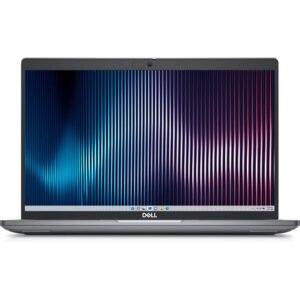 Dell Precision Series, Workstation Laptops
Dell Precision 5540 | Intel Core i7-9850H | 16GB RAM | 512GB SSD | NVIDIA Quadro T1000 4GB | 15 inch | Renewed
Dell Precision Series, Workstation LaptopsDell Precision 5540 | Intel Core i7-9850H | 16GB RAM | 512GB SSD | NVIDIA Quadro T1000 4GB | 15 inch | Renewed
Brand & Model Dell Precision 5540 Processor Intel Core i7-9850H (9th Generation, 6 Cores, 12 Threads, Up to 4.60GHz) Memory (RAM) 32GB DDR4 2666MHz Storage 512GB M.2 PCIe NVMe SSD Graphic Card NVIDIA Quadro T1000 – 4GB GDDR5 Dedicated Graphics Memory Display 15.6-inch Full HD (1920 × 1080) Display Color Silver Condition Used (Renewed) SKU: Dell5530-01-1 -
Lenovo Thinkpad, Lenovo Thinkpad P Series
Lenovo ThinkPad P1 Gen 2 Laptop – i7-9850H, 16GB RAM, 512GB SSD
-8%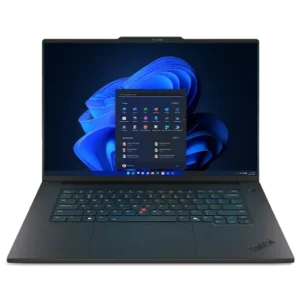 Lenovo Thinkpad, Lenovo Thinkpad P Series
Lenovo ThinkPad P1 Gen 2 Laptop – i7-9850H, 16GB RAM, 512GB SSD
Lenovo Thinkpad, Lenovo Thinkpad P SeriesLenovo ThinkPad P1 Gen 2 Laptop – i7-9850H, 16GB RAM, 512GB SSD
Brand and Model Lenovo ThinkPad P1 Gen 2 CPU Model Intel Core i7-9850H Installed RAM Memory Size 16GB Graphics Card Description NVIDIA Quadro T2000 Max-Q 4GB GDDR5 Hard Disk Size 512GB SSD Screen Size 15.6 Inches Colour Black SKU: n/a -
Dell Precision 5000 Series, Dell Precision Series, Workstation Laptops
Dell Precision 5550 | Intel Core i7-10750H | 32GB RAM | 512GB SSD | NVIDIA Quadro T2000 4GB | 15 inch | Renewed
-8%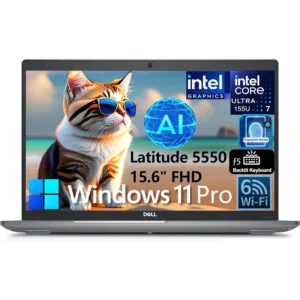 Dell Precision 5000 Series, Dell Precision Series, Workstation Laptops
Dell Precision 5550 | Intel Core i7-10750H | 32GB RAM | 512GB SSD | NVIDIA Quadro T2000 4GB | 15 inch | Renewed
Dell Precision 5000 Series, Dell Precision Series, Workstation LaptopsDell Precision 5550 | Intel Core i7-10750H | 32GB RAM | 512GB SSD | NVIDIA Quadro T2000 4GB | 15 inch | Renewed
Brand & Model Dell Precision 5550 Processor Intel Core i7-10750H (10th Generation, 6 Cores, 12 Threads, Up to 5.00GHz) Memory (RAM) 32GB DDR4 2933MHz Storage 512GB M.2 PCIe NVMe SSD Graphic Card NVIDIA Quadro T1000 – 4GB GDDR6 Dedicated Graphics Memory Display 15.6-inch FHD+ (1920 × 1200) Display Color Silver Condition Used SKU: Dell5550
There are no reviews yet.