







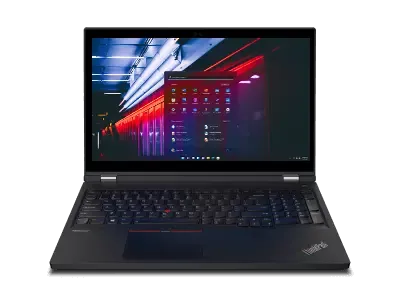


Lenovo ThinkPad P15 Gen 2 – Core i7-11850H, 16GB RAM, T1200

| Brand and Model | Lenovo ThinkPad P15 Gen 2 |
| CPU Model | Intel Core i7-11850H |
| Installed RAM Memory Size | 16GB |
| Graphics Card Description | NVIDIA T1200 Laptop GPU 4GB GDDR6 |
| Hard Disk Size | 512GB SSD |
| Screen Size | 15.6 Inches |
| Colour | Black |
1,700 AED 1,900 AED
Overview
The Lenovo Lenovo P15 Gen 2 laptop is a professional mobile workstation developed for users who need dependable computing power for technical applications, engineering tasks, 3D workflows, and demanding multitasking. This configuration combines the Intel Core i7-11850H processor with 16GB of RAM, a 512GB SSD, and NVIDIA T1200 professional graphics with 4GB of dedicated GDDR6 memory.
Unlike a standard office laptop, the ThinkPad P15 Gen 2 is designed around workstation workloads. Its powerful processor helps manage complex calculations and multiple applications, while the dedicated NVIDIA GPU provides additional graphics resources for supported design and visualisation software. As part of the Lenovo ThinkPad range, it is worth considering for professionals who need a substantial laptop for both office and technical work.
Technical Specifications of Lenovo ThinkPad P15 Gen 2
| Brand | Lenovo |
|---|---|
| Model | ThinkPad P15 Gen 2 |
| Product Series | Lenovo ThinkPad P Series |
| Processor | Intel Core i7-11850H |
| Processor Generation | 11th Generation Intel Core |
| CPU Cores | 8 Cores |
| CPU Threads | 16 Threads |
| Maximum CPU Frequency | Up to 4.8GHz |
| RAM | 16GB DDR4 |
| Memory Speed | DDR4-3200 (platform specification) |
| Storage | 512GB SSD |
| Graphics Card | NVIDIA T1200 Laptop GPU |
| Graphics Memory | 4GB GDDR6 |
| Display Size | 15.6 inches |
| Display Resolution | Configuration dependent |
| Operating System | Depends on the supplied configuration |
| Product Category | Mobile Workstation |
Core i7-11850H: Built for Demanding Professional Work
The Intel Core i7-11850H is an 11th-generation high-performance mobile processor with 8 cores and 16 threads. It operates at a 2.5GHz base frequency and can reach up to 4.8GHz under suitable conditions. With 24MB of cache, it is designed to handle workloads that require more processing capacity than typical everyday computing.
For engineers, developers, designers, and technical users, this processor can help with compiling code, working with large spreadsheets, running professional applications, and handling several demanding programs at once. Its multi-core design is particularly useful when software can distribute tasks across multiple processor cores.
The P15 Gen 2 also belongs to Lenovo’s professional workstation family. You can explore other models in the ThinkPad P Series collection if you need a different processor or graphics configuration.
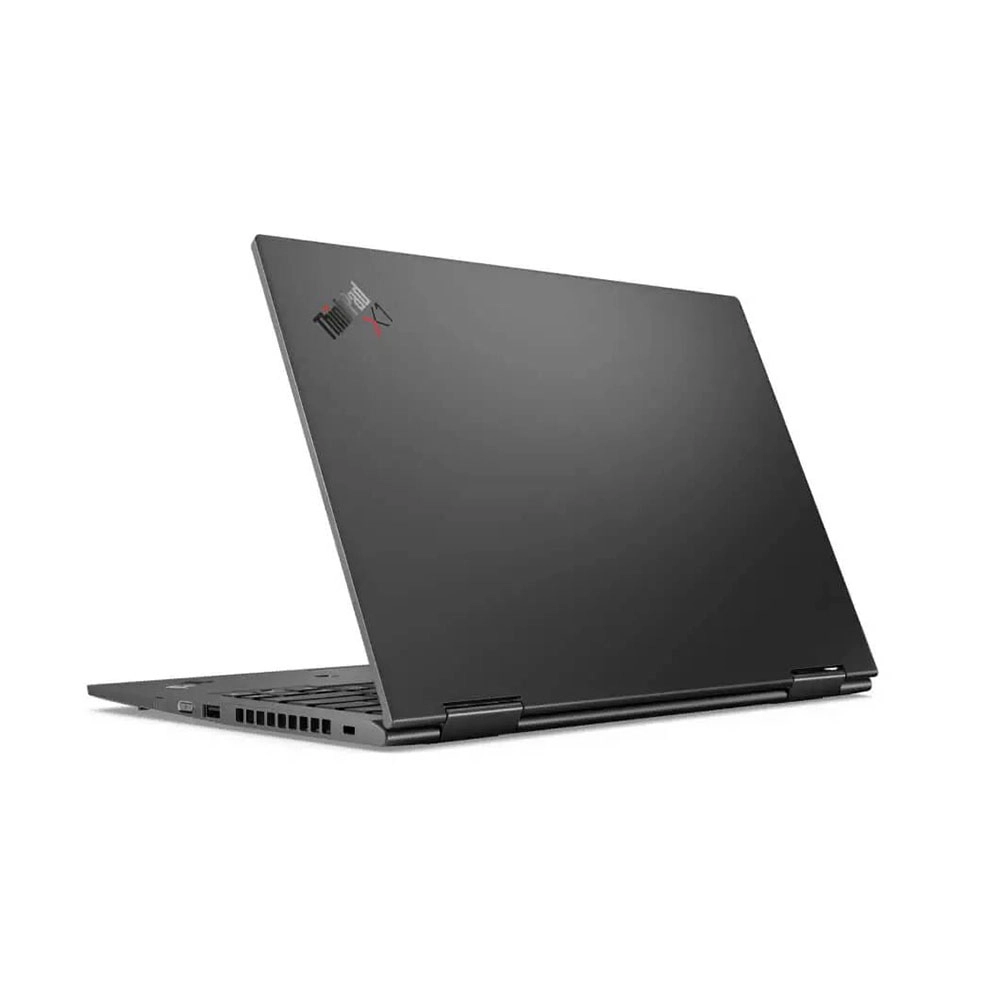
NVIDIA T1200 Graphics for Design and Visualisation
One of the defining features of this configuration is the NVIDIA T1200 Laptop GPU with 4GB of GDDR6 memory. This dedicated professional graphics processor provides its own graphics memory, helping the system handle visual workloads without relying entirely on shared system RAM.
The T1200 is suitable for a range of professional graphics tasks, including 2D design, technical visualisation, CAD projects, and moderate 3D workflows. Actual performance depends on the software, project complexity, drivers, and application settings. Users working with very large 3D scenes, advanced rendering, or GPU-intensive production may benefit from a workstation equipped with a more powerful graphics option.
For users who need a laptop for technical drawing and professional applications rather than gaming alone, the combination of the Core i7 processor and NVIDIA T1200 makes this configuration a practical workstation option.
16GB RAM and 512GB SSD for Everyday Workflows
This configuration includes 16GB of RAM, providing a useful starting point for multitasking, professional software, browser-based research, and everyday business applications. It can support several applications running together, although particularly large engineering projects or complex creative workflows may benefit from additional memory.
The ThinkPad P15 Gen 2 platform supports four DDR4 SO-DIMM memory slots and up to 128GB of memory, depending on the installed processor and supported modules. This gives the platform considerable memory upgrade flexibility. However, the actual upgrade options should be checked against the exact machine configuration.
A 512GB SSD provides storage for the operating system, applications, documents, and active projects. SSD storage also helps reduce loading times compared with traditional mechanical hard drives. Users who work with large project files or extensive media libraries may eventually want additional storage capacity.
15.6-Inch Display and Professional Workstation Design
The 15.6-inch display provides a larger working area than compact business laptops, making it more convenient for viewing technical drawings, managing multiple windows, and working with detailed documents. Lenovo offered different display configurations for the P15 Gen 2, so resolution, brightness, colour coverage, and panel technology should be confirmed for the exact unit before purchase.
The workstation format prioritises practical productivity and internal hardware capability. It is better suited to a desk-based professional workflow or occasional travel between workplaces than to users who want an especially lightweight everyday laptop.
Who Should Consider the Lenovo P15 Gen 2?
This configuration can be a suitable choice for engineering students, CAD users, technical professionals, software developers, and office users who need more processing power than a conventional entry-level laptop provides. Its dedicated NVIDIA graphics and eight-core processor make it particularly relevant to users whose applications benefit from workstation-class hardware.
However, the 16GB memory configuration may be limiting for very large projects, and the NVIDIA T1200 is not intended to replace high-end workstation GPUs in demanding rendering workflows. If your work involves advanced 3D production or large datasets, compare the available graphics and memory options before deciding.
You can also browse the wider business laptop collection to compare this workstation with other professional models.
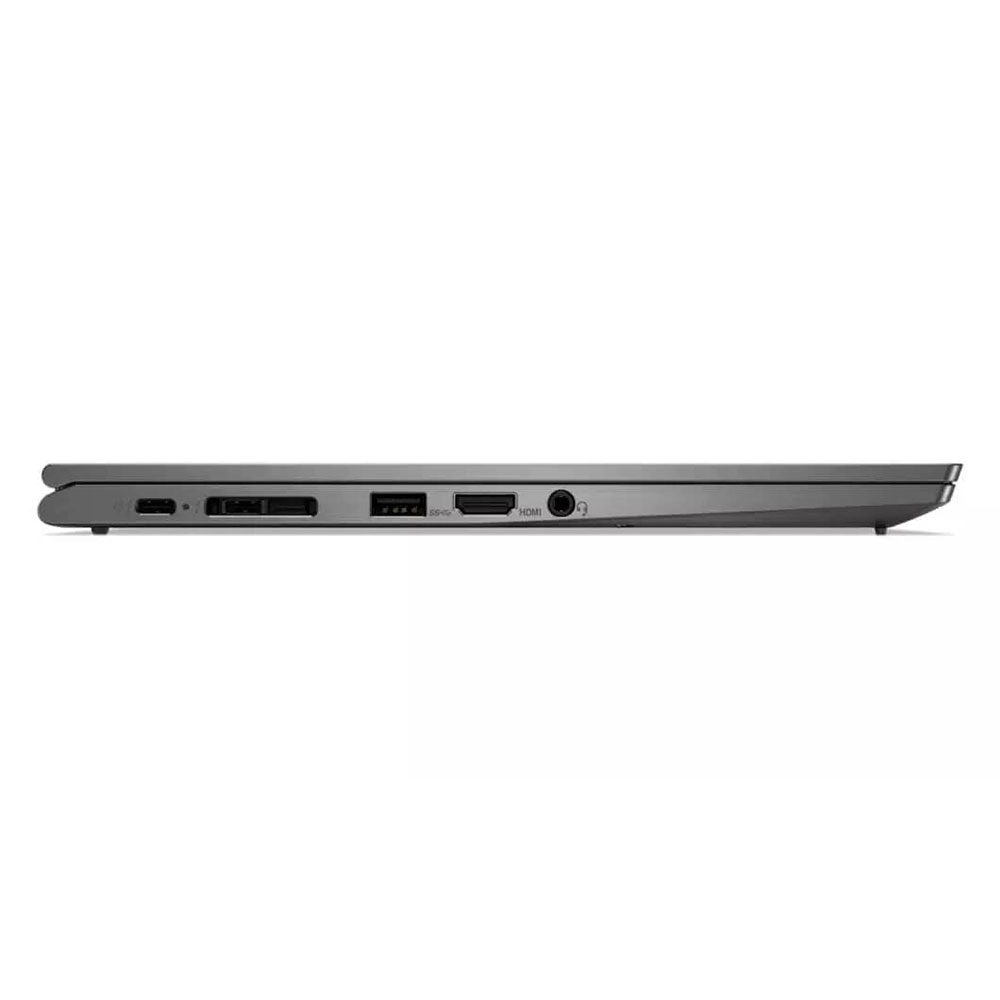
Is the Lenovo Lenovo P15 Gen 2 Laptop Worth Buying?
The Lenovo Lenovo P15 Gen 2 laptop offers a balanced professional configuration with an Intel Core i7-11850H processor, 16GB RAM, 512GB SSD storage, and NVIDIA T1200 4GB graphics. Its main strengths are its eight-core processor, dedicated professional GPU, and upgrade-friendly workstation platform.
It is worth considering if you need a capable laptop for engineering applications, technical design, multitasking, and general professional productivity. Before ordering, confirm the exact display panel, memory arrangement, SSD model, operating system, keyboard layout, battery condition, and warranty with the seller.
Frequently Asked Questions
1. Which processor is used in the Lenovo ThinkPad P15 Gen 2?
This configuration uses the Intel Core i7-11850H, an 11th-generation processor with 8 cores, 16 threads, and a maximum turbo frequency of up to 4.8GHz.
2. Does the Lenovo P15 Gen 2 have dedicated graphics?
Yes. The specified configuration includes the NVIDIA T1200 Laptop GPU with 4GB of dedicated GDDR6 graphics memory.
3. Can the ThinkPad P15 Gen 2 RAM be upgraded?
Yes. The platform has four DDR4 SO-DIMM memory slots and supports up to 128GB of RAM. The available upgrade options depend on the exact configuration and compatible memory modules.
4. Is the Lenovo P15 Gen 2 suitable for CAD and 3D design?
It can handle many CAD, technical design, and moderate 3D workloads. Performance varies by application and project size, so users working with complex scenes or demanding rendering tasks should consider their software’s graphics requirements.
5. What is the display size of the Lenovo ThinkPad P15 Gen 2?
The ThinkPad P15 Gen 2 uses a 15.6-inch display. Resolution, brightness, colour coverage, and other panel features vary by configuration and should be checked before purchase.
| Brand | |
|---|---|
| Model | ThinkPad P15 Gen 2 |
| Processor | |
| Storage | |
| Graphics | |
| RAM | |
| Screen Size | |
| Battery | |
| Weight | 2.87 kg |
| Camera | Integrated Camera |
| Color | |
| Condition | Used-Excellent (Fully Tested) |
| Keyboard | US-English |
| Operating System | Window 10 Pro |
| Warranty | 3 Months |
Based on 0 reviews
Only logged in customers who have purchased this product may leave a review.
Related products
-
HP Elite 8 (Latest Series), HP Elitebook
HP EliteBook 8 G1a 14 Ryzen 7 250 Laptop
HP Elite 8 (Latest Series), HP ElitebookHP EliteBook 8 G1a 14 Ryzen 7 250 Laptop
Brand and Model HP EliteBook 8 G1a 14 CPU Model AMD Ryzen 7 250 Installed RAM Memory Size 16GB DDR5 Graphics Card Description AMD Radeon 780M Hard Disk Size 512GB SSD Screen Size 14 Inches Colour Silver SKU: n/a -
Business Laptops, HP Elite 8 (Latest Series), HP Elitebook
HP EliteBook 8 G1a 16 Ryzen 7 250 Laptop
-14% Business Laptops, HP Elite 8 (Latest Series), HP Elitebook
HP EliteBook 8 G1a 16 Ryzen 7 250 Laptop
Business Laptops, HP Elite 8 (Latest Series), HP ElitebookHP EliteBook 8 G1a 16 Ryzen 7 250 Laptop
Brand and Model HP EliteBook 8 G1a 16 CPU Model AMD Ryzen 7 250 Installed RAM Memory Size 16GB DDR5 Graphics Card Description AMD Radeon 780M Hard Disk Size 512GB SSD Screen Size 16 Inches Colour Silver SKU: n/a -
Business Laptops, HP Elite 8 (Latest Series), HP Elitebook
HP EliteBook 8 G1i 14 Ultra 5 125U | 16GB RAM, 512GB SSD
-17%Business Laptops, HP Elite 8 (Latest Series), HP ElitebookHP EliteBook 8 G1i 14 Ultra 5 125U | 16GB RAM, 512GB SSD
Business Laptops, HP Elite 8 (Latest Series), HP ElitebookHP EliteBook 8 G1i 14 Ultra 5 125U | 16GB RAM, 512GB SSD
Brand and Model HP EliteBook 8 G1i 14 CPU Model Intel Core Ultra 5 125U Installed RAM Memory Size 16GB DDR5 Graphics Card Description Intel Graphics Hard Disk Size 512GB SSD Screen Size 14 Inches Colour Silver SKU: n/a -
HP Omnibook Series
HP OmniBook 5 16 Ryzen AI 7 – 32GB RAM, Touchscreen
HP Omnibook SeriesHP OmniBook 5 16 Ryzen AI 7 – 32GB RAM, Touchscreen
Brand and Model HP OmniBook 5 16 CPU Model AMD Ryzen AI 7 350 Installed RAM Memory Size 32GB Graphics Card Description AMD Radeon 860M Hard Disk Size 512GB SSD Screen Size 16 Inches Display Type Touchscreen Colour Silver SKU: n/a

There are no reviews yet.