







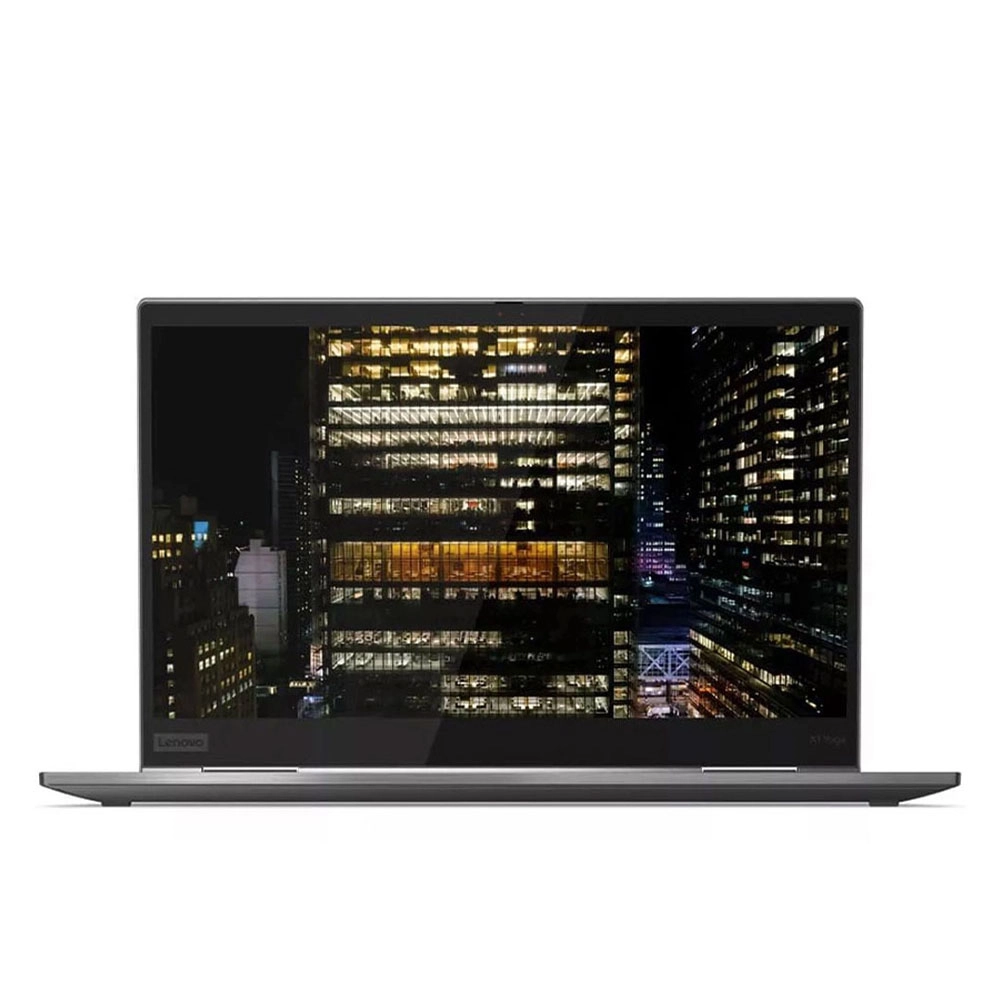


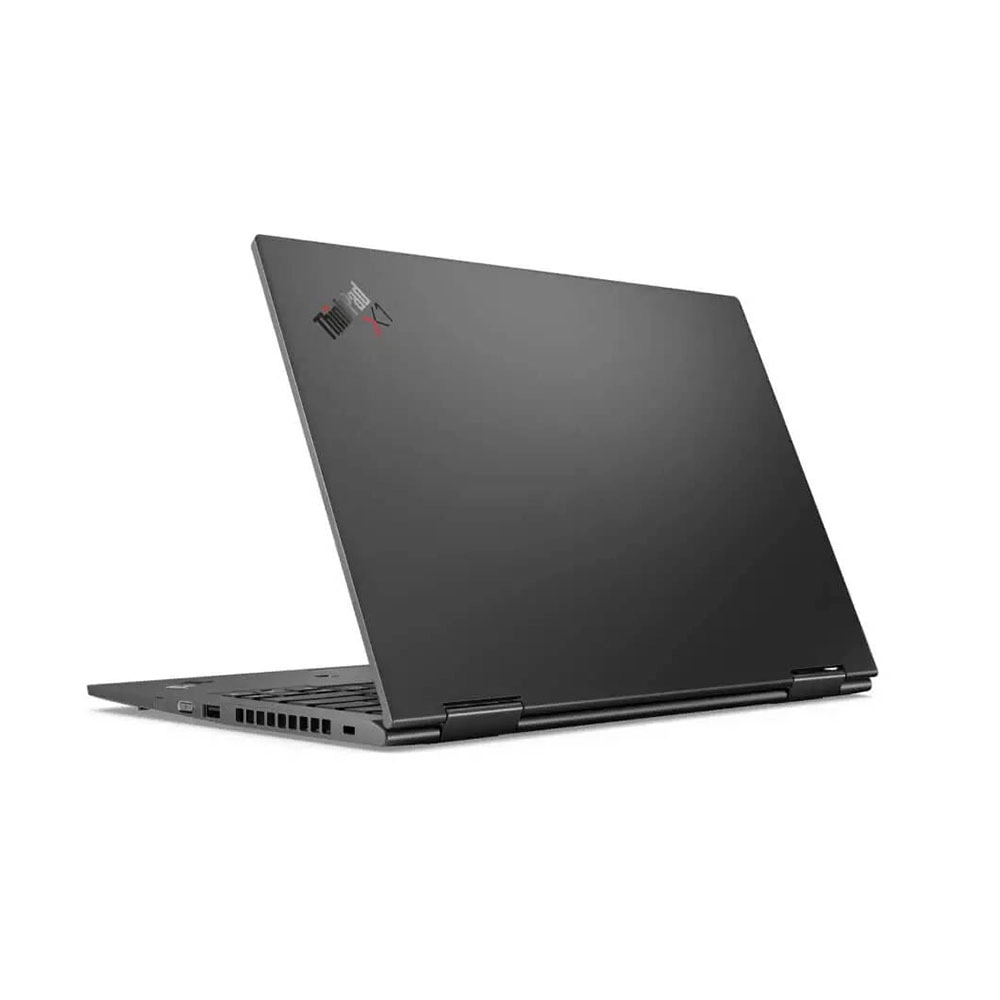

Lenovo Thinkpad X1 Yoga Gen 5 Laptop – Ci5-10th, 16GB RAM, 256 SSD Storage

| Brand and Model | Lenovo ThinkPad X1 Yoga Gen 5 |
|---|---|
| CPU model | Intel Core i5-10210U (10th Gen) |
| Installed RAM memory size | 16GB LPDDR3-2133 |
| Graphics card description | Intel UHD Graphics |
| Hard disk size | 256GB SSD NVMe |
| Screen size | 14 Inches |
| Colour | Iron Grey |
1,000 AED 1,200 AED
Lenovo ThinkPad X1 Yoga Gen 5 Laptop – Core i5 10th Gen, 16GB RAM, 256GB SSD Storage
The Lenovo ThinkPad X1 Yoga Gen 5 laptop is a 14-inch convertible business notebook built around a 10th Generation Intel Core i5 processor, 16GB of LPDDR3 memory and a 256GB PCIe NVMe SSD. This generation combines a low-power processor platform with a touchscreen display, integrated rechargeable pen and a chassis designed for flexible office use. Its aluminium top cover and magnesium base give it a distinct professional construction, while Wi-Fi 6 and Thunderbolt 3 provide connectivity for modern workplace equipment. Rather than focusing on graphics-heavy performance, the system is designed around document handling, communication, presentations and everyday business applications.
Technical Specifications
| Component | Specification |
|---|---|
| Brand | Lenovo |
| Model | ThinkPad X1 Yoga Gen 5 |
| Processor | Intel Core i5 10th Generation |
| Matching CPU Configuration | Intel Core i5-10210U |
| Cores / Threads | 4 cores / 8 threads |
| Base Frequency | 1.6GHz |
| Maximum Turbo Frequency | Up to 4.2GHz |
| Cache | 6MB |
| Memory | 16GB LPDDR3-2133 |
| Memory Upgrade | Soldered, not upgradeable |
| Storage | 256GB M.2 PCIe 3.0 x4 NVMe SSD |
| Graphics | Integrated Intel UHD Graphics |
| Display Size | 14 inches |
| Display | FHD 1920 × 1080 IPS, 400 nits, touchscreen |
| Touchscreen | 10-point multi-touch |
| Hinge | 360-degree convertible hinge |
| Pen | Integrated ThinkPad Pen Pro |
| Battery | Integrated 51Wh |
| Wireless | Intel Wi-Fi 6 (802.11ax) |
| Bluetooth | Bluetooth 5.2 |
| Camera | 720p webcam with ThinkShutter and IR camera |
| Audio | Four 360-degree microphones; Dolby Atmos speakers |
| Ports | 2× Thunderbolt 3, 2× USB-A 3.2 Gen 1, HDMI 1.4b, audio combo |
| Security | TPM 2.0, fingerprint reader, ThinkShutter |
| Chassis | Aluminium top cover, magnesium bottom |
| Colour | Iron Grey |
| Operating System | Windows 10 Pro on the documented configuration |
A 10th-Generation Platform for Business Applications
The Core i5 configuration of the ThinkPad X1 Yoga Gen 5 uses Intel’s 10th-generation mobile processor family. One documented version, the Core i5-10210U, has four cores and eight threads, with a base frequency of 1.6GHz and a maximum Turbo Boost frequency of 4.2GHz.
This processor belongs to Intel’s low-power U-series. Its design prioritises a balance between everyday processing capability and the power requirements of a compact notebook. It can handle office applications, web-based business systems, spreadsheets, email and video meetings.
Lenovo also offered the Core i5-10310U in this generation. That processor reaches up to 4.4GHz and has the same four-core, eight-thread arrangement. The exact CPU should therefore be identified from the system information or machine type when documenting an individual unit.
Memory Configuration and System Responsiveness
The laptop comes with 16GB of LPDDR3-2133 memory. This capacity provides room for several applications to remain active, including office software, browser tabs, communication platforms and document tools.
The memory operates in a dual-channel arrangement and is soldered directly to the motherboard. Lenovo does not provide removable RAM slots, so the installed 16GB cannot be expanded after purchase.
This fixed-memory design is worth considering when assessing the computer’s intended workload. For standard office tasks and general multitasking, 16GB provides a practical working capacity. However, applications that depend on very large memory allocations may be better suited to systems with expandable or higher-capacity memory.
256GB NVMe Storage
A 256GB M.2 PCIe 3.0 x4 NVMe SSD handles the system’s local storage. Its solid-state design provides responsive access to the operating system, applications and working files, without the mechanical delays associated with traditional hard drives.
The drive can accommodate Windows, office applications, documents and a moderate collection of frequently used files. For users who maintain large media libraries or extensive project archives, external drives and network storage can supplement the internal capacity.
The documented 20UB004EMH configuration also specifies Opal 2.0 support for its SSD. This standard works with compatible storage-management and encryption solutions, adding another option for organisations that manage data security centrally.
Intel UHD Graphics and Display Output
The graphics processor is integrated Intel UHD Graphics. It shares system memory with the CPU and handles the internal screen, desktop interface, video playback and standard graphical applications.
This arrangement is suitable for presentations, office software, web applications and routine visual tasks. The laptop can also connect external monitors through its HDMI and Thunderbolt 3 ports, supporting multi-display working environments.
Integrated UHD Graphics is not a dedicated graphics solution. Consequently, the system is not designed for demanding 3D rendering, advanced GPU-based production or graphics-intensive gaming. Its hardware is better aligned with productivity and communication workloads.
14-Inch Full HD Touchscreen
The documented 20UB004EMH configuration includes a 14-inch Full HD IPS touchscreen with a resolution of 1920 × 1080 and 400-nit brightness. Its anti-reflection and anti-smudge treatments help maintain visibility and usability during direct screen interaction.
The ten-point multi-touch interface supports gestures such as scrolling, zooming and selecting on-screen items. This is particularly useful when the display is folded into a tablet position or when users need to navigate documents without relying on the touchpad.
Lenovo offered additional display options across the Gen 5 family, including higher-resolution panels. However, the Full HD touchscreen is the documented specification for the matching i5-10210U, 16GB and 256GB configuration used here.
Convertible Design and Pen Input
The X1 Yoga Gen 5 uses a 360-degree hinge that changes the relationship between the display and keyboard. Users can move between four main positions:
- Laptop mode: A conventional arrangement for typing, spreadsheets and office applications.
- Tablet mode: The display folds behind the keyboard for touchscreen and pen-based interaction.
- Tent mode: The system stands in an inverted V shape for shared viewing or presentations.
- Stand mode: The keyboard sits behind the screen, leaving the display accessible for viewing and touch input.
Lenovo integrates a rechargeable ThinkPad Pen Pro into the chassis. Its storage slot keeps the stylus with the computer, making it available for handwritten notes, document annotations and compatible drawing applications.
This integrated approach makes pen access part of the laptop’s design rather than an accessory that users must carry separately. The touchscreen, stylus and traditional keyboard provide different input methods for different tasks.
Aluminium and Magnesium Construction
The ThinkPad X1 Yoga Gen 5 uses an aluminium top cover and a magnesium bottom cover. Lenovo combines these materials to create a rigid enclosure while maintaining the portability expected from a 14-inch business notebook.
The Iron Grey finish gives the device a restrained appearance suited to professional settings. Its convertible hinge is built into the chassis, allowing the display to rotate without separating the screen from the keyboard assembly.
The overall design also incorporates a pen slot, side docking connection and a Kensington security slot. These details reflect the notebook’s role in office environments where users may connect external equipment or secure the system at a workstation.
Battery and Charging
A 51Wh integrated battery supplies power to the laptop. Lenovo pairs the platform with a 65W USB-C power adapter, and the system supports charging through its USB-C and Thunderbolt 3 connections.
Actual battery life depends on screen brightness, wireless activity, application load, power settings and battery condition. The touchscreen and connected peripherals can also influence energy consumption.
The USB-C charging arrangement allows the same port family to handle power, data and compatible display connections. This is useful when the notebook is connected to a docking station or a desk setup with fewer separate cables.
Wi-Fi 6 and Thunderbolt 3 Connectivity
The documented configuration includes Intel Wi-Fi 6 through the AX201 wireless module, alongside Bluetooth 5.2. Wi-Fi 6 supports compatible wireless networks and provides a newer networking standard than the 802.11ac connections used by many earlier notebooks.
For wired connections, two Thunderbolt 3 USB-C ports support high-speed data transfer, charging and DisplayPort output. They can connect compatible docking stations, external storage devices and monitors.
The laptop also includes two USB-A 3.2 Gen 1 ports for conventional peripherals, an HDMI 1.4b port for external displays and projectors, and a 3.5mm headphone and microphone combo jack. An Ethernet extension connector provides support for wired networking through a compatible adapter.
Selected configurations also offer an optional Nano-SIM slot and mobile broadband support. These options depend on the installed WWAN hardware.
Camera, Microphones and Online Meetings
The camera system in the documented configuration combines a 720p webcam with an infrared camera. ThinkShutter provides a physical cover for the webcam, allowing users to block the camera when they do not need it.
Four 360-degree far-field microphones support voice capture from different positions around the laptop. This arrangement is useful during online meetings, calls and collaborative sessions where the user may not be directly in front of the screen.
The audio platform also includes Dolby Atmos speaker technology. Together, the microphones, camera and speakers provide the hardware needed for common video-conferencing applications.
ThinkPad Keyboard and Security Controls
The backlit ThinkPad keyboard provides a familiar typing layout for extended document work. Its TrackPoint pointing device offers cursor control from the keyboard area, while the touchpad supports conventional multi-touch navigation.
Security features include a discrete TPM 2.0 chip and a fingerprint reader. The infrared camera in the documented configuration also supports facial authentication through compatible Windows Hello features.
The physical ThinkShutter camera cover adds a direct privacy control. These features make the laptop suitable for managed workplace environments where user authentication and camera privacy are important considerations.
Advantages and Limitations
Key advantages
- 10th-generation Core i5 processing with four cores and eight threads.
- 16GB of LPDDR3 memory for everyday multitasking.
- 256GB PCIe NVMe SSD for responsive local storage.
- 14-inch Full HD IPS touchscreen in the documented configuration.
- Integrated ThinkPad Pen Pro and 360-degree convertible hinge.
- Wi-Fi 6 and two Thunderbolt 3 ports.
- TPM 2.0, fingerprint authentication and ThinkShutter camera privacy.
- Aluminium and magnesium chassis construction.
Important limitations
- The 16GB memory is soldered and cannot be upgraded.
- Intel UHD Graphics is intended for everyday visual workloads rather than demanding 3D applications.
- The 256GB SSD may be restrictive for large local file collections.
- The 10th-generation processor is older than the platforms used in current business notebooks.
- The documented configuration uses a Full HD panel rather than the higher-resolution options available elsewhere in the product family.
Final Overview
The Lenovo ThinkPad X1 Yoga Gen 5 combines a 10th-generation Core i5 processor, 16GB of memory and a 256GB NVMe SSD in a 14-inch convertible business notebook. Its Full HD touchscreen, integrated ThinkPad Pen Pro and 360-degree hinge support several working positions, while Wi-Fi 6, Thunderbolt 3 and built-in security features provide practical tools for professional environments. The aluminium-and-magnesium chassis completes a design focused on flexible office productivity and mobile computing.
| Brand | |
|---|---|
| Model | Lenovo ThinkPad X1 Yoga Gen 5 |
| Processor | |
| RAM | |
| Storage | |
| Graphics | |
| Screen Size | |
| Camera | Integrated Camera |
| Color | |
| Keyboard | Backlit Keyboard, US-English |
| Operating System | Window 10 Pro |
| Condition | Used-Excellent (Fully Tested) |
| Battery | |
| Weight | 1.36 kg |
| Warranty | 3 Months |
Based on 0 reviews
Only logged in customers who have purchased this product may leave a review.
Related products
-
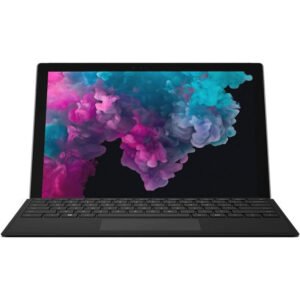
Surface Pro, Tablet and Detachable
Microsoft Surface Pro 6 Core i5-8250U 8GB 256GB
Surface Pro, Tablet and DetachableMicrosoft Surface Pro 6 Core i5-8250U 8GB 256GB
Brand and Model Microsoft Surface Pro 6 CPU model Intel Core i5-8250U Installed RAM memory size 8GB LPDDR3 Graphics card description Intel UHD 620 Hard disk size 256GB SSD Nvme Screen size 13.1Inches Full HD Colour Silver SKU: n/a -
Surface Pro, Tablet and Detachable
Microsoft Surface Pro 7 + Core i5-11th 8GB 256GB SSD
Surface Pro, Tablet and DetachableMicrosoft Surface Pro 7 + Core i5-11th 8GB 256GB SSD
Brand and Model Microsoft Surface Pro 7+ CPU model Intel Core i5-11370H Installed RAM memory size 32GB DDR4 Graphics card description 4GB Nvidia RTX 3050 Hard disk size 512GB SSD Nvme Screen size 14.4 Inches Full HD Color Silver 
What is Tested Working?
This Renewed product is tested and certified to … more
How to deliver ?All delivery and payment options… more 
Warranty , Term and Condition?
In case you got problem and want to return … more
Order it easy ? Oder this item from whats-app Now.. more SKU: n/a -
Surface Book, Tablet and Detachable
Surface Book-3 Core i7-10th Gen, 32GB RAM, 512GB SSD, 1660Ti 6GB
-19% Surface Book, Tablet and Detachable
Surface Book-3 Core i7-10th Gen, 32GB RAM, 512GB SSD, 1660Ti 6GB
Surface Book, Tablet and DetachableSurface Book-3 Core i7-10th Gen, 32GB RAM, 512GB SSD, 1660Ti 6GB
Brand and Model Microsoft Surface Book 3 CPU model Intel Core i7-1065G7 Installed RAM memory size 32GB DDR4 Graphics card description 6GB Nvidia GTX 1660Ti Hard disk size 512GB SSD Nvme Screen size 15.6 Inches Full HD Color Silver What is Tested Working?
This Renewed product is tested and certified to … moreHow to deliver ?All delivery and payment options… more Warranty , Term and Condition?
In case you got problem and want to return … moreOrder it easy ? Oder this item from whats-app Now.. more SKU: n/a -
Business Laptops, Gaming Laptops, Office and Student, Tablet and Detachable
Surface Book 2 with Core i7-8th | 16GB 512GB
-13% Business Laptops, Gaming Laptops, Office and Student, Tablet and Detachable
Surface Book 2 with Core i7-8th | 16GB 512GB
Business Laptops, Gaming Laptops, Office and Student, Tablet and DetachableSurface Book 2 with Core i7-8th | 16GB 512GB
“>ss=”a-span3″ role=”presentation”>Graphics card description“presentation”>6GB Graphics (NVIDIA)
&am p;lt
;sp
an class=”a-size-base a-text-bold”>Brand and Model lass=”a-size-
base po-bre
ak-word”>Microsoft Surface Book 2&amp;amp;lt;/strong>e=”presentation”><strong>CPU model<strong>Intel Core i7-8thInstalled RAM memory size</span>16GB DDR4s=”a-span3″>e=”presentation”>Hard disk size<strong><span class=”a-size-base po-break-word”>512GB SSD NvmeScreen size</strong>
15.6 Inches Full HDColourSilver
SKU: Su70148
There are no reviews yet.