







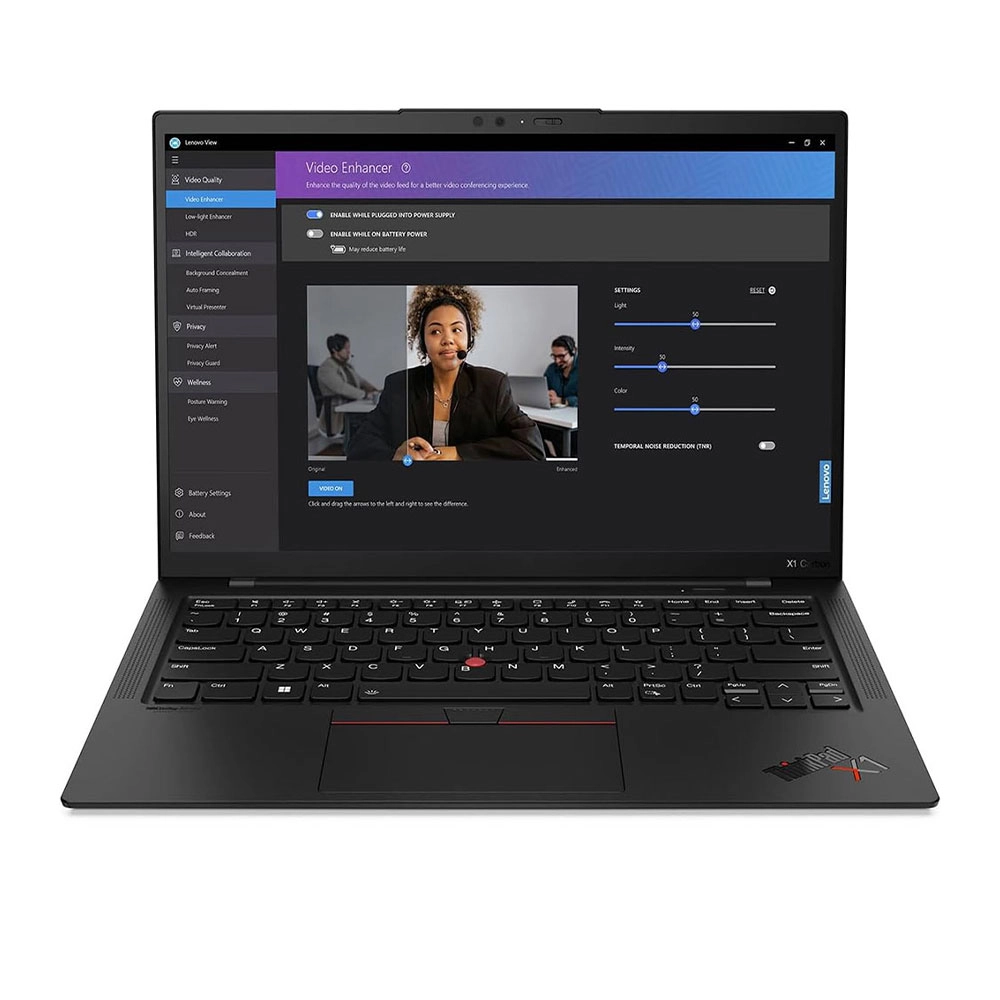


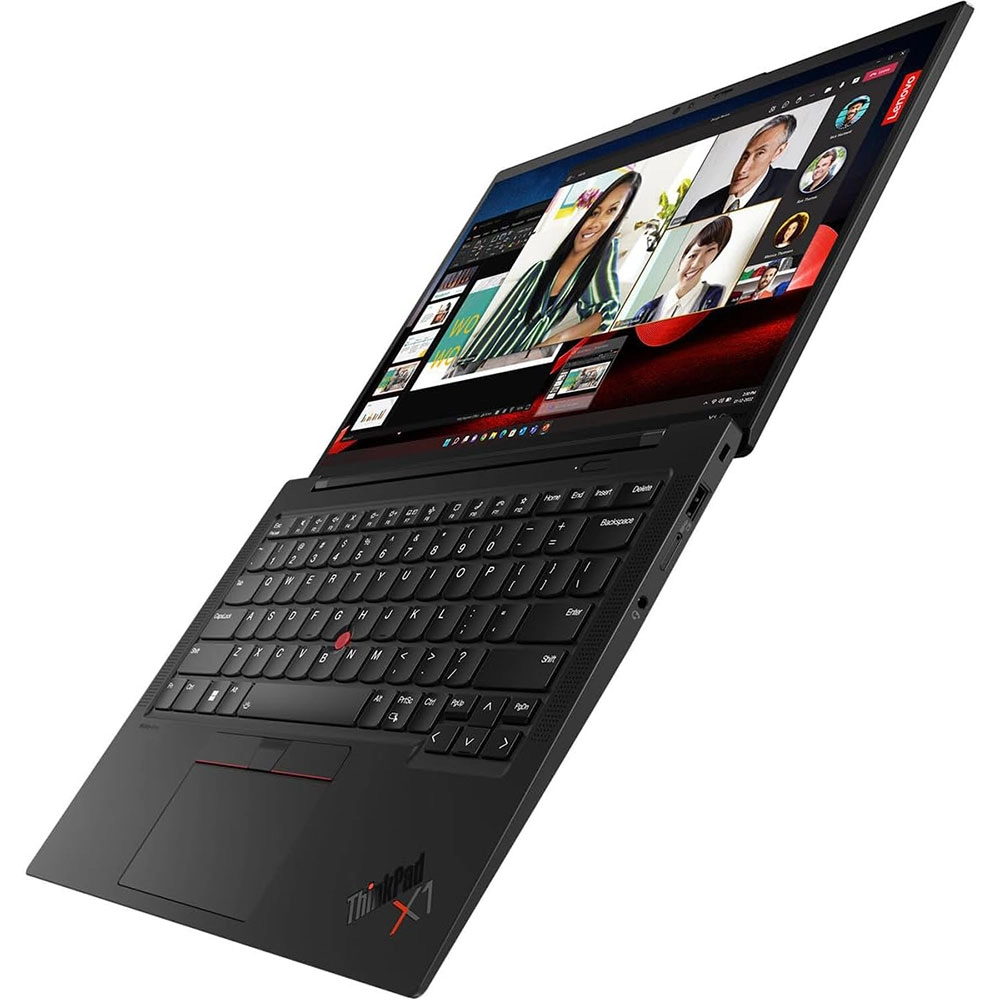
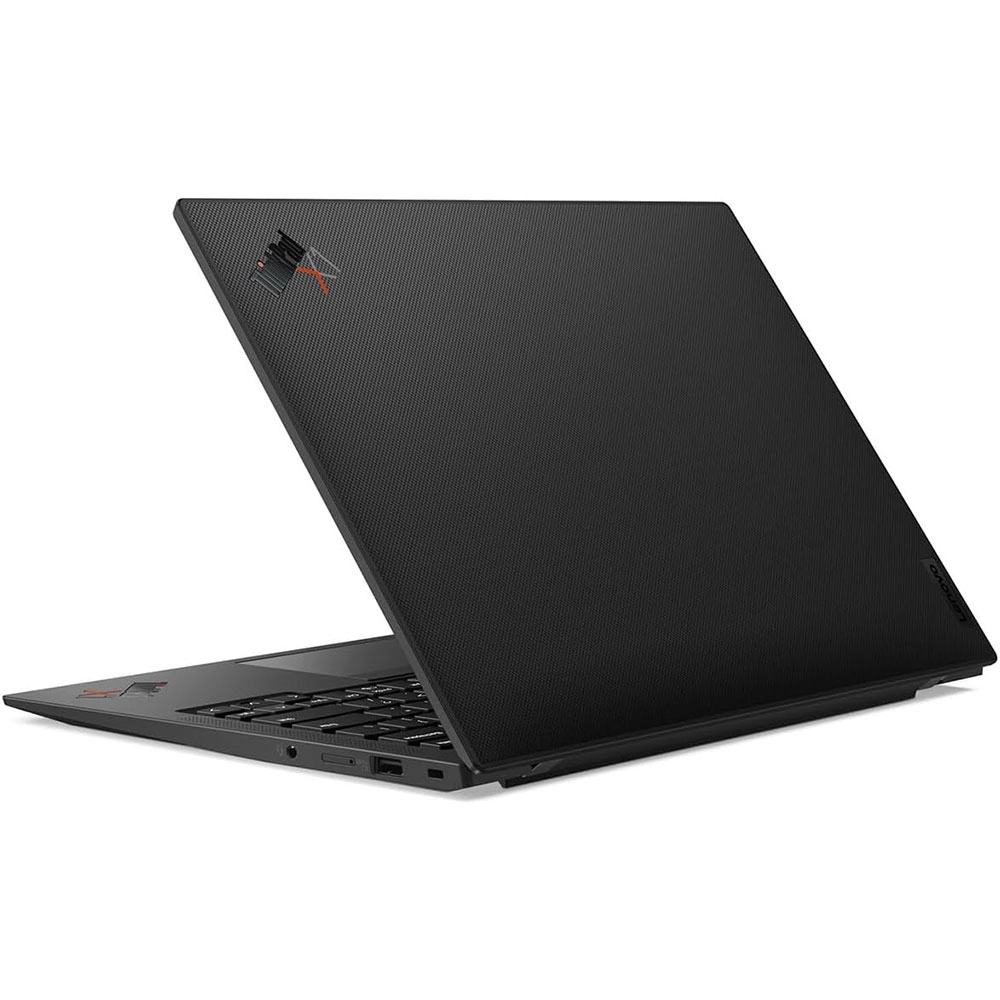
Lenovo Thinkpad X1 Carbon Gen 11 Laptop – Ci7-13th, 32GB RAM, 512 SSD Storage

| Brand and Model | Lenovo ThinkPad X1 Carbon Gen 11 |
|---|---|
| CPU model | Intel Core i7-1365U (13th Gen) |
| Installed RAM memory size | 32GB LPDDR5-6000 |
| Graphics card description | Intel Iris Xe Graphics |
| Hard disk size | 512GB SSD NVMe |
| Screen size | 14 Inches |
| Colour | Deep Black |
2,000 AED 2,400 AED
Lenovo ThinkPad X1 Carbon Gen 11 Core i7, 32GB RAM, 512GB SSD
The Lenovo ThinkPad X1 Carbon Gen 11 laptop combines a 13th Generation Intel Core i7 processor with 32GB of onboard memory and a 512GB PCIe NVMe SSD in a lightweight 14-inch business notebook. Its design prioritises portability, responsive multitasking and practical connectivity. With Intel Iris Xe integrated graphics, a 16:10 display format and a selection of business-focused features, this configuration is suited to professional workloads that benefit from a capable processor and substantial memory capacity.
Technical Specifications
| Component | Specification |
|---|---|
| Brand | Lenovo |
| Model | ThinkPad X1 Carbon Gen 11 |
| Processor | Intel Core i7-1365U, 13th Gen |
| CPU Cores / Threads | 10 cores / 12 threads |
| Maximum Processor Speed | Up to 5.2GHz |
| RAM | 32GB LPDDR5/x-6000 |
| Memory Configuration | Soldered, not upgradeable |
| Storage | 512GB M.2 PCIe 4.0 NVMe SSD |
| Graphics | Integrated Intel Iris Xe Graphics |
| Display Size | 14 inches |
| Display Aspect Ratio | 16:10 |
| Battery | 57Wh |
| Audio | Dolby Atmos stereo speakers |
| Camera | Configuration-dependent, including FHD camera options |
| Wireless Connectivity | Configuration-dependent Wi-Fi and Bluetooth |
| Operating System | Depends on the supplied configuration |
A Lightweight Chassis for Professional Mobility
The ThinkPad X1 Carbon Gen 11 follows the established business-oriented design of the X1 Carbon family. Its compact 14-inch format makes it easier to carry between offices, meetings and work locations than many larger notebooks. Meanwhile, its understated appearance and familiar ThinkPad layout keep the design focused on everyday professional use.
Lenovo combines a carbon-fibre reinforced top cover with a magnesium-alloy bottom cover on this generation. This construction helps balance structural rigidity with a low overall weight. The result is a portable system designed for people who regularly work away from a fixed desk.
The keyboard is another important part of the laptop’s working environment. ThinkPad models are known for their practical keyboard layout, TrackPoint pointing device and dedicated touchpad. Depending on the exact configuration, the keyboard also includes backlighting, which can make typing more convenient in dimly lit environments.
Core i7-1365U: Hybrid Processing for Daily Workloads
At the centre of this configuration is the Intel Core i7-1365U, a 13th Generation processor built around Intel’s hybrid architecture. It contains 10 cores, consisting of two Performance cores and eight Efficient cores, with a total of 12 threads. The Performance cores can reach up to 5.2GHz, while the Efficient cores reach up to 3.9GHz.
This arrangement allows the processor to handle different types of work across its core groups. Performance cores support demanding foreground tasks, while Efficient cores help manage background activity. Consequently, the laptop can handle common professional workloads such as document editing, web-based applications, spreadsheets, video calls and multiple open programs.
The processor also supports more involved office tasks, including working with large spreadsheets and switching between several productivity applications. However, the X1 Carbon remains a thin-and-light business notebook rather than a workstation. Sustained, highly demanding workloads may be better suited to systems with more substantial cooling and dedicated graphics.
32GB Onboard Memory for Multitasking
The 32GB memory configuration gives this ThinkPad considerable room for simultaneous applications. Users can keep multiple browser tabs, office documents, communication tools and other everyday programs open without relying as heavily on storage-based memory swapping.
Lenovo specifies soldered LPDDR5/x-6000 memory for the documented 32GB configuration. Because the memory is attached directly to the system board, users cannot expand or replace it through a conventional RAM slot. Therefore, the installed 32GB capacity is an important long-term hardware consideration.
For users who regularly switch between applications or work with memory-intensive documents, this capacity can support a more flexible desktop-style workflow on a portable laptop.
512GB PCIe SSD and Storage Access
The 512GB M.2 NVMe SSD uses a PCIe 4.0 interface. Compared with traditional mechanical storage, this type of solid-state drive provides faster access to files and helps reduce loading times for the operating system and applications.
The capacity offers room for business documents, presentations, software, local project files and everyday media. In addition, the Gen 11 platform includes one M.2 2280 storage slot. Lenovo’s specifications list support for drives up to 2TB, although any replacement or upgrade should be checked against the exact machine configuration and compatible drive requirements.
The combination of a PCIe SSD and 32GB of memory gives the system two useful resources for multitasking: fast storage access and substantial working memory.
Intel Iris Xe Graphics and Visual Work
The graphics system is Intel Iris Xe Graphics, integrated into the processor platform. It is not a separate NVIDIA or AMD graphics card, and it should not be listed as Intel HD Graphics.
Iris Xe handles everyday visual tasks, including desktop rendering, video playback, presentations, web content and supported external display setups. It can also support light photo editing and other moderate graphics workloads, depending on the software and project complexity.
For professional applications that depend on powerful dedicated graphics, such as complex 3D rendering or demanding GPU-accelerated workloads, a workstation-class laptop with a discrete GPU is a more appropriate hardware category.
14-Inch Display for a Compact Workspace
The 14-inch display gives the ThinkPad X1 Carbon Gen 11 a practical balance between screen area and portability. Its 16:10 aspect ratio provides more vertical workspace than a traditional 16:9 panel of similar width. This can be useful when reading documents, reviewing long web pages, editing spreadsheets or working with code.
Lenovo offered several display options across the Gen 11 range. These include different resolutions, brightness levels, panel technologies and touch configurations. As a result, the exact resolution, brightness, colour coverage and touchscreen support should be verified using the machine’s full model number rather than assumed from the generation name alone.
The 16:10 format remains useful across common office applications because it allows more content to appear vertically on the screen.
Battery, Connectivity and Communication
The documented X1 Carbon Gen 11 configuration uses a 57Wh integrated battery. Actual runtime depends on the display panel, brightness, wireless activity, software workload and battery condition. Therefore, battery life should be assessed using the specific unit rather than relying on a single estimated figure for the entire product family.
Connectivity is one of the platform’s practical strengths. The Gen 11 design includes two Thunderbolt 4 ports, two USB-A ports, an HDMI output and a combined headphone and microphone jack. The Thunderbolt connections support high-speed data transfer and compatible display and docking setups. This gives users several ways to connect external monitors, storage devices and workplace accessories.
For online meetings, the laptop’s camera options include configurations with Full HD resolution and infrared functionality. Lenovo also equips the platform with a multi-microphone array and Dolby Atmos stereo speakers, supporting video calls, recorded presentations and everyday media playback.
Where This Configuration Fits Best
The combination of a Core i7 processor and 32GB of memory makes this configuration suitable for a range of professional and academic tasks. Its compact chassis is particularly relevant to users who move between workspaces and need a full Windows laptop rather than a tablet-style device.
Typical workloads include:
- Office productivity, spreadsheets and document preparation.
- Research involving multiple browser tabs and reference documents.
- Video meetings and collaborative applications.
- Programming, code editing and general development environments.
- Light image editing and routine visual content work.
- Managing several applications at the same time.
Its integrated graphics and thin-and-light design establish some boundaries. In particular, intensive 3D work, advanced video production and demanding modern games are not the main focus of this hardware configuration.
Important Hardware Considerations
The 32GB memory is soldered to the motherboard and cannot be upgraded later. Users should also verify the display panel and camera specification because Lenovo offered several configurations under the ThinkPad X1 Carbon Gen 11 name.
The Intel Iris Xe graphics are integrated rather than dedicated. This distinction matters when evaluating software that requires a discrete GPU. Finally, the 512GB SSD provides a useful starting capacity, but users with large local datasets or extensive media libraries may need to manage storage carefully or investigate a compatible replacement drive.
Final Overview
The Lenovo ThinkPad X1 Carbon Gen 11 pairs the 13th Gen Intel Core i7-1365U with 32GB of soldered memory and a 512GB PCIe 4.0 NVMe SSD. Its 14-inch format, lightweight construction and business-focused connectivity make it a portable platform for multitasking, office productivity and general professional computing.
Intel Iris Xe graphics support everyday visual workloads, while the 57Wh battery and Thunderbolt 4 connectivity contribute to its mobile working setup. The main configuration limitations are the non-upgradeable memory and the absence of a dedicated graphics processor. Display details also vary by machine SKU, so the exact panel should be confirmed before documenting the individual unit.
| Brand | |
|---|---|
| Model | Lenovo ThinkPad X1 Carbon Gen 11 |
| Processor | |
| RAM | |
| Storage | |
| Graphics | |
| Screen Size | |
| Camera | Integrated Camera |
| Color | |
| Keyboard | Backlit Keyboard, US-English |
| Operating System | Windows 11 Pro |
| Condition | Used-Excellent (Fully Tested) |
| Battery | |
| Weight | 1.12 kg |
| Warranty | 3 Months |
Based on 0 reviews
Only logged in customers who have purchased this product may leave a review.
Related products
-
Surface Book, Tablet and Detachable
Surface Book2 i5 8th Laptop Ram 8GB Storage 256GB SSD 13.5″ Detachable Touchscreen Win 11 Silver
-10% Surface Book, Tablet and Detachable
Surface Book2 i5 8th Laptop Ram 8GB Storage 256GB SSD 13.5″ Detachable Touchscreen Win 11 Silver
Surface Book, Tablet and DetachableSurface Book2 i5 8th Laptop Ram 8GB Storage 256GB SSD 13.5″ Detachable Touchscreen Win 11 Silver
Brand and Model Microsoft Surface Book 2 CPU model Intel Core i5-8200U Installed RAM memory size 8GB DDR4 Graphics card description Intel HD Graphic 620 Hard disk size 256GB SSD Nvme Screen size 13.5 Inches Full HD Color Silver 
What is Tested Working?
This Renewed product is tested and certified to … more
How to deliver ?All delivery and payment options… more 
Warranty , Term and Condition?
In case you got problem and want to return … more
Order it easy ? Oder this item from whats-app Now.. more SKU: n/a -
Surface Pro, Tablet and Detachable
Microsoft Surface Pro 8 with Core i7-11th | 16GB 256GB
Surface Pro, Tablet and DetachableMicrosoft Surface Pro 8 with Core i7-11th | 16GB 256GB
ass=”a-spacing-small po-hard_disk.size” role=”listitem”>
><strong>=””>=”a-size-base a-text-bold”>Graphics card description</td>
=”presentation”>Brand and Model Microsoft Surface Pro 8 role=”presentation”>CPU model Intel Core i7 (11th Gen) Processor Installed RAM memory size <strong>16GB DDR4 >Intel UHD</strong></strong> Hard disk size s=”a-span9″ role=”presentation”>>>>>256GB SSD Nvme</strong> le=”presentation”>Screen size <span class=”a-size-base po-break-word”>12.3 Inches Full HD</td></td></td> lass=”a-span3″ role=””>=”</yoastmark”>”presentation”>Colour Silver SKU: Su70169 -
Surface Book, Tablet and Detachable
Microsoft Surface Book-2 Core i7-8th | 16GB 512GB 2GB Graphics
-13% Surface Book, Tablet and Detachable
Microsoft Surface Book-2 Core i7-8th | 16GB 512GB 2GB Graphics
Surface Book, Tablet and DetachableMicrosoft Surface Book-2 Core i7-8th | 16GB 512GB 2GB Graphics
Brand and Model Microsoft Surface Book 2</strong> CPU model Intel Core i7-8th Installed RAM memory size 16GB DDR4 Graphics card description d=”3145″>2GB Dedicated Graphic ss=”a-span3″ role=”presentation”><strong>Hard disk size</td> class=”a-span9″ role=”presentation”>512GB SSD Nvme Screen size <span class=”a-size-base po-break-word”>12.3 Inches Full HD Colour</span></span> =”a-span9″ role=”presentation”>Silver SKU: Su70149 -
Microsoft Surface Studio, Tablet and Detachable, Workstation Laptops
Surface Laptop Studio 1 2-in-1 Core i7-11th 32GB 1TB 4GB Nvidia RTX A2000
-13% Microsoft Surface Studio, Tablet and Detachable, Workstation Laptops
Surface Laptop Studio 1 2-in-1 Core i7-11th 32GB 1TB 4GB Nvidia RTX A2000
Microsoft Surface Studio, Tablet and Detachable, Workstation LaptopsSurface Laptop Studio 1 2-in-1 Core i7-11th 32GB 1TB 4GB Nvidia RTX A2000
=”a-spacing-small po-color” role=”listitem”>=”a-spacing-small po-hard_disk.size” role=”listitem”>Hard disk sizeole=”presentation”>512GB SSD Nvme
<tr class=”a-spacing-small po-cpu_model.family” role=”listitem”>Screen size<strong>14.4 Inches Full HD</td>
CPU modelIntel Core <span class=”a-size-base po-break-word”>i7-11370H</td>”>Installed RAM memory size<strong>32GB DDR4
ass=”a-spacing-small po-brand” role=”listitem”>Brand and Model Microsoft Surface Laptop Studio 1</tbody>
Graphics card description ole=”presentation”>4GB Nvidia RTX 3050 s=”a-spacing-small po-brand” role=”listitem”>f=”https://idita.com/what-is-tested-working”><img class=”aligncenter size-medium wp-image-9154″ src=”https://idita.com/wp-content/uploads/2026/04/test-2-300×300.jpg” alt=”Tested by idita” width=”120″ height=”120″ />What is Tested Working?
</strong>This Renewed product is tested and certified to … moreHow to deliver ?All delivery and payment options… more<td>ass=”a-span9″ role=”presentation”>
Warranty , Term and Condition?
In case you got problem and want to return … morec=”https://idita.com/wp-content/uploads/2026/04/whatapp-300×300.jpg” alt=”Order in whatsapp” width=”120″ height=”120″ />Order it easy ? Oder this item from whats-app Now.. more
</p>
SKU: n/a
There are no reviews yet.