







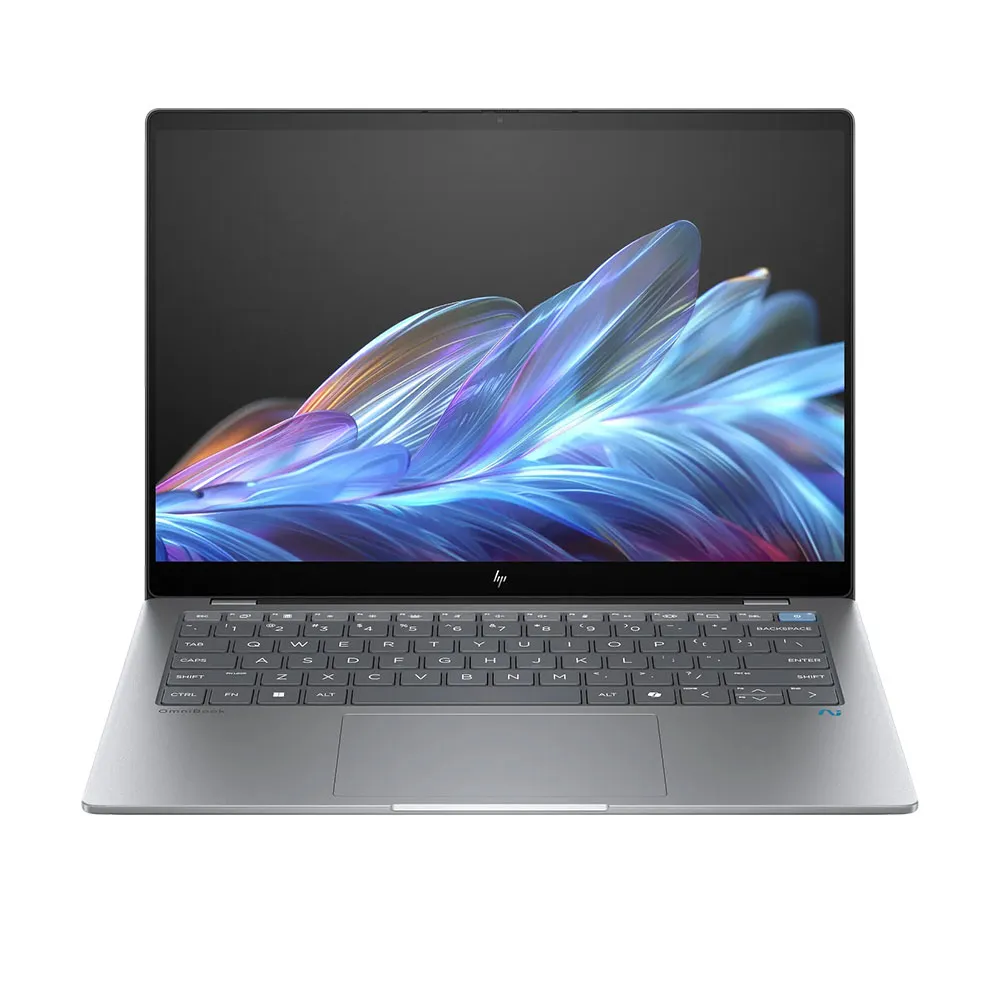
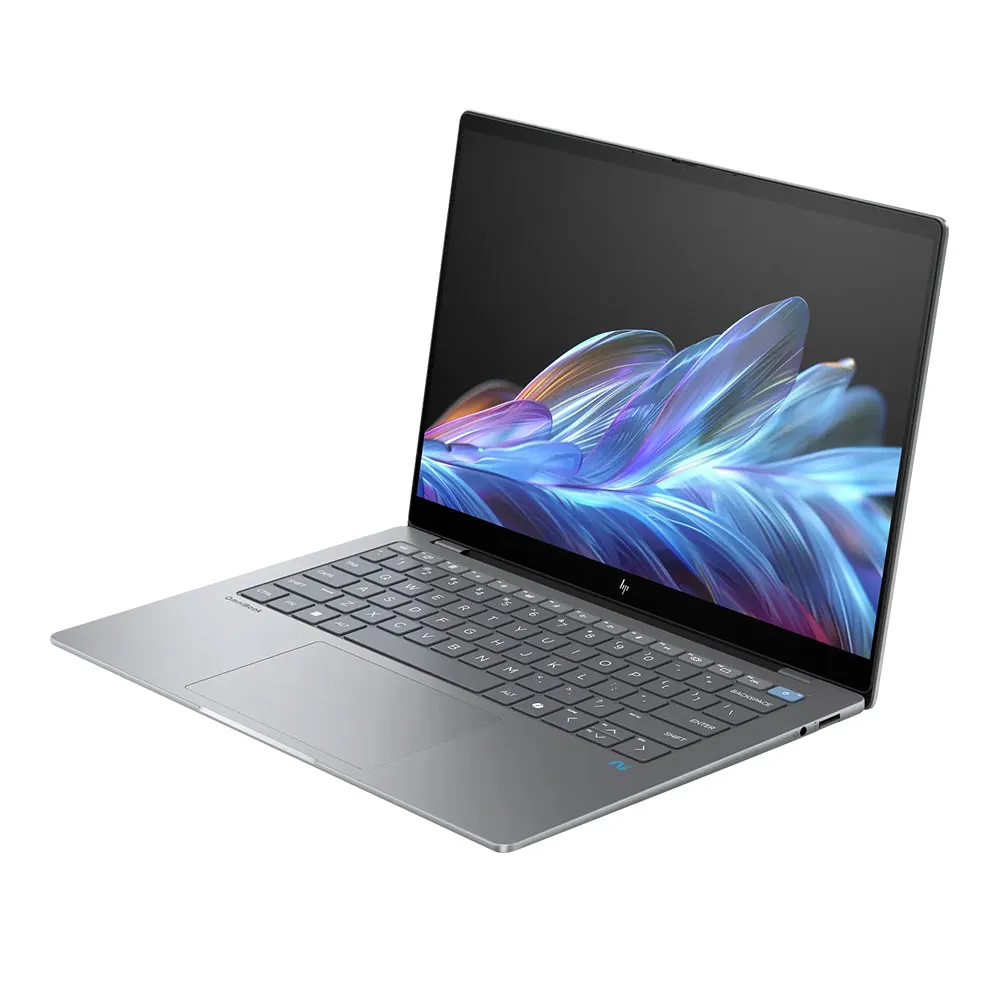
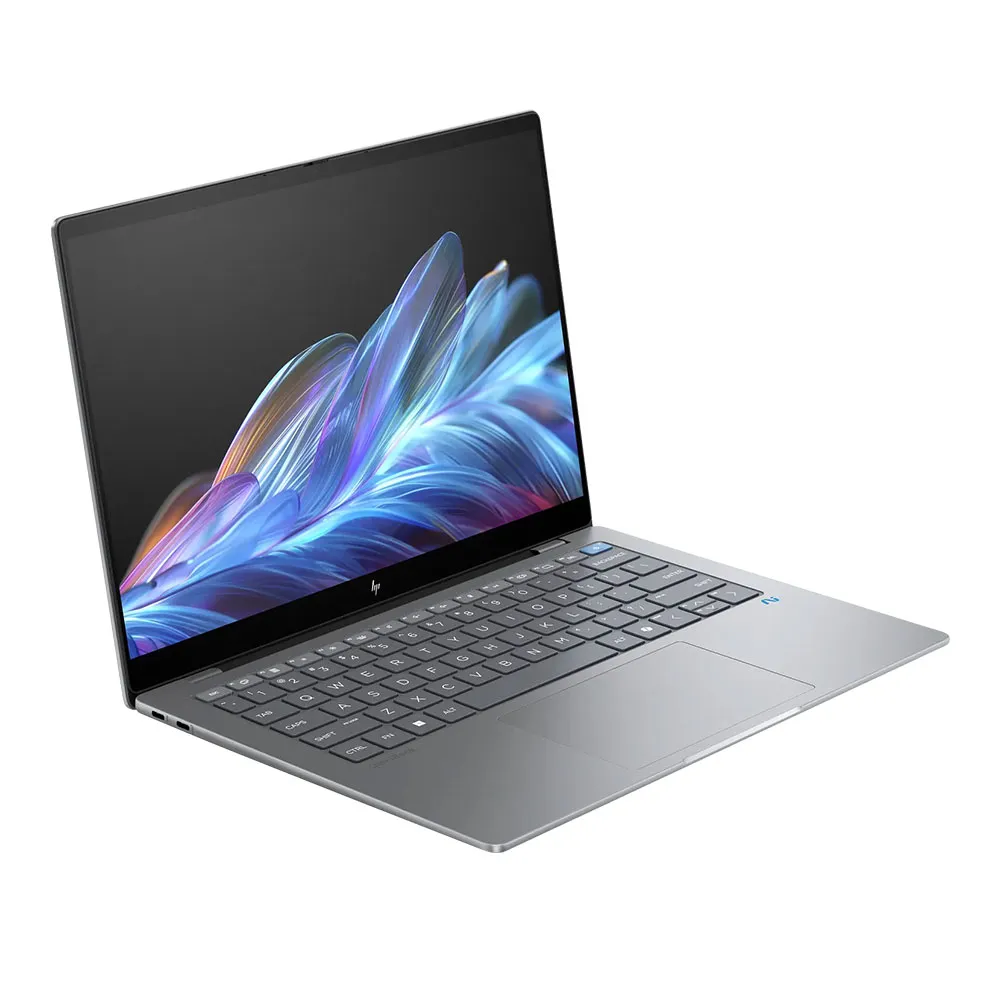
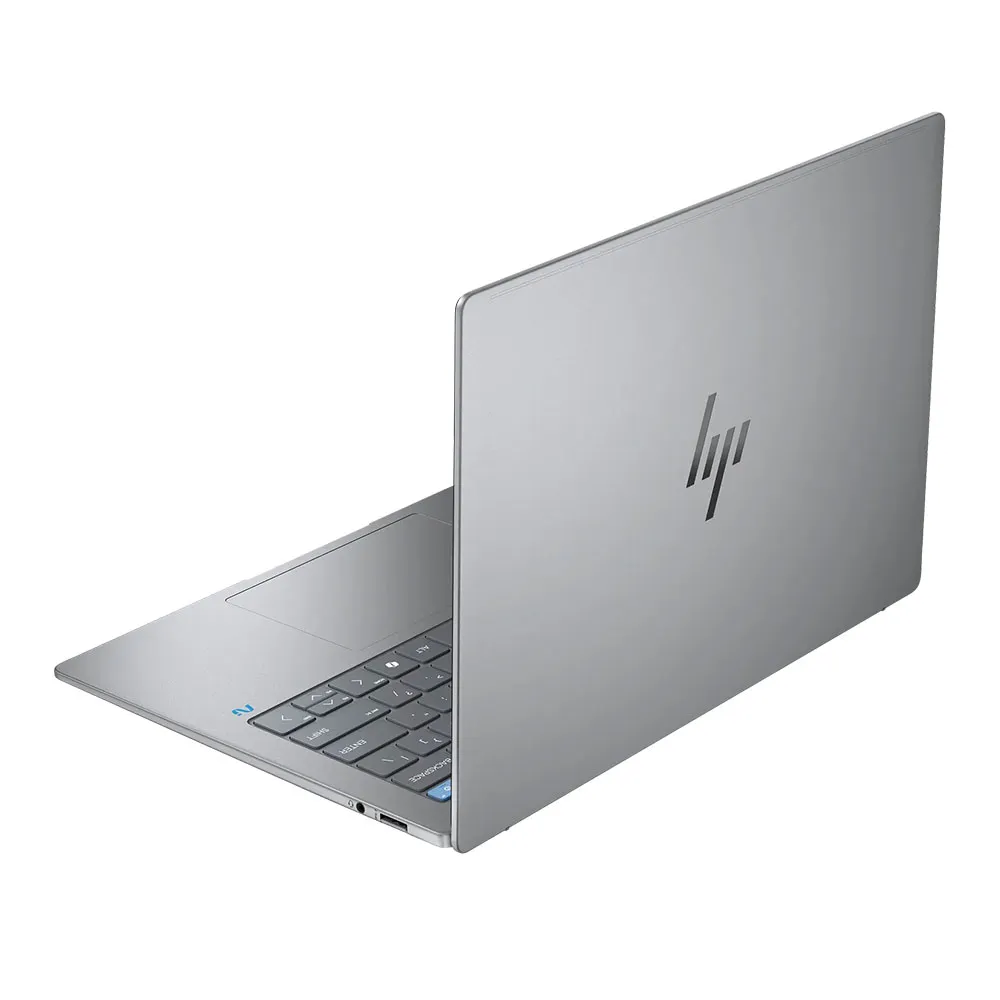
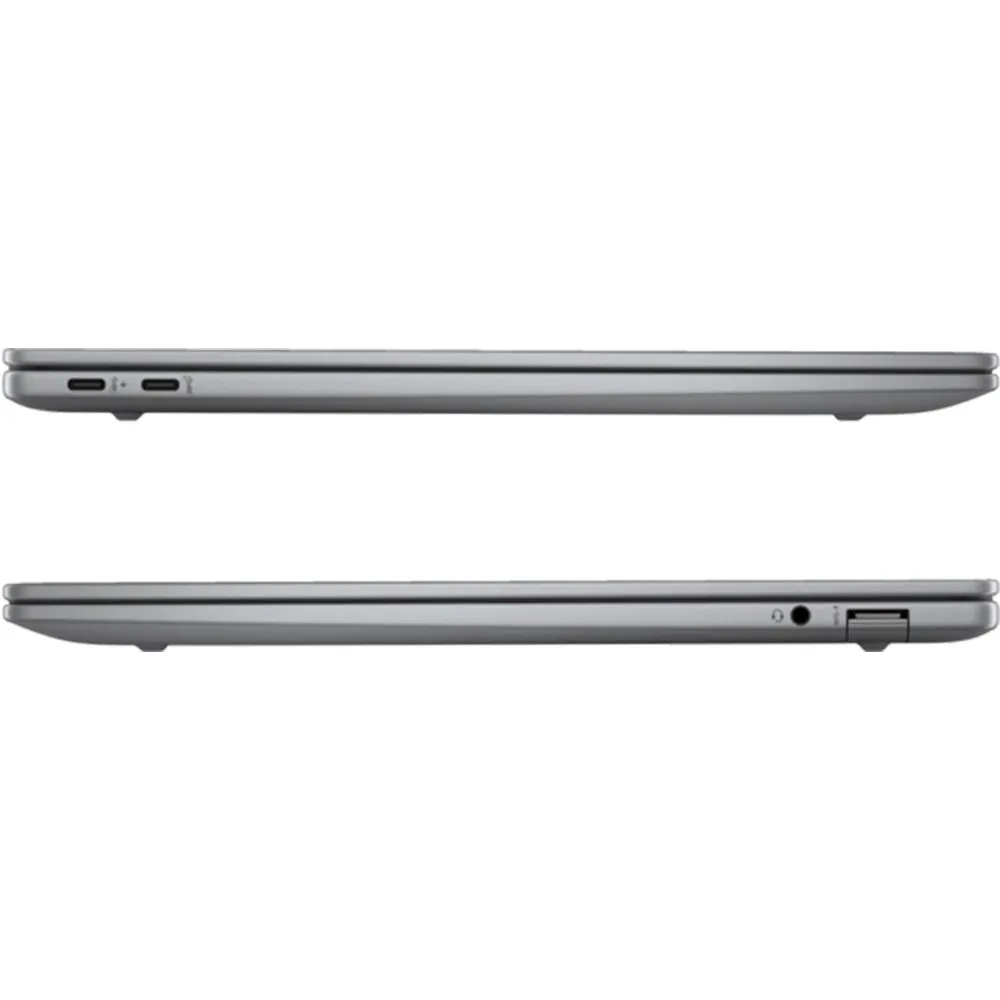
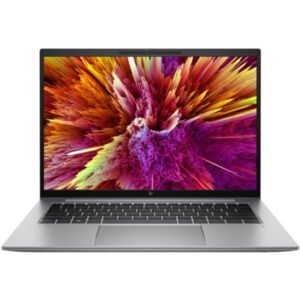
HP OmniBook X 14 Touchscreen | Snapdragon X Elite 16GB 1TB

| Specification | Details |
|---|---|
| Brand and Model | HP OmniBook X 14 Touchscreen – Snapdragon X Elite X1E-78-100 |
| CPU model | Qualcomm Snapdragon X Elite X1E-78-100 |
| Installed RAM memory size | 16GB LPDDR5X-8448 |
| Graphics card description | Qualcomm Adreno X1-85 Integrated Graphics |
| Hard disk size | 1TB PCIe Gen4 NVMe SSD |
| Screen size | 14 Inches 2.2K IPS Touchscreen (2240 × 1400) |
| Colour | Meteor Silver / Silver |
1,800 AED 2,200 AED
HP OmniBook X 14 Snapdragon X Elite, 16GB RAM, 1TB SSD
The HP OmniBook X 14 touchscreen combines Qualcomm’s ARM-based Snapdragon X Elite platform with a compact 14-inch design and a high-resolution touch display. This configuration features the Snapdragon X Elite X1E-78-100 processor, 16GB of LPDDR5x memory and a 1TB PCIe Gen4 NVMe SSD. In addition, its integrated Qualcomm Adreno graphics and dedicated Hexagon NPU provide separate resources for visual processing and compatible AI workloads. Finished in Meteor Silver aluminium, the laptop focuses on efficient mobile computing, wireless connectivity and AI-assisted productivity.
Technical Specifications
| Component | Specification |
|---|---|
| Brand | HP |
| Model | OmniBook X 14 |
| Product Number | 14-fe0087nr |
| Processor | Qualcomm Snapdragon X Elite X1E-78-100 |
| Processor Cores | 12 cores |
| Maximum Frequency | Up to 3.4GHz |
| NPU | Qualcomm Hexagon, 45 TOPS |
| Memory | 16GB LPDDR5x-8448 |
| Memory Configuration | Onboard, not upgradeable |
| Storage | 1TB PCIe Gen4 NVMe M.2 SSD |
| Graphics | Integrated Qualcomm Adreno GPU |
| Display Size | 14 inches |
| Display Resolution | 2240 × 1400 (2.2K) |
| Display Type | IPS touchscreen |
| Aspect Ratio | 16:10 |
| Brightness | 300 nits |
| Colour Coverage | 100% sRGB |
| Display Protection | Corning Gorilla Glass NBT |
| Operating System | Windows 11 Home |
| Wireless | Qualcomm FastConnect 7800 Wi-Fi 7 |
| Bluetooth | 5.4 |
| Camera | 5MP IR with temporal noise reduction |
| Audio | Dual speakers, HP Audio Boost, Poly Studio |
| Keyboard | Full-size, backlit, soft gray |
| Battery | 3-cell, 59Wh lithium-ion polymer |
| Battery Life | Up to 26 hours 15 minutes of video playback (HP test) |
| Ports | 2 × USB-C 10Gbps, 1 × USB-A 10Gbps, headphone/microphone combo |
| Power Adapter | 65W USB-C |
| Colour | Meteor Silver aluminium |
| Dimensions | 31.29 × 22.35cm; approximately 1.42–1.45cm thick |
| Weight | Approximately 1.35kg |
Snapdragon X Elite: An ARM-Based Computing Platform
The defining hardware choice in this OmniBook X configuration is the Qualcomm Snapdragon X Elite X1E-78-100. Unlike conventional Intel- or AMD-based Windows laptops, this model uses an ARM-based processor platform. Its 12-core design reaches frequencies of up to 3.4GHz and combines general computing resources with integrated graphics and AI acceleration.
This architecture aims to balance processing capability with mobile power efficiency. As a result, the processor supports everyday productivity tasks such as document editing, web applications, online communication and multitasking. It can also handle more demanding workloads when developers optimise their software for the platform.
However, ARM compatibility remains an important part of the experience. Many modern Windows applications offer native ARM versions, while other programs rely on Windows emulation. Consequently, compatibility and performance can differ between applications, particularly with older software, specialised utilities and certain hardware drivers.
AI Processing Beyond the Main CPU
The Snapdragon X Elite platform includes a Qualcomm Hexagon NPU rated at up to 45 TOPS. This dedicated neural processing unit handles compatible AI operations separately from many conventional CPU tasks.
Furthermore, this capability supports the laptop’s Copilot+ PC classification and enables compatible Windows AI features, including supported Studio Effects functions during video calls. The NPU can also accelerate applications designed to use local AI processing. Therefore, compatible operations do not always need to rely on remote services.
The practical benefits, however, depend on software support. An application must include NPU support before it can take advantage of this dedicated processing resource.
Touch Interaction on a 2.2K IPS Display
The 14-inch touchscreen provides a resolution of 2240 × 1400 pixels. Its 16:10 aspect ratio offers more vertical room than a conventional 16:9 panel. This extra space is useful when reading documents, browsing long pages or working with multiple windows.
HP uses an IPS panel with 300 nits of brightness and 100% sRGB colour coverage. Therefore, the display suits everyday productivity, web content and general visual work. Its multitouch support also allows direct interaction with compatible Windows applications, while Corning Gorilla Glass NBT adds protection against everyday surface contact.
In addition, the panel includes low-blue-light technology and HP’s flicker-free display features. These characteristics contribute to everyday viewing comfort, although the panel does not offer the contrast characteristics of an OLED display.
Memory and Storage: Capacity with a Fixed Configuration
This model includes 16GB of LPDDR5x-8448 memory. Its high transfer rate complements the Snapdragon platform and supports responsive application use, browser multitasking and general productivity.
However, the memory configuration has an important limitation. HP solders the RAM directly onto the motherboard rather than installing removable modules. Consequently, users cannot expand the 16GB capacity later. Anyone who regularly works with large datasets, memory-intensive creative software or several demanding applications should therefore consider this fixed capacity carefully.
For storage, the laptop uses a 1TB PCIe Gen4 NVMe M.2 SSD. This drive provides considerably more local space than a 512GB configuration and accommodates software, documents, media collections and project files. Moreover, its NVMe interface supports fast data access and responsive application loading.
Integrated Adreno Graphics and Visual Workloads
The laptop uses a Qualcomm Adreno GPU integrated into the Snapdragon platform. In other words, it does not include a separate NVIDIA GeForce or AMD Radeon discrete graphics card.
This integrated design supports everyday graphics tasks, high-resolution video playback, general multimedia use and compatible applications. It can also handle light graphics work, although performance depends on the software and workload.
Furthermore, integrated graphics help keep the laptop’s hardware configuration compact and power-conscious. However, applications that depend heavily on discrete GPU performance may run more slowly. Software compatibility can also vary across ARM-based Windows systems. For this reason, the OmniBook X works best as a productivity-focused AI laptop rather than a dedicated graphics workstation.
Meteor Silver Construction and Everyday Portability
HP specifies a Meteor Silver aluminium finish for this configuration. Its 14-inch chassis measures approximately 31.29 × 22.35cm and weighs around 1.35kg. Therefore, the laptop suits users who frequently move between workspaces.
The full-size backlit keyboard provides a familiar typing layout, while the HP Imagepad handles pointer navigation. Additionally, the laptop includes a 5MP infrared camera with temporal noise reduction and integrated dual-array digital microphones. A physical camera privacy shutter and microphone mute key also give users more control during online meetings.
For audio, HP combines dual speakers with Audio Boost and Poly Studio tuning. Together, these features support video calls, presentations and everyday media playback without requiring an external speaker system for basic use.
Connectivity, Wireless Features and Battery
The OmniBook X uses Qualcomm FastConnect 7800 wireless technology, which provides Wi-Fi 7 and Bluetooth 5.4. However, users need a compatible router and supported network environment to benefit from Wi-Fi 7.
Its physical connections include two USB-C ports that support 10Gbps data transfer, USB Power Delivery and DisplayPort 1.4a. In addition, the laptop provides one USB-A 10Gbps port and a combined headphone/microphone jack. The USB-C connections also support HP Sleep and Charge, allowing compatible devices to receive power through the laptop.
A 59Wh three-cell lithium-ion polymer battery supplies power to the system. HP reports up to 26 hours and 15 minutes of video playback under its specific test conditions. Nevertheless, this figure represents a laboratory estimate rather than a guaranteed runtime. Display brightness, applications, network activity and workload can substantially change actual battery life.
The included 65W USB-C adapter supports fast charging. According to HP, the battery can reach approximately 50% charge in 30 minutes under supported conditions.
Strengths and Practical Limitations
The OmniBook X 14 has several defining hardware characteristics. Together, they shape its capabilities and practical limitations.
Key strengths
- The 12-core Snapdragon X Elite processor combines CPU, graphics and AI processing in one platform.
- Furthermore, the 45 TOPS Hexagon NPU supports compatible on-device AI features.
- The 2.2K touchscreen provides a detailed 16:10 workspace with 100% sRGB coverage.
- The 1TB PCIe Gen4 SSD offers substantial local storage capacity.
- In addition, Wi-Fi 7, Bluetooth 5.4 and USB-C display connectivity provide modern connection options.
- Its approximately 1.35kg aluminium chassis supports mobile use.
Points to consider
- The 16GB LPDDR5x memory is soldered and cannot be upgraded.
- Integrated Adreno graphics do not provide the same capabilities as a dedicated laptop GPU.
- Moreover, some Windows applications and hardware peripherals may have different compatibility or performance characteristics on ARM.
- The 300-nit IPS panel has different contrast characteristics from an OLED display.
- Finally, the reported maximum battery life comes from controlled video playback testing and does not represent every usage scenario.
A Mobile Windows Laptop with an ARM Focus
The HP OmniBook X 14 brings together an ARM-based Snapdragon X Elite processor, integrated AI acceleration and a touchscreen display in a lightweight aluminium chassis. Its 16GB of LPDDR5x memory and 1TB SSD provide the core resources for everyday computing. Meanwhile, Wi-Fi 7 and a 5MP IR camera support mobile communication.
Its strongest characteristics are the combination of efficient processing, local AI hardware and a compact design. At the same time, fixed memory, integrated graphics and ARM software compatibility define its limitations. Overall, this configuration focuses on mobile productivity, communication and supported AI-assisted applications.
| Brand | |
|---|---|
| Model | HP OmniBook X 14 |
| Processor | |
| RAM | |
| Storage | |
| Graphics | |
| Screen Size | |
| Camera | Integrated Camera |
| Color | |
| Keyboard | Backlit Keyboard, US-English |
| Operating System | Windows 11 Pro |
| Condition | Used-Excellent (Fully Tested) |
| Battery | |
| Weight | 1.35 kg |
| Warranty | 3 Months |
Based on 0 reviews
Only logged in customers who have purchased this product may leave a review.
Related products
-
Asus Zenbook, Business Laptops
HP ZBook Firefly G10 14 with Core i7-13th | 16GB RAM 1TB SSD
Asus Zenbook, Business LaptopsHP ZBook Firefly G10 14 with Core i7-13th | 16GB RAM 1TB SSD
=”listitem”>
“>” role=”presentation”>Graphics card description</td>
Brand and Model HP ZBook Firefly G10 CPU model “</yoastmark”>”a-size-base po-break-word”>Intel Core i7-13th Installed RAM memory size 16GB DDR4 <strong>NVIDIA Quadro A2000-4GB Hard disk size</td> >1TB SSD Nvme Screen size 14.1 Inches Full HD Colour Grey SKU: ZB70134 -
Business Laptops, HP Elitebook, Ultrabook and X360
HP EliteBook 1040 G7 2-in-1 Core i7-10th 16GB 512GB
-11% Business Laptops, HP Elitebook, Ultrabook and X360
HP EliteBook 1040 G7 2-in-1 Core i7-10th 16GB 512GB
Business Laptops, HP Elitebook, Ultrabook and X360HP EliteBook 1040 G7 2-in-1 Core i7-10th 16GB 512GB
Brand and Model HP Elitebook 1040 X360 G7 CPU model Intel Core i7-1065G7 Installed RAM memory size 16GB DDR4 Graphics card description Intel Iris X Hard disk size 512 GB SSD Nvme Screen size 14.1 Inches Full HD Colour Silver SKU: n/a -
Business Laptops, HP Elitebook, Office and Student
HP EliteBook 840 G7 – Intel Core i5-10th Gen | 8GB RAM | 256GB SSD | 14 inch Display | Windows 10 Pro
-4% Business Laptops, HP Elitebook, Office and Student
HP EliteBook 840 G7 – Intel Core i5-10th Gen | 8GB RAM | 256GB SSD | 14 inch Display | Windows 10 Pro
Business Laptops, HP Elitebook, Office and StudentHP EliteBook 840 G7 – Intel Core i5-10th Gen | 8GB RAM | 256GB SSD | 14 inch Display | Windows 10 Pro
SKU: n/a -
Business Laptops, HP Elitebook, Ultrabook and X360
HP EliteBook 1040 G11 x360 | Ultra 7-155H | 16GB RAM | 512GB SSD
-9% Business Laptops, HP Elitebook, Ultrabook and X360
HP EliteBook 1040 G11 x360 | Ultra 7-155H | 16GB RAM | 512GB SSD
Business Laptops, HP Elitebook, Ultrabook and X360HP EliteBook 1040 G11 x360 | Ultra 7-155H | 16GB RAM | 512GB SSD
Brand and Model HP Elitebook 1040 x360 G11 CPU model Intel Ultra 7-155H Installed RAM memory size 16GB DDR4 Graphics card description Intel Iris Hard disk size 512 GB SSD Nvme Screen size 14.1 Inches Full HD Colour Silver SKU: HP70181
There are no reviews yet.