







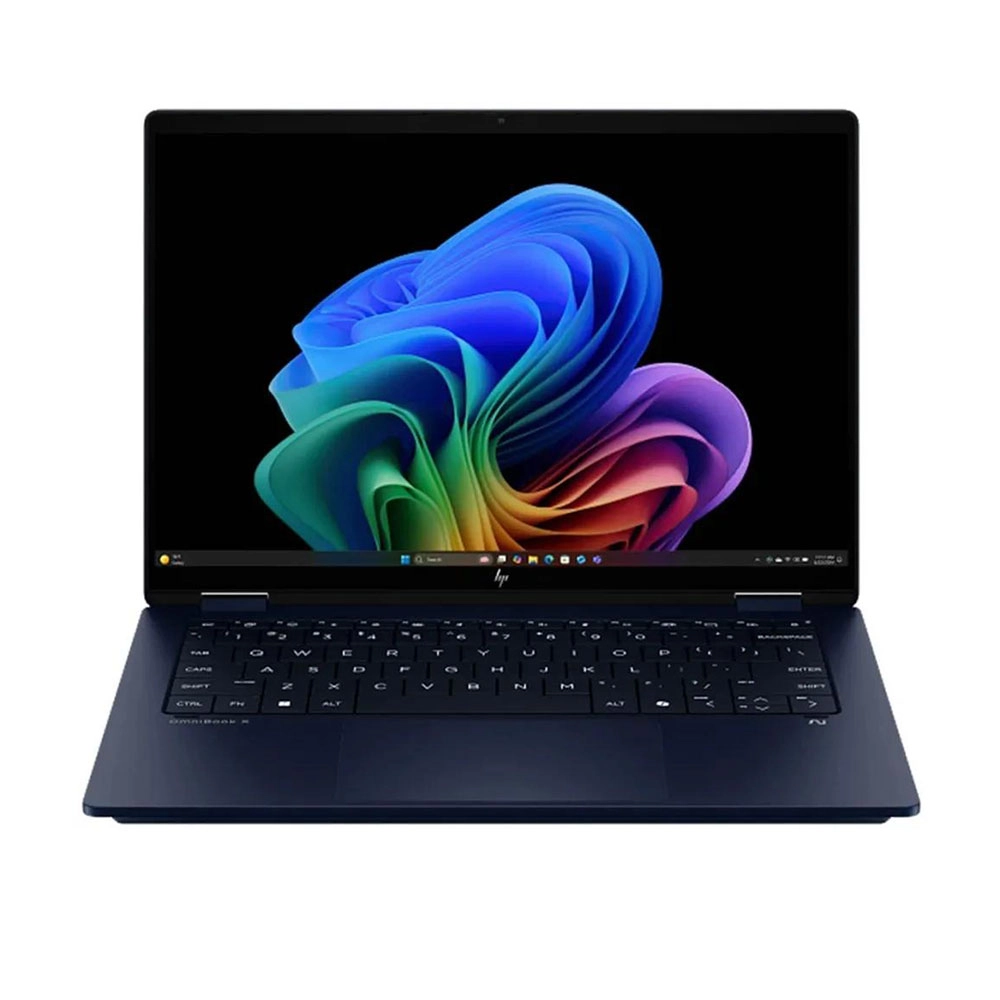
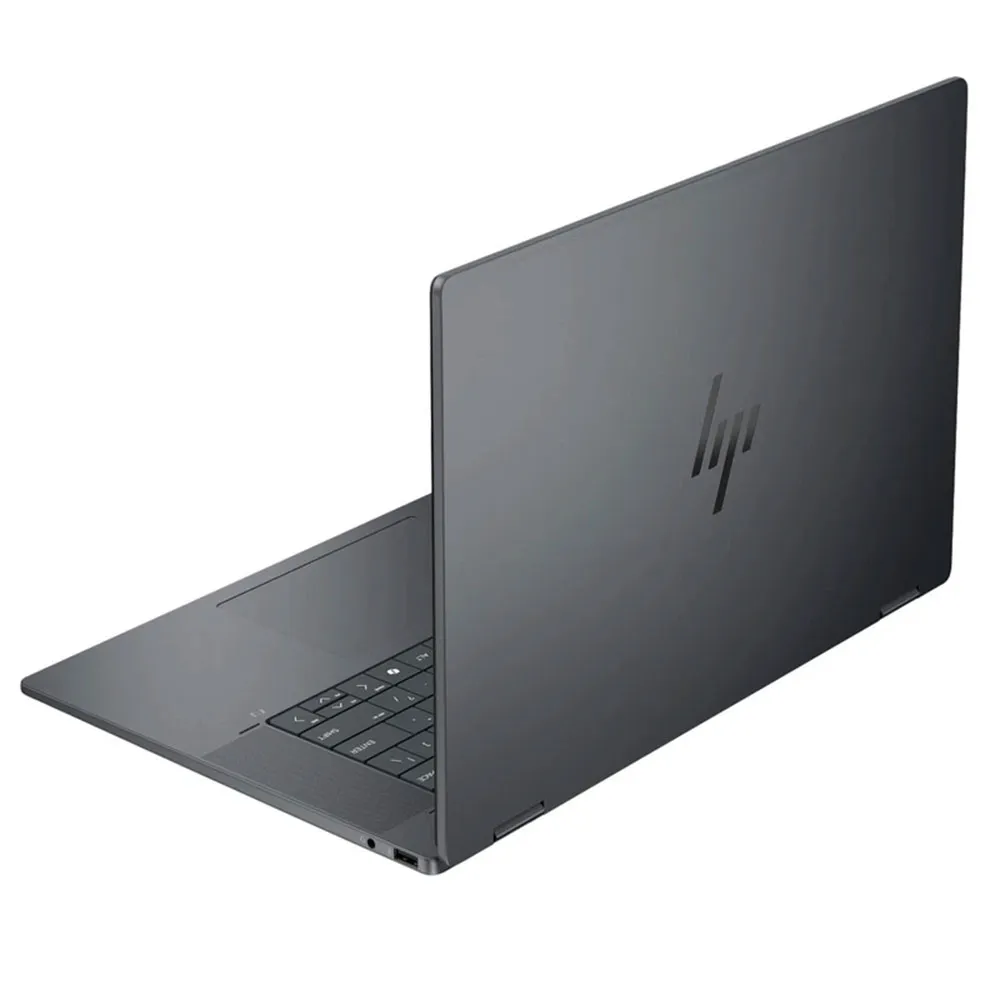


HP OmniBook Ultra Flip 14 Ultra 5 226V 16GB 512GB

| Specification | Details |
|---|---|
| Brand and Model | HP OmniBook Ultra Flip 14 |
| CPU model | Intel Core Ultra 5 226V |
| Installed RAM memory size | 16GB LPDDR5X-8533 |
| Graphics card description | Integrated Intel Arc 130V Graphics |
| Hard disk size | 512GB SSD |
| Screen size | 16.1 Inches Touchscreen |
2,800 AED 3,200 AED
HP OmniBook Ultra Flip 14 Ultra 5 226V, 16GB RAM, 512GB SSD
The HP OmniBook Ultra Flip 14 is a convertible laptop designed around flexibility, portability and an interactive display. Its 360-degree hinge allows the device to move between traditional laptop, tablet, tent and stand configurations, adapting to different working environments. This configuration combines the Intel Core Ultra 5 226V processor with 16GB of LPDDR5x memory and a 512GB NVMe SSD. It also features a 14-inch 2.8K OLED touchscreen and integrated Intel Arc graphics, bringing visual quality and touch-based interaction into a compact 2-in-1 design.
Technical Specifications
| Component | Specification |
|---|---|
| Brand | HP |
| Model | OmniBook Ultra Flip 14 |
| Product Series | 14-fh0000 |
| Processor | Intel Core Ultra 5 226V |
| Processor Cores / Threads | 8 cores / 8 threads |
| Maximum Turbo Frequency | Up to 4.5GHz |
| Processor Cache | 8MB L3 |
| NPU | Intel AI Boost, up to 40 TOPS |
| Memory | 16GB LPDDR5x-8533 |
| Memory Upgradeability | Onboard, not upgradeable |
| Storage | 512GB PCIe Gen4 NVMe M.2 SSD |
| Graphics | Integrated Intel Arc Graphics |
| Display Size | 14 inches |
| Display Resolution | 2880 × 1800 (2.8K) |
| Display Type | OLED multitouch touchscreen |
| Aspect Ratio | 16:10 |
| Refresh Rate | 48Hz–120Hz |
| Response Time | 0.2ms |
| Colour Coverage | 100% DCI-P3 |
| Display Protection | Corning Gorilla Glass 5 |
| Convertible Design | 360-degree hinge, 2-in-1 |
| Wireless | Wi-Fi 7 on supported configurations |
| Bluetooth | Bluetooth 5.4 on supported configurations |
One Device, Four Ways to Work
The convertible design is central to the OmniBook Ultra Flip’s identity. Its 360-degree hinge lets users change the screen position according to the task rather than relying on a single laptop layout.
In standard laptop mode, the keyboard and touchpad provide a familiar setup for typing, documents and general productivity. Tablet mode makes direct touchscreen interaction more convenient, particularly for browsing, reading and compatible creative applications. Meanwhile, tent and stand modes position the display for presentations, video calls and media viewing.
This flexibility changes how the device can be used throughout the day. Instead of carrying a separate tablet for occasional touch-based tasks, users can switch between different configurations with the same hardware.
OLED Touchscreen and Visual Quality
HP equips the OmniBook Ultra Flip 14 with a 14-inch OLED touchscreen featuring a 2880 × 1800 resolution. The 2.8K panel uses a 16:10 aspect ratio, which provides additional vertical workspace for documents, websites and productivity applications.
OLED technology gives the display deep black levels and high contrast. It also supports 100% DCI-P3 colour coverage, making the panel suitable for viewing colour-rich photographs, videos and other visual content. The display supports a variable refresh rate from 48Hz to 120Hz, while its specified response time is 0.2ms.
Touch input adds another layer of interaction. The multitouch panel supports direct navigation and compatible gestures, while Corning Gorilla Glass 5 provides an additional protective layer over the display surface. HP also lists low-blue-light features and flicker-free technology for this panel.
Intel Core Ultra 5 226V and On-Device AI
The processor is an Intel Core Ultra 5 226V with eight cores and eight threads. It reaches a maximum turbo frequency of up to 4.5GHz and includes 8MB of L3 cache. This processor belongs to Intel’s Lunar Lake generation, with an architecture designed to combine CPU, graphics and AI processing capabilities in a compact mobile platform.
One of its notable components is Intel AI Boost, an integrated neural processing unit rated at up to 40 TOPS. The NPU can accelerate compatible AI features locally, depending on application support and workload requirements. This hardware also makes the laptop suitable for supported Copilot+ PC experiences.
For everyday workloads, the processor provides resources for office applications, web browsing, online meetings, document editing and multitasking. Its design prioritises efficient mobile computing rather than the high sustained processing power associated with larger workstation-class systems.
Memory and Storage Configuration
This version includes 16GB of LPDDR5x-8533 memory. Its high transfer rate supports responsive multitasking and helps the processor handle several active applications. However, the memory is soldered directly onto the motherboard rather than installed in removable modules. Consequently, users cannot upgrade the RAM after purchase, making the original 16GB configuration an important consideration.
For file storage, the laptop uses a 512GB PCIe Gen4 NVMe M.2 SSD. This solid-state drive provides fast access to applications, documents and frequently used files. It also supports quicker startup and loading compared with traditional mechanical storage.
The 512GB capacity offers space for everyday software, work documents and personal media. Larger video projects or extensive local file collections may require additional external or cloud storage.
Integrated Graphics for Everyday Visual Tasks
The OmniBook Ultra Flip 14 uses integrated Intel Arc graphics rather than a separate NVIDIA or AMD graphics card. In the Ultra 5 226V configuration, the graphics hardware is part of the processor platform and shares system memory.
This arrangement supports everyday visual workloads, video playback, multiple-display tasks and compatible creative applications. It can also handle light graphics work, although performance depends on the software and workload.
The integrated graphics design helps keep the system compact and avoids the additional power and cooling requirements commonly associated with dedicated laptop GPUs. However, it is not intended to deliver the same performance as a laptop equipped with a high-power discrete graphics processor.
Camera, Audio and Communication Features
The convertible design also supports communication and collaboration. Depending on the regional configuration, the OmniBook Ultra Flip 14 includes a high-resolution infrared camera with image-processing features and integrated microphones. The camera supports compatible Windows facial-recognition functions, while the microphone system captures voice during online meetings.
The OLED display and convertible hinge offer several convenient viewing positions for video calls. Stand mode, for example, can keep the screen upright while leaving the keyboard area out of the way.
Wireless specifications for the series include Wi-Fi 7 and Bluetooth 5.4 on supported configurations. Actual wireless features can vary by regional product number, so the exact SKU should be checked when confirming connectivity.
Where the Design Has Advantages and Limitations
The OmniBook Ultra Flip 14 combines portability with several features that make it adaptable to different tasks.
Key strengths
- The 360-degree hinge provides laptop, tablet, tent and stand operating modes.
- The 2.8K OLED touchscreen delivers high contrast, detailed visuals and broad colour coverage.
- The Core Ultra 5 226V includes a 40 TOPS NPU for compatible on-device AI workloads.
- LPDDR5x-8533 memory offers high-speed data transfer.
- The compact 14-inch format makes the convertible design easier to carry than larger 2-in-1 systems.
Points to consider
- The 16GB onboard memory cannot be upgraded, so the capacity remains fixed.
- Integrated Intel Arc graphics are designed for general visual workloads rather than demanding dedicated-GPU applications.
- The 512GB SSD may require external storage for users working with large media libraries or extensive project files.
- The 14-inch display offers less physical workspace than a larger laptop screen, even with its high resolution.
A Convertible Platform for Flexible Computing
The HP OmniBook Ultra Flip 14 combines a compact convertible chassis with a high-resolution OLED touchscreen and Intel’s Lunar Lake processor platform. Its 360-degree hinge changes the way the laptop can be positioned, while the Core Ultra 5 226V, 16GB of LPDDR5x memory and integrated Intel Arc graphics provide the core computing resources.
The display is a major part of the experience, particularly for users who frequently interact with content directly on the screen. At the same time, the onboard memory limitation and integrated graphics define the system’s practical boundaries. Overall, this configuration is built around flexible everyday computing, touch interaction and efficient mobile performance rather than dedicated graphics-heavy workloads.
| Brand | |
|---|---|
| Model | HP OmniBook Ultra Flip 14 |
| Processor | |
| RAM | |
| Storage | |
| Graphics | |
| Screen Size | |
| Camera | Integrated Camera |
| Color | |
| Keyboard | Backlit Keyboard, US-English |
| Operating System | Windows 11 Pro |
| Condition | Used-Excellent (Fully Tested) |
| Battery | |
| Weight | 1.34 kg |
| Warranty | 3 Months |
Based on 0 reviews
Only logged in customers who have purchased this product may leave a review.
Related products
-
HP Envy X360 Series, Ultrabook and X360
HP Envy 13 x360 Intel Core i7-12th Gen | 16GB RAM | 512GB SSD
-7% HP Envy X360 Series, Ultrabook and X360
HP Envy 13 x360 Intel Core i7-12th Gen | 16GB RAM | 512GB SSD
HP Envy X360 Series, Ultrabook and X360HP Envy 13 x360 Intel Core i7-12th Gen | 16GB RAM | 512GB SSD
Brand and Model HP Envy X360 CPU model 12th Gen Intel Core i7
Installed RAM memory size 16GB DDR4 Hard Desk Size 512GB SSD Nvme Graphics Card Description Intel Iris Xe Screen size 13 Inches Full HD Colour Black SKU: HP70197 -
HP Envy X360 Series, Ultrabook and X360
HP Envy 13 X360 Intel core i5-12th Gen | 8GB RAM | 512GB SSD 13.3″ Touch Screen Convertible 2-in-1
-13%HP Envy X360 Series, Ultrabook and X360HP Envy 13 X360 Intel core i5-12th Gen | 8GB RAM | 512GB SSD 13.3″ Touch Screen Convertible 2-in-1
HP Envy X360 Series, Ultrabook and X360HP Envy 13 X360 Intel core i5-12th Gen | 8GB RAM | 512GB SSD 13.3″ Touch Screen Convertible 2-in-1
e=”listitem”>
ass=”a-size-base a-text-bold”>Brand and Model HP Envy x360 lass=”a-span3″ role=”presentation”>CPU model Intel Core i5-12th Installed RAM memory size 8GB DDR4 Graphics card description</strong> Intel Iris Integrated Hard disk size 512 SSD Nvme Screen size 13 Inches Full HD Colour le=”presentation”>Black SKU: HP70196 -
Business Laptops, HP Elitebook, Ultrabook and X360
HP EliteBook 1040 G7 2-in-1 Core i7-10th 16GB 512GB
-11% Business Laptops, HP Elitebook, Ultrabook and X360
HP EliteBook 1040 G7 2-in-1 Core i7-10th 16GB 512GB
Business Laptops, HP Elitebook, Ultrabook and X360HP EliteBook 1040 G7 2-in-1 Core i7-10th 16GB 512GB
Brand and Model HP Elitebook 1040 X360 G7 CPU model Intel Core i7-1065G7 Installed RAM memory size 16GB DDR4 Graphics card description Intel Iris X Hard disk size 512 GB SSD Nvme Screen size 14.1 Inches Full HD Colour Silver SKU: n/a -
Business Laptops, Office and Student, Ultrabook and X360
HP EliteBook 1040 G8 2-in-1 | Intel Core i7-1165G7 | 16GB RAM | 512GB SSD
-9%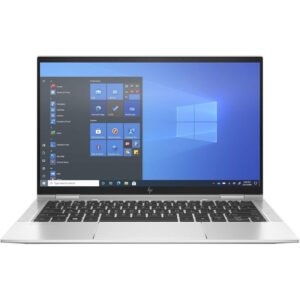 Business Laptops, Office and Student, Ultrabook and X360
HP EliteBook 1040 G8 2-in-1 | Intel Core i7-1165G7 | 16GB RAM | 512GB SSD
Business Laptops, Office and Student, Ultrabook and X360HP EliteBook 1040 G8 2-in-1 | Intel Core i7-1165G7 | 16GB RAM | 512GB SSD
Brand and Model HP Elitebook 1040 X360 G8 CPU model Intel Core i7-1165G7 Installed RAM memory size 16GB DDR4 Graphics card description Intel Iris X Hard disk size 512 GB SSD Nvme Screen size 14.1 Inches Full HD Colour Silver SKU: HP70184
There are no reviews yet.