







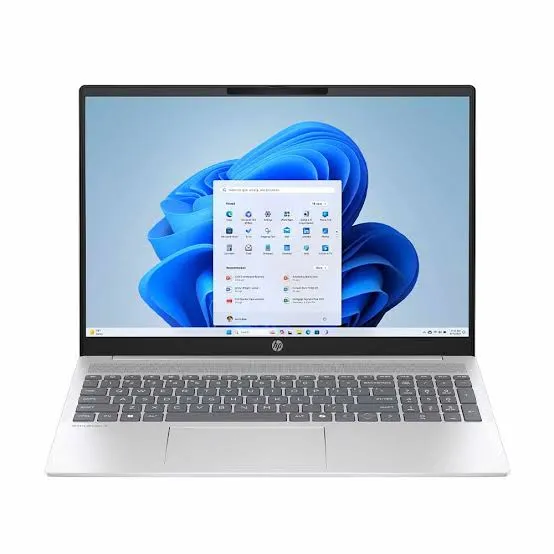
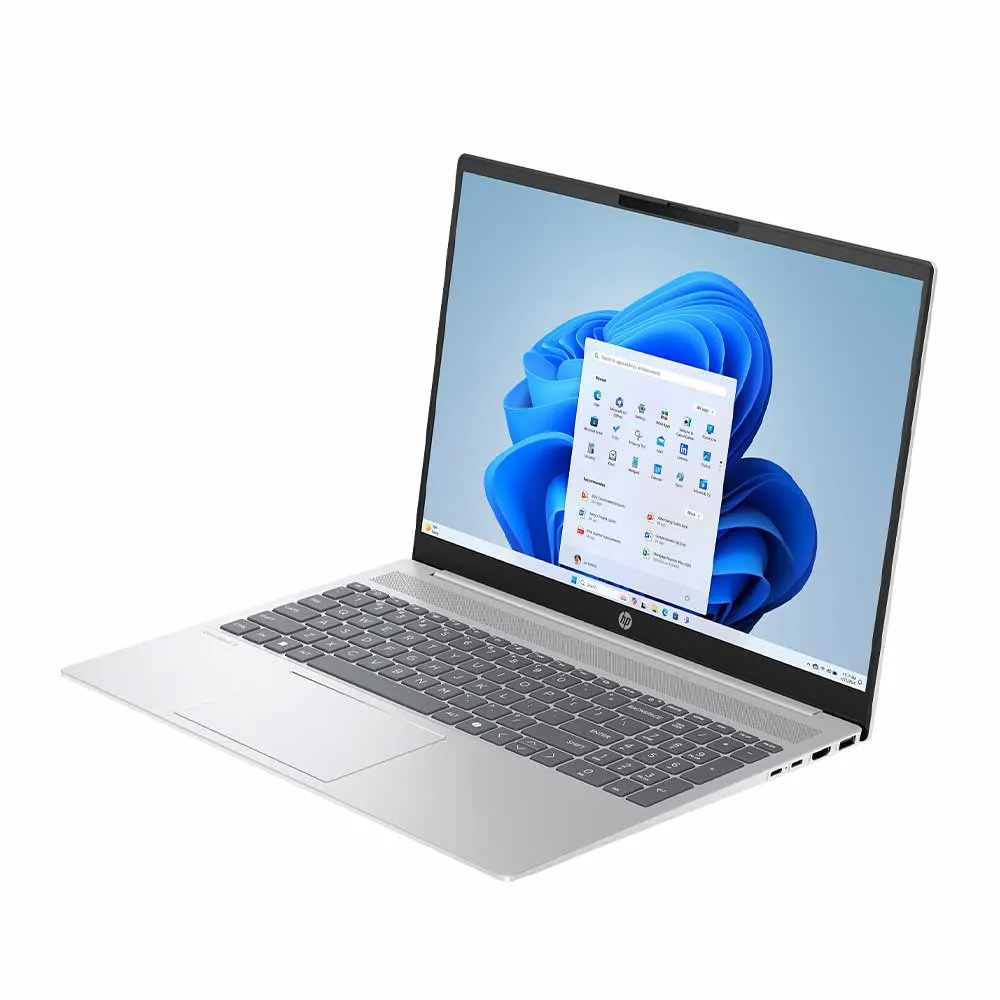

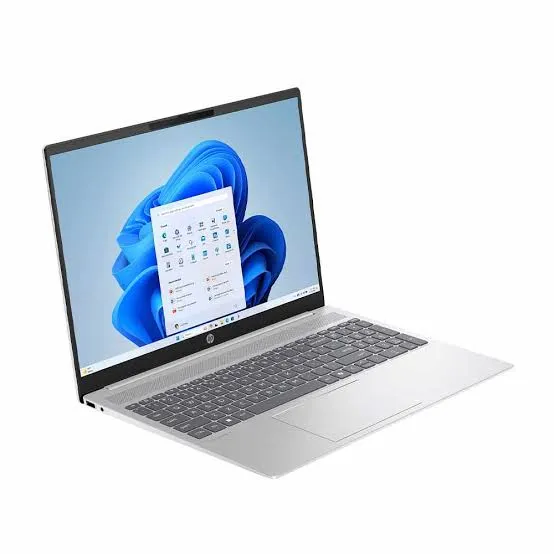
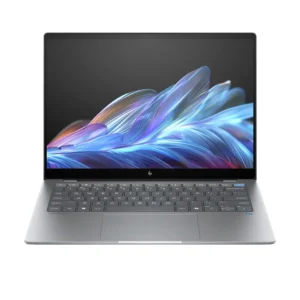
HP OmniBook 7 Aero 13 Ryzen AI 7 340 – 16GB RAM, 512GB SSD

| Brand and Model | HP OmniBook 7 Aero 13 |
|---|---|
| CPU Model | AMD Ryzen AI 7 340 |
| Installed RAM Memory Size | 16GB |
| Graphics Card Description | AMD Radeon Graphics |
| Hard Disk Size | 512GB SSD |
| Screen Size | 13.3 Inches |
| Colour | Ceramic White |
2,800 AED 3,300 AED
Overview
The HP OmniBook 7 Aero 13 Ryzen AI 7 340 is a lightweight laptop designed for users who want modern performance in a compact and stylish device. It combines an AMD Ryzen AI 7 340 processor with 16GB RAM and a 512GB SSD. This configuration is suitable for everyday productivity, multitasking, online meetings, and office applications.
The laptop features a 13.3-inch display and a Ceramic White finish. Moreover, its lightweight design makes it easy to carry between home, the office, and university. As a result, it is a practical choice for students, professionals, and frequent travelers.
AMD Ryzen AI 7 340 Processor and Performance
The HP OmniBook 7 Aero 13 comes with the AMD Ryzen AI 7 340 processor listed for this configuration. It is designed to support everyday computing, multitasking, and modern AI-powered applications.
You can use this laptop for web browsing, document editing, video calls, presentations, and working with several applications at the same time. In addition, its Ryzen AI platform supports compatible AI features that can improve some everyday tasks.
The laptop also belongs to the Copilot+ PC category in supported configurations. This allows users to access compatible Windows AI features, depending on the installed operating system, software, and regional configuration.
For everyday users, this combination provides a convenient balance between portability and computing performance. However, people who regularly work with demanding 3D applications or professional video editing software should consider a laptop with a dedicated graphics card.
16GB RAM and 512GB SSD Storage
This HP OmniBook 7 Aero 13 configuration includes 16GB of LPDDR5x RAM. The memory supports multitasking and helps applications run smoothly during everyday use. You can keep several browser tabs open, work with office documents, and switch between common applications.
The memory is onboard, which means users cannot upgrade it like a standard removable laptop memory module. Therefore, it is important to consider the 16GB capacity before purchasing.
For storage, the laptop comes with a 512GB PCIe NVMe SSD. This drive provides quick access to files and helps the operating system and applications load faster. It also offers useful space for documents, presentations, photos, and software.
If you need additional storage, you can use an external drive or cloud storage. You can also explore more options in our 512GB SSD category.
13.3-Inch Display and AMD Radeon Graphics
The HP OmniBook 7 Aero 13 features a 13.3-inch display with a 1920 x 1200 resolution. Its 16:10 aspect ratio provides extra vertical workspace, which is useful when reading documents, browsing websites, or working with spreadsheets.
The IPS panel offers wide viewing angles, while its anti-glare surface helps reduce reflections in bright environments. The display also supports 100% sRGB color coverage in the specified configuration, making it suitable for everyday content viewing and light photo editing.
For graphics, this configuration is listed with integrated AMD Radeon 840M Graphics. It can handle everyday visual tasks, video playback, presentations, and light creative applications. It is also suitable for casual gaming, although it does not replace a dedicated graphics card for demanding games.
You can explore other options in our AMD Radeon 840M graphics category.
Lightweight Design in Ceramic White
Portability is one of the main strengths of the HP OmniBook 7 Aero 13. Its compact 13.3-inch body makes it convenient to carry in a backpack or laptop bag. The listed weight for this product family is approximately 970g, which makes it a suitable option for people who travel or commute regularly.
The Ceramic White finish gives the laptop a clean and modern appearance. Its slim design also helps it fit comfortably into different work and study environments.
Despite its compact size, the laptop offers useful connection options. These include USB Type-C, USB Type-A, HDMI 2.1, and a headphone and microphone combo jack. The USB-C connection supports modern connectivity features, while Wi-Fi and Bluetooth provide wireless access to networks and accessories. Exact port and wireless specifications can vary by regional model.
HP OmniBook 7 Aero 13 Technical Specifications
| Specification | Details |
|---|---|
| Brand | HP |
| Model | HP OmniBook 7 Aero 13 |
| Processor | AMD Ryzen AI 7 340 |
| RAM | 16GB LPDDR5x |
| Storage | 512GB PCIe NVMe SSD |
| Graphics | AMD Radeon 840M |
| Display Size | 13.3-inch |
| Display Resolution | 1920 x 1200 |
| Display Type | IPS, Anti-Glare |
| Color Coverage | Up to 100% sRGB in the specified configuration |
| Color | Ceramic White |
| Weight | Approximately 970g |
| AI Platform | AMD Ryzen AI |
| Connectivity | USB Type-C, USB Type-A, HDMI 2.1, Wi-Fi, Bluetooth |
| Storage Type | PCIe NVMe SSD |
| Operating System | Windows 11, depending on configuration |
Who Should Buy the HP OmniBook 7 Aero 13 Ryzen AI 7 340?
The HP OmniBook 7 Aero 13 Ryzen AI 7 340 is designed for people who need a compact laptop for work, study, and everyday productivity. Its 16GB RAM and 512GB SSD provide a practical setup for office applications, online learning, research, presentations, and multitasking.
Its lightweight body is especially useful for students and professionals who carry their laptops throughout the day. The 13.3-inch display also makes it a convenient option for working in smaller spaces.
However, users who need a large screen for complex spreadsheets or professional creative projects may prefer a larger laptop. Similarly, people who regularly use demanding graphics software should consider a model with dedicated graphics.
Final Verdict
The HP OmniBook 7 Aero 13 Ryzen AI 7 340 combines a compact design, modern AI-focused computing, and useful everyday hardware. With 16GB RAM, a 512GB SSD, a 13.3-inch display, and a Ceramic White finish, it offers a practical setup for productivity and mobile use.
Its lightweight body makes it easy to carry, while its compact display provides a convenient workspace for everyday tasks. Overall, this HP laptop is worth considering if portability, a clean design, and modern computing features are important to you.
Frequently Asked Questions
1. Which processor does the HP OmniBook 7 Aero 13 use?
The product configuration provided for this page lists the AMD Ryzen AI 7 340 processor.
2. How much RAM does the HP OmniBook 7 Aero 13 have?
This configuration comes with 16GB of LPDDR5x RAM. The memory is onboard and is not designed for user upgrades.
3. Does the HP OmniBook 7 Aero 13 have an SSD?
Yes. It includes a 512GB PCIe NVMe SSD for storing files, applications, and documents.
4. Is the HP OmniBook 7 Aero 13 suitable for travel?
Yes. Its 13.3-inch display and approximately 970g weight make it easy to carry for work, study, and travel.
5. What color is this HP OmniBook 7 Aero 13?
This configuration comes in Ceramic White, a clean and modern finish that gives the laptop a simple appearance.
| Brand | |
|---|---|
| Model | OmniBook7 Aero13 |
| Processor | |
| RAM | |
| Storage | |
| Graphics | |
| Screen Size | |
| Weight | Approximately 970g |
| Color | |
| Battery | |
| Camera | Integrated Camera |
| Condition | Used-Excellent (Fully Tested) |
| Keyboard | US-English |
| Operating System | Window 10 Pro |
| Warranty | 3 Months |
Based on 0 reviews
Only logged in customers who have purchased this product may leave a review.
Related products
-
Business Laptops, HP Elitebook
HP EliteBook 865 G9 Laptop – Ryzen 7 6800U, 16GB DDR5, 256GB SSD, 16 Inch
-13% Business Laptops, HP Elitebook
HP EliteBook 865 G9 Laptop – Ryzen 7 6800U, 16GB DDR5, 256GB SSD, 16 Inch
Business Laptops, HP ElitebookHP EliteBook 865 G9 Laptop – Ryzen 7 6800U, 16GB DDR5, 256GB SSD, 16 Inch
Brand and Model HP EliteBook 865 G9 CPU Model AMD Ryzen 7 PRO 6850U Installed RAM Memory Size 16GB DDR5-4800 Graphics Card Description AMD Radeon 680M – 2GB Shared System Memory (No Dedicated VRAM) Hard Disk Size 256GB PCIe NVMe SSD Screen Size 16 Inches (WUXGA 1920 × 1200) Colour Silver SKU: n/a -
Gaming Laptops, Lenovo Legion
Lenovo Legion Gaming Laptop Ryzen 7 5800H 16GB 1TB SSD 6GB Graphics
-20%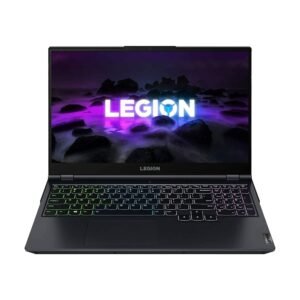 Gaming Laptops, Lenovo Legion
Lenovo Legion Gaming Laptop Ryzen 7 5800H 16GB 1TB SSD 6GB Graphics
Gaming Laptops, Lenovo LegionLenovo Legion Gaming Laptop Ryzen 7 5800H 16GB 1TB SSD 6GB Graphics
>Graphics card8GB Nvidia</tr><td class=”a-span9″ role=”presentation”>14.1 Inches Full HD
<td class=”a-span9″ role=”presentation”>Lenovo Legion 15.6 Gaming Laptop
</tr>span class=”a-size-base po-break-word”>Silver
=”a-spacing-small po-brand” role=”listitem”>le=”presentation”>&amp;amp;lt;span class=”a-size-base a-text-bold”>Brand and Model
“>ss=”a-span3” role=”presentation”><strong>Installed RAM memory sizerole=”presentation”><strong><span class=”a-size-base po-break-word”>16GB DDR4</strong>Hard disk size512GB SSD Nvme</span></td>Screen sizes=”a-span3″ role=”presentation”>ass=”a-size-base a-text-bold”>Colour
ole=”list” width=”484″>
ass=”a-spacing-small po-model_name” role=”listitem”>ss=”a-span3″ role=”presentation”><strong>CPU model</td>ass=”a-span9″ role=”presentation”>ss=”a-size-base po-break-word”>AMD Ryzen 7</strong>
< SKU: legionpc1 -
HP Omnibook Series
HP OmniBook 5 16 Laptop – Ryzen AI 5 340, 16GB RAM
HP Omnibook SeriesHP OmniBook 5 16 Laptop – Ryzen AI 5 340, 16GB RAM
Brand and Model HP OmniBook 5 16 CPU Model AMD Ryzen AI 5 340 Installed RAM Memory Size 16GB Graphics Card Description AMD Radeon 840M Hard Disk Size 512GB SSD Screen Size 16 Inches Colour Silver SKU: n/a -
Business Laptops, HP Elitebook
HP EliteBook 745 G6 14 Inch Laptop Ryzen 7 3700U 16GB RAM 256 GB SSD | WIN 11 PRO
-17%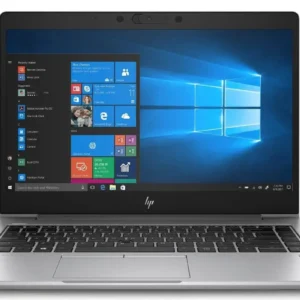 Business Laptops, HP Elitebook
HP EliteBook 745 G6 14 Inch Laptop Ryzen 7 3700U 16GB RAM 256 GB SSD | WIN 11 PRO
Business Laptops, HP ElitebookHP EliteBook 745 G6 14 Inch Laptop Ryzen 7 3700U 16GB RAM 256 GB SSD | WIN 11 PRO
Brand and Model HP EliteBook 745 G6 CPU Model AMD Ryzen 5 PRO 3500U Installed RAM Memory Size 16GB DDR4-2400 (PC4-19200) Graphics Card Description AMD Radeon RX Vega 8 – 2GB Shared System Memory (No Dedicated VRAM) Hard Disk Size SSD Storage (Capacity Not Specified) Screen Size 14 Inches (Full HD 1920 × 1080) Colour Silver SKU: 3F9654-1
There are no reviews yet.