







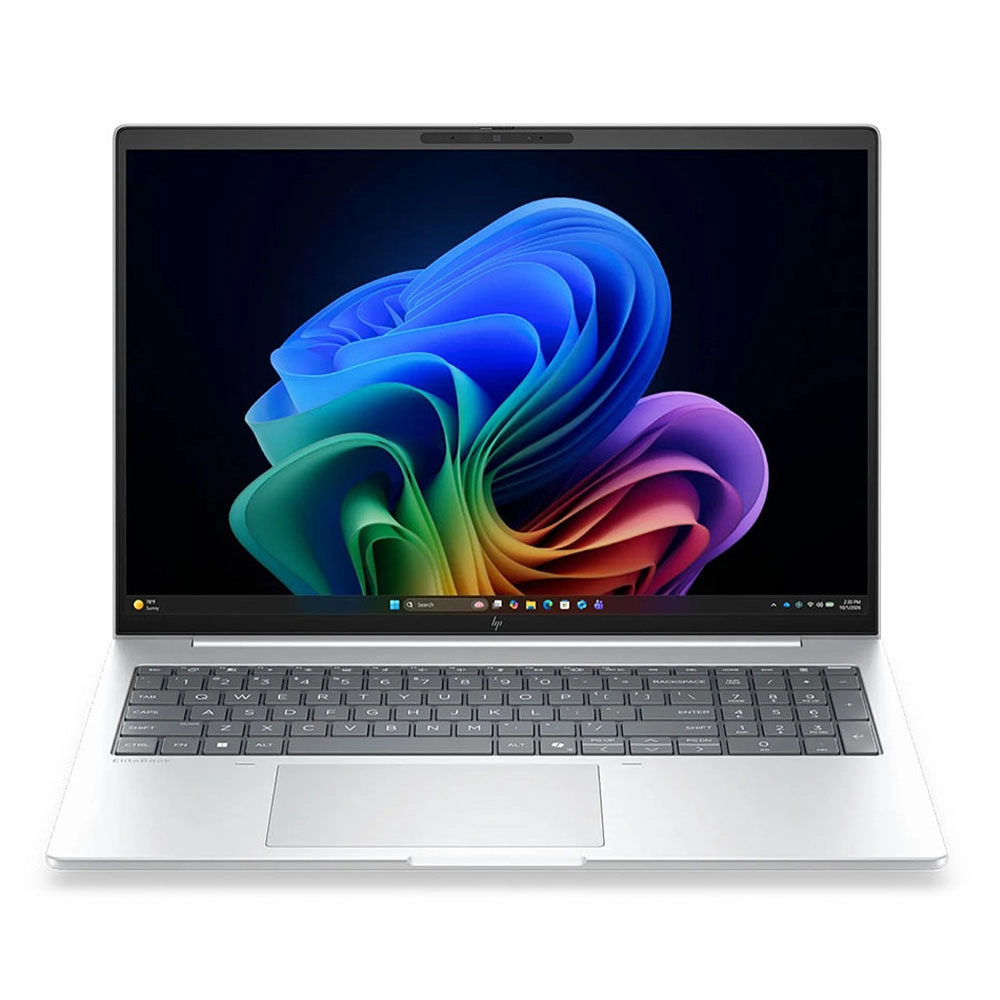


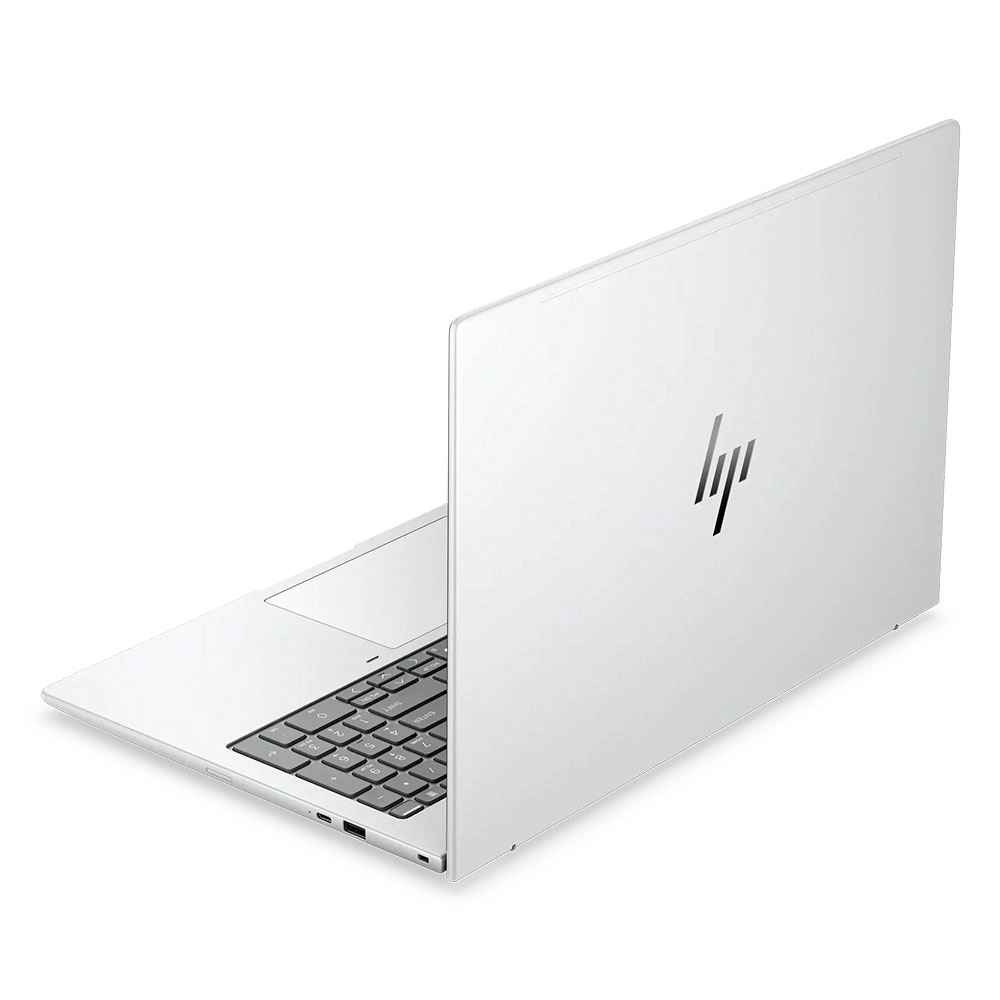
HP Elitebook 8 G2a 16 Laptop – AMD Ryzen AI 7-450, 32GB PC5, 512 SSD, 16 inch

| Brand and Model | HP EliteBook 8 G2a 16 |
|---|---|
| CPU model | AMD Ryzen AI 7-450 |
| Installed RAM memory size | 32GB DDR5-5600 |
| Graphics card description | AMD Radeon 860M Graphics |
| Hard disk size | 512GB SSD NVMe |
| Screen size | 16 Inches |
| Colour | Glacier Silver |
4,500 AED 4,800 AED
HP Elitebook 8 G2a 16 Laptop – AMD Ryzen AI 7-450, 32GB PC5, 512 SSD, 16 inch
For professionals who spend most of the day working on a laptop, screen space can make a noticeable difference. The HP Elitebook 8 G2a 16 laptop puts a 16-inch workspace at the center of the experience while bringing AMD Ryzen AI 7-450 processing, 32GB DDR5 memory, 512GB SSD storage, and integrated Radeon 860M graphics into a business-focused system.
The larger format is particularly useful for spreadsheets, project dashboards, programming environments, research, and multitasking. Instead of constantly switching between windows, users have more room to keep related information visible at the same time. Meanwhile, the Ryzen AI platform adds dedicated NPU processing for compatible AI applications.
This makes the laptop more interesting for professionals who need a capable everyday computer rather than a device designed around one narrow workload.
HP Elitebook 8 G2a 16 at a Glance
| Specification | Details |
|---|---|
| Brand | HP |
| Product Family | HP EliteBook |
| Model | EliteBook 8 G2a 16 |
| Processor | AMD Ryzen AI 7 450 |
| CPU | 8 cores / 16 threads |
| Base Frequency | 2.0 GHz |
| Maximum Boost | Up to 5.1 GHz |
| Cache | 24MB combined L2 + L3 |
| NPU | Up to 50 TOPS |
| Graphics | AMD Radeon 860M |
| Graphics Type | Integrated |
| Graphics Architecture | RDNA 3.5 |
| RAM | 32GB DDR5 |
| Memory Speed | Up to 5600 MT/s |
| Memory Slots | 2 SODIMM |
| Maximum Supported RAM | Up to 64GB |
| Storage | 512GB SSD |
| Storage Type | PCIe NVMe |
| Screen Size | 16 inch |
| Common Resolution | 1920 × 1200 WUXGA |
| Aspect Ratio | 16:10 |
| Operating System | Configuration dependent |
| Wireless | Wi-Fi 7 / Wi-Fi 6E depending on configuration |
| Bluetooth | Bluetooth 6.0 / 5.3 depending on configuration |
| USB-C | Yes |
| Thunderbolt | 2 × Thunderbolt 4 |
| HDMI | HDMI 2.1 |
| Keyboard | Backlit, spill-resistant |
| Starting Weight | Approximately 1.74 kg |
| Battery Options | 62Wh / 68Wh / 77Wh depending on configuration |
A Workspace Designed Around the 16-Inch Screen
The main attraction here is easy to understand: more screen area.
A 16-inch laptop gives business users additional room for wide spreadsheets, timelines, financial dashboards, browser tabs, and long documents. The 16:10 aspect ratio adds vertical space as well, which is useful when reading or editing content that would otherwise require frequent scrolling.
For example, a financial analyst can keep a spreadsheet open beside a browser or reporting tool. A developer can place documentation next to an IDE. A manager can review a presentation while keeping communication software visible.
The larger chassis does make the laptop less compact than a 14-inch EliteBook. HP lists the starting weight at around 1.74kg, so portability remains reasonable, but users who travel constantly may prefer a smaller model.
Ryzen AI 7 450: More Than a Conventional Office CPU
The processor changes the performance profile of this machine significantly.
AMD’s Ryzen AI 7 450 provides eight CPU cores and sixteen threads, with a 2.0GHz base frequency and boost speeds reaching up to 5.1GHz. That gives the HP Elitebook 8 G2a 16 AMD Ryzen AI 7-450 laptop enough processing capacity for demanding multitasking and professional applications.
Consider a typical workday: an Excel workbook is open, several browser tabs are active, a video conference is running, a PDF report is being reviewed, and a business application is working in the background. A processor with eight cores has considerably more room to handle those simultaneous tasks than an entry-level dual- or quad-core platform.
Of course, boost frequency is workload-dependent. Applications, power settings, cooling, and system configuration all influence actual performance.
AI Processing Without Relying Entirely on the CPU
AI is built into the processor platform rather than being treated as an external feature.
The Ryzen AI 7 450 includes an NPU capable of up to 50 TOPS. Supported software can use this dedicated neural-processing hardware for compatible AI functions.
That can be relevant to modern productivity applications, collaboration tools, content-processing features, and other software designed to take advantage of local AI acceleration.
There is an important distinction, though. An NPU is not equivalent to a powerful discrete GPU. It improves supported AI tasks, but users intending to train large machine-learning models locally will need substantially more specialized hardware.
32GB Memory Gives the System Room to Breathe
The HP Elitebook 8 G2a 16 32GB PC5 laptop is equipped with 32GB of DDR5 memory.
That amount changes how the laptop behaves during multitasking. Instead of closing applications to free memory, users can keep more of their working environment open. Development tools, spreadsheets, browsers, communication platforms, cloud applications, and background utilities can coexist more comfortably.
HP’s platform supports DDR5-5600 memory through two SODIMM slots, with support for up to 64GB. Therefore, the memory architecture also provides an upgrade path for users whose requirements grow over time.
For buyers planning several years of use, this flexibility is an advantage over laptops that permanently solder their memory to the motherboard.
What 512GB SSD Storage Means in Practice
Storage is provided by a 512GB SSD.
For a business laptop, this is a sensible capacity for Windows, productivity software, documents, presentations, spreadsheets, development environments, and everyday project files. The NVMe interface also helps the system feel responsive during normal operations.
There is a practical limit to 512GB, however. A photographer with a large local library, a video editor working with raw footage, or a developer maintaining several large virtual machines can consume that capacity relatively quickly.
In those cases, external storage or a larger internal SSD would be worth considering.
Radeon 860M: Suitable for Productivity, Not a Workstation GPU
Graphics processing comes from the AMD Radeon 860M, an integrated GPU based on AMD’s RDNA 3.5 architecture.
Its role is broader than simply displaying the Windows desktop. The Radeon 860M can assist with multimedia, browser acceleration, image editing, presentations, and other GPU-supported applications. Casual gaming and lighter titles are also within its capabilities when settings are adjusted appropriately.
The distinction becomes important with demanding software. There is no dedicated graphics card with its own VRAM here, so heavy 3D rendering, advanced CAD, professional visual effects, and demanding modern games can expose the limitations of integrated graphics.
For those workloads, a workstation or gaming laptop with a discrete GPU would be a better choice.
Display Choices Matter on This EliteBook
Not every HP Elitebook 8 G2a 16 16 inch laptop has the same panel, and this is one specification buyers should check carefully.
HP offers the platform with several display choices. WUXGA 1920 × 1200 IPS panels are available, while selected configurations offer a 2.5K 2560 × 1600 display with a 120Hz refresh rate. Higher-end options can also include OLED or Sure View technology.
The difference is meaningful.
A standard WUXGA screen is well suited to office work and general productivity. A 120Hz panel can provide smoother scrolling and movement, while a wider-gamut display becomes more attractive for photography, design, and other color-sensitive work. Sure View, meanwhile, targets users who frequently handle confidential information in public spaces.
For that reason, the display specification should always be matched to the exact SKU rather than assumed from the model name alone.
A Keyboard Built for Long Working Sessions
A business laptop earns its place on a professional desk through the details users interact with every day.
The EliteBook 8 G2a 16 uses a full-size backlit keyboard designed for business use. Its spill-resistant construction adds another practical layer of protection, while the larger chassis allows HP to provide a more spacious typing environment than many compact notebooks.
The precision touchpad supports standard Windows gestures and navigation. For users who spend hours writing reports, coding, answering emails, or working with spreadsheets, these seemingly ordinary features have a direct effect on daily comfort.
Ports for a Desk, Dock, or Meeting Room
Modern business users rarely work from the laptop alone.
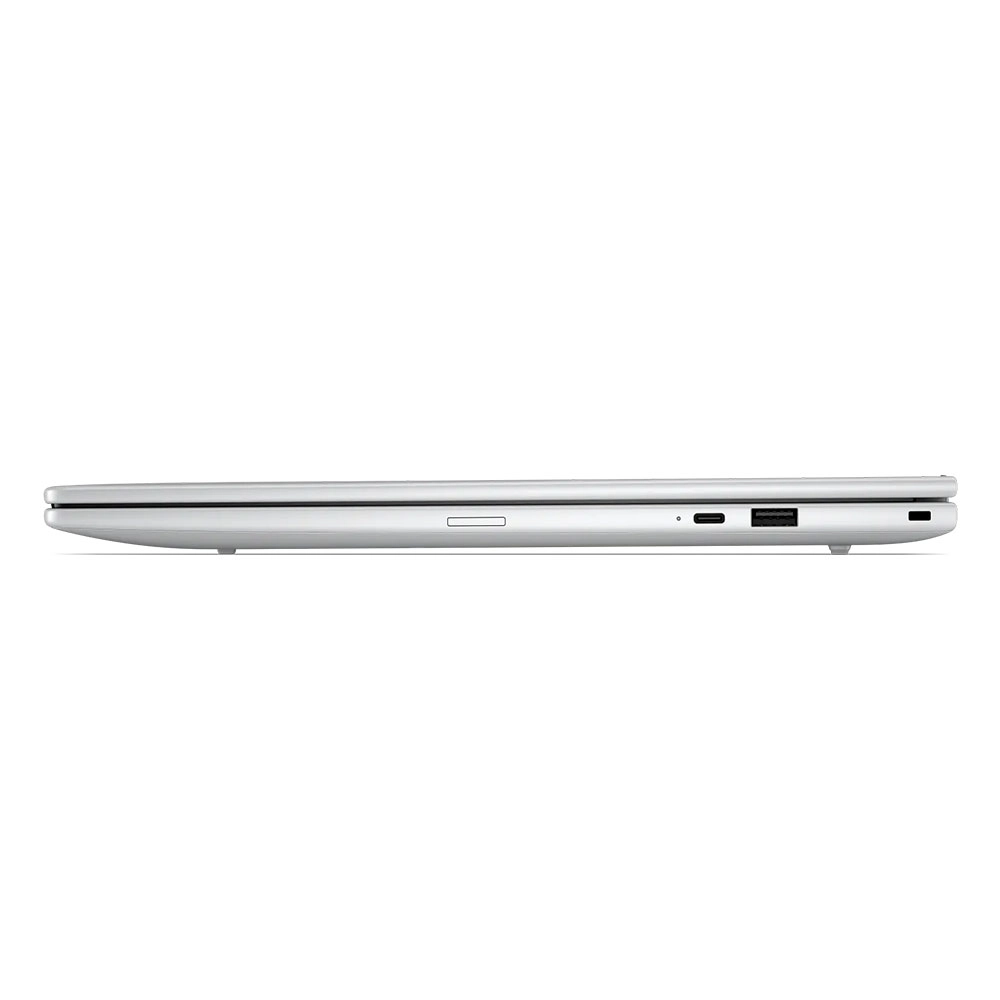
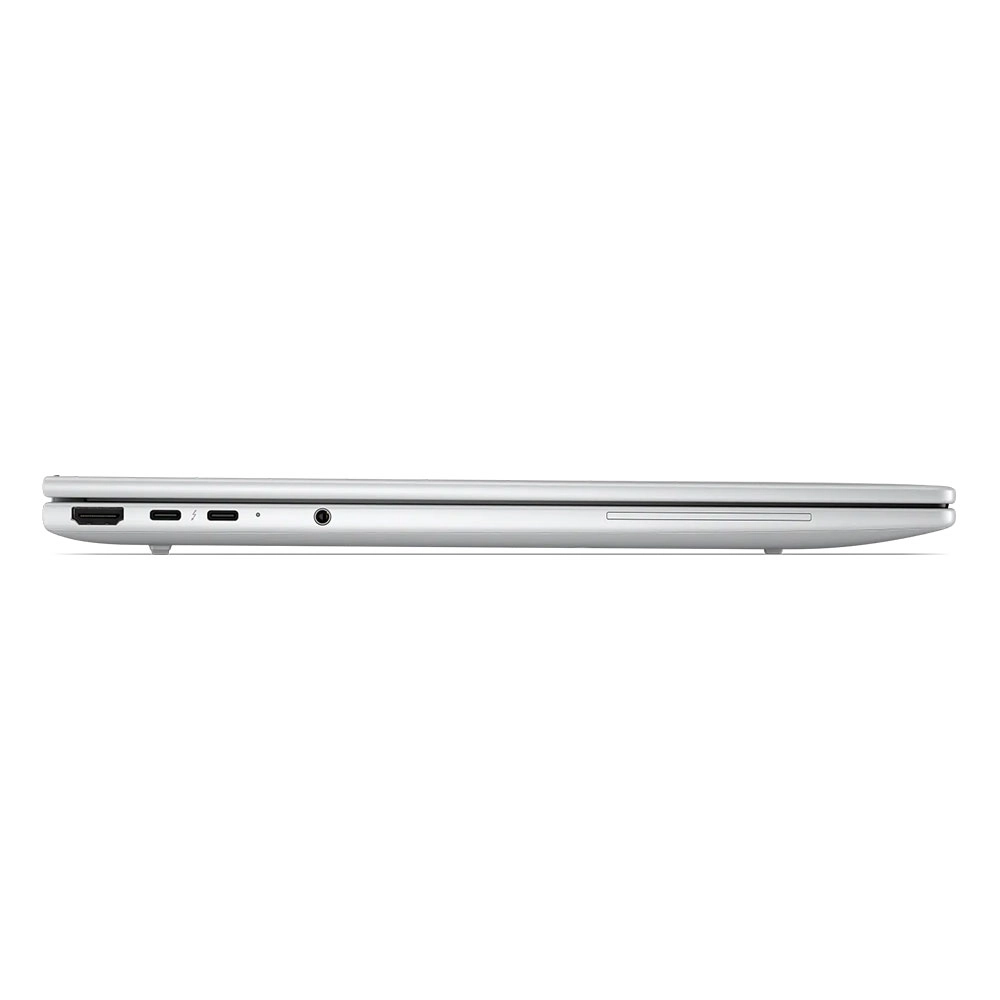
The EliteBook 8 G2a 16 provides two Thunderbolt 4 ports alongside additional USB-C connectivity, USB-A, HDMI 2.1, and an audio connection. Depending on the configuration, HP also offers options such as RJ-45 Ethernet and a Smart Card reader.
That range of connections allows the notebook to move easily between different environments. At a desk, it can connect to a dock and external monitors. In a meeting room, HDMI can be used with compatible presentation equipment. Away from the office, USB ports can handle external storage and peripherals.
Wireless connectivity is also configuration-dependent, with Wi-Fi 7 and Bluetooth 6.0 available on selected versions.
Battery Capacity Depends on the Configuration
Battery specifications are not identical across every EliteBook 8 G2a 16.
HP lists 62Wh, 68Wh, and 77Wh battery options. A larger battery can be attractive to users who spend long periods away from a power outlet, but battery life also depends on the processor workload, display type, brightness, wireless activity, and power settings.
For this reason, quoting one universal runtime for every EliteBook 8 G2a 16 would not accurately represent the different configurations.
Fast charging is supported on the platform, which is useful when the laptop needs a quick power boost before a meeting or another mobile work session.
Business Features Beyond Raw Performance
The EliteBook family is aimed at professional environments, so hardware performance is only part of the story.
Depending on the exact model and configuration, HP includes business-focused security technologies such as HP Wolf Security for Business, BIOS protection, HP Sure Start, HP Sure Click, HP Sure Recover, HP Sure Run, and HP Sure Sense.
These features are especially relevant to companies handling confidential documents or managing employee devices remotely.
For an individual home user, they may not be the deciding factor. For a business buyer, they can be an important part of the total value of the machine.
How It Performs in Office Work
Office productivity is one of the clearest use cases for this laptop.
The 16-inch display provides a comfortable workspace for spreadsheets and dashboards, while the Ryzen AI 7 450 and 32GB RAM give the system enough capacity for heavy multitasking.
It can comfortably target workloads such as:
- Microsoft Word and PowerPoint
- Large Excel spreadsheets
- Outlook and email
- CRM and ERP platforms
- Web-based business software
- Video conferencing
- Financial applications
- Research
- Project management
- Remote and hybrid work
The hardware is particularly useful for people who spend their day moving between several applications instead of concentrating on one lightweight task.
Programming on a 16-Inch Screen
Developers can benefit from the combination of CPU resources, memory capacity, and display area.
An IDE can occupy one side of the screen while documentation, a browser, or a terminal remains visible. Eight CPU cores and sixteen threads provide a solid foundation for compilation, local services, development tools, and multitasking.
The 32GB memory configuration is also useful for containers, development environments, databases, and browser-heavy workflows.
AI development is a more specialized case. The integrated NPU can accelerate compatible AI functions, but serious local model training is better handled by a system with a powerful dedicated GPU.
Creative Applications: A Matter of Workload
The EliteBook can handle a meaningful range of creative tasks, especially when paired with one of HP’s higher-quality display options.
Graphic design, photography, presentations, web content, and moderate video editing are reasonable workloads. A wider-gamut display can also be valuable when color accuracy matters.
The Radeon 860M remains the limiting factor for more demanding production. Complex 3D scenes, advanced visual effects, and long GPU-intensive rendering sessions call for a stronger graphics solution.
So, while this laptop can support creative professionals, it should not be positioned as a dedicated mobile workstation.
Gaming Is a Secondary Use Case
A business laptop with Radeon 860M graphics can handle some gaming, but that does not make it a gaming machine.
Less demanding titles and esports games are the most realistic targets. Older games may also perform well with appropriate settings.
Modern AAA releases are another matter. Integrated graphics have fewer resources than dedicated gaming GPUs, and performance can fall significantly when games require high graphical detail.
Anyone buying primarily for gaming should therefore consider a model equipped with a dedicated NVIDIA or AMD GPU.
Advantages and Limitations
Pros
- AMD Ryzen AI 7 450 with 8 cores and 16 threads
- Up to 5.1GHz boost frequency
- 50-TOPS NPU for supported AI workloads
- 32GB DDR5 memory
- Two SODIMM slots with support up to 64GB
- 512GB NVMe SSD
- AMD Radeon 860M integrated graphics
- Large 16-inch 16:10 workspace
- Multiple display choices, including 2.5K 120Hz and OLED options
- Two Thunderbolt 4 ports
- HDMI 2.1
- Full-size backlit keyboard
- Business-oriented security features
Cons
- Display quality and features vary between configurations
- Integrated Radeon 860M is not designed for demanding AAA gaming
- 512GB storage can become restrictive for large media collections
- Battery capacity varies by configuration
- Some connectivity features are optional
- The 16-inch chassis is less convenient for frequent travelers than a 14-inch model
Who Is This Laptop Best For?
The HP Elitebook 8 G2a 16 laptop makes the most sense when a large workspace is as important as processing performance.
It is particularly suitable for:
- Business professionals
- Managers
- Consultants
- Financial users
- Programmers
- Analysts
- Researchers
- Remote workers
- Students with demanding applications
- Professionals using AI-enabled productivity software
A 14-inch EliteBook is likely to be more convenient for someone who spends most of the week travelling. Conversely, a workstation or gaming laptop is a better direction for users whose main requirement is GPU-intensive work.
Frequently Asked Questions
What processor does the HP Elitebook 8 G2a 16 use?
The specified model uses AMD Ryzen AI 7 450 with eight cores, sixteen threads, a 2.0GHz base frequency, and boost speeds of up to 5.1GHz.
How much RAM does this HP EliteBook have?
The requested configuration includes 32GB of DDR5 memory. The platform uses two SODIMM slots and supports up to 64GB according to HP’s specifications.
What GPU is used in the HP Elitebook 8 G2a 16?
It uses integrated AMD Radeon 860M graphics based on RDNA 3.5. The GPU is suitable for everyday graphics and lighter creative workloads but is not a dedicated high-end graphics card.
Is the 16-inch screen good for business?
Yes. The 16:10 format provides useful vertical workspace for spreadsheets, documents, browser applications, and programming. However, HP offers several different display panels, so buyers should verify the exact screen specification.
Is 512GB SSD enough?
For standard business and productivity work, 512GB is generally practical. Users storing large video collections, datasets, or extensive project archives may need additional storage.
Can the RAM be upgraded?
HP’s EliteBook 8 G2a 16 platform uses two SODIMM slots and supports up to 64GB of DDR5 memory. The exact installed configuration should be confirmed before purchase.
Is this a gaming laptop?
No. It is a business laptop with integrated Radeon 860M graphics. Casual gaming is possible, but demanding modern games are better suited to a laptop with a dedicated GPU.
Final Verdict
The HP Elitebook 8 G2a 16 laptop is built around a straightforward idea: give professional users enough screen space and hardware capacity to work comfortably throughout the day.
Its Ryzen AI 7 450 processor provides eight cores and sixteen threads, while the integrated 50-TOPS NPU adds a dedicated route for compatible AI workloads. The 32GB DDR5 memory configuration leaves substantial room for multitasking, and the 512GB NVMe SSD provides responsive storage for everyday professional files and applications.
The 16-inch 16:10 format is arguably the defining feature of the machine. It suits spreadsheets, coding, research, dashboards, and multi-window workflows particularly well. At the same time, the Radeon 860M keeps graphics performance appropriate for productivity and lighter creative work without positioning the notebook as a gaming or workstation replacement.
For UAE buyers looking for a large-screen business laptop with modern AMD processing, AI capability, generous memory, upgradeable RAM, and professional connectivity, this EliteBook is a strong option. Before placing an order, the exact display, battery, wireless configuration, warranty, stock status, and UAE after-sales coverage should be checked against the specific SKU.
| Brand | |
|---|---|
| Model | Elitebook 8 G2a 16 |
| Processor | |
| RAM | |
| Storage | |
| Graphics | |
| Screen Size | |
| Camera | Integrated Camera |
| Color | |
| Keyboard | HP Premium Backlit Keyboard with Numeric Keypad |
| Operating System | Windows 11 Pro |
| Condition | Used-Excellent (Fully Tested) |
| Battery | |
| Weight | 1.74 kg |
| Warranty | 3 Months |
Based on 0 reviews
Only logged in customers who have purchased this product may leave a review.
Related products
-
Business Laptops, Office and Student, Ultrabook and X360
HP EliteBook 1040 G8 2-in-1 | Intel Core i7-1165G7 | 16GB RAM | 512GB SSD
-9%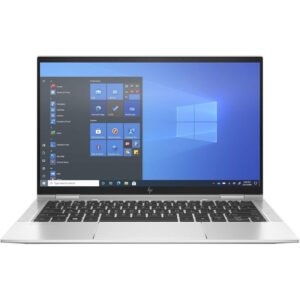 Business Laptops, Office and Student, Ultrabook and X360
HP EliteBook 1040 G8 2-in-1 | Intel Core i7-1165G7 | 16GB RAM | 512GB SSD
Business Laptops, Office and Student, Ultrabook and X360HP EliteBook 1040 G8 2-in-1 | Intel Core i7-1165G7 | 16GB RAM | 512GB SSD
Brand and Model HP Elitebook 1040 X360 G8 CPU model Intel Core i7-1165G7 Installed RAM memory size 16GB DDR4 Graphics card description Intel Iris X Hard disk size 512 GB SSD Nvme Screen size 14.1 Inches Full HD Colour Silver SKU: HP70184 -
Asus Zenbook, Business Laptops
HP ZBook Firefly G10 14 with Core i7-13th | 16GB RAM 1TB SSD
Asus Zenbook, Business LaptopsHP ZBook Firefly G10 14 with Core i7-13th | 16GB RAM 1TB SSD
=”listitem”>
“>” role=”presentation”>Graphics card description</td>
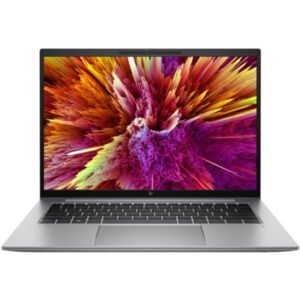
Brand and Model HP ZBook Firefly G10 CPU model “</yoastmark”>”a-size-base po-break-word”>Intel Core i7-13th Installed RAM memory size 16GB DDR4 <strong>NVIDIA Quadro A2000-4GB Hard disk size</td> >1TB SSD Nvme Screen size 14.1 Inches Full HD Colour Grey SKU: ZB70134 -
Business Laptops, Lenovo Thinkpad, Office and Student
Lenovo ThinkPad T480s Core i7 8th 16GB 256GB
-11%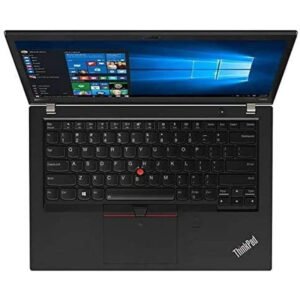 Business Laptops, Lenovo Thinkpad, Office and Student
Lenovo ThinkPad T480s Core i7 8th 16GB 256GB
Business Laptops, Lenovo Thinkpad, Office and StudentLenovo ThinkPad T480s Core i7 8th 16GB 256GB
Brand and Model Lenovo Thinkpad T480s CPU model Intel Core i7 8th Gen Installed RAM memory size 16GB DDR4 Graphics card description 2GB Nvidia graphics Hard disk size 256 GB SSD Nvme Screen size 14.1 Inches Full HD Colour Black SKU: n/a -
Business Laptops, HP Elitebook, Office and Student
HP EliteBook 840 G7- Intel Core i7-10th Gen | 16GB RAM | 256GB SSD | 14 inch Display | Windows 10 Pr.
-12%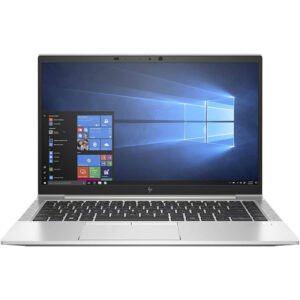 Business Laptops, HP Elitebook, Office and Student
HP EliteBook 840 G7- Intel Core i7-10th Gen | 16GB RAM | 256GB SSD | 14 inch Display | Windows 10 Pr.
Business Laptops, HP Elitebook, Office and StudentHP EliteBook 840 G7- Intel Core i7-10th Gen | 16GB RAM | 256GB SSD | 14 inch Display | Windows 10 Pr.
SKU: n/a
There are no reviews yet.