









HP Elitebook 8 G2a 14 Laptop – AMD Ryzen AI 5-435, 32GB PC5, 512 SSD, 14 inch

| Brand and Model | HP EliteBook 8 G2a 14 |
|---|---|
| CPU model | AMD Ryzen AI 5-435 |
| Installed RAM memory size | 32GB LPDDR5X |
| Graphics card description | AMD Radeon 840M Graphics |
| Hard disk size | 512GB SSD NVMe |
| Screen size | 14 Inches |
| Colour | Glacier Silver |
4,100 AED 4,400 AED
HP Elitebook 8 G2a 14 Laptop – AMD Ryzen AI 5-435, 32GB PC5, 512 SSD, 14 inch
Choosing a business laptop often comes down to finding the right balance between mobility, memory capacity, responsiveness, and professional features. The HP Elitebook 8 G2a 14 laptop takes a compact approach while offering a strong hardware platform for everyday business and productivity work. This particular configuration uses the AMD Ryzen AI 5-435, 32GB LPDDR5X memory, a 512GB SSD, and integrated AMD Radeon 840M graphics.
Its 14-inch WUXGA display keeps the notebook practical for travel while providing a 16:10 working area. At the same time, the processor adds dedicated AI processing through its 50-TOPS NPU. With Windows 11 Pro, Wi-Fi 7, a backlit keyboard, and a professional EliteBook design, this model is particularly well suited to office users, consultants, students, programmers, and professionals who frequently work away from a desk.
HP Elitebook 8 G2a 14 Specifications
| Specification | Details |
|---|---|
| Brand | HP |
| Model | EliteBook 8 G2a 14 |
| Processor | AMD Ryzen AI 5 435 |
| CPU Cores / Threads | 6 cores / 12 threads |
| CPU Speed | Up to 4.5 GHz |
| NPU | Up to 50 TOPS |
| Graphics | AMD Radeon 840M integrated graphics |
| Memory | 32GB LPDDR5X |
| Memory Speed | Up to 8533 MT/s |
| Memory Upgrade | Onboard; not user-upgradable |
| Storage | 512GB SSD |
| Display Size | 14 inch |
| Display Resolution | 1920 × 1200 WUXGA |
| Display Refresh Rate | Up to 120Hz for this configuration |
| Display Aspect Ratio | 16:10 |
| Operating System | Windows 11 Pro |
| Wireless | Wi-Fi 7 |
| Bluetooth | Bluetooth 6.0 |
| Weight | Approximately 1.44 kg |
| Chassis | Glacier Silver aluminium |
| Webcam | 5MP with IR |
| Keyboard | Backlit |
| Battery | 3-cell lithium-polymer |
| Ports | Thunderbolt 4 / USB4, USB-C, USB-A, HDMI 2.1, audio and Smart Card depending on configuration |
A 14-Inch Design Built for Mobility
The HP Elitebook 8 G2a 14 inch laptop is sized for people who regularly move between offices, meetings, classrooms, and home workspaces. Its approximately 1.44 kg weight makes it considerably easier to carry than a larger business notebook, while the 16:10 screen provides more vertical space than a traditional 16:9 panel.
HP uses a Glacier Silver aluminium chassis for this configuration. The 169-degree hinge also gives the screen considerable flexibility when adjusting the viewing position. In practice, that makes the notebook comfortable for desk work, presentations, and collaborative sessions.
The backlit keyboard adds another practical advantage. Working in a dim meeting room or during an evening session does not require external lighting, while the precision touchpad provides the usual Windows navigation controls.
AMD Ryzen AI 5 435: Six Cores with Dedicated AI Processing
At the heart of this HP Elitebook 8 G2a 14 AMD Ryzen AI 5-435 laptop sits the AMD Ryzen AI 5 435. The processor has six cores and twelve threads, with a maximum boost frequency of up to 4.5 GHz.
That hardware profile suits workloads such as Microsoft Office applications, browser-based business platforms, video meetings, document creation, programming environments, and multitasking. Opening several applications at once is also where the six-core design becomes useful.
The processor has another capability that separates this generation from conventional business CPUs: an integrated NPU rated at up to 50 TOPS. Compatible AI workloads can therefore use the dedicated neural-processing hardware rather than relying entirely on the CPU.
For everyday users, that matters most in supported AI-assisted applications. It should not, however, be interpreted as meaning that every AI application will automatically run at maximum performance.
32GB LPDDR5X Memory for Serious Multitasking
The advertised HP Elitebook 8 G2a 14 32GB PC5 laptop comes with 32GB of LPDDR5X memory. The exact 32GB configuration uses onboard memory, with speeds reaching 8533 MT/s.
Thirty-two gigabytes gives this notebook plenty of headroom for demanding multitasking. A user can keep large spreadsheets, browser tabs, communication software, documents, and development tools open without being restricted by a small memory pool.
There is one important limitation to consider before purchasing: this memory is onboard and is not designed for a later RAM upgrade. Therefore, choosing the 32GB configuration at the time of purchase is especially important for anyone expecting to keep the laptop for several years.
512GB SSD: Fast Storage for Professional Work
The HP Elitebook 8 G2a 14 512 SSD laptop uses a 512GB NVMe SSD. Solid-state storage provides much faster access than a traditional mechanical hard drive, which helps with application launches, file transfers, system startup, and general responsiveness.
A 512GB capacity is a sensible middle ground for office documents, project files, applications, presentations, photos, and moderate media storage. Users working with large video libraries or extensive professional datasets may eventually need external storage or a larger internal drive.
Because storage requirements vary considerably between users, the 512GB capacity is best viewed as a practical productivity configuration rather than unlimited space.
AMD Radeon 840M Graphics
Graphics processing comes from the integrated AMD Radeon 840M. Unlike a dedicated gaming GPU with its own VRAM, the Radeon 840M is part of the processor platform and uses system memory.
That makes it well suited to office graphics, high-resolution video playback, everyday creative applications, light image editing, and other GPU-accelerated productivity tasks. It can also handle casual or less demanding games, depending on resolution and graphics settings.
This is not a dedicated workstation or high-end gaming graphics solution. Users whose main workload involves professional 3D rendering, advanced CAD, intensive video production, or modern AAA gaming should consider a laptop with a substantially more powerful discrete GPU.
14-Inch WUXGA Display with a 16:10 Workspace
The 14-inch panel gives the HP Elitebook 8 G2a 14 14 inch laptop a useful balance between portability and workspace. The 1920 × 1200 WUXGA resolution provides a 16:10 aspect ratio, adding vertical pixels that are useful for documents, spreadsheets, web pages, and coding environments.
The verified 32GB configuration is listed with a 120Hz IPS display. That higher refresh rate can make scrolling, window movement, and supported visual content appear smoother than a conventional 60Hz business panel.
Color coverage and brightness are also relevant for professional users. This particular configuration is listed with a 400-nit, 100% sRGB low-power IPS panel, making it more suitable for visual work than basic business displays with limited color coverage.
Still, display specifications can vary across EliteBook 8 G2a configurations. Buyers should match the screen specification to the exact SKU before purchase.
Connectivity for Modern Workspaces
Connectivity is another area where this EliteBook is designed around professional use. The verified configuration includes Wi-Fi 7 and Bluetooth 6.0, providing a modern wireless platform for compatible networks and peripherals.
Physical connectivity includes high-speed USB-C/Thunderbolt 4 or USB4 connections, USB-A, HDMI 2.1, and an audio connection. Depending on the exact regional configuration, a Smart Card reader may also be included.
For office environments, these connections make it easier to use external displays, docking stations, storage devices, wired accessories, and presentation equipment without relying entirely on adapters.
Business and Productivity Performance
For business users, the HP Ryzen laptop approach makes sense when portability and sustained multitasking matter more than dedicated graphics performance.
Typical workloads include:
- Microsoft Word, Excel, PowerPoint, and Outlook
- Web-based business applications
- Video conferencing
- Financial and administrative software
- Research and academic work
- Programming and software development
- Remote work
- Large numbers of browser tabs
- AI-assisted productivity applications
The 32GB memory capacity is particularly useful for professionals who rarely work with just one application at a time.
Is It Suitable for Programming?
Yes, the hardware is well suited to many programming environments.
Six CPU cores and twelve threads provide a solid base for development tools, local databases, compilers, virtual environments, and multitasking. The 32GB memory capacity is another strong point when running IDEs alongside browsers, terminals, containers, and development utilities.
For machine-learning development, the situation is more nuanced. The NPU can accelerate supported AI workloads, but the integrated Radeon 840M should not be confused with a dedicated GPU designed for heavy local model training.
What About Creative Work?
The display and memory configuration make this laptop capable of a range of creative tasks.
Photo editing, presentation design, web design, light video editing, and content preparation are reasonable workloads. The 100% sRGB panel is also useful when color consistency matters.
Heavy professional video production and complex 3D rendering are different cases. Those workloads can benefit significantly from dedicated graphics hardware, so a workstation-class alternative would make more sense for users who spend most of their day rendering or exporting demanding projects.
Gaming Capability and Limitations
The integrated Radeon 840M can handle casual gaming and some lighter titles, but gaming is not the primary purpose of this EliteBook.
Competitive esports titles and older games may be playable with appropriate settings. Modern demanding games will require compromises in resolution and graphical quality, and performance will vary significantly by title.
If gaming is one of the main reasons for buying a laptop, a dedicated-GPU model would be the better choice.
Pros and Cons
Pros
- Six-core, 12-thread AMD Ryzen AI 5 435 processor
- Up to 50 TOPS of dedicated NPU performance for supported AI workloads
- 32GB high-speed LPDDR5X memory
- Fast 512GB NVMe SSD
- 14-inch 1920 × 1200 16:10 display
- 120Hz IPS panel on the verified 32GB configuration
- 100% sRGB and 400-nit display specification
- Lightweight approximately 1.44 kg aluminium design
- Wi-Fi 7 and Bluetooth 6.0
- Windows 11 Pro
Cons
- 32GB memory is onboard and cannot be upgraded later
- Integrated Radeon 840M is not intended for demanding AAA gaming
- 512GB storage may feel limited for large media libraries
- Display specifications vary between EliteBook 8 G2a configurations
- Exact ports and optional business features can vary by regional SKU
Who Should Choose the HP Elitebook 8 G2a 14?
This model is a strong candidate for professionals who want a portable business notebook without giving up generous memory capacity.
It is particularly attractive for:
- Business professionals
- Managers and consultants
- Students and researchers
- Programmers
- Remote workers
- Office and administrative users
- Users working with AI-enabled productivity software
- Professionals who frequently travel between work locations
Someone who needs a dedicated GPU for serious 3D work or gaming should look elsewhere. Likewise, users who expect to upgrade RAM in the future should take the onboard 32GB design into account before purchasing.
Frequently Asked Questions
Does the HP Elitebook 8 G2a 14 have 32GB RAM?
The specific 32GB configuration uses 32GB of onboard LPDDR5X memory. It is a high-capacity setup for multitasking, but the memory is not designed for user upgrades.
What processor does the HP Elitebook 8 G2a 14 use?
This configuration uses the AMD Ryzen AI 5 435 with 6 cores, 12 threads, and a maximum boost frequency of up to 4.5 GHz.
Does it have dedicated graphics?
No. The laptop uses integrated AMD Radeon 840M graphics. It is suitable for productivity and lighter creative or gaming workloads, but it is not a substitute for a dedicated high-performance GPU.
Is the 14-inch display good for office work?
Yes. The 1920 × 1200 resolution and 16:10 aspect ratio provide useful vertical workspace for documents, spreadsheets, browsers, and coding. The verified 32GB version also uses a 120Hz IPS panel with 400-nit brightness and 100% sRGB coverage.
Can this laptop be used for business?
Business work is one of its strongest use cases. Windows 11 Pro, the EliteBook design, strong connectivity, 32GB memory, and Ryzen AI processing make it well suited to professional productivity.
Final Verdict
The HP Elitebook 8 G2a 14 laptop is aimed at users who want a compact business notebook with unusually generous memory and modern connectivity. Its Ryzen AI 5 435 processor delivers six-core processing, while the 50-TOPS NPU adds hardware acceleration for supported AI features.
The 32GB LPDDR5X memory is one of its biggest practical strengths, particularly for multitasking and professional software. Meanwhile, the 14-inch WUXGA 16:10 display, lightweight chassis, Wi-Fi 7, and Windows 11 Pro keep the overall package focused on mobile productivity.
Its main limitations are equally clear: the memory cannot be upgraded, and the integrated Radeon 840M is not aimed at demanding gaming or workstation graphics. For business, programming, study, remote work, and general professional use, however, this configuration offers a well-balanced combination of portability and performance.
For UAE buyers, check the current price, stock status, exact regional configuration, warranty, and after-sales coverage on the product page before placing an order.
| Brand | |
|---|---|
| Model | Elitebook 8 G2a 14 |
| Processor | |
| RAM | |
| Storage | |
| Graphics | |
| Screen Size | |
| Camera | Integrated Camera |
| Color | |
| Keyboard | HP Premium Backlit Keyboard with Numeric Keypad |
| Operating System | Windows 11 Pro |
| Condition | Used-Excellent (Fully Tested) |
| Battery | |
| Weight | 1.44 kg |
| Warranty | 3 Months |
Based on 0 reviews
Only logged in customers who have purchased this product may leave a review.
Related products
-
Asus Zenbook, Business Laptops
HP ZBook Power G10 Core i7-13900HK | 32GB 1TB 6GB
Asus Zenbook, Business LaptopsHP ZBook Power G10 Core i7-13900HK | 32GB 1TB 6GB
NIVIDIA RTX A1000 – 6GB GDDR6
Brand and Model HP ZBook Power 15 G10 CPU model Intel Core i7-13900HK (13th Gen)</strong> Installed RAM memory size</span> 32GB DDR5 Graphics card description “a-size-base a-text-bold”>Hard disk size 1TBGB SSD Nvme Screen size 15.6 Inches Full HD</span></strong> Colour Grey SKU: Zb70128 -
Business Laptops, HP Elitebook, Ultrabook and X360
HP EliteBook 1040 G7 2-in-1 Core i7-10th 16GB 512GB
-11%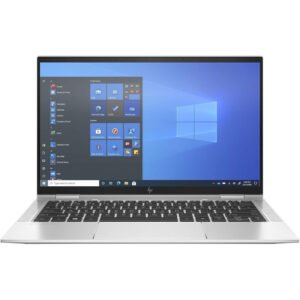 Business Laptops, HP Elitebook, Ultrabook and X360
HP EliteBook 1040 G7 2-in-1 Core i7-10th 16GB 512GB
Business Laptops, HP Elitebook, Ultrabook and X360HP EliteBook 1040 G7 2-in-1 Core i7-10th 16GB 512GB
Brand and Model HP Elitebook 1040 X360 G7 CPU model Intel Core i7-1065G7 Installed RAM memory size 16GB DDR4 Graphics card description Intel Iris X Hard disk size 512 GB SSD Nvme Screen size 14.1 Inches Full HD Colour Silver SKU: n/a -
Business Laptops, HP Elitebook, Office and Student
HP EliteBook 840 G6 – Intel Core i7-8th Gen | 8GB RAM | 256GB SSD | 14 inch Display | Win 10 Pro
-4%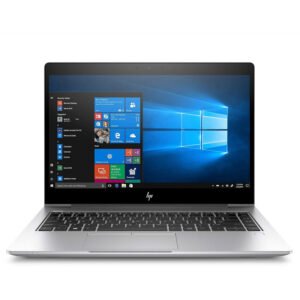 Business Laptops, HP Elitebook, Office and Student
HP EliteBook 840 G6 – Intel Core i7-8th Gen | 8GB RAM | 256GB SSD | 14 inch Display | Win 10 Pro
Business Laptops, HP Elitebook, Office and StudentHP EliteBook 840 G6 – Intel Core i7-8th Gen | 8GB RAM | 256GB SSD | 14 inch Display | Win 10 Pro
SKU: n/a -
Business Laptops, Lenovo Thinkpad, Office and Student
Lenovo ThinkPad T480s Core i7 8th 16GB 256GB
-11%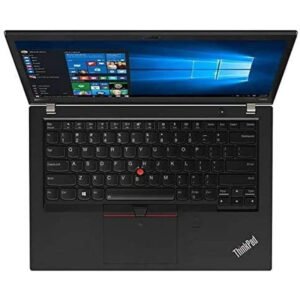 Business Laptops, Lenovo Thinkpad, Office and Student
Lenovo ThinkPad T480s Core i7 8th 16GB 256GB
Business Laptops, Lenovo Thinkpad, Office and StudentLenovo ThinkPad T480s Core i7 8th 16GB 256GB
Brand and Model Lenovo Thinkpad T480s CPU model Intel Core i7 8th Gen Installed RAM memory size 16GB DDR4 Graphics card description 2GB Nvidia graphics Hard disk size 256 GB SSD Nvme Screen size 14.1 Inches Full HD Colour Black SKU: n/a
There are no reviews yet.