








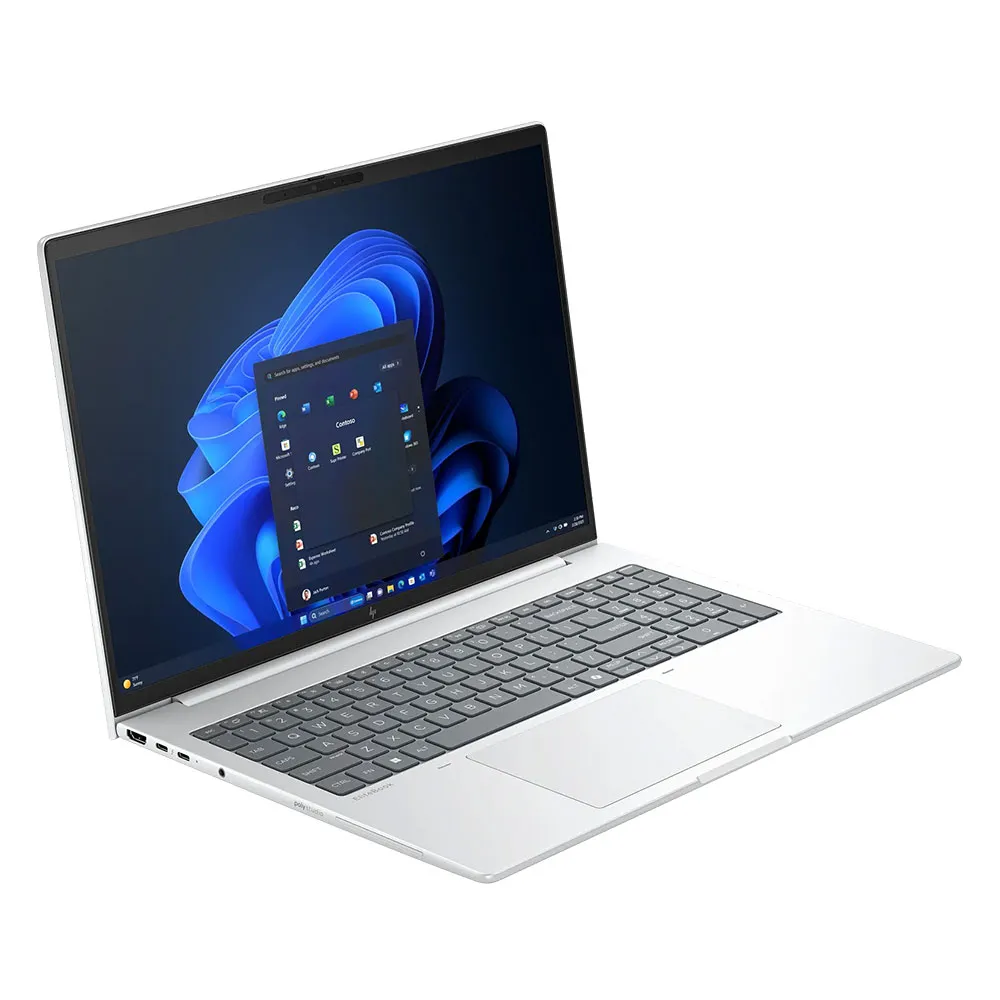
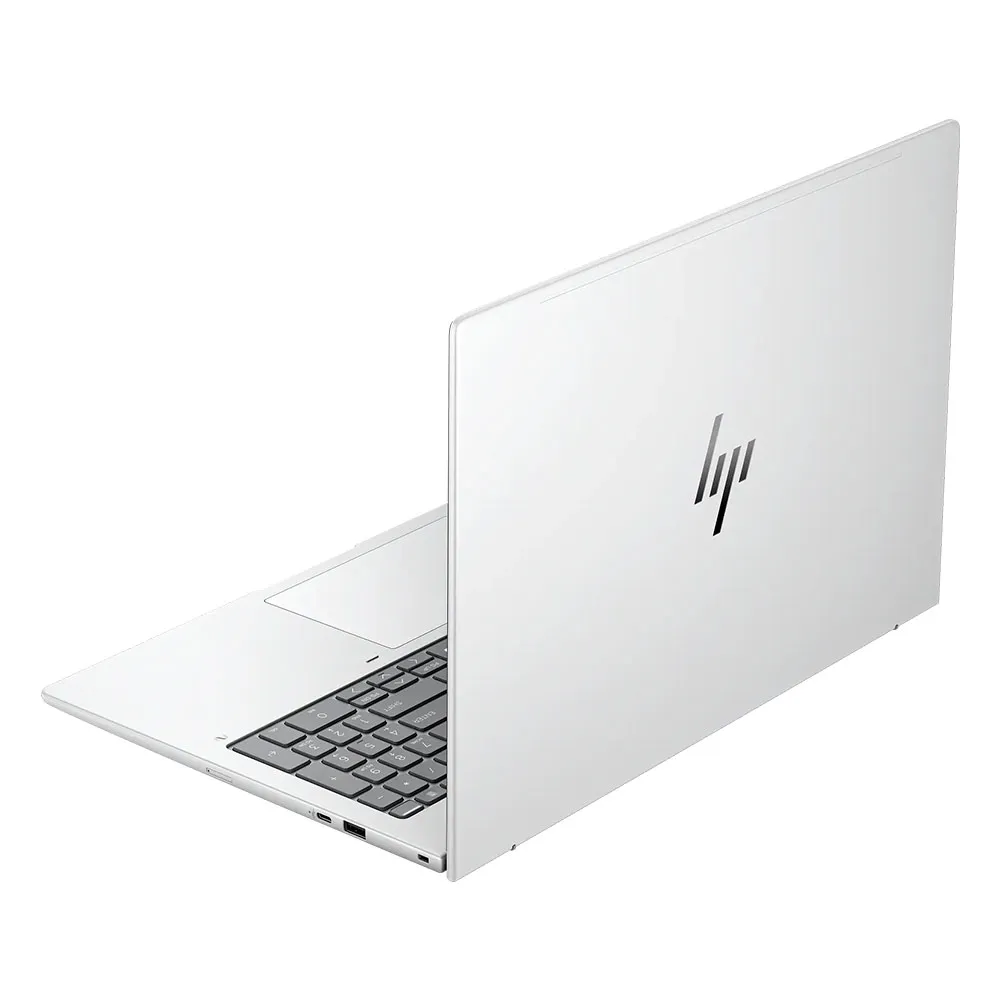

HP EliteBook 8 G1a 16 Ryzen AI 7 350 32GB/512GB

| Brand and Model | HP EliteBook 8 G1a 16 – Ryzen AI 7 350 |
| CPU model | AMD Ryzen AI 7 350 |
| Installed RAM memory size | 32GB DDR5-5600 |
| Graphics card description | AMD Radeon 860M Integrated Graphics |
| Hard disk size | 512GB NVMe SSD |
| Screen size | 16 Inches WUXGA |
| Colour | Glacier Silver Aluminium |
3,500 AED 4,000 AED
HP EliteBook 8 G1a 16 Ryzen AI 7 350
The HP EliteBook 8 G1a 16 Ryzen AI 7 350 is aimed at users who need more working space without giving up the processing flexibility expected from a modern business laptop. This configuration pairs the AMD Ryzen AI 7 350 with 32GB DDR5 memory and a 512GB SSD, creating a practical setup for professional multitasking, software development, office workloads and AI-assisted applications. Its 16-inch 16:10 format also gives documents, spreadsheets and application windows more vertical room than a typical 16:9 screen.
The most important point is that the EliteBook 8 G1a 16 is sold in multiple hardware configurations. HP lists several processor, memory and display options for the platform, so features such as the exact panel, operating system, wireless standard, camera and battery capacity should be checked against the specific SKU before purchase.
Key Specifications
| Specification | Details |
|---|---|
| Brand | HP |
| Product | EliteBook 8 G1a 16 |
| Processor | AMD Ryzen AI 7 350 |
| CPU | 8 cores / 16 threads |
| Base frequency | 2.0 GHz |
| Maximum boost | Up to 5.0 GHz |
| NPU | Up to 50 TOPS |
| Integrated graphics | AMD Radeon 860M |
| Memory | 32GB DDR5 |
| Memory speed | DDR5-5600 |
| Memory slots | 2 SODIMM slots |
| Maximum supported memory | Up to 64GB |
| Storage | 512GB SSD |
| Display size | 16 inches |
| Aspect ratio | 16:10 |
| Display options | WUXGA and 2.5K configurations are available |
| Graphics output | HDMI 2.1 |
| External display support | Up to 4 displays, with docking potentially required |
| Operating system | Configuration dependent |
| Wireless | Configuration dependent |
| Battery | Configuration dependent |
| Weight | Configuration dependent |
| Condition | Confirm with the seller |
| Warranty | Confirm with the seller |
A 16-Inch Business Laptop With Room to Work
The defining feature of this configuration is not simply the processor. It is the way the 16-inch chassis, 32GB memory and Ryzen AI platform work together for people who spend much of their day inside productivity software.
A larger display can be useful when a workflow involves spreadsheets beside reference material, multiple application windows, long documents or development environments. The 16:10 aspect ratio also gives the screen additional vertical space, which can reduce the need for constant scrolling.
At the same time, the machine remains positioned as a business-oriented notebook rather than a gaming system or a dedicated workstation. That distinction matters when choosing it for a specific workload.
Ryzen AI 7 350: The Core of the Configuration
AMD’s Ryzen AI 7 350 uses 8 CPU cores and 16 threads, with a 2.0GHz base frequency and boost speeds of up to 5.0GHz. The processor also includes 24MB of total cache and an integrated Radeon 860M GPU. Its NPU can deliver up to 50 TOPS of AI processing.
For everyday professional work, the 8-core/16-thread design gives the laptop useful CPU headroom. Large spreadsheets, browser-heavy workflows, office applications, communication tools and development software can run together without making the processor the immediate limiting factor.
Programming is another area where this processor makes sense. IDEs, local development tools, compilers, databases and container-based workflows can benefit from having more CPU threads available, particularly when combined with 32GB of memory.
However, processor specifications alone do not guarantee the same performance in every application. Actual results depend on software, thermal conditions, power settings and the workload itself.
Why 32GB DDR5 Matters
The 32GB memory capacity gives this configuration a clear advantage over entry-level business laptops with 8GB or 16GB RAM.
Instead of constantly managing memory around a few active applications, users can keep larger working sets open. That is particularly useful for developers running an IDE alongside browsers, local services and other tools, or for professionals working with large spreadsheets and several communication applications.
HP’s platform documentation lists two accessible SODIMM slots and support for up to 64GB of DDR5-5600 memory. That means the memory is not necessarily a fixed endpoint: depending on the exact configuration, users can replace or expand the installed modules later.
This upgrade path is one of the more practical aspects of the EliteBook platform for buyers planning to keep the laptop for several years.
512GB SSD: A Sensible Starting Point
The 512GB SSD configuration provides enough capacity for Windows, productivity software, development tools, documents and a moderate collection of work files.
For a business laptop, that capacity strikes a reasonable balance between cost and usability. It is less suitable, however, for someone who regularly stores large video projects, extensive image libraries, virtual machines or other high-volume datasets locally.
In those cases, storage capacity should be considered separately from CPU performance. A fast processor does not remove the need for adequate disk space.
Radeon 860M: Capable Integrated Graphics With Clear Limits
The Ryzen AI 7 350 integrates AMD Radeon 860M graphics. AMD identifies the Radeon 860M as the graphics solution paired with this processor.
Because the GPU is integrated rather than a dedicated graphics card, the EliteBook 8 G1a 16 should not be positioned as a high-end gaming or professional 3D workstation.
It is better suited to everyday graphics acceleration, business applications, multimedia, general creative work and lighter graphical workloads. Casual gaming can also be considered, provided expectations remain appropriate for an integrated GPU.
For demanding 3D rendering, GPU-intensive compute, advanced visual effects or high-end gaming, a laptop with a dedicated GPU would be the more appropriate direction.
The 16-Inch 16:10 Display
The 16-inch format is particularly relevant to the way this laptop is intended to be used. HP specifies a 16:10 aspect ratio for the EliteBook 8 G1a 16, and the platform is available with several different display configurations.
Depending on the SKU, HP lists WUXGA 1920 × 1200 panels as well as a 2.5K 2560 × 1600 120Hz option. Other available configurations differ in brightness, color coverage, touch capability and privacy features.
That variety creates an important buying consideration: the 16-inch size alone does not tell you the quality of the panel.
For general office work, a WUXGA panel can be sufficient. Users involved in color-sensitive creative work should instead verify the exact brightness and color-gamut specifications of the available SKU. HP lists configurations reaching 100% sRGB as well as a 2.5K option with 100% AdobeRGB and 100% DCI-P3 coverage.
Connectivity for a Professional Workspace
The EliteBook 8 G1a 16 is built around the type of connectivity expected from a business notebook. HP specifies HDMI 2.1 support and the ability to drive up to four displays, although docking may be required for some multi-display setups.
That makes the platform suitable for a desk-based setup involving external monitors, peripherals and docking equipment.
For buyers, however, the exact port selection should still be checked against the individual SKU. HP explicitly notes that hardware features vary according to configuration.
Who Is This Configuration Best For?
This version makes the most sense for people whose laptop is primarily a work tool.
Business and Office Work
The 16-inch display gives spreadsheets, reports and multitasking workflows more usable space, while 32GB RAM leaves plenty of room for running several productivity applications simultaneously.
Software Development
The Ryzen AI 7 350’s 8 cores and 16 threads provide a useful foundation for IDEs, local development services, compilers and other CPU-oriented workloads. The 32GB memory configuration is also helpful when development environments become more demanding.
AI-Assisted Productivity
The 50-TOPS NPU is one of the defining characteristics of the Ryzen AI 7 350. Compatible software can use the dedicated AI engine for supported local AI features. AMD specifically positions the Ryzen AI 300 platform around next-generation AI experiences.
Still, an NPU should not be confused with a dedicated AI workstation GPU. Its value depends on whether the software being used actually supports NPU acceleration.
Study and Research
Students, researchers and professionals working with large documents, browsers, presentations and data-heavy applications can benefit from the combination of a 16-inch workspace and 32GB RAM.
Light Creative Work
The integrated Radeon 860M can support general creative applications and lighter graphical workloads. For professional 3D production or GPU-heavy video workflows, a dedicated GPU remains preferable.
What You Should Verify Before Ordering
Because HP offers several configurations under the EliteBook 8 G1a 16 name, checking the exact SKU is particularly important.
Before placing an order, confirm:
- The exact Ryzen processor installed
- 32GB memory configuration and whether both SODIMM slots are populated
- The exact 512GB storage configuration
- Display resolution, brightness, refresh rate and color coverage
- Operating system edition
- Wireless and Bluetooth specifications
- Battery capacity
- Webcam configuration
- Physical dimensions and weight
- Condition of the device
- Warranty and included accessories
This step prevents a common purchasing mistake: comparing two laptops by family name even though their internal hardware or display configuration is different.
Advantages and Limitations
Pros
- Ryzen AI 7 350 provides 8 cores and 16 threads for demanding multitasking
- Up to 5.0GHz boost frequency
- 50-TOPS NPU for compatible AI workloads
- 32GB DDR5-5600 memory in the specified configuration
- Two accessible SODIMM slots with platform support for up to 64GB
- 16-inch 16:10 workspace
- Radeon 860M integrated graphics
- HDMI 2.1 and support for multiple external displays
Cons
- Integrated graphics are not a substitute for a dedicated GPU in demanding workloads
- Display quality varies considerably between available configurations
- The larger 16-inch format is less compact than a 14-inch business laptop
- Exact battery, wireless, operating system and port configuration depends on the selected SKU
- 512GB may feel restrictive for users storing large media libraries or virtual machines
Who Should Choose a Different Laptop?
A smaller EliteBook or another 14-inch business laptop would make more sense for buyers who prioritize portability above screen size.
Likewise, users focused on AAA gaming, professional 3D rendering or GPU-intensive machine-learning workloads should look for a system with a dedicated graphics processor.
Finally, creative professionals should pay close attention to the actual display configuration. The EliteBook 8 G1a 16 can be equipped with strong display options, but not every SKU includes the same panel.
Is the HP EliteBook 8 G1a 16 Ryzen AI 7 350 a Good Choice?
For professional users, the appeal of this configuration comes from its balance rather than from one isolated specification. The Ryzen AI 7 350 provides a modern 8-core/16-thread CPU and a 50-TOPS NPU, while 32GB DDR5 memory gives the system considerable room for multitasking. The 16-inch 16:10 format then turns that hardware into a more spacious working environment.
Its limitations are equally clear. Radeon 860M is integrated graphics, so this is not the right machine for demanding dedicated-GPU workloads. More importantly, HP sells the EliteBook 8 G1a 16 with multiple display and hardware configurations, which means the exact SKU matters when evaluating the final product.
For business work, programming, large-document workflows and AI-assisted productivity, the HP EliteBook 8 G1a 16 Ryzen AI 7 350 with 32GB RAM and 512GB SSD is a well-balanced configuration. The strongest reason to choose it is the combination of processing capacity, memory headroom and a spacious professional workspace—not gaming performance.
Frequently Asked Questions
Is the HP EliteBook 8 G1a 16 Ryzen AI 7 350 suitable for business use?
Yes. Its processor, 32GB memory configuration and 16-inch 16:10 workspace make it well suited to office productivity, multitasking, development and other professional workloads.
How many cores does the Ryzen AI 7 350 have?
The AMD Ryzen AI 7 350 has 8 CPU cores and 16 threads, with a base frequency of 2.0GHz and boost frequency of up to 5.0GHz.
Does the Ryzen AI 7 350 have an NPU?
Yes. AMD specifies up to 50 TOPS of NPU performance for the Ryzen AI 7 350.
Can the 32GB RAM be upgraded?
HP’s EliteBook 8 G1a 16 platform uses two accessible SODIMM slots and supports up to 64GB DDR5-5600, although the exact memory arrangement depends on the configuration.
Is the Radeon 860M good for gaming?
It can handle lighter gaming, but it is an integrated GPU. Buyers looking for high-end gaming performance should choose a laptop with a dedicated graphics processor.
Does every EliteBook 8 G1a 16 have the same display?
No. HP lists multiple display options, including different WUXGA panels and a 2.5K 120Hz configuration. Brightness, color coverage and touch capability can also vary.
Is 512GB SSD enough for professional work?
For office applications, development tools and normal business files, 512GB is a practical starting point. Users working with large media collections, virtual machines or extensive project archives may need additional storage.
What should I check before purchasing this configuration?
Check the exact SKU and confirm the processor, memory arrangement, SSD, display specification, operating system, wireless features, battery, physical dimensions, condition and warranty. HP itself notes that features vary by configuration.
| Brand | |
|---|---|
| Model | HP EliteBook 8 G1a 16 |
| Processor | |
| RAM | |
| Storage | |
| Graphics | |
| Screen Size | |
| Camera | Integrated Camera |
| Color | |
| Keyboard | US-English |
| Operating System | Windows 11 Pro |
| Condition | Used-Excellent (Fully Tested) |
| Battery | |
| Weight | 1.69 kg |
| Warranty | 3 Months |
Based on 0 reviews
Only logged in customers who have purchased this product may leave a review.
Related products
-
Business Laptops, HP Elitebook, HP Elitebook 1000 Series, Ultrabook and X360
HP EliteBook 1040 G11 x360 G11 Ultra 5-125H | 16GB RAM | 512GB SSD
-13% Business Laptops, HP Elitebook, HP Elitebook 1000 Series, Ultrabook and X360
HP EliteBook 1040 G11 x360 G11 Ultra 5-125H | 16GB RAM | 512GB SSD
Business Laptops, HP Elitebook, HP Elitebook 1000 Series, Ultrabook and X360HP EliteBook 1040 G11 x360 G11 Ultra 5-125H | 16GB RAM | 512GB SSD
</tr>rong>Screen size
<td class=”yoast-text-mark”>lass=”a-span9″ role=”presentation”>512 GB SSD Nvme&lt;/strong><st<strong>14.1 Inches Full HDss=”a-spacing-small po-ram_memory.installed_size” role=”listitem”>
Intel Ultra 5-125H</span>
ole=”listitem”><td class=”a-span3″ role=”presentation”><strong>Colour</td>
e=”presentation”>Brand and Model HP EliteBook 1040 x360 CPU model</strong> ass=”a-span3″ role=”presentation”><span class=”a-size-base a-text-bold”>Installed RAM memory size >role=”presentation”>>16GB DDR4 role=”presentation”>Graphics card description Intel Iris Graphics class=”a-span3″ role=”presentation”><span class=”a-size-base a-text-bold”>Hard disk size Silver SKU: HP70180 -
Business Laptops, HP Elitebook, Office and Student
HP EliteBook 840 G3 Laptop–Intel Core i7-6th Gen | 8GB RAM | 256GB SSD | 14 Inch Display | Windows 10 Home
-3% Business Laptops, HP Elitebook, Office and Student
HP EliteBook 840 G3 Laptop–Intel Core i7-6th Gen | 8GB RAM | 256GB SSD | 14 Inch Display | Windows 10 Home
Business Laptops, HP Elitebook, Office and StudentHP EliteBook 840 G3 Laptop–Intel Core i7-6th Gen | 8GB RAM | 256GB SSD | 14 Inch Display | Windows 10 Home
SKU: n/a -
Business Laptops, HP Elitebook
HP EliteBook 745 G6 AMD Ryzen 5 16GB 256GB 2GB Graphics
Business Laptops, HP ElitebookHP EliteBook 745 G6 AMD Ryzen 5 16GB 256GB 2GB Graphics
Brand and Model HP Elitebook 745 G6 CPU model AMD Ryzen 5-3500u Installed RAM memory size 16GB DDR4 Graphics card description 2GB AMD Vega 10 Hard disk size 256 GB SSD Nvme Screen size 14.1 Inches Full HD Colour Silver SKU: 3F9654 -
Business Laptops, HP Elitebook, Ultrabook and X360
HP EliteBook 1040 G10 X360 Intel Core i5-1355U | 16GB RAM | 512GB SSD
-8% Business Laptops, HP Elitebook, Ultrabook and X360
HP EliteBook 1040 G10 X360 Intel Core i5-1355U | 16GB RAM | 512GB SSD
Business Laptops, HP Elitebook, Ultrabook and X360HP EliteBook 1040 G10 X360 Intel Core i5-1355U | 16GB RAM | 512GB SSD
Brand and Model HP Elitebook 1040 x360 G10 CPU model Intel Core i5-1335U Installed RAM memory size 16GB DDR4 Graphics card description Intel Iris Xe Graphics Hard disk size 512 GB SSD Nvme Screen size 14.1 Inches Full HD Colour Silver SKU: HP70182
There are no reviews yet.