







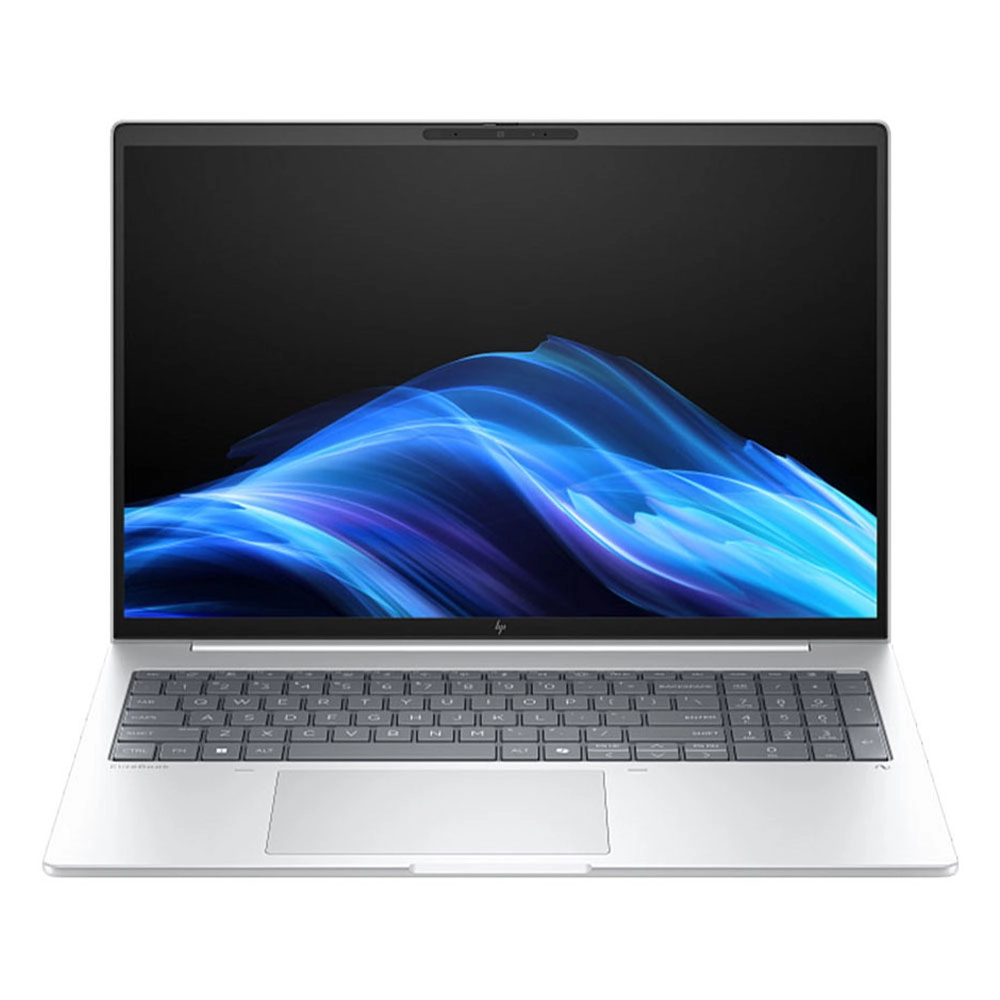
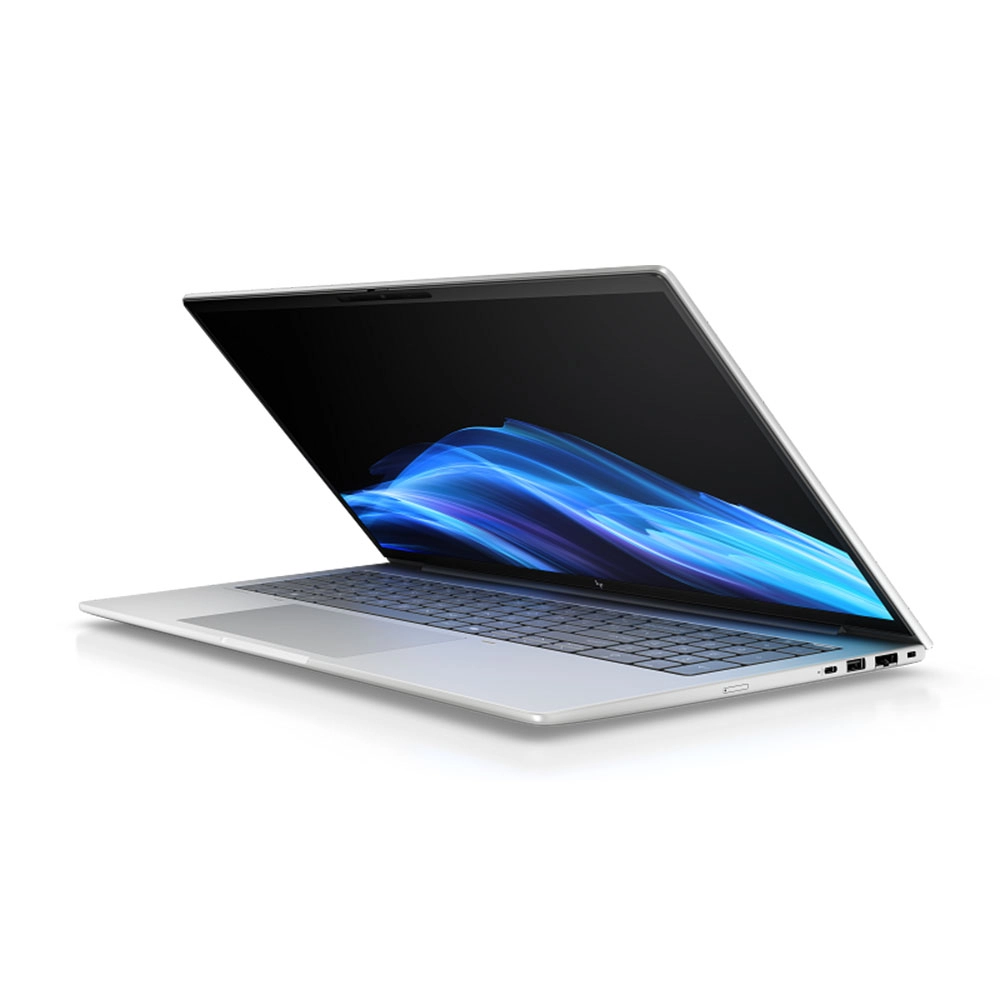
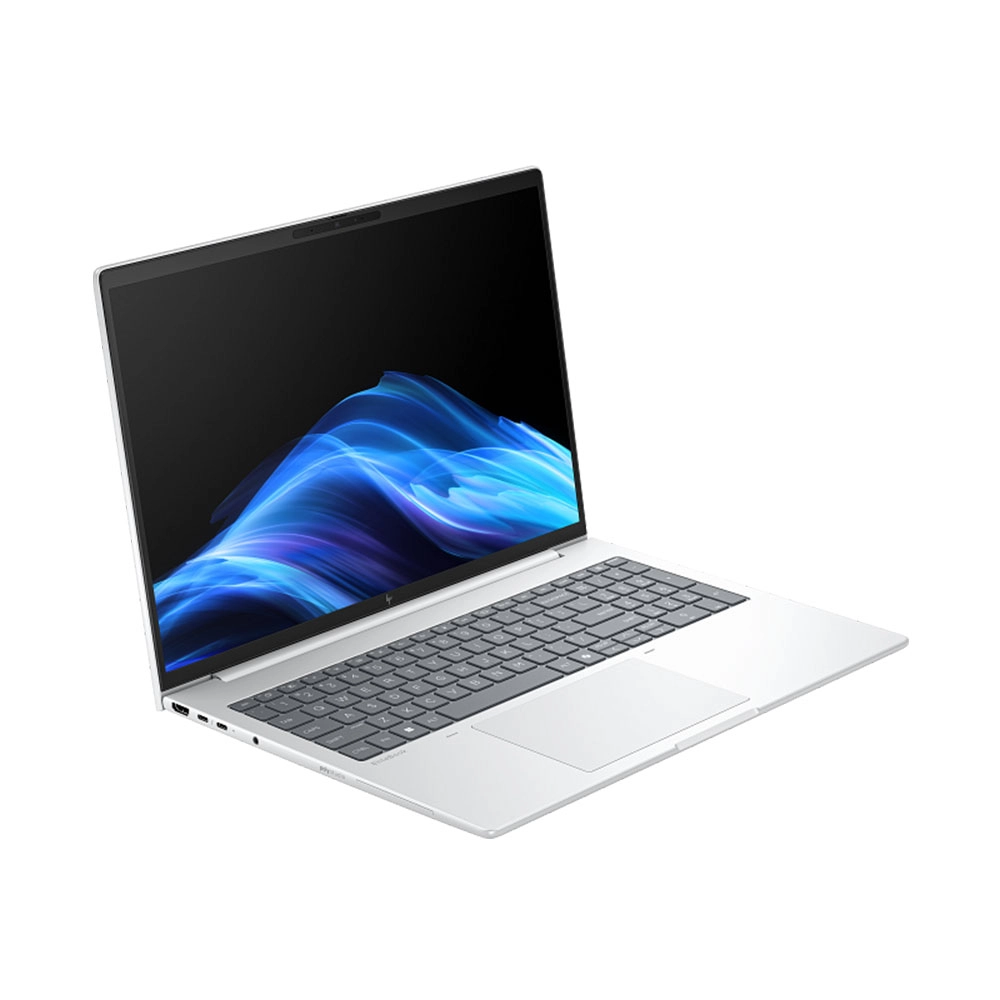
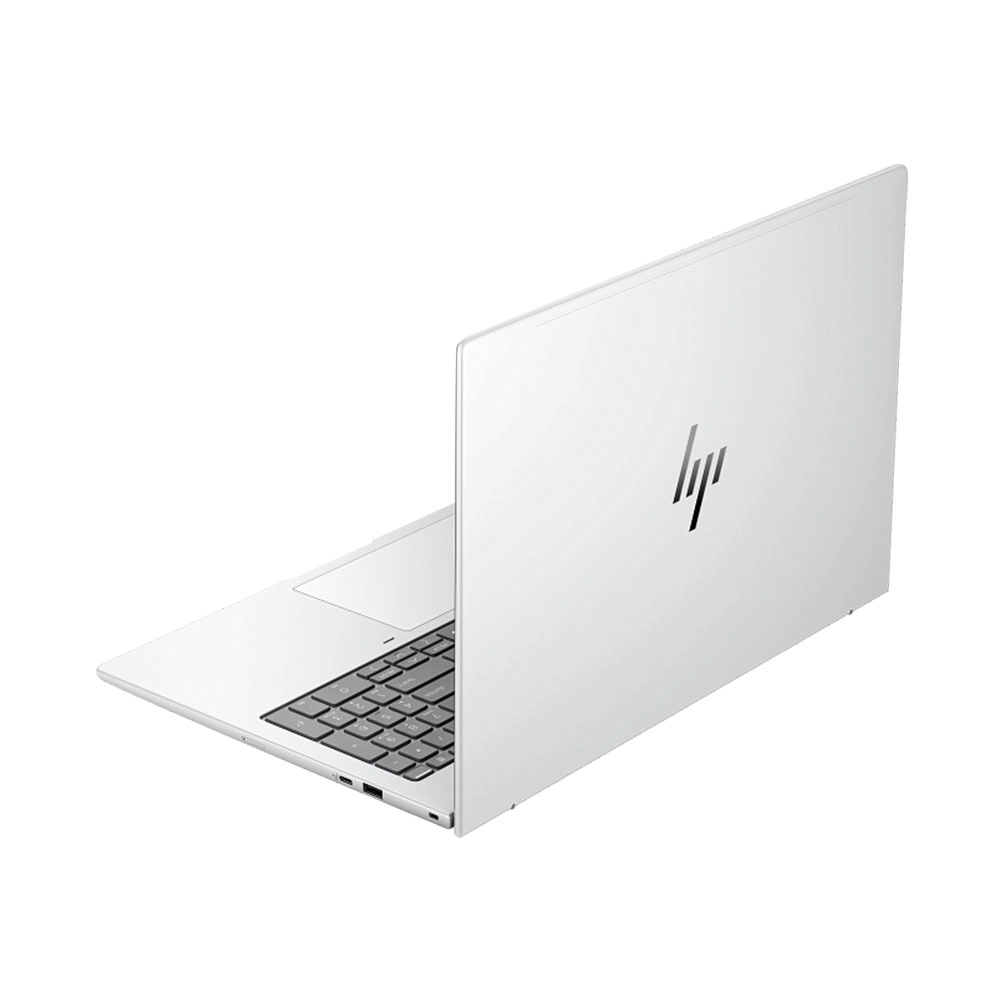
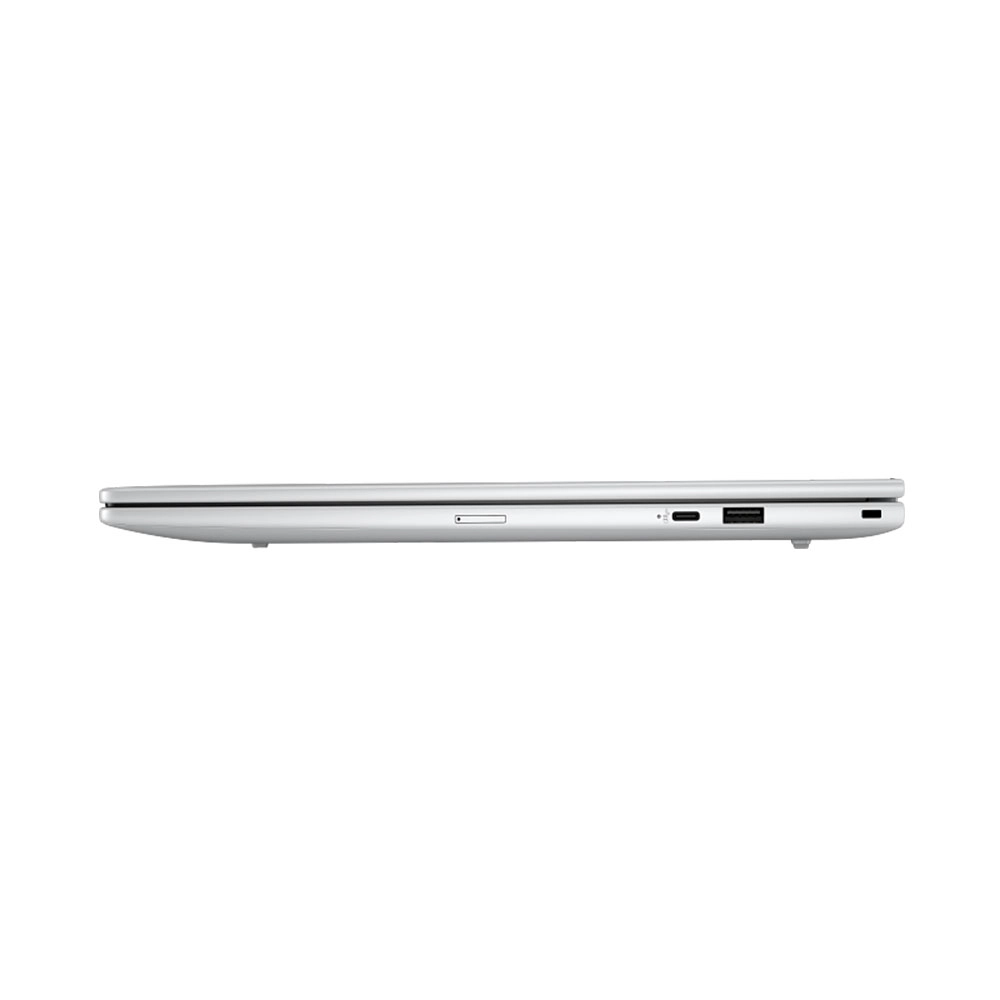
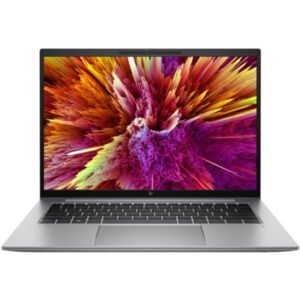
HP Elitebook 8 G1a 16 Laptop – AMD Ryzen 7-250, 32GB PC5, 512 SSD, 16 inch

| Brand and Model | HP EliteBook 8 G1a 16 |
| CPU model | AMD Ryzen 7 250 |
| Installed RAM memory size | 32GB DDR5-5600 |
| Graphics card description | Integrated AMD Radeon Graphics |
| Hard disk size | 512GB SSD NVMe |
| Screen size | 16 Inches |
| Colour | Glacier Silver Aluminium |
3,300 AED 3,600 AED
HP EliteBook 8 G1a 16 Laptop – AMD Ryzen 7 250, 32GB PC5, 512 SSD, 16 inch
The HP EliteBook 8 G1a 16 laptop is built for users who want a larger workspace without giving up the performance and flexibility of a modern business notebook. This configuration combines an AMD Ryzen 7 250 processor with 32GB PC5 memory, 512GB SSD storage, and integrated AMD Radeon graphics. As a result, it offers a strong platform for professional productivity, multitasking, programming, business applications, and everyday work.
The 16-inch format also gives this EliteBook a different character from smaller business laptops. Instead of focusing primarily on maximum portability, it provides more screen space for documents, spreadsheets, presentations, browser windows, and other applications.
HP EliteBook 8 G1a 16 Specifications
| Specification | Details |
|---|---|
| Brand | HP |
| Model | EliteBook 8 G1a 16 |
| Processor | AMD Ryzen 7 250 |
| CPU Cores | 8 |
| CPU Threads | 16 |
| Base Clock | 3.3 GHz |
| Maximum Boost Clock | Up to 5.1 GHz |
| NPU | 16 TOPS |
| RAM | 32GB PC5 / DDR5-5600 |
| RAM Slots | 2 SODIMM slots |
| Maximum RAM | Up to 64GB |
| Storage | 512GB SSD |
| SSD Type | PCIe NVMe |
| Graphics | Integrated AMD Radeon Graphics |
| Display Size | 16 inch |
| Display Format | 16:10 |
| Display Options | WUXGA and other configurations depending on SKU |
| Operating System | Depends on exact configuration |
| Camera | Configuration dependent |
| Weight | Configuration dependent |
A Larger Business Laptop for More Working Space
The main advantage of the HP EliteBook 8 G1a 16 laptop is its larger 16-inch format. While many business laptops prioritize a smaller footprint, this model gives users more room to work with applications side by side.
For example, a professional can keep a spreadsheet open beside an email application. Similarly, a programmer can place code and documentation next to each other without constantly switching windows.
Moreover, the 16:10 screen format provides additional vertical space compared with a conventional 16:9 display. Therefore, the larger panel can make long documents, web pages, and business applications more comfortable to navigate.
AMD Ryzen 7 250 for Professional Multitasking
The HP EliteBook 8 G1a 16 AMD Ryzen 7-250 laptop uses the AMD Ryzen 7 250 processor. This chip features 8 CPU cores and 16 threads, with a 3.3GHz base clock and boost speeds of up to 5.1GHz. It also includes 16 NPU TOPS for supported AI workloads.
Because of this hardware, the laptop can handle a wide range of professional tasks. Users can work with office applications, web-based services, communication platforms, programming tools, and other productivity software while keeping several applications open.
In addition, the processor’s multi-core design helps when software can take advantage of multiple CPU threads. However, actual performance still depends on the application, workload, cooling, and overall system configuration.
Therefore, this laptop is better positioned as a high-performance productivity machine than as a dedicated workstation for specialized GPU-heavy tasks.
32GB PC5 Memory for Heavy Multitasking
The HP EliteBook 8 G1a 16 32GB PC5 laptop provides 32GB of DDR5-5600 memory. This is a particularly useful capacity for users who regularly work with multiple applications and large browser sessions.
For instance, professionals can move between spreadsheets, presentations, communication software, browser tabs, and other business applications without relying on a minimal memory configuration.
Furthermore, HP’s platform supports two accessible SODIMM slots and up to 64GB of DDR5-5600 memory. Consequently, the system has a useful upgrade path for users who expect their memory requirements to increase later.
The exact 32GB arrangement can vary between configurations. Therefore, buyers who plan to upgrade should check whether their specific unit uses one 32GB module or two 16GB modules.
512GB SSD for Fast Everyday Storage
The HP EliteBook 8 G1a 16 512 SSD laptop uses a 512GB SSD configuration. HP lists PCIe NVMe SSD options for this model, including 512GB versions.
An NVMe SSD helps the system access applications and files quickly. As a result, everyday tasks such as opening documents, launching applications, and managing work files can feel more responsive than with traditional hard-drive storage.
At the same time, 512GB gives users a practical amount of local storage for business documents, software, presentations, study materials, and personal files.
However, users who regularly keep large video collections, extensive datasets, or large creative projects on the laptop may eventually need additional storage.
Integrated AMD Radeon Graphics
The laptop uses integrated AMD Radeon Graphics rather than a separate dedicated graphics card. This approach keeps the system focused on general productivity while providing graphics acceleration for everyday applications and multimedia.
The integrated Radeon solution can handle office work, video playback, browser-based graphics, presentations, and other common visual workloads. It can also support compatible external displays through the laptop’s available display connections.
However, buyers should keep the graphics configuration in perspective. This is not a dedicated gaming laptop, and users who need intensive 3D rendering, professional GPU acceleration, or high-end gaming should consider a system with a discrete graphics processor.
16-Inch Display for Productivity
The HP EliteBook 8 G1a 16 16 inch laptop is designed around a 16-inch 16:10 display format. HP lists several display configurations for the model, including WUXGA panels and higher-resolution options.
The WUXGA format provides a 1920 x 1200 resolution. Meanwhile, some configurations can offer features such as higher brightness, 100% sRGB coverage, or a 2.5K 120Hz panel.
Because display specifications vary by SKU, the exact panel should always match the specific IDITA configuration before publication or purchase.
Regardless of the selected panel, the 16-inch format provides a generous workspace for professional applications. Therefore, it can be particularly useful for users who spend long periods working with documents, spreadsheets, dashboards, or multiple windows.
Business-Focused Design and Everyday Use
The EliteBook family focuses on professional users, and the 16-inch model follows that approach. Instead of targeting only entertainment or gaming, it emphasizes productivity, connectivity, security-related features, and flexible business use.
Furthermore, the larger chassis gives users a practical format for desk-based work while still allowing the laptop to function as a mobile computer.
This makes the HP EliteBook 8 G1a 16 laptop for business and productivity a suitable option for office professionals, managers, programmers, students, remote workers, and users who prefer a larger display.
Connectivity for Modern Workspaces
Modern business laptops need to connect to monitors, storage devices, docking stations, networking equipment, and other accessories. The EliteBook 8 G1a 16 platform provides modern connectivity options, including USB-C/USB4-class connections and HDMI 2.1 support.
As a result, users can integrate the laptop into a desk setup with external displays and compatible peripherals. In addition, HP lists support for multiple external displays, with docking potentially required depending on the setup.
Wireless options also vary by configuration and region. Therefore, buyers should verify the exact Wi-Fi, Bluetooth, mobile broadband, and port configuration of the unit available from IDITA.
Who Should Choose the HP EliteBook 8 G1a 16?
The combination of a Ryzen 7 processor, 32GB memory, 512GB SSD, and a large 16-inch display makes this laptop particularly interesting for users who prioritize workspace and multitasking.
It is well suited to:
- Business professionals
- Office and administrative users
- Programmers and developers
- Students working with multiple applications
- Remote and hybrid workers
- Managers who need a larger productivity screen
- Users who work with large browser sessions
- Professionals who want 32GB of RAM
- Users who prefer a 16-inch display for daily work
For programming and office productivity, the extra memory can be especially useful. Likewise, the larger display can make spreadsheets, dashboards, documentation, and side-by-side applications easier to manage.
What About Creative Work and Gaming?
The Ryzen 7 250 provides a capable CPU foundation for many productivity and moderately demanding applications. In addition, 32GB of RAM gives users more headroom when several applications are running simultaneously.
However, the integrated AMD Radeon graphics place a clear limit on the type of graphics workloads this laptop should target.
For light photo editing, multimedia, presentations, and other moderate creative tasks, the integrated graphics can be useful. On the other hand, demanding 3D rendering, advanced GPU-based workflows, and high-end gaming require a more specialized laptop with dedicated graphics.
Therefore, buyers should choose this model primarily for productivity and professional multitasking rather than for GPU-intensive workloads.
Pros and Cons
Pros
- AMD Ryzen 7 250 with 8 cores and 16 threads
- Boost clock of up to 5.1GHz
- 32GB DDR5-5600 memory
- Two accessible SODIMM slots with support for up to 64GB
- 512GB PCIe NVMe SSD option
- Large 16-inch 16:10 workspace
- Integrated AMD Radeon graphics
- Modern connectivity options including HDMI 2.1
- Suitable platform for business multitasking and productivity
Cons
- Integrated graphics are not designed for high-end gaming or demanding 3D rendering
- 512GB may not provide enough space for users with very large local file collections
- Display specifications vary between configurations
- Wireless connectivity and some hardware features can vary by region and SKU
- The larger 16-inch format is less compact than a 13- or 14-inch business laptop
Final Verdict
Overall, the HP EliteBook 8 G1a 16 laptop takes a productivity-first approach and adds the advantage of a larger working area. Its AMD Ryzen 7 250 processor provides 8 cores and 16 threads, while 32GB of DDR5 memory gives the system plenty of capacity for demanding multitasking.
Furthermore, the 512GB SSD offers fast everyday storage, and the 16-inch 16:10 display creates a comfortable workspace for documents, spreadsheets, programming, and business applications.
The integrated AMD Radeon graphics remain the main limitation for users with demanding GPU workloads. Nevertheless, for business users, professionals, students, programmers, and remote workers who value memory capacity and screen space, this configuration provides a well-balanced productivity platform.
Before purchasing, customers should confirm the exact display panel, operating system, wireless features, ports, warranty, stock condition, and included accessories for the specific IDITA unit. This is especially important because HP offers the EliteBook 8 G1a 16 in multiple hardware configurations.
| Brand | |
|---|---|
| Model | HP EliteBook 8 G1a 16 |
| Processor | |
| RAM | |
| Storage | |
| Graphics | |
| Screen Size | |
| Camera | Integrated Camera |
| Color | |
| Keyboard | Backlit Keyboard, US-English |
| Operating System | Windows 11 Pro |
| Condition | Used-Excellent (Fully Tested) |
| Battery | |
| Weight | 1.69 kg |
| Warranty | 3 Months |
Based on 0 reviews
Only logged in customers who have purchased this product may leave a review.
Related products
-
Business Laptops, HP Elitebook, Ultrabook and X360
HP EliteBook 1040 G10 X360 Intel Core i5-1355U | 16GB RAM | 512GB SSD
-8% Business Laptops, HP Elitebook, Ultrabook and X360
HP EliteBook 1040 G10 X360 Intel Core i5-1355U | 16GB RAM | 512GB SSD
Business Laptops, HP Elitebook, Ultrabook and X360HP EliteBook 1040 G10 X360 Intel Core i5-1355U | 16GB RAM | 512GB SSD
Brand and Model HP Elitebook 1040 x360 G10 CPU model Intel Core i5-1335U Installed RAM memory size 16GB DDR4 Graphics card description Intel Iris Xe Graphics Hard disk size 512 GB SSD Nvme Screen size 14.1 Inches Full HD Colour Silver SKU: HP70182 -
Business Laptops, Gaming Laptops, Office and Student, Tablet and Detachable
Surface Book 2 with Core i7-8th | 16GB 512GB
-13% Business Laptops, Gaming Laptops, Office and Student, Tablet and Detachable
Surface Book 2 with Core i7-8th | 16GB 512GB
Business Laptops, Gaming Laptops, Office and Student, Tablet and DetachableSurface Book 2 with Core i7-8th | 16GB 512GB
“>ss=”a-span3″ role=”presentation”>Graphics card description“presentation”>6GB Graphics (NVIDIA)
&am p;lt
;sp
an class=”a-size-base a-text-bold”>Brand and Model lass=”a-size-
base po-bre
ak-word”>Microsoft Surface Book 2&amp;amp;lt;/strong>e=”presentation”><strong>CPU model<strong>Intel Core i7-8thInstalled RAM memory size</span>16GB DDR4s=”a-span3″>e=”presentation”>Hard disk size<strong><span class=”a-size-base po-break-word”>512GB SSD NvmeScreen size</strong>
15.6 Inches Full HDColourSilver
SKU: Su70148 -
Asus Zenbook, Business Laptops
HP ZBook Firefly G10 14 with Core i7-13th | 16GB RAM 1TB SSD
Asus Zenbook, Business LaptopsHP ZBook Firefly G10 14 with Core i7-13th | 16GB RAM 1TB SSD
=”listitem”>
“>” role=”presentation”>Graphics card description</td>
Brand and Model HP ZBook Firefly G10 CPU model “</yoastmark”>”a-size-base po-break-word”>Intel Core i7-13th Installed RAM memory size 16GB DDR4 <strong>NVIDIA Quadro A2000-4GB Hard disk size</td> >1TB SSD Nvme Screen size 14.1 Inches Full HD Colour Grey SKU: ZB70134
There are no reviews yet.