







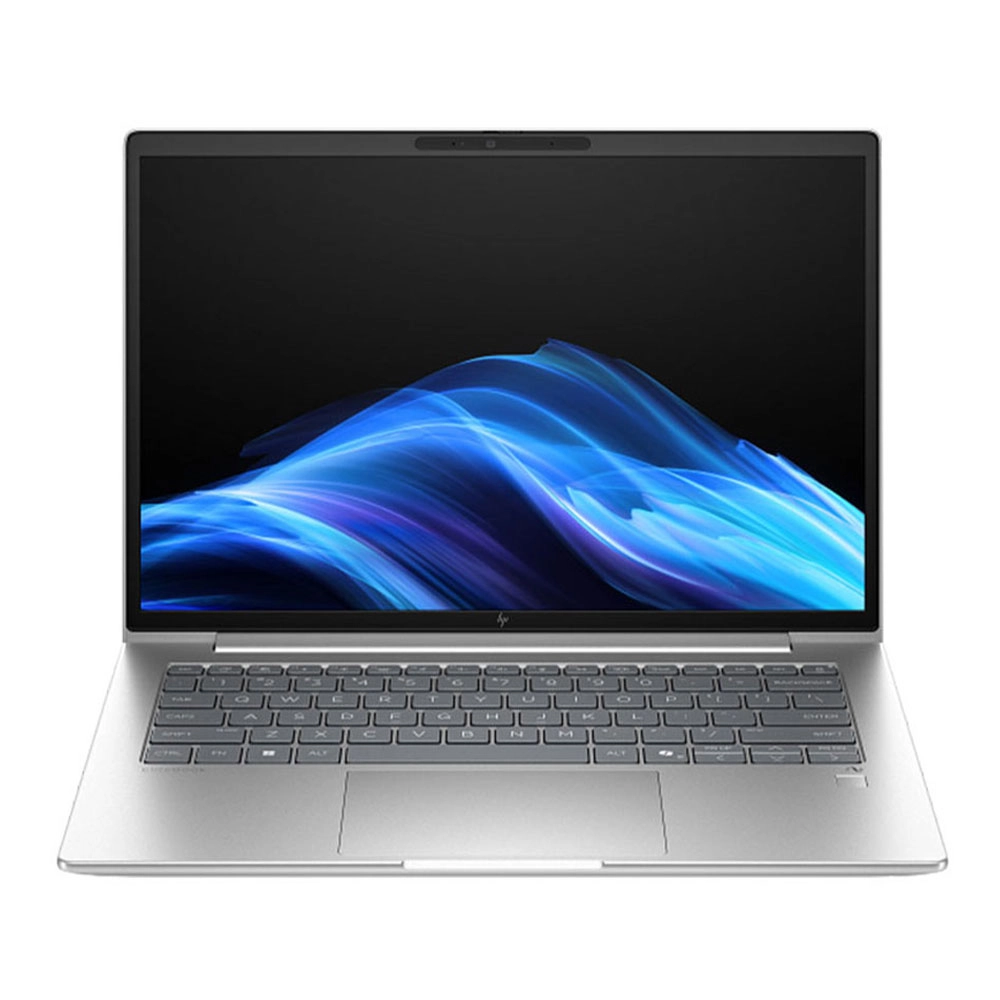
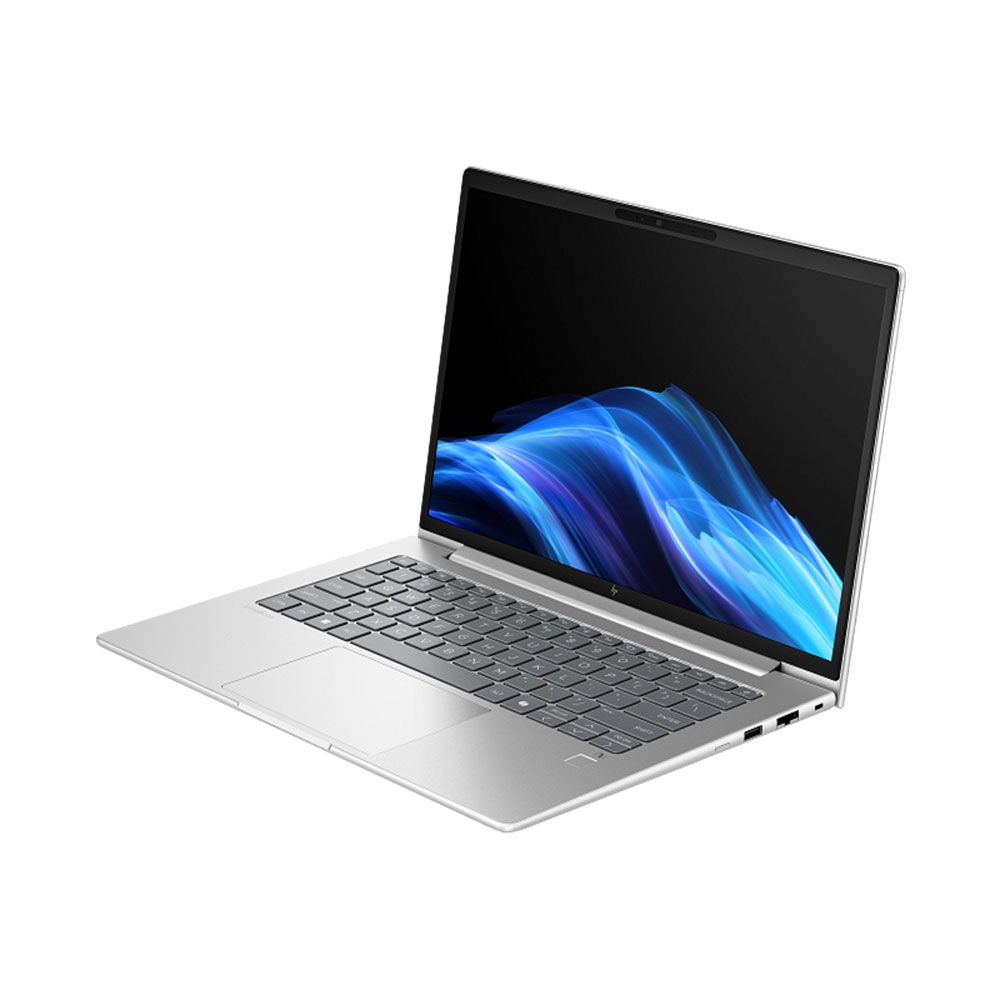
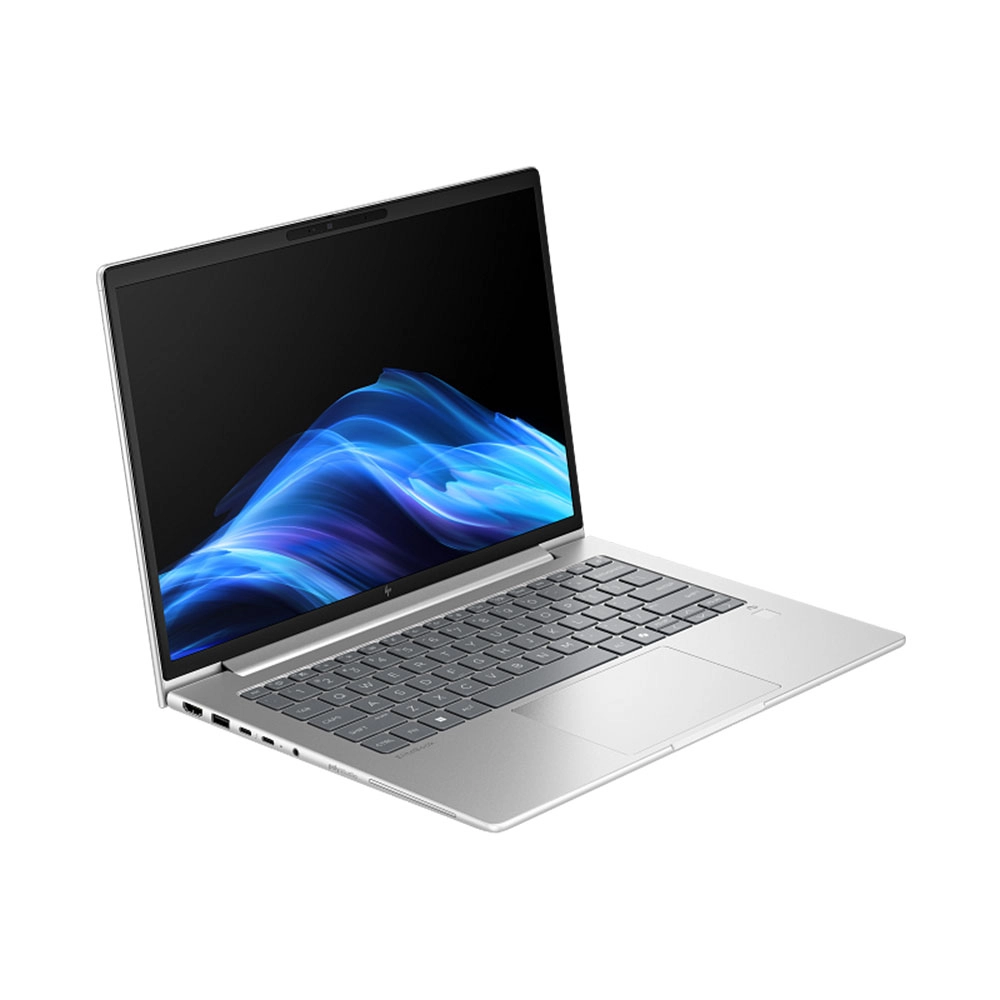
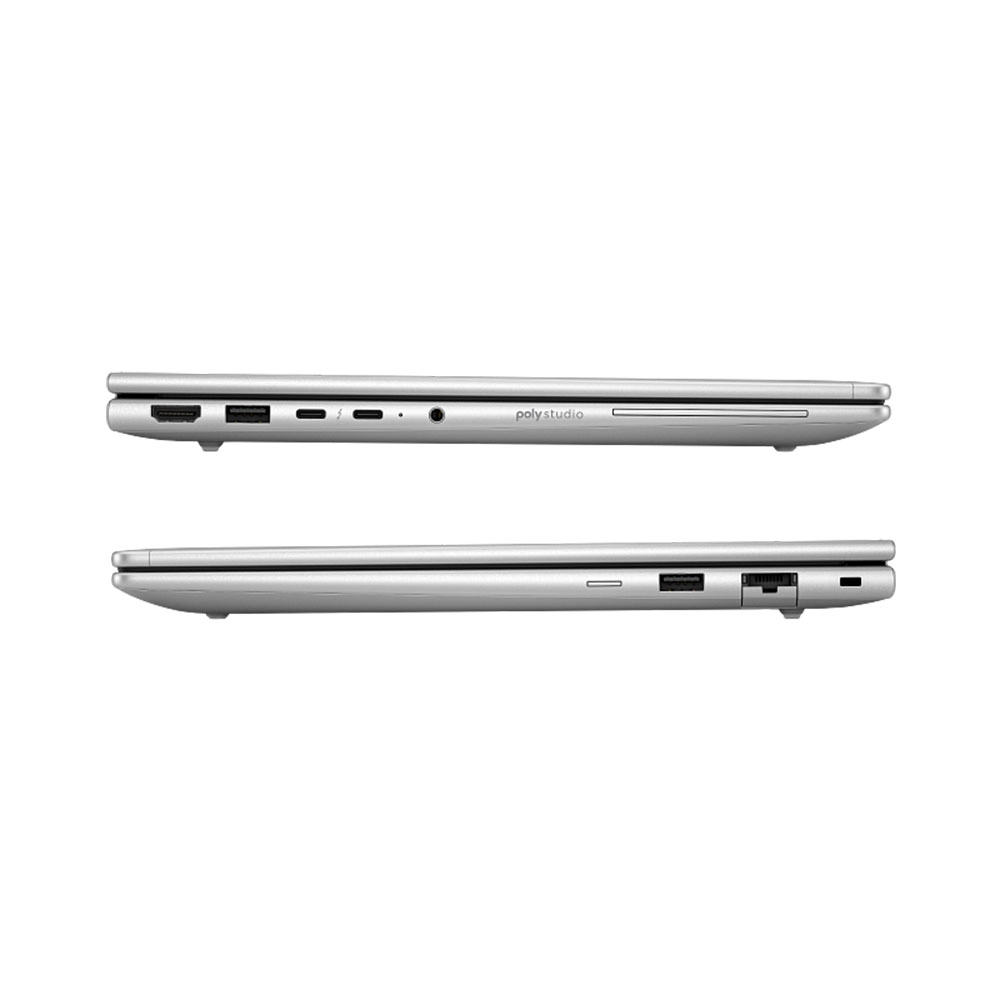
HP Elitebook 6 G1a 14 Laptop – AMD Ryzen AI 7-350, 32GB PC5, 512 SSD, 14 inch

| Brand and Model | HP EliteBook 6 G1a 14 |
|---|---|
| CPU model | AMD Ryzen AI 7-350 |
| Installed RAM memory size | 32GB DDR5-5600 |
| Graphics card description | AMD Radeon 860M Graphics |
| Hard disk size | 512GB SSD NVMe |
| Screen size | 14 Inches |
| Colour | Pike Silver |
3,300 AED 3,700 AED
HP Elitebook 6 G1a 14 Laptop – AMD Ryzen AI 7-350, 32GB PC5, 512 SSD, 14 inch
Choosing a 14-inch business laptop often means deciding how much performance can realistically fit into a portable machine. The HP Elitebook 6 G1a 14 laptop takes a performance-focused approach with an AMD Ryzen AI 7 350 processor, 32GB of PC5 memory, 512GB SSD storage, and integrated AMD Radeon graphics. Instead of targeting one specialized workload, this configuration is designed for people who move between office applications, web-based tools, development software, communication platforms, and other demanding everyday tasks.
Its strongest argument is the amount of system memory paired with the Ryzen AI 7 350. With eight CPU cores, sixteen threads, and 32GB RAM, the laptop has considerably more headroom than a basic productivity notebook. The 14-inch format then keeps the system practical for users who regularly carry their computer between different locations.
The Hardware Behind the HP Elitebook 6 G1a 14
| Specification | Details |
|---|---|
| Brand | HP |
| Series | HP EliteBook |
| Model | EliteBook 6 G1a 14 |
| Processor | AMD Ryzen AI 7 350 |
| CPU Cores | 8 |
| CPU Threads | 16 |
| Base Frequency | 2.0 GHz |
| Max Boost Frequency | Up to 5.0 GHz |
| Total Cache | 24MB |
| NPU | Up to 50 TOPS |
| Graphics | AMD Radeon 860M |
| Graphics Architecture | RDNA 3.5 |
| RAM | 32GB PC5 / DDR5 |
| Storage | 512GB SSD |
| Storage Type | PCIe NVMe SSD |
| Display Size | 14 inch |
| Display Resolution | Configuration dependent |
| Wireless | Configuration dependent |
| Intended Use | Business, productivity, programming and professional multitasking |
AMD specifies the Ryzen AI 7 350 with eight cores, sixteen threads, a 2.0GHz base frequency, up to 5.0GHz boost, 24MB total cache and a Radeon 860M integrated GPU. The processor also includes an NPU rated for up to 50 TOPS.
The Main Reason to Choose 32GB
RAM is often overlooked when buyers compare laptop specifications. In a real working environment, however, memory capacity can determine how comfortably the system handles several applications at once.
This HP Elitebook 6 G1a 14 32GB PC5 laptop starts with 32GB, giving users substantially more working memory for multitasking. A browser with numerous tabs can stay open alongside Excel, PowerPoint, email, messaging software, PDF documents, and other applications without forcing the user to constantly close programs.
The difference becomes even more noticeable in technical workflows. Developers may have an IDE, browser, local database, containers, testing tools, and documentation running together. Business users may work with several large spreadsheets while maintaining video-conferencing and communication applications in the background.
For buyers who expect their workload to become heavier over time, 32GB is also a more future-conscious starting point than a basic memory configuration.
Ryzen AI 7 350 Is the Performance Centerpiece
The processor gives this laptop a considerably stronger foundation than an entry-level office system.
AMD’s Ryzen AI 7 350 uses eight cores and sixteen threads. Its maximum boost frequency reaches up to 5.0GHz, while the processor carries 24MB of combined cache. AMD also places the chip in a configurable 15–54W power range, allowing laptop manufacturers to tune performance according to the system design.
For everyday work, that translates into plenty of CPU resources for multitasking. More demanding software can also benefit when it distributes workloads across multiple CPU threads.
The processor’s AI capabilities add another layer. Its NPU can provide up to 50 TOPS for supported AI workloads. That hardware is useful when compatible applications are designed to offload suitable tasks to the NPU, but it should not be interpreted as a guarantee that every AI application will run at 50 TOPS.
Radeon 860M Keeps the Graphics Side Flexible
There is no discrete graphics card in this configuration. Instead, graphics processing comes from the integrated AMD Radeon 860M built into the Ryzen AI 7 350.
AMD lists the Radeon 860M with eight graphics cores and a maximum graphics frequency of up to 3.0GHz. It uses the RDNA 3.5 architecture.
That is enough to make the laptop useful beyond purely text-based work. Photo editing, hardware-accelerated applications, media playback, external displays, and lighter graphical workloads all fall within its capabilities.
The limitation is equally important. Integrated graphics share system resources and do not provide the level of GPU performance found in a dedicated graphics solution. Users working with intensive 3D rendering, advanced CAD, professional GPU computing, or demanding games should consider a laptop with a discrete GPU instead.
Storage That Fits a Professional Workday
The supplied configuration includes a 512GB SSD, giving the system a practical amount of local storage for Windows, office applications, development tools, documents, presentations, and project files.
SSD storage also contributes to the overall responsiveness of a laptop. Opening applications, accessing files, loading projects, and starting the operating system all benefit from modern PCIe NVMe storage.
There is, however, a straightforward capacity consideration. A 512GB drive can fill relatively quickly when a user stores large video projects, extensive image libraries, virtual machines, engineering files, or other high-volume data locally. For those workloads, external storage or a larger internal drive may eventually become necessary.
Why the 14-Inch Format Matters
The HP Elitebook 6 G1a 14 14 inch laptop is aimed at people who need their computer to travel.
A 14-inch screen sits between highly compact ultraportables and larger productivity notebooks. It provides enough physical screen area for office work while keeping the overall form factor easier to transport.
That distinction becomes useful for consultants moving between client meetings, employees working across multiple offices, students carrying their laptop across campus, or professionals who alternate between home and office environments.
The 14-inch platform is also offered with WUXGA display configurations. However, HP provides different display specifications across EliteBook 6 G1a 14 configurations, so brightness, color coverage, refresh rate, and exact panel characteristics should be checked against the specific SKU before publication or purchase.
A Better Fit for Multitasking Than for Single-Purpose Computing
The strength of this laptop becomes clearer when several moderate workloads are placed side by side.
A user might start the morning with email and browser research, move into a spreadsheet-heavy task, join a video meeting, open a presentation, and then switch to a development or content workflow. None of those tasks individually requires workstation hardware, but keeping them active together can put pressure on a lower-memory laptop.
That is where the 32GB RAM and Ryzen AI 7 350 combination becomes relevant. The processor supplies substantial multi-threaded resources, while the larger memory capacity helps maintain a comfortable multitasking environment.
Programming Is One of Its Stronger Use Cases
Software development often creates an unusual laptop workload. The processor needs to handle compilation and development tools, while memory usage can increase through browser tabs, local services, containers, databases, and virtual environments.
Eight CPU cores and sixteen threads provide a strong starting point for development work. Meanwhile, 32GB RAM gives programmers more flexibility when several development tools need to remain active.
The 14-inch screen is also useful here because its compact footprint makes the machine easy to carry, while a suitable WUXGA configuration provides additional vertical workspace for code and documentation.
Developers who regularly run several large virtual machines or memory-intensive environments should still evaluate their exact requirements before choosing a portable system.
Business Users Get More Than Office Performance
The EliteBook family is designed for professional environments, so its value is not limited to processor specifications.
A business user may need Ethernet connectivity at a desk, USB accessories, external displays, docking hardware, wireless networking, and conferencing equipment. HP’s EliteBook 6 G1a 14 platform includes modern connectivity options across its configurations, including USB-C/Thunderbolt-class connectivity, USB-A, HDMI and wired networking options.
The platform also supports modern wireless standards on listed configurations. HP documentation includes Wi-Fi 6E and Bluetooth 5.3 among the available connectivity features.
For an office laptop, that variety matters because the computer may spend part of the day connected to a desk setup and the rest operating independently.
AI Hardware Has a Specific Role
The Ryzen AI 7 350 is not simply a faster conventional processor with an AI label attached to it. It includes dedicated neural-processing hardware.
AMD rates its NPU at up to 50 TOPS. Supported applications can use that processing unit for certain AI operations, potentially reducing the need to handle every AI-related task through the CPU or GPU.
Still, software support determines how much practical benefit the NPU provides. Buyers should therefore view the NPU as an additional capability rather than the sole reason to choose the laptop.
For most users, the more immediately noticeable advantages will come from the eight-core processor and 32GB memory.
Creative Work: Good for Moderate Projects
The integrated Radeon 860M gives the laptop enough graphical flexibility for light to moderate creative work.
Basic image editing, presentation design, content preparation, and less demanding video workflows can make use of the available CPU and GPU resources. The large memory capacity is also helpful when several creative applications or browser-based tools are open.
However, the configuration has clear boundaries. Professional video editors working with complex timelines, 3D artists, advanced CAD users, and creators who depend heavily on GPU rendering will benefit more from a laptop with dedicated graphics.
Display choice matters as well. Since the EliteBook 6 G1a 14 is available with different panels, users whose work depends on color accuracy should verify the exact screen specification rather than relying on the model name alone.
What About Gaming?
The Radeon 860M is more capable than the most basic integrated graphics solutions, so casual and lighter gaming can be part of the laptop’s capabilities.
It should not, however, be classified as a gaming machine.
The system prioritizes business mobility, CPU performance, memory capacity, connectivity, and professional workflows. There is no dedicated gaming GPU in the supplied specification.
For occasional gaming, the integrated Radeon solution can be useful. For demanding modern games at high settings, a dedicated-GPU laptop remains the better choice.
Battery Expectations Should Be Configuration-Based
Battery performance should not be reduced to one advertised number. Actual runtime changes with screen brightness, wireless activity, processor utilization, video playback, applications, and power-management settings.
The EliteBook 6 G1a 14 family uses different configurations, so battery capacity and runtime should be checked against the exact SKU being sold on the UAE market.
That approach is more useful for buyers than assuming every EliteBook 6 G1a 14 has identical endurance.
Practical Advantages and Limitations
Pros
- Ryzen AI 7 350 provides 8 cores and 16 threads
- Up to 5.0GHz boost frequency
- Dedicated NPU rated at up to 50 TOPS
- Radeon 860M integrated graphics
- 32GB PC5 memory is well suited to heavy multitasking
- 512GB SSD offers useful local storage for business workloads
- Portable 14-inch format
- Strong fit for programming and professional productivity
- Modern connectivity options across the platform
- More memory headroom than typical entry-level business configurations
Cons
- Integrated graphics are not a replacement for a dedicated GPU
- 512GB may be limiting for large media or engineering libraries
- Display specifications vary between EliteBook configurations
- NPU benefits depend on compatible software
- Serious gamers and GPU-intensive professionals need a different hardware class
Who Will Get the Most From This Laptop?
There is a clear group of buyers for whom this configuration makes sense.
Business professionals who keep many applications open will appreciate the 32GB memory capacity. Programmers can take advantage of the eight-core CPU and additional memory for development environments. Students in technical fields gain a portable machine with enough resources for demanding software. Remote workers benefit from a compact computer that can move between different workspaces.
The HP Elitebook 6 G1a 14 laptop with AMD Ryzen AI 7-350 is therefore better understood as a high-capacity productivity machine than as an entry-level office notebook.
Who Should Look Elsewhere?
A buyer focused on advanced 3D production, professional rendering, intensive GPU computing, or demanding AAA gaming should prioritize a dedicated graphics processor.
Likewise, creative professionals whose work depends on precise color reproduction should examine the exact display panel before choosing this model.
And if local storage is expected to contain large video collections, extensive datasets, or multiple virtual machines, 512GB may not provide enough long-term capacity.
Frequently Asked Questions
Is the HP Elitebook 6 G1a 14 good for business use?
Yes. The combination of the Ryzen AI 7 350, 32GB memory, 512GB SSD, compact 14-inch format, and business-oriented EliteBook platform makes it well suited to professional productivity.
How powerful is the Ryzen AI 7 350?
The Ryzen AI 7 350 has 8 CPU cores and 16 threads, with a 2.0GHz base frequency and up to 5.0GHz boost. AMD also specifies 24MB of total cache.
What GPU does the Ryzen AI 7 350 use?
It includes integrated AMD Radeon 860M graphics based on the RDNA 3.5 architecture. AMD lists eight graphics cores and up to 3.0GHz graphics frequency.
Is 32GB RAM useful in a 14-inch laptop?
Yes. It is particularly valuable when the laptop is used for programming, large spreadsheets, multitasking, development environments, virtual machines, or other memory-intensive workloads.
Is the HP Elitebook 6 G1a 14 suitable for programming?
Yes. The eight-core Ryzen AI 7 350 and 32GB memory provide a strong foundation for IDEs, development tools, databases, containers, and general software development.
Can it be used for video editing?
It can handle moderate video-editing workloads, but the integrated Radeon 860M is not equivalent to a dedicated professional GPU. Heavy editing, complex effects, and advanced rendering are better handled by a system with discrete graphics.
Is the 512GB SSD enough?
For ordinary business applications, documents, development tools, and general files, 512GB is a reasonable capacity. Large creative libraries and professional datasets may require additional storage.
Is it a gaming laptop?
No. It can handle lighter gaming through its integrated Radeon 860M, but its primary design target is business and productivity rather than high-end gaming.
Final Verdict
The HP Elitebook 6 G1a 14 laptop with Ryzen AI 7 350, 32GB PC5 memory, and 512GB SSD is aimed at users who want more working capacity without moving to a bulky 15- or 16-inch machine.
Its strongest specification is the relationship between the processor and memory. Eight CPU cores and sixteen threads provide substantial processing resources, while 32GB RAM gives demanding multitasking sessions considerably more breathing room. The Radeon 860M adds useful integrated graphics capability, and the Ryzen AI NPU introduces support for compatible local AI workloads.
There are boundaries to keep in mind. This remains an integrated-graphics business laptop, not a mobile workstation or dedicated gaming machine. Display specifications also vary between configurations, so the exact UAE SKU should always be checked before publication and purchase.
For professionals, developers, technical students, consultants, and productivity-focused users who want a 14-inch HP Ryzen laptop with 32GB memory, this configuration offers a strong balance between portable design and substantial everyday computing capacity.
| Brand | |
|---|---|
| Model | Elitebook 6 G1a 14 |
| Processor | |
| RAM | |
| Storage | |
| Graphics | |
| Screen Size | |
| Camera | Integrated Camera |
| Color | |
| Keyboard | Spill-Resistant Backlit Keyboard |
| Operating System | Windows 11 Pro |
| Condition | Used-Excellent (Fully Tested) |
| Battery | |
| Weight | 1.4 kg |
| Warranty | 3 Months |
Based on 0 reviews
Only logged in customers who have purchased this product may leave a review.
Related products
-
Business Laptops, HP Elitebook, Office and Student
HP EliteBook 840 G5 Laptop – Intel Core i5-8th Gen | 8GB RAM | 256GB SSD | 14 inch Display | Win 10
-6% Business Laptops, HP Elitebook, Office and Student
HP EliteBook 840 G5 Laptop – Intel Core i5-8th Gen | 8GB RAM | 256GB SSD | 14 inch Display | Win 10
Business Laptops, HP Elitebook, Office and StudentHP EliteBook 840 G5 Laptop – Intel Core i5-8th Gen | 8GB RAM | 256GB SSD | 14 inch Display | Win 10
SKU: n/a -
Business Laptops, HP Elitebook, Office and Student
HP EliteBook 840 G8 – Intel Core i5-11th Gen | 8GB RAM | 256GB SSD | 14 inch Display | Windows 11 Pro
-9% Business Laptops, HP Elitebook, Office and Student
HP EliteBook 840 G8 – Intel Core i5-11th Gen | 8GB RAM | 256GB SSD | 14 inch Display | Windows 11 Pro
Business Laptops, HP Elitebook, Office and StudentHP EliteBook 840 G8 – Intel Core i5-11th Gen | 8GB RAM | 256GB SSD | 14 inch Display | Windows 11 Pro
SKU: n/a -
Business Laptops, HP Elitebook, Office and Student
HP EliteBook 840 G6 – Intel Core i7-8th Gen | 8GB RAM | 256GB SSD | 14 inch Display | Win 10 Pro
-4% Business Laptops, HP Elitebook, Office and Student
HP EliteBook 840 G6 – Intel Core i7-8th Gen | 8GB RAM | 256GB SSD | 14 inch Display | Win 10 Pro
Business Laptops, HP Elitebook, Office and StudentHP EliteBook 840 G6 – Intel Core i7-8th Gen | 8GB RAM | 256GB SSD | 14 inch Display | Win 10 Pro
SKU: n/a -
Business Laptops, Lenovo Thinkpad, Office and Student
Lenovo ThinkPad T480s Core i7 8th 16GB 256GB
-11% Business Laptops, Lenovo Thinkpad, Office and Student
Lenovo ThinkPad T480s Core i7 8th 16GB 256GB
Business Laptops, Lenovo Thinkpad, Office and StudentLenovo ThinkPad T480s Core i7 8th 16GB 256GB
Brand and Model Lenovo Thinkpad T480s CPU model Intel Core i7 8th Gen Installed RAM memory size 16GB DDR4 Graphics card description 2GB Nvidia graphics Hard disk size 256 GB SSD Nvme Screen size 14.1 Inches Full HD Colour Black SKU: n/a
There are no reviews yet.