







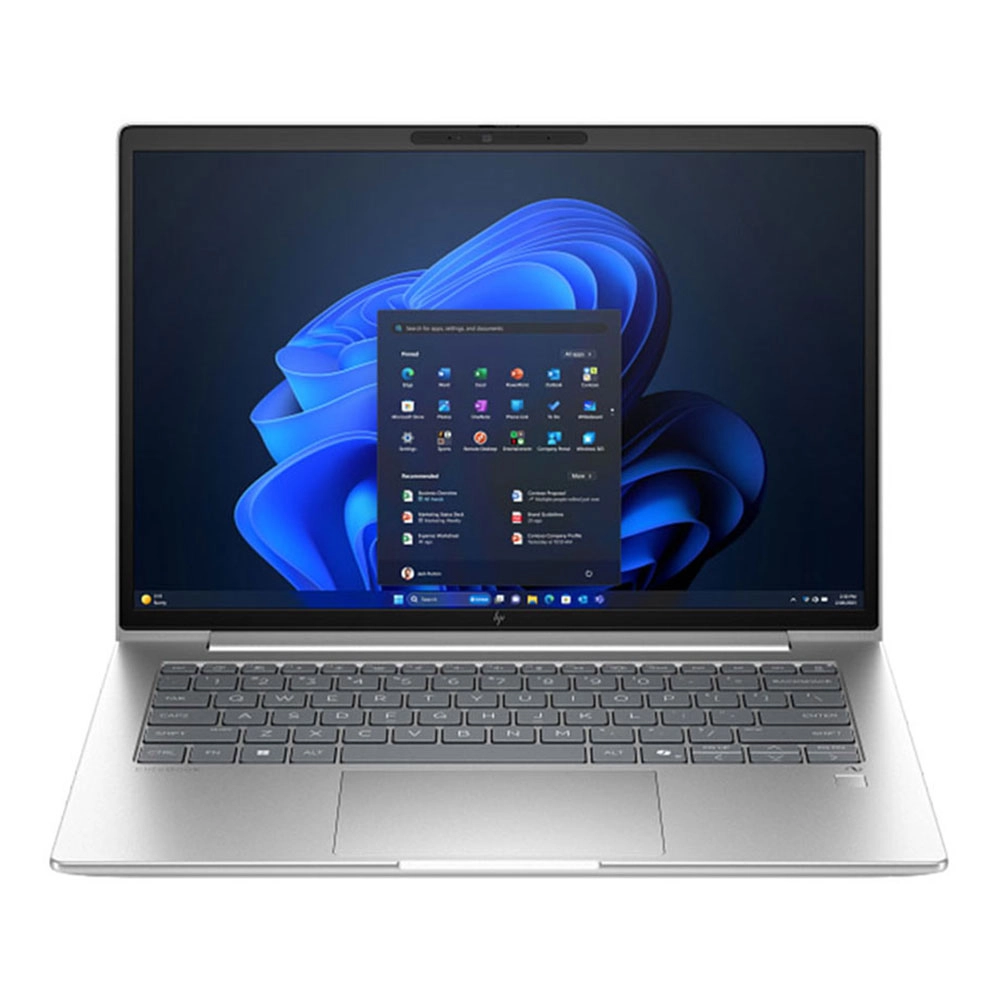
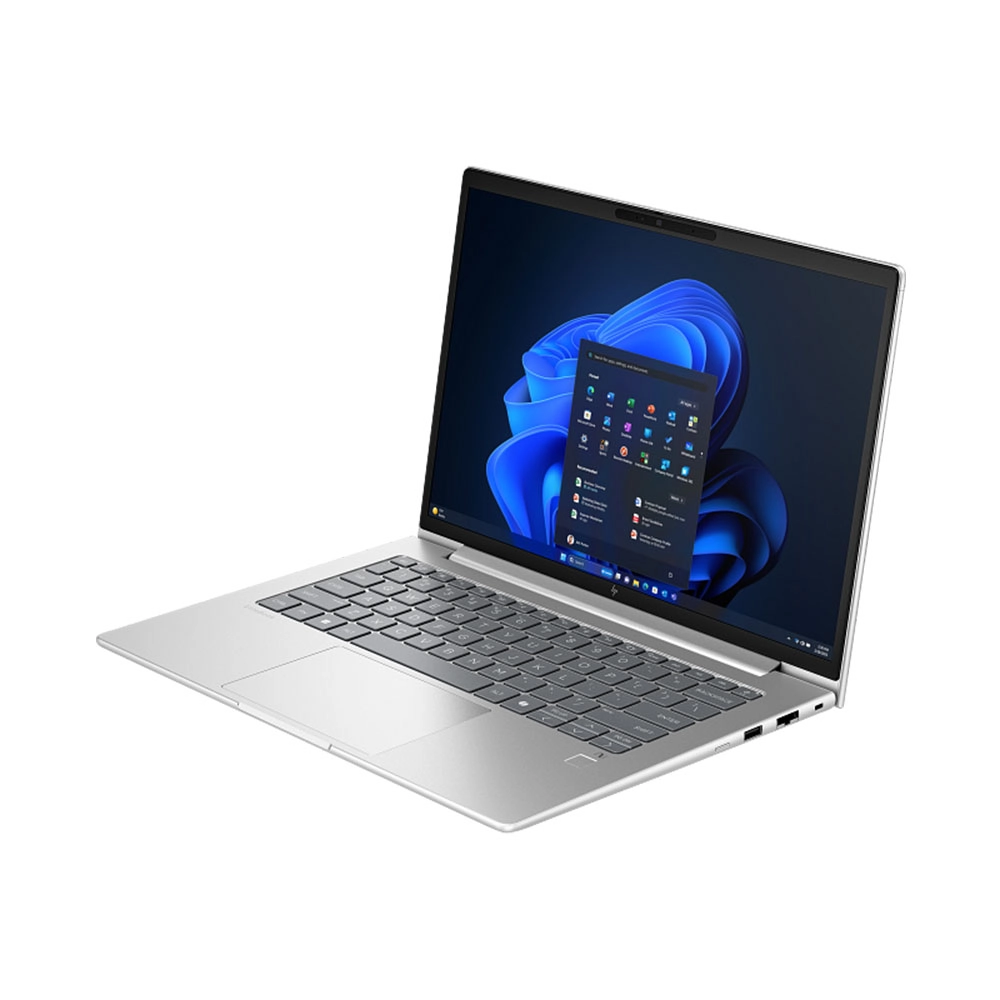
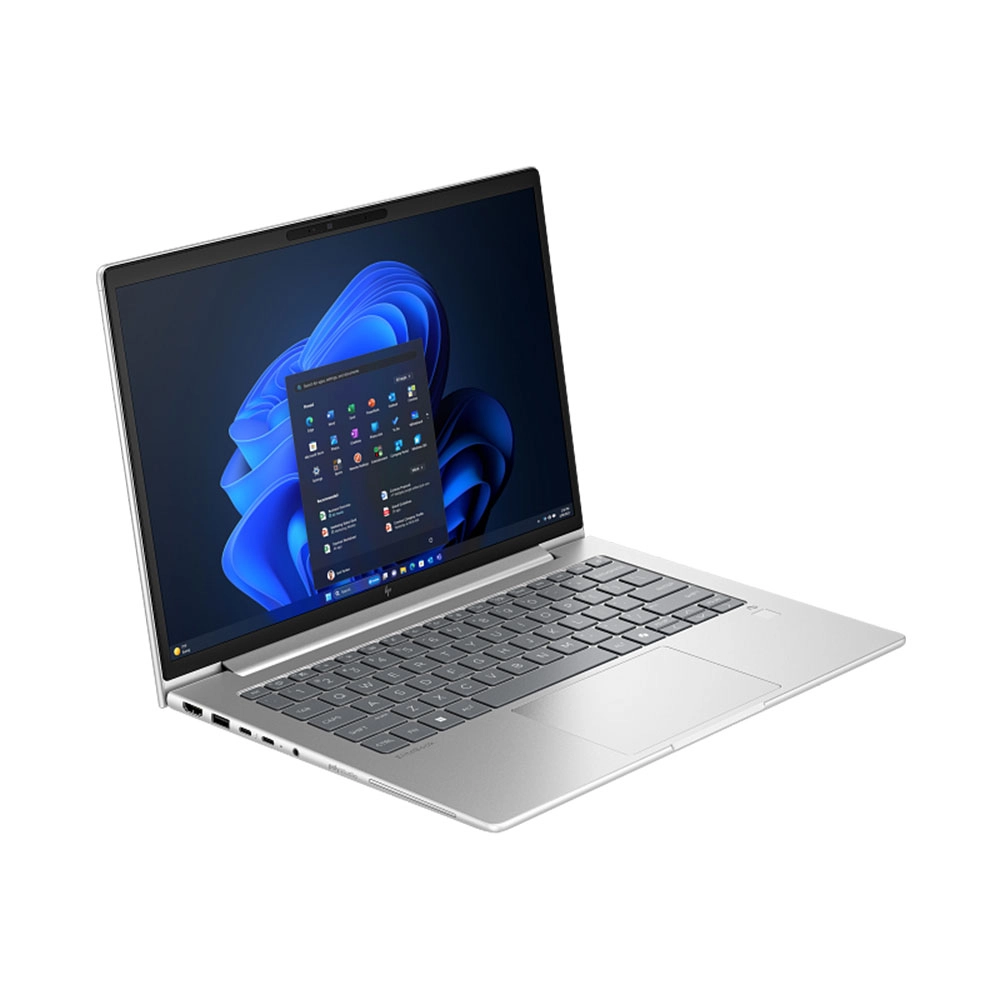
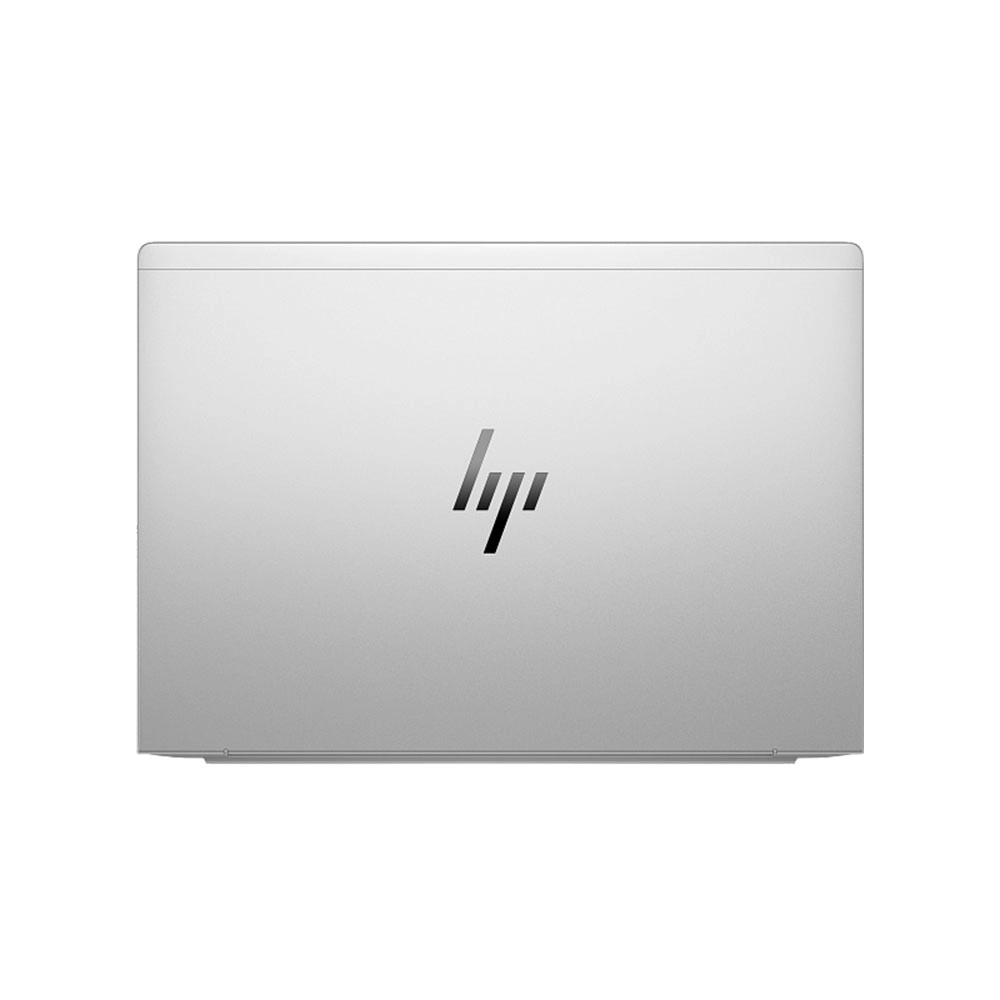
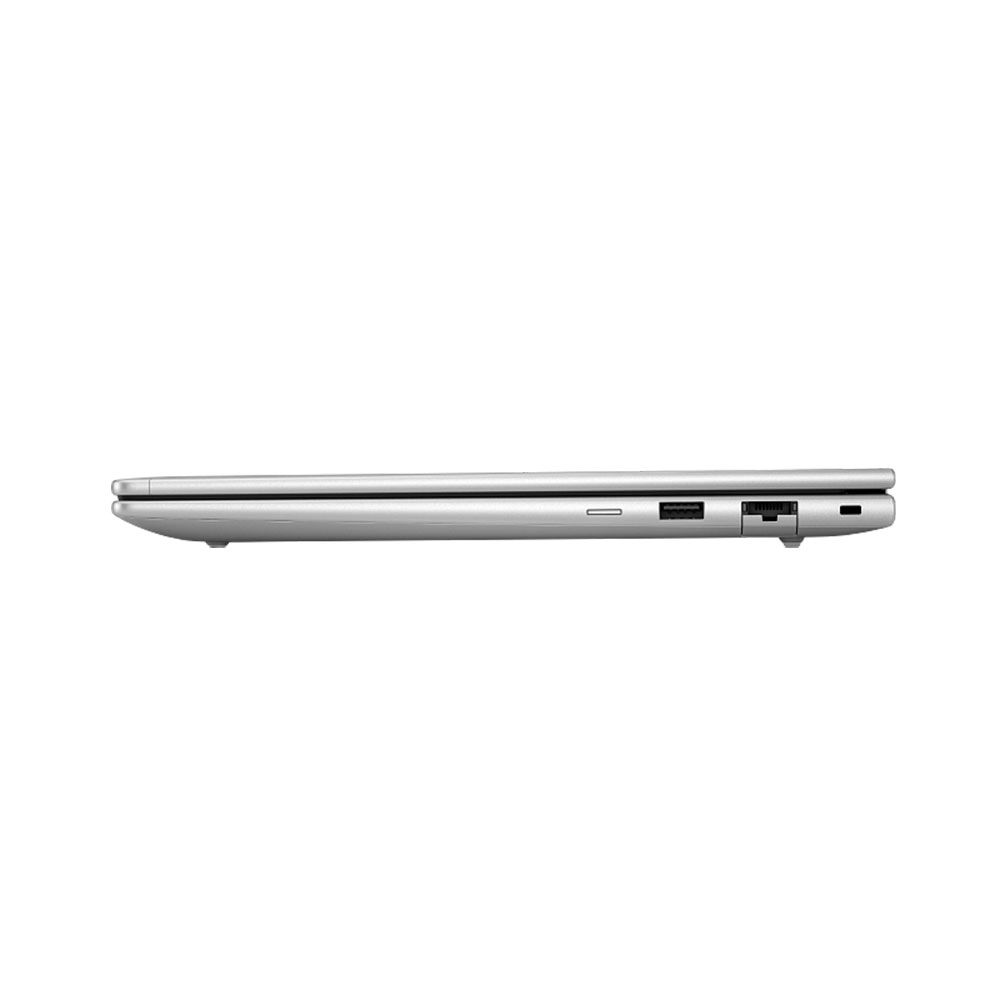
HP Elitebook 6 G1a 14 Laptop – AMD Ryzen AI 5-340, 16GB PC5, 512 SSD, 14 inch

| Brand and Model | HP EliteBook 6 G1a 14 |
|---|---|
| CPU model | AMD Ryzen AI 5-340 |
| Installed RAM memory size | 16GB DDR5-5600 |
| Graphics card description | AMD Radeon 840M Graphics |
| Hard disk size | 512GB SSD NVMe |
| Screen size | 14 Inches |
| Colour | Pike Silver |
2,400 AED 2,800 AED
HP Elitebook 6 G1a 14 Laptop – AMD Ryzen AI 5-340, 16GB PC5, 512 SSD, 14 inch
A business laptop needs to do more than open documents quickly. It should handle communication, browser-heavy workflows, office applications, remote meetings, and everyday multitasking without becoming difficult to carry. The HP Elitebook 6 G1a 14 laptop approaches that balance with a 14-inch WUXGA display, AMD Ryzen AI 5 340 processor, 16GB DDR5 memory, and a 512GB PCIe NVMe SSD. It also brings modern connectivity, integrated Radeon graphics, and hardware-focused security features into a compact business-oriented design.
For professionals and students who spend much of the day moving between applications, the configuration is particularly practical. The six-core Ryzen AI processor provides the processing foundation, while 16GB of memory leaves enough room for a typical mix of browser tabs, office software, communication tools, and background utilities.
HP Elitebook 6 G1a 14 Specifications at a Glance
| Specification | Details |
|---|---|
| Brand | HP |
| Model | EliteBook 6 G1a 14 |
| Processor | AMD Ryzen AI 5 340 |
| CPU Architecture | Zen 5 |
| CPU Cores / Threads | 6 Cores / 12 Threads |
| Max Boost Clock | Up to 4.8 GHz |
| NPU | Up to 50 TOPS |
| Graphics | Integrated AMD Radeon 840M |
| RAM | 16GB DDR5-5600 |
| Memory Configuration | 1 × 16GB SODIMM |
| Memory Slots | 2 SODIMM slots |
| Storage | 512GB PCIe NVMe SSD |
| Display | 14-inch WUXGA IPS |
| Resolution | 1920 × 1200 |
| Brightness | 300 nits |
| Color Coverage | 62.5% sRGB |
| Surface | Anti-glare |
| Weight | Starting at 1.4 kg |
| Battery | 3-cell, 56Wh Li-ion polymer |
| Wireless | Wi-Fi 6E |
| Bluetooth | Bluetooth 5.3 |
| Camera | 5MP IR camera |
| Operating System | Windows 11 Pro |
| Ports | 2× Thunderbolt 4, 2× USB-A, HDMI 2.1, RJ-45, audio combo |
| Power Adapter | 65W USB-C |
| Keyboard | Spill-resistant |
| Chassis Color | Pike Silver |
HP lists this specific configuration with a Ryzen AI 5 340, 16GB DDR5-5600 SODIMM memory, 512GB PCIe NVMe SSD, 14-inch WUXGA IPS display, and Windows 11 Pro.
A 14-Inch Format Built Around Everyday Mobility
The first thing to notice about the EliteBook 6 G1a 14 is its physical balance. A 14-inch screen provides more working space than many smaller ultraportables, yet the chassis remains compact enough for commuting between an office, classroom, meeting room, or home workspace.
The documented configuration starts at approximately 1.4 kg, with a thickness ranging from about 1.09 cm at the front to 1.7 cm at the rear. HP also specifies a Pike Silver aluminum finish.
That combination matters when the laptop spends as much time in a bag as it does on a desk. Instead of prioritizing a large screen at the expense of portability, this HP Elitebook 6 G1a 14 14 inch laptop keeps the footprint manageable while retaining a conventional business-laptop layout.
Ryzen AI 5 340: Six Cores With a Dedicated AI Engine
The processor is one of the defining features of this configuration. AMD’s Ryzen AI 5 340 uses a Zen 5-based design with 6 CPU cores and 12 threads. Its base clock is 2.0 GHz, while the maximum boost clock reaches up to 4.8 GHz. AMD specifies 22MB of total cache and a configurable TDP range of 15–54W, allowing manufacturers to tune the processor according to the system design.
In practical terms, those six cores and twelve threads give the laptop a solid foundation for office workloads, multitasking, programming, web applications, and professional communication software. Word processing and spreadsheets are straightforward workloads for this class of processor, while multiple applications can remain active without relying on an entry-level CPU.
The Ryzen AI branding also reflects a hardware change beyond the CPU itself. The processor includes an NPU rated at up to 50 TOPS for supported AI workloads. That does not mean every AI application will automatically run at that level; software support and workload type still matter. However, the dedicated AI engine gives compatible applications an additional processing path.
16GB DDR5 Is a Sensible Starting Point
Memory capacity can quickly become a limitation on a work laptop, particularly when a browser, spreadsheet, video call, PDF viewer, and communication application are all open together. Here, the 16GB PC5 configuration provides a much more comfortable starting point.
HP specifies 16GB of DDR5-5600 memory installed as one 16GB SODIMM. More importantly, the system has two SODIMM slots. That leaves an upgrade path for users who eventually need additional memory, subject to the supported configuration and module compatibility.
For current productivity workloads, 16GB is a reasonable capacity for office work, online research, programming environments, study applications, and general multitasking. Developers working with large virtual machines or professionals handling particularly demanding datasets may eventually benefit from expanding the memory.
512GB SSD Keeps the System Practical
Storage is another area where this configuration avoids an unnecessarily small starting point. The laptop includes a 512GB PCIe NVMe SSD, providing considerably more room for applications, documents, project files, local media, and operating-system updates than a basic 256GB configuration.
An NVMe SSD also suits the way modern laptops are used. Application launches, file access, system startup, and routine data transfers benefit from the lower-latency storage architecture.
There is still a practical limit to 512GB. Users working with large video libraries, extensive photo catalogs, virtual machines, or sizeable engineering datasets may need external storage or additional storage management over time.
Radeon 840M Handles Graphics Without a Separate GPU
Graphics processing comes directly from the Ryzen AI 5 340 platform. AMD identifies the integrated graphics as Radeon 840M, based on the RDNA 3.5 graphics architecture, with four graphics cores and a graphics frequency of up to 2.9 GHz.
That makes the HP Ryzen laptop more versatile than a system designed only around basic display output. Integrated Radeon graphics can handle office graphics, high-resolution displays, video playback, light creative tasks, and some less demanding games.
The important distinction is that this remains an integrated GPU. It is not a dedicated workstation or gaming graphics solution. Heavy 3D rendering, professional GPU compute, and demanding modern games are better matched with a laptop that includes a discrete graphics processor.
The 14-Inch WUXGA Screen Favors Documents and Multitasking
The display specification is particularly relevant for business users. HP’s documented configuration uses a 14-inch WUXGA IPS panel with a 1920 × 1200 resolution, anti-glare surface, 300-nit brightness, low-power design, and 62.5% sRGB coverage.
The 16:10-style WUXGA resolution provides additional vertical workspace compared with a traditional 1920 × 1080 panel. That extra space can be useful when reading documents, working with spreadsheets, browsing long web pages, or reviewing code.
At the same time, the 62.5% sRGB coverage tells an important part of the story. This is a business-oriented display rather than a wide-gamut panel designed specifically for professional color grading. It works well for productivity, communication, research, and general media consumption, but color-critical creative professionals should consider a display with broader color coverage.
Connectivity That Fits a Business Desk
A modern work laptop often becomes a connection hub, and HP equips this configuration accordingly. The EliteBook 6 G1a 14 includes two Thunderbolt 4 ports with USB-C 40Gbps signaling, USB Power Delivery, and DisplayPort support. It also provides two powered USB-A ports, HDMI 2.1, RJ-45 Ethernet, and a combined headphone/microphone jack.
That selection gives the laptop flexibility at both a desk and on the move. A USB-C dock can expand the workstation, HDMI can connect an external display, while the built-in Ethernet port remains useful in offices where wired networking is preferred.
Wireless connectivity comes from MediaTek Wi-Fi 6E with Bluetooth 5.3.
Video Meetings Get More Attention Than Basic Webcams
Remote meetings are now part of ordinary business workflows, so the camera specification deserves its own mention. This configuration uses a 5MP IR camera rather than a basic low-resolution webcam. HP also lists dual-array microphones and dual stereo speakers with Poly Studio audio.
The IR capability can also support facial-recognition features where configured and enabled. HP’s feature set includes security and collaboration functions that can make use of the camera and the system’s processing resources.
As a result, the laptop is not simply designed around documents and spreadsheets. Video conferencing, hybrid work, and online collaboration are part of its intended environment.
Security Features Reinforce the Business Focus
The EliteBook name places emphasis on business use, and HP includes several hardware and software security technologies in the platform.
HP lists features such as HP Wolf Security for Business, HP Sure Click, HP Sure Platform, HP Tamper Lock, and a fingerprint reader on the documented configuration.
These features are more relevant to organizations than to casual home users. For a business laptop, however, security is not merely an optional extra. Protecting credentials, browsing sessions, business documents, and access to corporate systems can be just as important as processor speed.
Battery Capacity and Charging
The documented model uses a 56Wh three-cell lithium-ion polymer battery. HP also specifies fast charging that can reach 50% in approximately 30 minutes under the stated conditions, together with a 65W USB-C power adapter.
Battery runtime should still be treated as workload-dependent. Screen brightness, wireless use, applications, video calls, processor load, and power-management settings can all change actual endurance. Therefore, the 56Wh capacity is a more reliable specification to compare than promising one fixed number of hours for every user.
What This Configuration Is Actually Good At
The HP Elitebook 6 G1a 14 laptop with AMD Ryzen AI 5-340 makes the most sense when the workload mixes several moderate demands rather than one extremely specialized task.
Office and Business Productivity
Excel, Word, PowerPoint, email, browser applications, PDFs, and video meetings fit naturally within the hardware. The 16GB RAM is especially useful when several of these applications remain open at the same time.
Programming and Technical Study
The six-core, twelve-thread processor provides a useful base for coding environments, local development tools, databases, and general software projects. The 14-inch WUXGA display also offers enough vertical resolution for code and documentation.
Developers using several virtual machines or memory-heavy containers should consider the upgrade potential of the two-SODIMM design before purchasing.
Student Work
For university assignments, research, presentations, online learning, programming courses, and everyday communication, this configuration offers a balanced specification. Its 14-inch size also makes it easier to carry between classes and study locations.
Creative Work
The integrated Radeon 840M can support light image editing, basic video work, and everyday creative applications. However, the display’s 62.5% sRGB coverage and integrated graphics make this configuration less appropriate for color-critical professional design or GPU-intensive production.
Gaming
Gaming is possible at a basic level, but gaming should not be the reason to choose this laptop. The Radeon 840M is integrated graphics, so demanding AAA games at high settings are outside the system’s natural target. A dedicated-GPU laptop would be a more appropriate choice for serious gaming.
Advantages and Limitations
Pros
- AMD Ryzen AI 5 340 with 6 cores and 12 threads
- Up to 4.8 GHz boost clock and 50 TOPS NPU
- 16GB DDR5-5600 memory with two SODIMM slots
- 512GB PCIe NVMe SSD
- 14-inch WUXGA IPS anti-glare display
- Lightweight starting point of approximately 1.4 kg
- Two Thunderbolt 4 ports plus HDMI 2.1 and RJ-45
- 5MP IR camera for modern collaboration and security features
- Wi-Fi 6E and Bluetooth 5.3
- Business-oriented HP security technologies
Cons
- Integrated Radeon 840M is not designed for demanding GPU workloads
- 62.5% sRGB display coverage is modest for professional color-sensitive work
- 16GB RAM may become restrictive for heavy virtual machines and demanding professional workflows
- 512GB storage can fill quickly with large media or project libraries
Who Should Choose the HP Elitebook 6 G1a 14?
This configuration is a strong match for professionals who want a compact business laptop without dropping to entry-level hardware. It also makes sense for students, programmers, consultants, office teams, remote workers, and users who regularly move between workspaces.
The better question is not whether the laptop can perform many different tasks; it is whether those tasks match its design. If the workload revolves around productivity, communication, research, coding, and moderate creative work, the specification is well balanced.
On the other hand, users focused on professional color grading, advanced 3D work, heavy GPU rendering, or serious gaming should look toward a machine with a stronger dedicated GPU and a more specialized display.
Frequently Asked Questions
Is the HP Elitebook 6 G1a 14 a good business laptop?
Yes. Its Ryzen AI 5 340 processor, 16GB DDR5 memory, business-oriented security features, modern connectivity, 5MP IR camera, and Windows 11 Pro configuration make it well suited to professional workloads.
Does the HP Elitebook 6 G1a 14 have upgradeable RAM?
The documented configuration has two SODIMM slots and ships with one 16GB DDR5-5600 module. That provides an upgrade path, although the final supported capacity should be checked against the exact system configuration before purchasing additional memory.
What graphics does the Ryzen AI 5 340 use?
The processor integrates AMD Radeon 840M graphics. AMD lists four graphics cores and a maximum graphics frequency of 2.9 GHz.
Is 512GB enough for business use?
For office documents, applications, research files, and normal business data, 512GB is a practical starting capacity. Users storing large video, design, engineering, or virtual-machine files may eventually need external or additional storage.
Does it support fast external displays?
Yes. The documented configuration includes two Thunderbolt 4 USB-C ports with DisplayPort 1.4 support, along with HDMI 2.1.
Is the display suitable for professional graphic design?
It can handle general design and image-editing work, but the 62.5% sRGB coverage is not ideal for color-critical professional workflows. Users who depend on precise color reproduction should consider a wider-gamut display.
Final Verdict
The HP Elitebook 6 G1a 14 laptop takes a practical business-first approach: a compact 14-inch body, a modern six-core Ryzen AI processor, 16GB DDR5 memory, 512GB NVMe storage, useful upgrade potential, and a strong selection of wired and wireless connectivity.
Its biggest strength is balance rather than extreme performance. The Ryzen AI 5 340 gives the system a capable CPU and dedicated NPU, while Radeon 840M graphics cover everyday visual workloads without the cost, heat, and weight of a discrete GPU. Meanwhile, the WUXGA display, 5MP IR camera, Thunderbolt 4 connectivity, and business security features make the laptop particularly well suited to professional mobility.
For business and productivity users in the UAE who want a modern HP Ryzen laptop in a manageable 14-inch format, this configuration is a well-rounded choice. Those whose priorities instead center on professional color accuracy, intensive GPU rendering, or demanding gaming should move toward a more specialized system.
| Brand | |
|---|---|
| Model | Elitebook 6 G1a 14 |
| Processor | |
| RAM | |
| Storage | |
| Graphics | |
| Screen Size | |
| Camera | Integrated Camera |
| Color | |
| Keyboard | Spill-Resistant Backlit Keyboard |
| Operating System | Windows 11 Pro |
| Condition | Used-Excellent (Fully Tested) |
| Battery | |
| Weight | 1.4 kg |
| Warranty | 3 Months |
Based on 0 reviews
Only logged in customers who have purchased this product may leave a review.
Related products
-
Business Laptops, Lenovo Thinkpad, Office and Student
Lenovo ThinkPad T480s Core i7 8th 16GB 256GB
-11% Business Laptops, Lenovo Thinkpad, Office and Student
Lenovo ThinkPad T480s Core i7 8th 16GB 256GB
Business Laptops, Lenovo Thinkpad, Office and StudentLenovo ThinkPad T480s Core i7 8th 16GB 256GB
Brand and Model Lenovo Thinkpad T480s CPU model Intel Core i7 8th Gen Installed RAM memory size 16GB DDR4 Graphics card description 2GB Nvidia graphics Hard disk size 256 GB SSD Nvme Screen size 14.1 Inches Full HD Colour Black SKU: n/a -
Business Laptops, HP Elitebook, Office and Student
HP EliteBook 840 G8 – Intel Core i5-11th Gen | 8GB RAM | 256GB SSD | 14 inch Display | Windows 11 Pro
-9% Business Laptops, HP Elitebook, Office and Student
HP EliteBook 840 G8 – Intel Core i5-11th Gen | 8GB RAM | 256GB SSD | 14 inch Display | Windows 11 Pro
Business Laptops, HP Elitebook, Office and StudentHP EliteBook 840 G8 – Intel Core i5-11th Gen | 8GB RAM | 256GB SSD | 14 inch Display | Windows 11 Pro
SKU: n/a -
Business Laptops, HP Pavilion, Office and Student, Ultrabook and X360
HP Pavilion 14 x360 Core i5-8265U | 16GB 512GB
-19% Business Laptops, HP Pavilion, Office and Student, Ultrabook and X360
HP Pavilion 14 x360 Core i5-8265U | 16GB 512GB
Business Laptops, HP Pavilion, Office and Student, Ultrabook and X360HP Pavilion 14 x360 Core i5-8265U | 16GB 512GB
</tr>
</tr>/span>class=””a-size-base”>”>16GB DDR4</strong>
lass=”yoast-text-mark”>lass=”yoast-text-mark”>lass=”yoast-text-mark”>lass=”yoast-text-mark”>lass=”a-span3″>e=”presentation”>Brand and Model </td> =”presentation”>HP Pavilion 14 x360</td></td> lass=”a-span3″ role=”presentation”><strong>“a-size-base a-text-bold”>CPU model Intel Core i5-8265U Installed RAM memory size< <span class=”a-size-base a-text-bold”>Graphics card description ss=”a-span9″ role=”presentation”><strong>Intel UHD</strong></td> “>ass=”a-size-base a-text-bold”>Hard disk size “a-size-base po-break-word”>512GB SSD Nvme</td> >Screen size 14.6 Inches Full HD Colour Platinum SKU: HP70176 -
Business Laptops, HP Elitebook, Office and Student
HP EliteBook 840 G3 Laptop–Intel Core i7-6th Gen | 8GB RAM | 256GB SSD | 14 Inch Display | Windows 10 Home
-3% Business Laptops, HP Elitebook, Office and Student
HP EliteBook 840 G3 Laptop–Intel Core i7-6th Gen | 8GB RAM | 256GB SSD | 14 Inch Display | Windows 10 Home
Business Laptops, HP Elitebook, Office and StudentHP EliteBook 840 G3 Laptop–Intel Core i7-6th Gen | 8GB RAM | 256GB SSD | 14 Inch Display | Windows 10 Home
SKU: n/a
There are no reviews yet.