







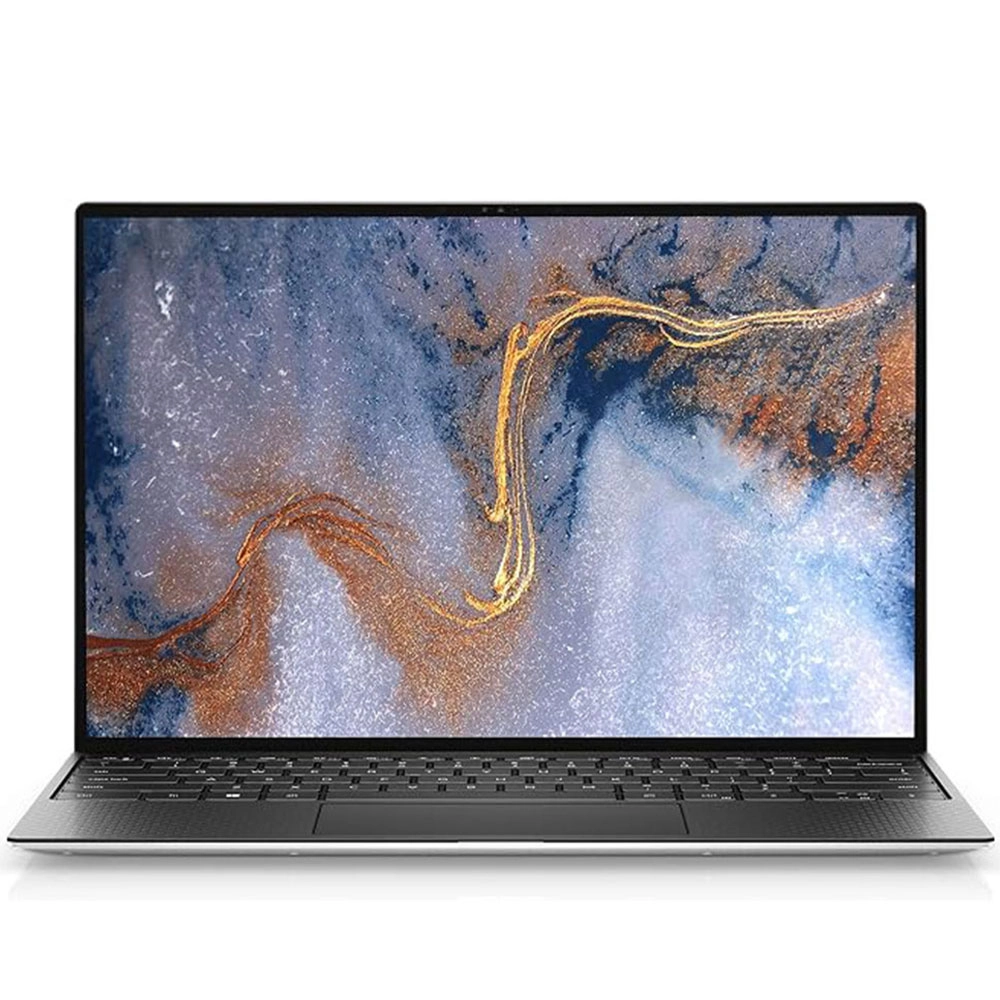
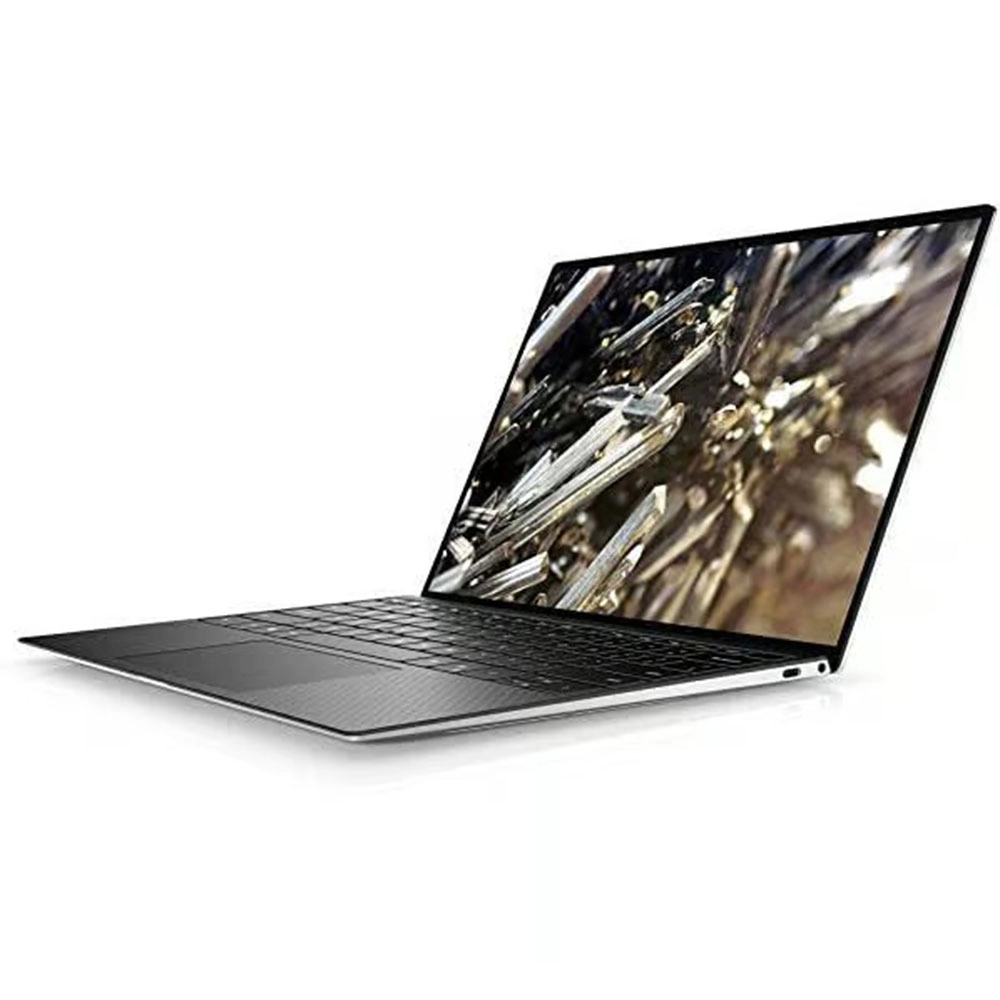

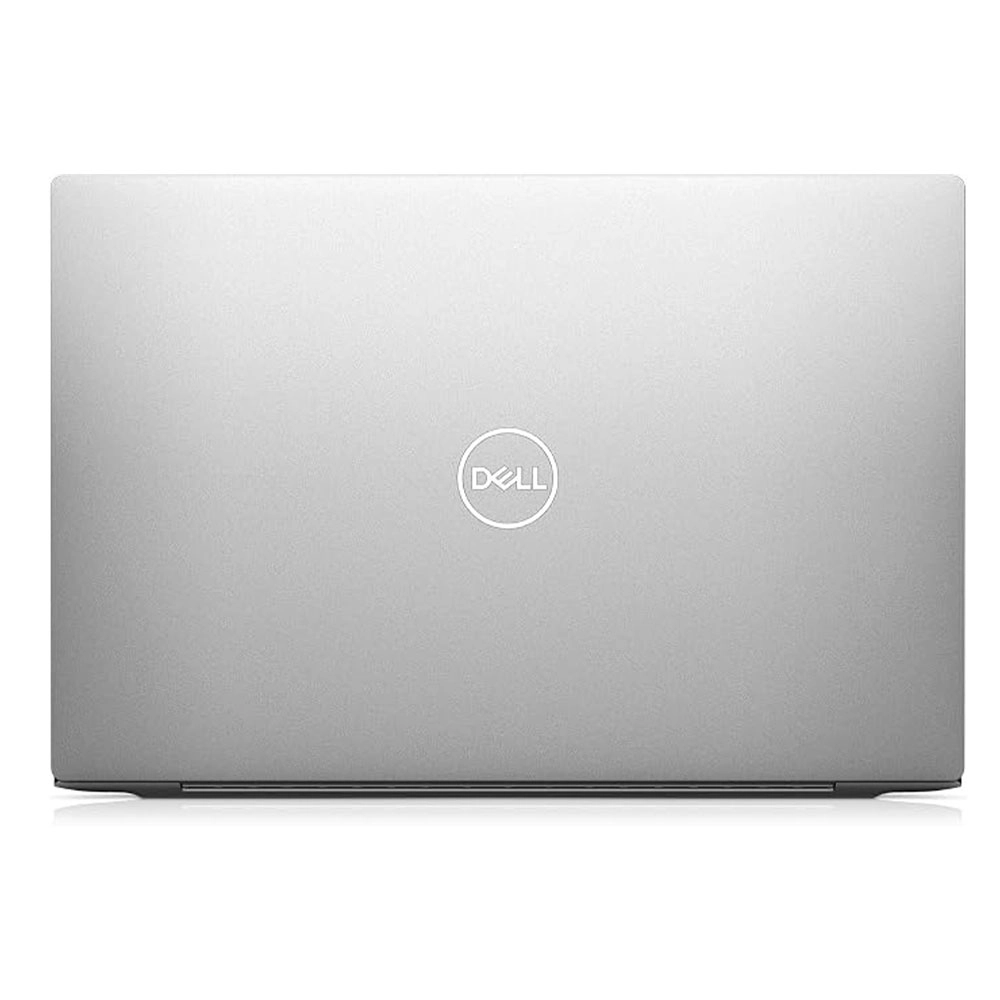
Dell XPS 13 9300 | Intel Core i5 10th Gen | 16GB RAM | 512 SSD | 13″ | Renewed

| Brand and Model | Dell XPS 13 9300 |
|---|---|
| CPU model | Intel Core i5 10th Gen |
| Installed RAM memory size | 16GB |
| Graphics card description | Intel UHD Graphics |
| Hard disk size | 512GB SSD |
| Screen size | 13 Inches |
| Colour | Platinum Silver |
| Condition | Renewed |
900 AED 1,100 AED
Dell XPS 13 9300
The Dell XPS 13 9300 targets users who want a compact laptop without dropping to a low-memory configuration. This Dell XPS 13 9300 comes with a 10th-generation Intel Core i5 processor, 16GB RAM, a 512GB SSD and Intel integrated graphics. With its 13-inch-class design, it makes the most sense for office work, study, programming and users who regularly move between locations.
The supplied configuration does not specify the exact Core i5 model, display resolution, panel type, operating system or SSD interface. Therefore, those details should be confirmed against the actual unit before ordering. Dell’s official specifications show that the XPS 13 9300 platform supports the 10th-generation Core i5-1035G1, along with Intel UHD Graphics for i5 configurations.
A Compact XPS Built Around Mobility
The XPS 13 9300 uses a compact chassis designed around a 13-inch-class display. Dell lists the platform at approximately 296 mm wide and 199 mm deep, with a starting weight of about 1.2 kg for the non-touch configuration. As a result, the laptop fits naturally into a backpack or work bag without taking up much space.
The slim format also changes how you should evaluate this laptop. Instead of focusing on large-screen workspace or workstation-class expansion, the XPS 13 9300 prioritizes portability. That makes it particularly practical for students, office users and professionals who work from different locations.
Dell also equips the model with a backlit keyboard option and a precision touchpad. However, the exact keyboard layout and configuration should be checked with the supplied unit.
What the 10th-Generation Core i5 Brings
The processor information supplied for this laptop identifies a 10th-generation Intel Core i5, but it does not provide the complete processor code. Dell lists the Core i5-1035G1 as a supported processor for the XPS 13 9300. This chip uses four cores and eight threads, with speeds up to 3.60 GHz according to Dell’s specifications.
For everyday workloads, that level of CPU capability suits applications such as Microsoft Office, web browsing, document management, online meetings and general multitasking. Moreover, the four-core design gives the laptop enough CPU headroom for programming environments and other moderately demanding software.
Still, buyers should not treat this processor as a replacement for a modern high-power workstation CPU. Heavy 3D workloads, sustained professional rendering and demanding computational tasks fall outside the configuration’s natural focus.
16GB RAM Gives the Small Chassis More Room to Multitask
The 16GB memory configuration is one of the more useful aspects of this particular XPS 13 9300 setup. It allows users to keep several browser tabs, office applications, communication tools and development software open without relying as heavily on storage for temporary data.
Dell lists 16GB LPDDR4x memory at 3733MHz for supported XPS 13 9300 configurations, with the memory installed onboard.
Because the supplied configuration only identifies the capacity, the exact memory type and clock speed should still be verified for the actual laptop. More importantly, buyers should check the upgrade situation before purchase, since Dell specifies onboard memory for this platform.
512GB SSD: Practical Capacity for Everyday Files
The 512GB SSD gives this laptop a useful amount of local storage for documents, software, study materials and a moderate personal media library. It also provides a more comfortable starting point than a smaller 128GB or 256GB drive.
Dell offered the XPS 13 9300 with M.2 PCIe NVMe SSD configurations, although the exact storage interface belongs to the specific configuration.
Therefore, the 512GB capacity is best viewed as a practical working space rather than unlimited storage. Users who regularly keep large video projects, extensive photo libraries or many large virtual machines locally may eventually need external storage.
Intel Integrated Graphics for General Visual Work
The supplied specification lists Intel HD graphics. For the XPS 13 9300’s 10th-generation Core i5 configurations, Dell identifies the integrated GPU as Intel UHD Graphics with shared system memory.
This graphics setup works well for normal desktop output, web applications, office software, video playback and light graphical tasks. It can also handle basic creative work when the software does not require a dedicated GPU.
On the other hand, this is not a dedicated graphics configuration. Consequently, buyers looking for a laptop for modern AAA gaming, serious 3D rendering or GPU-heavy professional workloads should consider a model with a dedicated graphics processor.
The 13-Inch-Class Display Depends on the Exact Configuration
Dell lists the XPS 13 9300 with a 13.4-inch display rather than a simple 13.0-inch panel. The platform was available with several display configurations, including FHD+ and 4K UHD+ options, with both touch and non-touch variants depending on the configuration.
Since the supplied product information only states “13 inch,” this page does not assign a specific resolution or panel type to the unit. That distinction matters because screen resolution, touch support and brightness can vary significantly between XPS 13 9300 configurations.
For buyers who mainly write documents, browse the web and work with spreadsheets, the compact display size can support a highly portable setup. However, users who frequently manage large timelines, wide spreadsheets or complex design interfaces may prefer a larger external monitor or a larger laptop.
Connectivity Favors USB-C
The XPS 13 9300 takes a modern approach to physical connectivity. Dell lists two Thunderbolt 3 ports with DisplayPort and Power Delivery support, alongside a microSD card reader and a 3.5mm headphone/microphone combo jack. Dell also supplied a USB-C to USB-A adapter with the platform.
This arrangement works well for users who rely on USB-C accessories, external displays and compact docking solutions. At the same time, buyers with several traditional USB-A peripherals should remember that the laptop does not provide a conventional built-in USB-A port in the main chassis.
For wireless connectivity, Dell lists Wi-Fi 6 through the Killer AX1650 module and Bluetooth 5.0 on supported configurations.
Who Should Consider the Dell XPS 13 9300?
Office and Remote Work
The combination of 16GB RAM, a 512GB SSD and a 10th-generation Core i5 gives this configuration a sensible foundation for documents, spreadsheets, browser-based applications, video meetings and general office software. Its compact chassis also suits users who regularly carry their laptop between home and work.
Students
Students can benefit from the low-weight design and 16GB memory. The system has enough capacity for research tabs, productivity applications, presentations and programming tools. In addition, the small footprint makes it convenient for classrooms and libraries.
Programming
The Core i5 and 16GB RAM provide a reasonable environment for web development, scripting, IDE-based programming and general software development. However, developers working with several virtual machines, large local containers or highly demanding compilation workloads may benefit from a newer or more powerful platform.
Light Creative Work
Intel integrated graphics can support basic image editing and everyday multimedia tasks. Nevertheless, professional 3D work, advanced video production and GPU-accelerated applications should remain outside the main target workload.
Gaming
The integrated Intel graphics configuration limits the XPS 13 9300 for gaming. Casual and older titles may be possible depending on settings, but this laptop should not be presented as a gaming machine.
Technical Specifications
| Specification | Dell XPS 13 9300 |
|---|---|
| Brand | Dell |
| Model | XPS 13 9300 |
| Processor | 10th Generation Intel Core i5; exact model not specified in supplied configuration |
| Supported i5 platform option | Intel Core i5-1035G1 |
| CPU cores / threads | 4 cores / 8 threads for i5-1035G1 |
| Maximum CPU speed | Up to 3.60 GHz for i5-1035G1 |
| RAM | 16GB |
| RAM type | Not specified in supplied configuration |
| Storage | 512GB SSD |
| SSD interface | Not specified in supplied configuration |
| Graphics | Intel integrated graphics; Dell identifies Intel UHD Graphics for 10th Gen i5 configurations |
| Display size | 13-inch class; Dell platform uses a 13.4-inch display |
| Display resolution | Not specified in supplied configuration |
| Display panel | Not specified in supplied configuration |
| Battery | 52Wh integrated battery on the XPS 13 9300 platform |
| Ports | 2 × Thunderbolt 3 / USB-C, microSD reader, 3.5mm audio |
| Wireless | Wi-Fi 6 and Bluetooth 5.0 on supported configurations |
| Dimensions | Approx. 296 × 199 mm; exact configuration may vary |
| Weight | Starting around 1.2 kg for non-touch configurations |
| Operating System | Not specified in supplied configuration |
| Condition | Not specified |
| Warranty | Not specified |
Dell’s published specifications confirm the platform-level battery, dimensions, weight, display options and connectivity listed above.
Pros and Cons
Pros
- 16GB RAM provides a strong multitasking base for a compact laptop.
- 512GB SSD offers practical local storage for everyday work and study.
- 10th-generation Core i5 provides four cores and eight threads on the supported i5-1035G1 configuration.
- Compact chassis and approximately 1.2 kg starting weight support frequent travel.
- Two Thunderbolt 3 ports provide flexible USB-C connectivity and external-display support.
Cons
- The exact processor model is not stated in the supplied configuration.
- RAM is onboard on Dell’s supported configurations, which limits future memory upgrades.
- Integrated Intel graphics are not intended for demanding modern gaming or professional 3D workloads.
- The compact display may feel restrictive for users who regularly work with large spreadsheets or extensive editing timelines.
- The exact display resolution, touch support and operating system need confirmation for the specific unit.
Final Verdict
The Dell XPS 13 9300 makes the strongest case for buyers who value mobility but still want 16GB of RAM and 512GB of storage. Its compact XPS chassis, 10th-generation Core i5 platform and integrated Intel graphics create a sensible setup for office productivity, university work, programming and everyday computing.
Its main advantage is the balance between a small physical footprint and a relatively capable memory and storage configuration. The main limitation, meanwhile, comes from the integrated graphics and the onboard-memory design. Therefore, users who need dedicated GPU performance or substantial future RAM expansion should look at a different class of laptop.
Before ordering, verify the exact Core i5 model, display resolution, touch status, SSD interface, operating system, physical condition and warranty for the supplied unit. Availability and the final configuration should also match the product information shown by the store.
| Brand | |
|---|---|
| Model | Dell XPS 13 9300 |
| Processor | |
| RAM | |
| Storage | |
| Graphics | |
| Screen Size | |
| Camera | Integrated Camera |
| Color | |
| Keyboard | Backlit Keyboard, US-English |
| Operating System | Window 10 Pro |
| Condition | Used-Excellent (Fully Tested) |
| Battery | |
| Weight | 1.20 kg |
| Warranty | 3 Months |
Based on 0 reviews
Only logged in customers who have purchased this product may leave a review.
Related products
-
HP Elitebook X360 Series, Ultrabook and X360
HP EliteBook X Flip G1i 14 Ultra 5 226V | 16GB 512GB
-14% HP Elitebook X360 Series, Ultrabook and X360
HP EliteBook X Flip G1i 14 Ultra 5 226V | 16GB 512GB
HP Elitebook X360 Series, Ultrabook and X360HP EliteBook X Flip G1i 14 Ultra 5 226V | 16GB 512GB
Specification Details Brand and Model HP EliteBook X Flip G1i 14 CPU model Intel Core Ultra 5 226V Installed RAM memory size 16GB LPDDR5X-8533 Graphics card description Integrated Intel Arc 130V Graphics Hard disk size 512GB PCIe Gen4x4 NVMe SSD Screen size 14 Inches Touchscreen Colour Atmospheric Blue SKU: n/a -
HP Envy X360 Series, Ultrabook and X360
HP Envy X360 15-fe0053dx Intel Core i7-1355U Processor | 16Gb RAM | 512GB SSD
-11% HP Envy X360 Series, Ultrabook and X360
HP Envy X360 15-fe0053dx Intel Core i7-1355U Processor | 16Gb RAM | 512GB SSD
HP Envy X360 Series, Ultrabook and X360HP Envy X360 15-fe0053dx Intel Core i7-1355U Processor | 16Gb RAM | 512GB SSD
Brand and Model HP Envy X360 15-fe0053dx CPU model Intel Core i7-1355U Installed RAM memory size 16GB DDR4 Hard Desk Size 512 GB SSD Nvme Graphics card description Intel UHD Screen size 15.6 Inches Full HD Colour Silver SKU: HP70201 -
HP Probook, Office and Student, Ultrabook and X360
HP ProBook 435 G8 X360 AMD Ryzen 7 5800U | 16GB RAM | 1TB SSD
-13% HP Probook, Office and Student, Ultrabook and X360
HP ProBook 435 G8 X360 AMD Ryzen 7 5800U | 16GB RAM | 1TB SSD
HP Probook, Office and Student, Ultrabook and X360HP ProBook 435 G8 X360 AMD Ryzen 7 5800U | 16GB RAM | 1TB SSD
ole=”listitem”>CPU modelAMD Ryzen 7 5800U<td class=”a-span3″ role=”presentation”>Hard disk sizeole=”listitem”>
Brand and Model HP ProBook 435 G8 X360 Installed RAM memory size “>16GB DDR4 Graphics card description</span> Intel Iris (integrated) 1TB SSD Nvme Screen size 13.3 Inches Full HD Colour Silver SKU: HP70179 -
HP Envy X360 Series, HP Pavilion, Office and Student, Ultrabook and X360
HP Pavilion Plus 14 Inch AMD Ryzen 7840U | 32GB RAM | 1TB SSD
-11% HP Envy X360 Series, HP Pavilion, Office and Student, Ultrabook and X360
HP Pavilion Plus 14 Inch AMD Ryzen 7840U | 32GB RAM | 1TB SSD
HP Envy X360 Series, HP Pavilion, Office and Student, Ultrabook and X360HP Pavilion Plus 14 Inch AMD Ryzen 7840U | 32GB RAM | 1TB SSD
lass=”a-spacing-small po-model_name” role=”listitem”>CPU modelAMD Ryzen 7</tr>sizerong>
“listitem”>
<td class=”a-span3″>le=”presentation”> HP Envy x360</strong>
role=”presentation”><strong><span class=”a-size-base a-text-bold”>Installed RAM memory 32GB DDR4</st</strong> Graphics card description</strong> <strong>AMD Radeon lass=”a-span3″ role=”presentation”>>Hard disk size <strong>1TB SSD Nvme</td> Screen size 13 Inches Full HD Colour <strong>Silver SKU: HP70192
There are no reviews yet.