







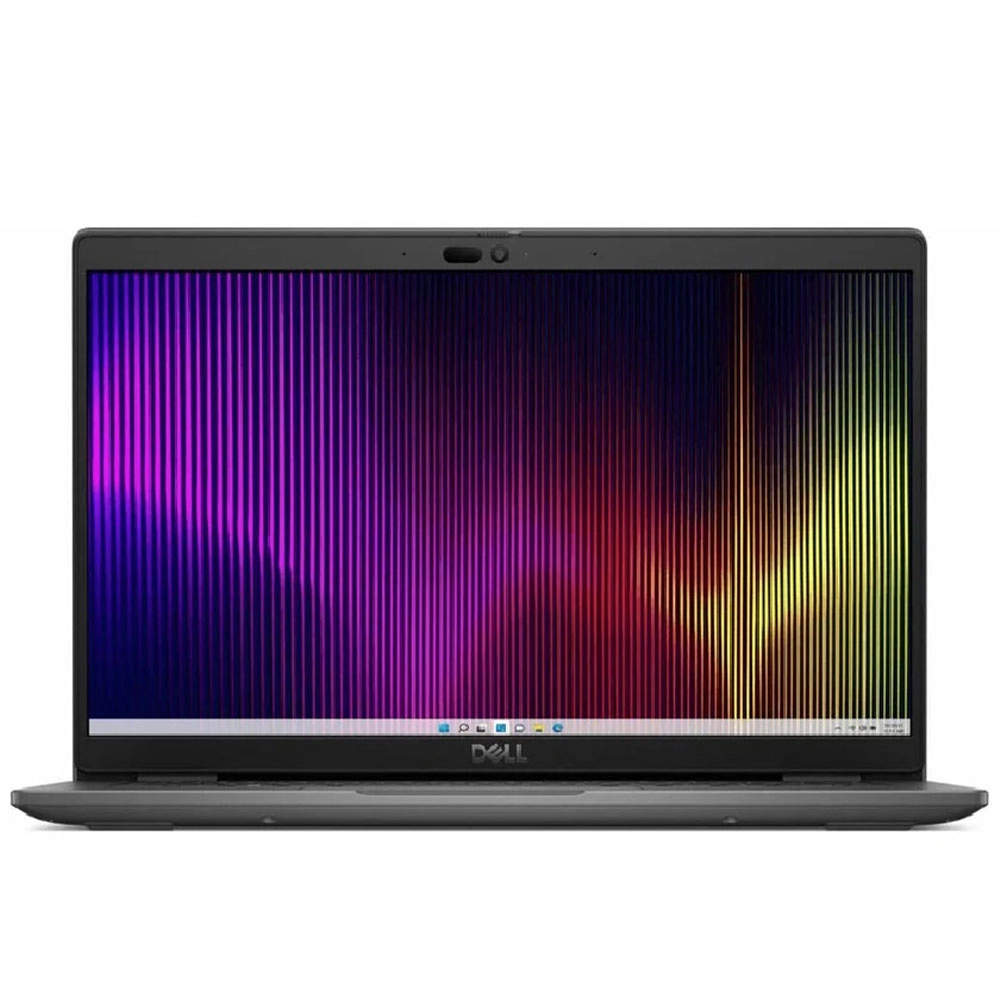
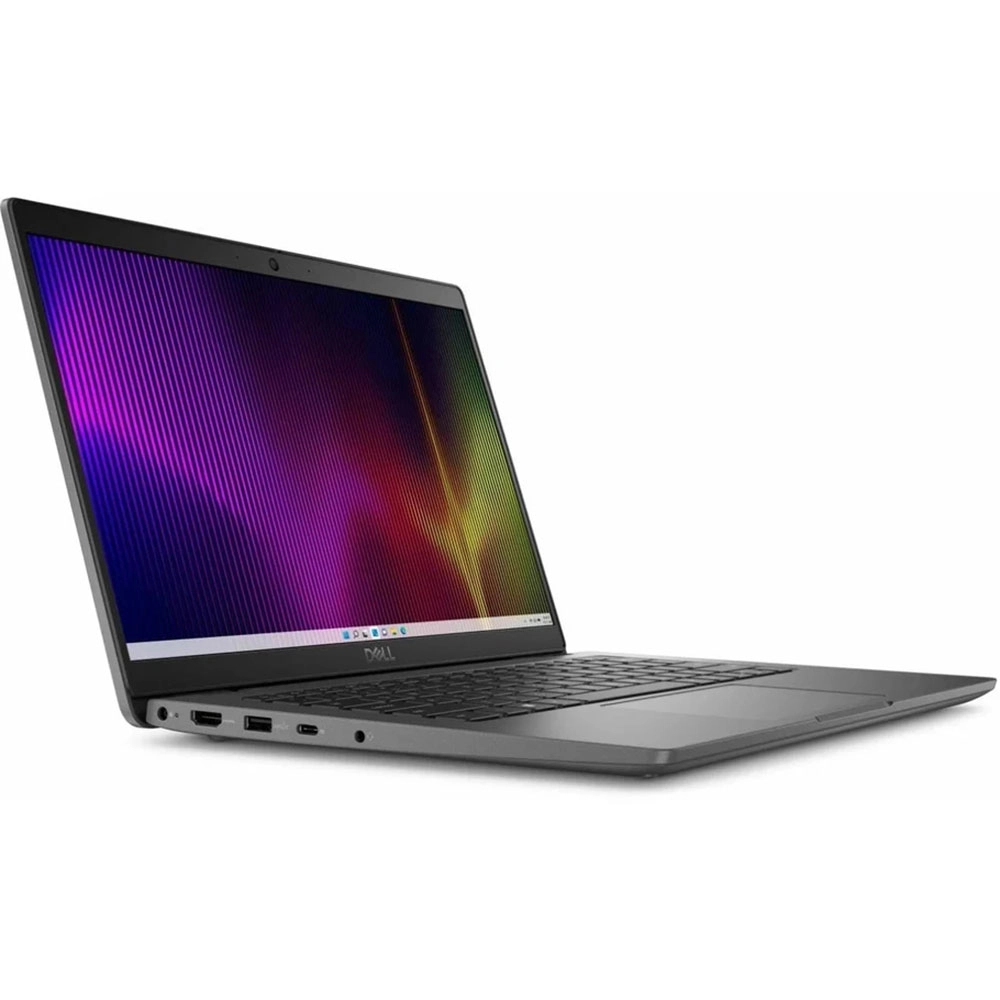
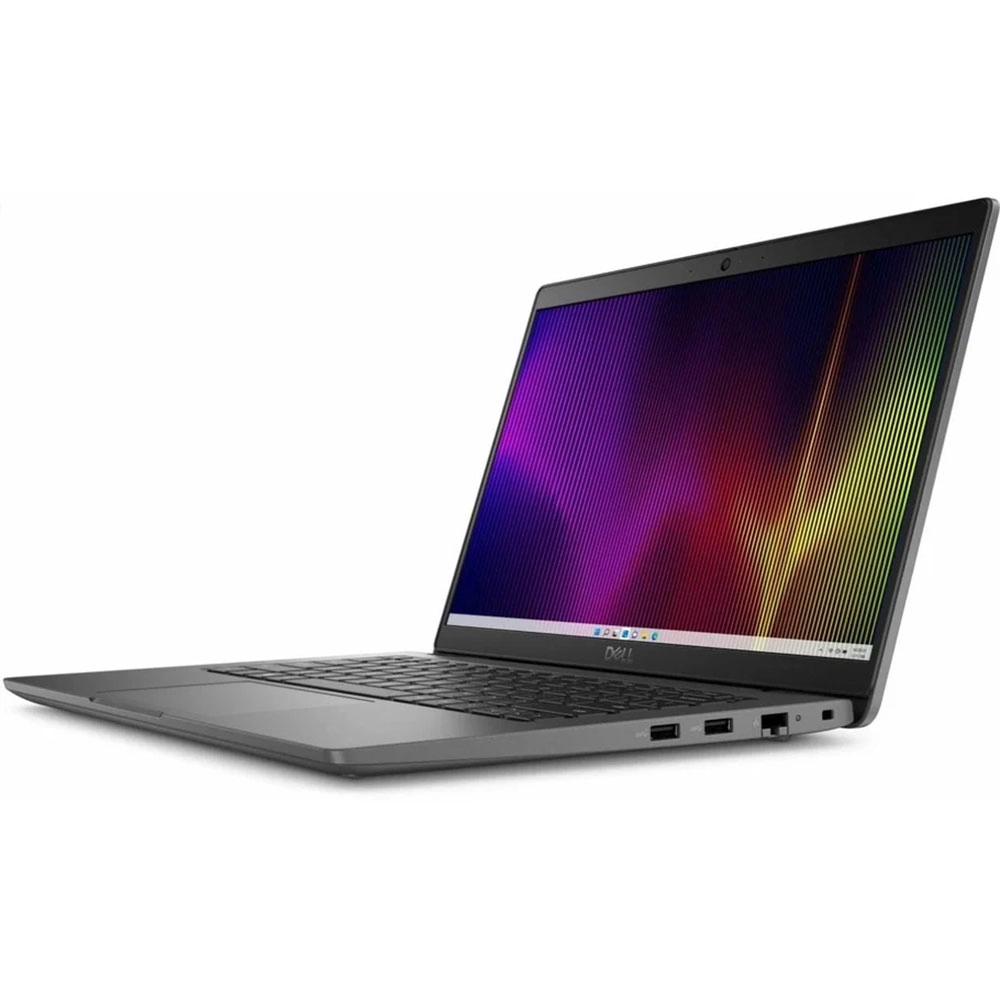
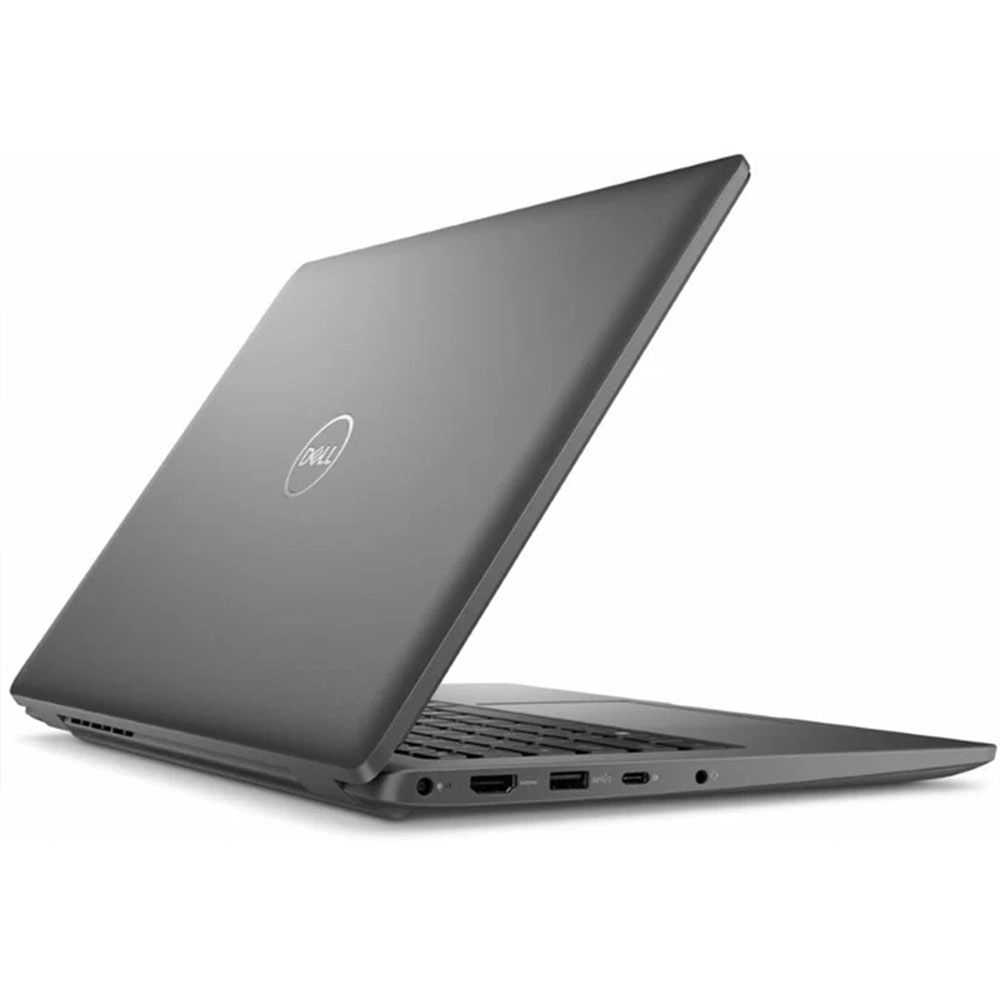
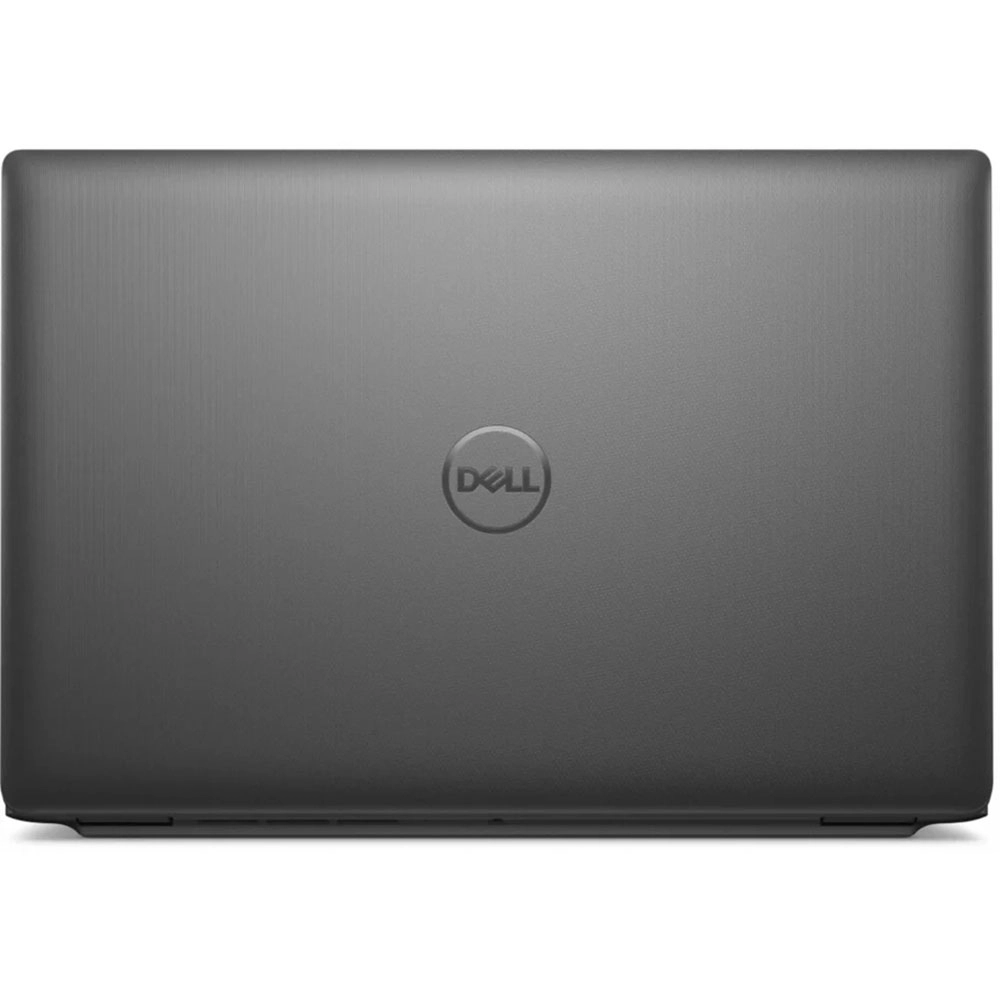
Dell Latitude 3440 | Intel Core i7 13th Gen | 16GB RAM | 512 SSD | 14″ | Renewed

| Brand and Model | Dell Latitude 3440 |
|---|---|
| CPU model | Intel Core i7 13th Gen |
| Installed RAM memory size | 16GB |
| Graphics card description | Intel Iris Xe Graphics |
| Hard disk size | 512GB SSD |
| Screen size | 14 Inches |
| Colour | Grey |
| Condition | Renewed |
1,200 AED 1,500 AED
Dell Latitude 3440 Laptop
The Dell Latitude 3440 brings 13th Gen Intel Core i7 processing to a practical 14-inch business laptop. With 16GB RAM and a 512GB SSD, this configuration provides a useful foundation for office software, web-based workflows and everyday multitasking. As part of the Dell Latitude 3000 Series, it emphasizes essential productivity features, straightforward connectivity and a familiar laptop design.
Dell Latitude 3440 Specifications
| Specification | Details |
|---|---|
| Brand | Dell |
| Model | Latitude 3440 |
| Series | Dell Latitude 3000 Series |
| Processor | Intel Core i7 13th Gen (exact processor model not specified) |
| RAM | 16GB |
| Storage | 512GB SSD |
| Graphics | Integrated Intel graphics; exact GPU depends on configuration |
| Display Size | 14 inch |
| Operating System | Depends on the installed configuration |
Built Around 13th Gen Intel Core i7
The Latitude 3440 supports 13th Gen Intel Core processors, including the Core i7-1355U. However, the supplied Ci7-13XXX specification does not identify the exact processor, so this listing does not assume that particular chip.
A 13th Gen Core i7 platform is well suited to common business workloads such as spreadsheets, document editing, online collaboration and browser-based applications. It also gives users room to handle several everyday tasks at once, although performance will depend on the exact processor and software workload.
A 512GB SSD for a More Spacious Work Library
The 512GB SSD offers room for work applications, documents, presentations and locally stored project files. Compared with a 256GB drive, it gives users more space before they need to archive or move files elsewhere.
The Latitude 3440 supports M.2 PCIe NVMe SSD storage. The exact drive format and class can vary by configuration, so confirm the installed storage details if those specifications matter to your setup.
16GB Memory for Everyday Multitasking
With 16GB of RAM, this configuration can support a typical mix of office programs, browser tabs, messaging apps and video meetings. Users can move between these tasks without constantly closing applications to free memory.
The platform uses DDR4 memory and provides two memory slots. Dell lists multiple memory layouts, so the exact arrangement of this 16GB configuration should be checked before planning an upgrade.
14-Inch Display Options for Different Work Styles
The 14-inch display keeps the Latitude 3440 compact enough for daily travel between home, office and meetings. Dell offered HD and Full HD panels, including a Full HD touch option. The resolution, touch capability and panel characteristics depend on the specific unit.
For a listing, avoid describing the display as Full HD or touchscreen unless the exact configuration confirms those features. The 14-inch size is confirmed by the model’s specifications.
Graphics for Standard Productivity
Dell lists integrated Intel graphics options for the Latitude 3440, including Intel UHD Graphics and Intel Iris Xe Graphics. The exact graphics name depends on the processor and configuration; therefore, the supplied “Intel HD” description should be verified against the unit’s system information.
Integrated graphics are suitable for presentations, video playback, office applications and everyday visual tasks. They are not a substitute for a dedicated high-performance GPU in demanding 3D or graphics-intensive workloads.
Ports and Office Connectivity
The Latitude 3440 provides practical connections for common workplace accessories. Its listed port selection includes USB-A, USB-C with DisplayPort and Power Delivery support, HDMI and a universal audio port. Dell also lists an Ethernet connection option, while the exact networking setup may depend on the configuration or accessories used.
These connections help users attach peripherals, connect an external display and integrate the laptop into a desk-based workspace. Check the physical unit if a particular port or network connection is essential.
Who Should Consider the Dell Latitude 3440?
This configuration can suit professionals, students and small-business users who need a dependable everyday work laptop. Its 14-inch form factor supports mobility, while the 16GB RAM and 512GB SSD provide a balanced setup for common productivity tasks.
It is a better fit for office applications, online meetings, document work and general multitasking than for demanding gaming or advanced graphics production. Users who rely on a specific display resolution, touch support or graphics feature should verify the exact configuration before choosing it.
Key Advantages and Details to Confirm
The Latitude 3440 combines a 13th Gen Core i7 platform with 16GB RAM and 512GB SSD storage in a portable business-oriented design. Its memory slots and practical port selection also make it adaptable to many standard office setups.
Still, several details vary across configurations. The exact processor, graphics, display panel, operating system and memory arrangement are not fully identified by the supplied specifications. Confirm these details for the individual unit so the product page accurately represents what is included.
Final Verdict
The Dell Latitude 3440 with a 13th Gen Core i7, 16GB RAM and 512GB SSD is a practical option for everyday business productivity. Its combination of memory, storage and a 14-inch display supports a broad range of routine work. Before publishing the listing, verify the exact CPU, graphics, display and operating system to ensure the final specifications match the product being offered.
| Brand | |
|---|---|
| Model | Latitude 3440 |
| Processor | |
| RAM | |
| Storage | |
| Graphics | |
| Screen Size | |
| Camera | Integrated Camera |
| Color | |
| Keyboard | Backlit Keyboard |
| Operating System | Windows 11 Pro |
| Condition | Used-Excellent (Fully Tested) |
| Battery | |
| Weight | 1.54 kg |
| Warranty | 3 Months |
Based on 0 reviews
Only logged in customers who have purchased this product may leave a review.
Related products
-
Business Laptops, Office and Student, Ultrabook and X360
HP EliteBook 1040 G8 2-in-1 | Intel Core i7-1165G7 | 16GB RAM | 512GB SSD
-9% Business Laptops, Office and Student, Ultrabook and X360
HP EliteBook 1040 G8 2-in-1 | Intel Core i7-1165G7 | 16GB RAM | 512GB SSD
Business Laptops, Office and Student, Ultrabook and X360HP EliteBook 1040 G8 2-in-1 | Intel Core i7-1165G7 | 16GB RAM | 512GB SSD
Brand and Model HP Elitebook 1040 X360 G8 CPU model Intel Core i7-1165G7 Installed RAM memory size 16GB DDR4 Graphics card description Intel Iris X Hard disk size 512 GB SSD Nvme Screen size 14.1 Inches Full HD Colour Silver SKU: HP70184 -
Business Laptops, HP Elitebook, Office and Student
HP EliteBook 840 G6 – Intel Core i5-8th | 8GB RAM | 256GB SSD | 14 inch Display | Windows 10 Home
-7% Business Laptops, HP Elitebook, Office and Student
HP EliteBook 840 G6 – Intel Core i5-8th | 8GB RAM | 256GB SSD | 14 inch Display | Windows 10 Home
Business Laptops, HP Elitebook, Office and StudentHP EliteBook 840 G6 – Intel Core i5-8th | 8GB RAM | 256GB SSD | 14 inch Display | Windows 10 Home
SKU: n/a -
Business Laptops, HP Elitebook, Office and Student
HP EliteBook 840 G8 14 – Intel Core i7-11th Gen | 16GB RAM | 256GB SSD | 14 inch Display | Windows 11 Pro
-4% Business Laptops, HP Elitebook, Office and Student
HP EliteBook 840 G8 14 – Intel Core i7-11th Gen | 16GB RAM | 256GB SSD | 14 inch Display | Windows 11 Pro
Business Laptops, HP Elitebook, Office and StudentHP EliteBook 840 G8 14 – Intel Core i7-11th Gen | 16GB RAM | 256GB SSD | 14 inch Display | Windows 11 Pro
SKU: n/a -
Business Laptops, HP Elitebook, Office and Student
HP EliteBook 840 G7- Intel Core i7-10th Gen | 16GB RAM | 256GB SSD | 14 inch Display | Windows 10 Pr.
-12%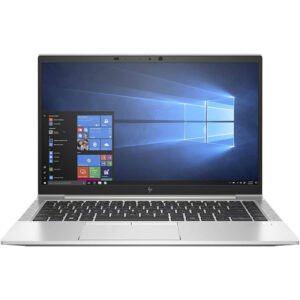 Business Laptops, HP Elitebook, Office and Student
HP EliteBook 840 G7- Intel Core i7-10th Gen | 16GB RAM | 256GB SSD | 14 inch Display | Windows 10 Pr.
Business Laptops, HP Elitebook, Office and StudentHP EliteBook 840 G7- Intel Core i7-10th Gen | 16GB RAM | 256GB SSD | 14 inch Display | Windows 10 Pr.
SKU: n/a
There are no reviews yet.