







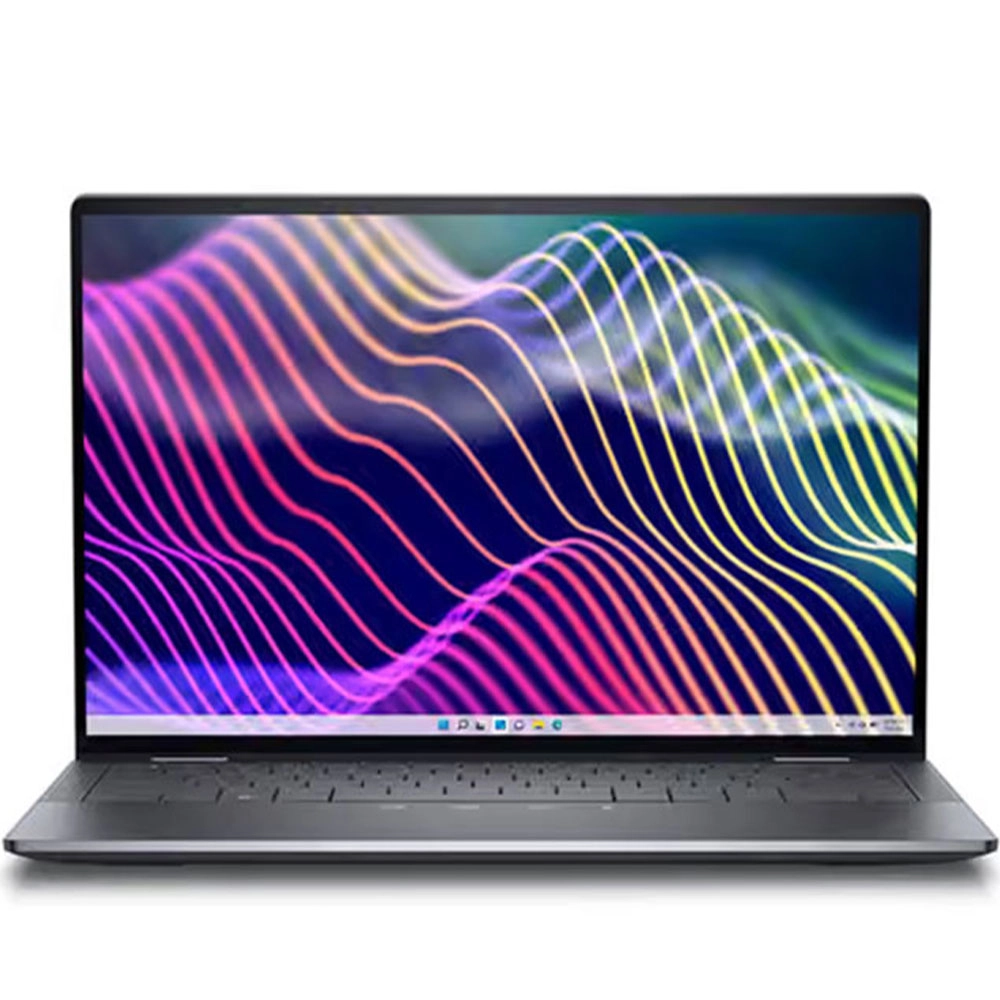
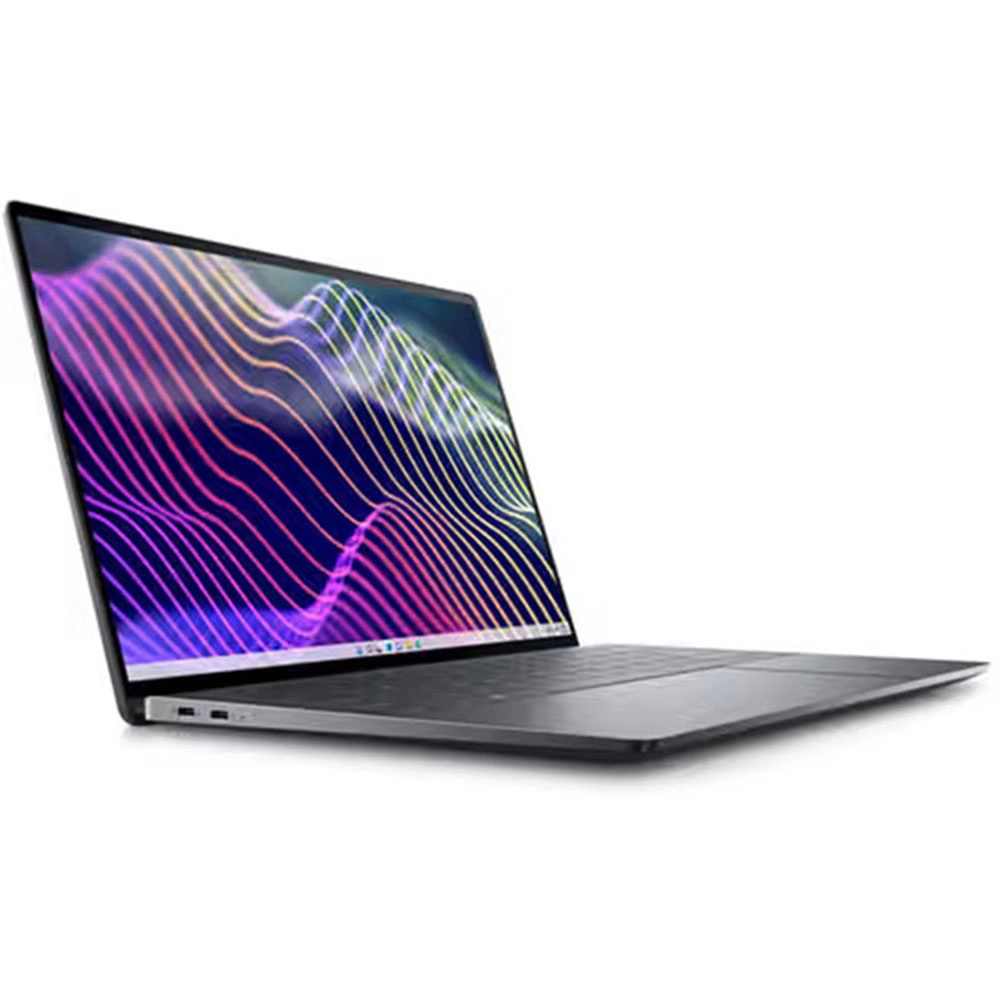
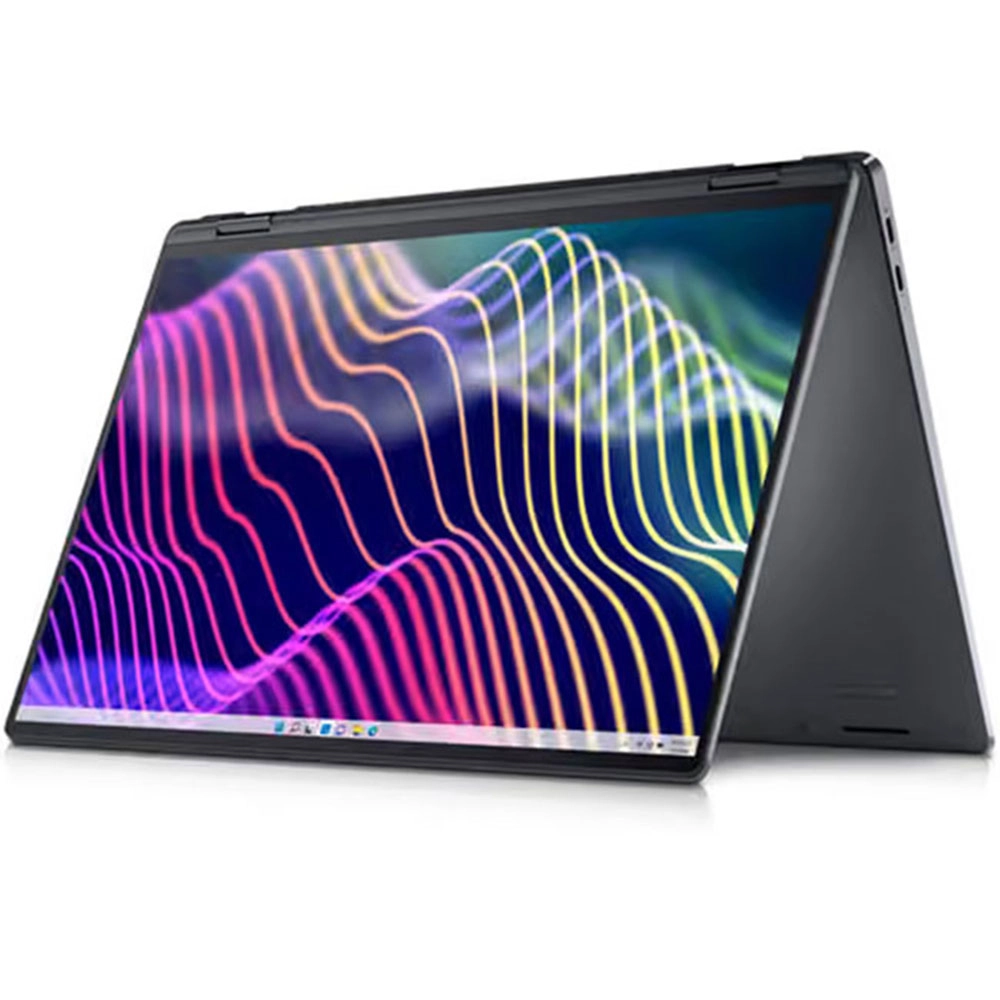
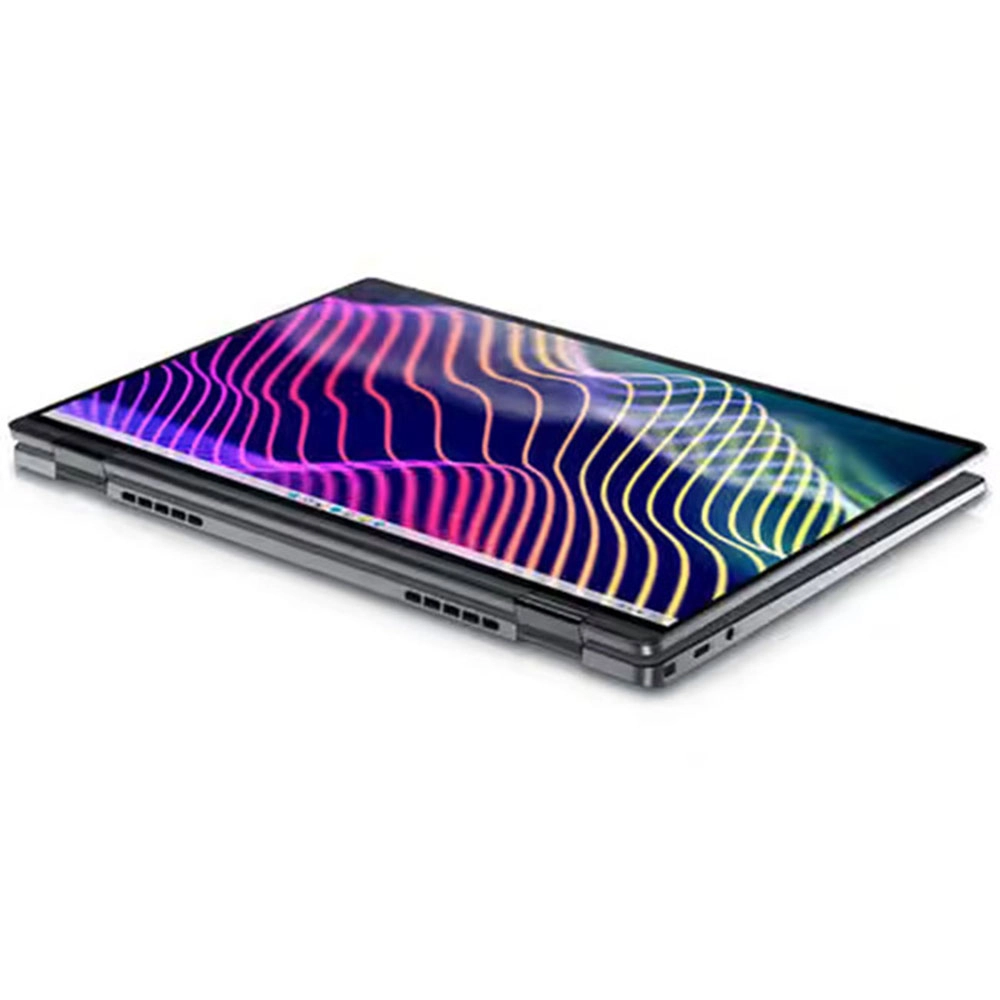
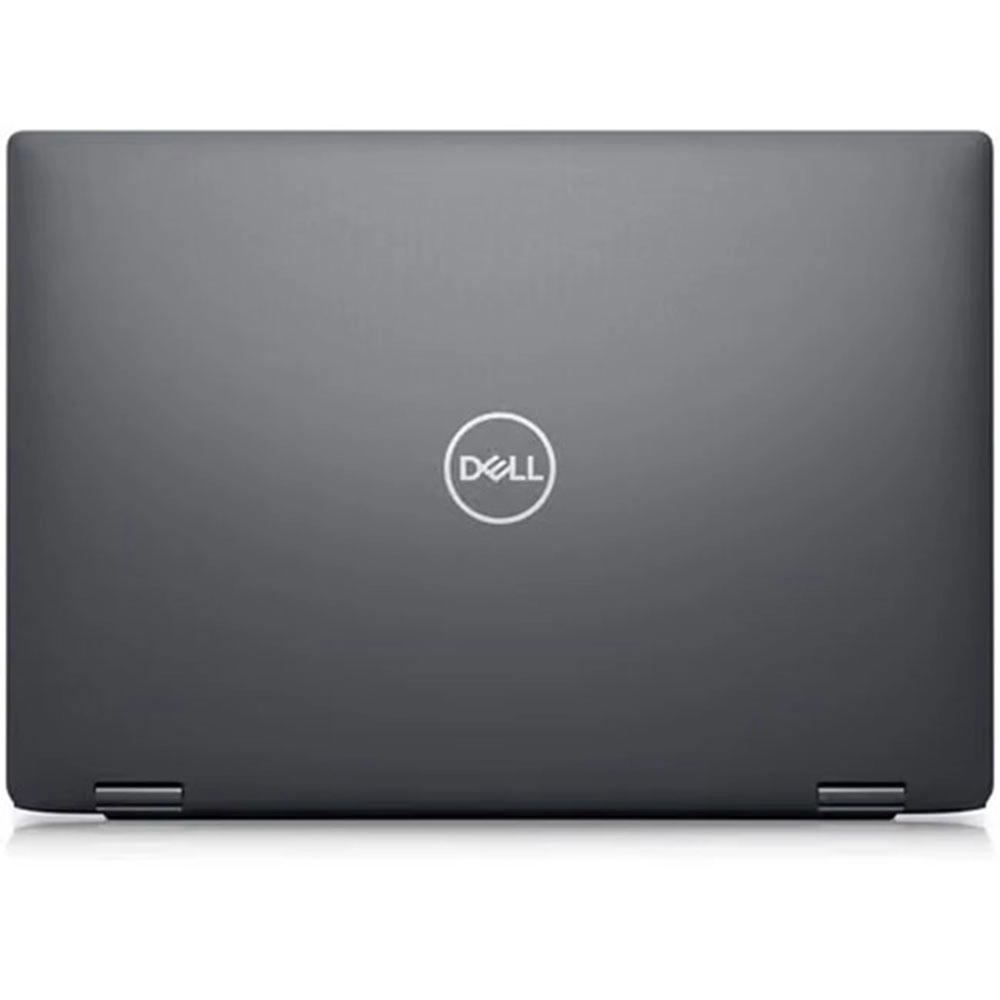
Dell Latitude 9440 | Intel Core i7 13th Gen | 16GB RAM | 512 SSD | 14″ | Renewed

| Brand and Model | Dell Latitude 9440 |
|---|---|
| CPU model | Intel Core i7 13th Gen |
| Installed RAM memory size | 16GB |
| Graphics card description | Intel Iris Xe Graphics |
| Hard disk size | 512GB SSD |
| Screen size | 14 Inches |
| Colour | Grey |
| Condition | Renewed |
1,400 AED 1,600 AED
Dell Latitude 9440 Laptop
The Dell Latitude 9440 is a premium 14-inch business laptop from Dell’s Latitude 9000 Series, developed for professionals who rely on mobility, communication and efficient daily workflows. Its 13th Generation Intel Core i7 processor, 16GB of onboard memory and 512GB SSD provide a capable foundation for office applications, multitasking and business software. However, what makes this model particularly distinctive is its collaboration-focused design. A haptic touchpad, Zero-Lattice keyboard, advanced conferencing features and a high-resolution touchscreen give the Latitude 9440 a more specialised role than a conventional business notebook.
Technical Specifications
| Specification | Details |
|---|---|
| Brand | Dell |
| Model | Latitude 9440 |
| Series | Dell Latitude 9000 Series |
| Processor | 13th Gen Intel Core i7 |
| RAM | 16GB LPDDR5 / LPDDR5x Onboard |
| Storage | 512GB SSD |
| Graphics | Intel Iris Xe Graphics (Integrated) |
| Display Size | 14 Inch |
| Display Resolution | QHD+ (2560 × 1600) |
| Display Type | IPS Touchscreen |
| Refresh Rate | 60Hz |
| Display Aspect Ratio | 16:10 |
| Battery | 60Wh, 3-Cell |
| Wireless Connectivity | Wi-Fi 6E, Bluetooth 5.3 |
| Ports | 3 × Thunderbolt 4, 1 × Universal Audio Jack |
| Operating System | Depends on configuration |
| Weight | Starting at approximately 1.535kg |
Premium Construction and Modern Business Design
The Latitude 9440 takes a different approach to professional laptop design. Dell combines a compact aluminium chassis with carefully finished edges and a graphite appearance. Its slim profile and approximately 1.535kg starting weight make it suitable for professionals who regularly carry their computers between offices, meetings and work locations.
The display occupies a large portion of the front panel, creating a 91.5% screen-to-body ratio. As a result, the 14-inch screen fits into a relatively compact chassis without sacrificing the workspace users need for documents, spreadsheets and business applications.
This model also uses recycled materials in selected chassis components. Dell specifies 75% low-carbon recycled aluminium in the lid and palm rest, reflecting an effort to reduce the environmental impact of its premium business hardware.
13th Generation Intel Core i7 Performance
At the centre of the Dell Latitude 9440 is a 13th Generation Intel Core i7 processor. This processor family brings hybrid architecture to the laptop, combining Performance-cores and Efficient-cores to manage demanding applications and background activities more effectively.
Dell lists the Core i7-1365U vPro as one of the supported processor options. This configuration features 10 cores, 12 threads, 12MB of cache and a maximum turbo frequency of 5.20GHz. Since the supplied Ci7-13XXX description does not identify the exact CPU, users should confirm the installed processor through the device’s service tag or system information before relying on those specific figures.
For typical business workloads, the Core i7 platform offers enough processing capability for office suites, large spreadsheets, browser-based applications, video meetings and simultaneous productivity tasks. It can also support programming tools and general professional software.
Furthermore, supported vPro configurations offer additional enterprise management and security capabilities. These features can be particularly useful in organisations that manage multiple business computers through centralised IT systems.
16GB Onboard Memory for Multitasking
The 16GB memory configuration supports everyday multitasking without requiring users to close applications whenever they switch between tasks. For example, professionals can keep spreadsheets, browser tabs, email clients and video conferencing software running together.
Dell uses integrated LPDDR5 or LPDDR5x memory in the Latitude 9440, depending on the configuration. This onboard design helps maintain a compact internal layout and supports the system’s power-efficiency goals.
However, the memory is integrated into the motherboard rather than installed in removable RAM slots. Consequently, users cannot upgrade the memory through a conventional replacement process after purchase. The supplied 16GB capacity is therefore an important consideration for anyone planning to use demanding applications or maintain a large multitasking workload over several years.
512GB PCIe NVMe SSD Storage
The 512GB SSD provides a practical storage foundation for professional documents, presentations, business applications and personal files. Its solid-state design also helps reduce loading times when starting the operating system, opening software or accessing stored data.
The Latitude 9440 uses an M.2 2230 PCIe NVMe storage format. Dell lists several storage capacities for this model, including 512GB, giving users a choice of configurations depending on their storage requirements.
For office work, online collaboration, research and everyday file management, 512GB offers a useful amount of space. Nevertheless, users who handle extensive video libraries, large creative projects or substantial datasets may benefit from external storage or a suitable cloud-storage service.
Intel Iris Xe Integrated Graphics
The Latitude 9440 uses Intel Iris Xe integrated graphics rather than a separate dedicated GPU. The graphics processor shares system memory and works alongside the Intel Core processor to handle everyday visual tasks.
This setup supports high-resolution displays, video playback, presentations, web applications and general multimedia use. It can also manage light photo editing and basic graphics work.
However, integrated graphics have clear performance limits. The Latitude 9440 is not primarily designed for advanced 3D rendering, intensive visual production or demanding modern games. Users who need sustained GPU performance should consider a workstation or a laptop with dedicated graphics.
14-Inch QHD+ Touchscreen Experience
The 14-inch display is one of the main attractions of the Dell Latitude 9440. Its QHD+ resolution of 2560 × 1600 pixels and 16:10 aspect ratio provide a detailed image and additional vertical workspace compared with standard 16:9 displays.
Dell specifies an IPS touchscreen with up to 500 nits of brightness and 100% sRGB colour coverage. The panel also includes anti-reflective and anti-smudge properties, ComfortView Plus low-blue-light technology and Corning Gorilla Glass protection.
These display characteristics make the laptop suitable for reviewing documents, working with detailed spreadsheets, presenting information and handling visual content. Touch input adds another way to interact with applications, while the optional active pen provides further flexibility for compatible note-taking and annotation tasks.
The relatively narrow display borders also contribute to the laptop’s compact design. Therefore, users get a generous viewing area without needing to carry a larger 15- or 16-inch machine.
Haptic Collaboration Touchpad and Zero-Lattice Keyboard
One of the most distinctive features of the Latitude 9440 is its collaboration-focused input system. Instead of relying on a conventional touchpad alone, Dell equips this model with a three-panel Haptic Collaboration Touchpad.
The touchpad can provide customisable haptic feedback during normal interaction. When used with compatible Zoom software and the required Dell software, it can also display controls for meeting functions such as microphone, camera, screen sharing and chat. This arrangement gives users quicker access to common conferencing actions without searching through on-screen menus.
The keyboard follows a similarly specialised design. Dell calls it a Zero-Lattice Keyboard, featuring wider, curved keys intended to improve typing comfort and tactile response. Its mini-LED backlighting also aims to reduce keyboard lighting power consumption.
Together, these input features make the Latitude 9440 particularly interesting for professionals who spend much of their working day typing, joining online meetings and switching between communication tools.
Connectivity, Audio and Video Conferencing
The Latitude 9440 prioritises modern USB-C connectivity. Its port selection includes three Thunderbolt 4 connections with USB-C, Power Delivery and DisplayPort support, along with a universal audio jack.
The Thunderbolt 4 ports can connect compatible monitors, docks, external storage devices and other peripherals. However, users who regularly connect older USB-A accessories or wired Ethernet networks may need a compatible adapter or docking station.
Wireless connectivity includes Intel Wi-Fi 6E and Bluetooth 5.3, depending on the installed configuration. Selected versions can also support optional 5G mobile broadband hardware.
Dell gives particular attention to communication quality. The laptop includes an FHD IR camera option, SafeShutter camera privacy technology, noise-cancelling microphones and a quad-speaker arrangement with two top-firing and two bottom-firing speakers. Intelligent audio features also help reduce unwanted background noise during supported calls.
These features make the Latitude 9440 a strong fit for remote meetings, virtual presentations and hybrid office environments.
Battery Capacity and Mobile Productivity
Dell equips the Latitude 9440 with a 60Wh, three-cell battery. The system also supports ExpressCharge technologies, including ExpressCharge Boost, which can provide a faster charging option under supported conditions.
Battery capacity alone does not determine actual runtime. Screen brightness, active applications, video conferencing, wireless connections and power settings all influence how long the laptop operates between charges.
The Zero-Lattice keyboard’s mini-LED backlighting also contributes to Dell’s power-efficiency design. Dell reports that this lighting technology can reduce keyboard backlight power consumption by up to 75% compared with its stated reference design.
With its compact chassis, USB-C charging and business-oriented features, the Latitude 9440 is designed to support work across different locations rather than remain permanently connected to a desk.
Security and Business Management
Security is an important part of the Latitude 9000 Series. The Latitude 9440 includes several hardware and software features designed to support business data protection and device management.
Depending on the configuration, these can include Dell SafeBIOS, SafeID, an FHD IR camera for Windows Hello facial recognition, an optional fingerprint reader and SafeShutter camera protection. Dell Optimizer also provides intelligent privacy features on supported configurations, such as screen dimming when the user looks away and alerts when someone else is viewing the display.
For organisations, compatible Intel vPro configurations can provide additional remote management and security capabilities. These tools make the laptop relevant to companies that need more control over their computer fleets and business endpoints.
Not every security feature comes standard with every configuration, so buyers should check the installed hardware and software before assuming that a particular option is included.
Suitable Workloads and Everyday Use
The Dell Latitude 9440 is best suited to professional environments where communication, portability and productivity matter more than dedicated graphics performance.
Recommended workloads include:
- Business applications, document editing and spreadsheet management.
- Online meetings, video conferencing and remote collaboration.
- Email, web research and browser-based productivity tools.
- Presentations and touchscreen-based document interaction.
- Programming and general software development.
- University assignments, research and professional study.
- Light photo editing and everyday multimedia tasks.
On the other hand, its integrated graphics and onboard memory make it less suitable for users who need advanced 3D processing, intensive rendering or extensive hardware upgrades. Its three-port Thunderbolt 4 layout may also require adapters for some traditional office peripherals.
Key Strengths and Limitations
Advantages
- Premium 14-inch business design with a compact aluminium chassis.
- 13th Generation Intel Core i7 processor options.
- 16GB onboard LPDDR5 or LPDDR5x memory.
- 512GB PCIe NVMe SSD storage.
- QHD+ touchscreen with a 16:10 aspect ratio.
- Three Thunderbolt 4 ports for modern peripheral connectivity.
- Haptic Collaboration Touchpad with supported meeting controls.
- Zero-Lattice Keyboard with mini-LED backlighting.
- FHD IR camera options, quad speakers and business security features.
Limitations
- Onboard RAM cannot be upgraded through conventional memory slots.
- Intel Iris Xe graphics are not intended for demanding GPU workloads.
- The port selection relies heavily on USB-C and Thunderbolt 4.
- Some camera, security, WWAN and management features depend on the configuration.
- Actual battery runtime varies according to usage and system settings.
Conclusion
The Dell Latitude 9440 is a premium business laptop that places communication and workplace interaction at the centre of its design. Its 13th Generation Intel Core i7 platform, 16GB onboard memory and 512GB SSD provide a capable foundation for everyday professional workloads. More importantly, its Haptic Collaboration Touchpad, Zero-Lattice Keyboard, QHD+ touchscreen and advanced conferencing features give it a distinctive identity within the Dell Latitude 9000 Series.
This model is particularly suitable for managers, consultants, business professionals and mobile workers who regularly handle online meetings, presentations and multitasking. Although its integrated graphics and non-upgradeable memory limit certain specialised workloads, the Latitude 9440 remains a well-equipped option for users who prioritise a refined business experience and modern collaboration tools.
| Brand | |
|---|---|
| Model | Latitude 9440 |
| Processor | |
| RAM | |
| Storage | |
| Graphics | |
| Screen Size | |
| Camera | Integrated Camera |
| Color | |
| Keyboard | Backlit Zero-Lattice Keyboard |
| Operating System | Windows 11 Pro |
| Condition | Used-Excellent (Fully Tested) |
| Battery | |
| Weight | 1.535 kg |
| Warranty | 3 Months |
Based on 0 reviews
Only logged in customers who have purchased this product may leave a review.
Related products
-
Business Laptops, HP Elitebook, Office and Student
HP EliteBook 840 G7 – Intel Core i5-10th Gen | 8GB RAM | 256GB SSD | 14 inch Display | Windows 10 Pro
-4% Business Laptops, HP Elitebook, Office and Student
HP EliteBook 840 G7 – Intel Core i5-10th Gen | 8GB RAM | 256GB SSD | 14 inch Display | Windows 10 Pro
Business Laptops, HP Elitebook, Office and StudentHP EliteBook 840 G7 – Intel Core i5-10th Gen | 8GB RAM | 256GB SSD | 14 inch Display | Windows 10 Pro
SKU: n/a -
Business Laptops, HP Elitebook, Office and Student
HP EliteBook 840 G7- Intel Core i7-10th Gen | 16GB RAM | 256GB SSD | 14 inch Display | Windows 10 Pr.
-12%Business Laptops, HP Elitebook, Office and StudentHP EliteBook 840 G7- Intel Core i7-10th Gen | 16GB RAM | 256GB SSD | 14 inch Display | Windows 10 Pr.
Business Laptops, HP Elitebook, Office and StudentHP EliteBook 840 G7- Intel Core i7-10th Gen | 16GB RAM | 256GB SSD | 14 inch Display | Windows 10 Pr.
SKU: n/a -
Asus Zenbook, Business Laptops
HP ZBook Firefly G10 14 with Core i7-13th | 16GB RAM 1TB SSD
Asus Zenbook, Business LaptopsHP ZBook Firefly G10 14 with Core i7-13th | 16GB RAM 1TB SSD
=”listitem”>
“>” role=”presentation”>Graphics card description</td>
Brand and Model HP ZBook Firefly G10 CPU model “</yoastmark”>”a-size-base po-break-word”>Intel Core i7-13th Installed RAM memory size 16GB DDR4 <strong>NVIDIA Quadro A2000-4GB Hard disk size</td> >1TB SSD Nvme Screen size 14.1 Inches Full HD Colour Grey SKU: ZB70134 -
Business Laptops, HP Elitebook, Office and Student
HP EliteBook 840 G6 – Intel Core i5-8th | 8GB RAM | 256GB SSD | 14 inch Display | Windows 10 Home
-7% Business Laptops, HP Elitebook, Office and Student
HP EliteBook 840 G6 – Intel Core i5-8th | 8GB RAM | 256GB SSD | 14 inch Display | Windows 10 Home
Business Laptops, HP Elitebook, Office and StudentHP EliteBook 840 G6 – Intel Core i5-8th | 8GB RAM | 256GB SSD | 14 inch Display | Windows 10 Home
SKU: n/a
There are no reviews yet.