







Dell Latitude 9410 | Intel Core i7 10th Gen | 16GB RAM | 512 SSD | 14″ | Renewed

| Brand and Model | Dell Latitude 9410 |
|---|---|
| CPU model | Intel Core i7 10th Gen |
| Installed RAM memory size | 16GB |
| Graphics card description | Intel UHD Graphics |
| Hard disk size | 512GB SSD |
| Screen size | 14 Inches |
| Colour | Grey |
| Condition | Renewed |
900 AED 1,100 AED
Dell Latitude 9410
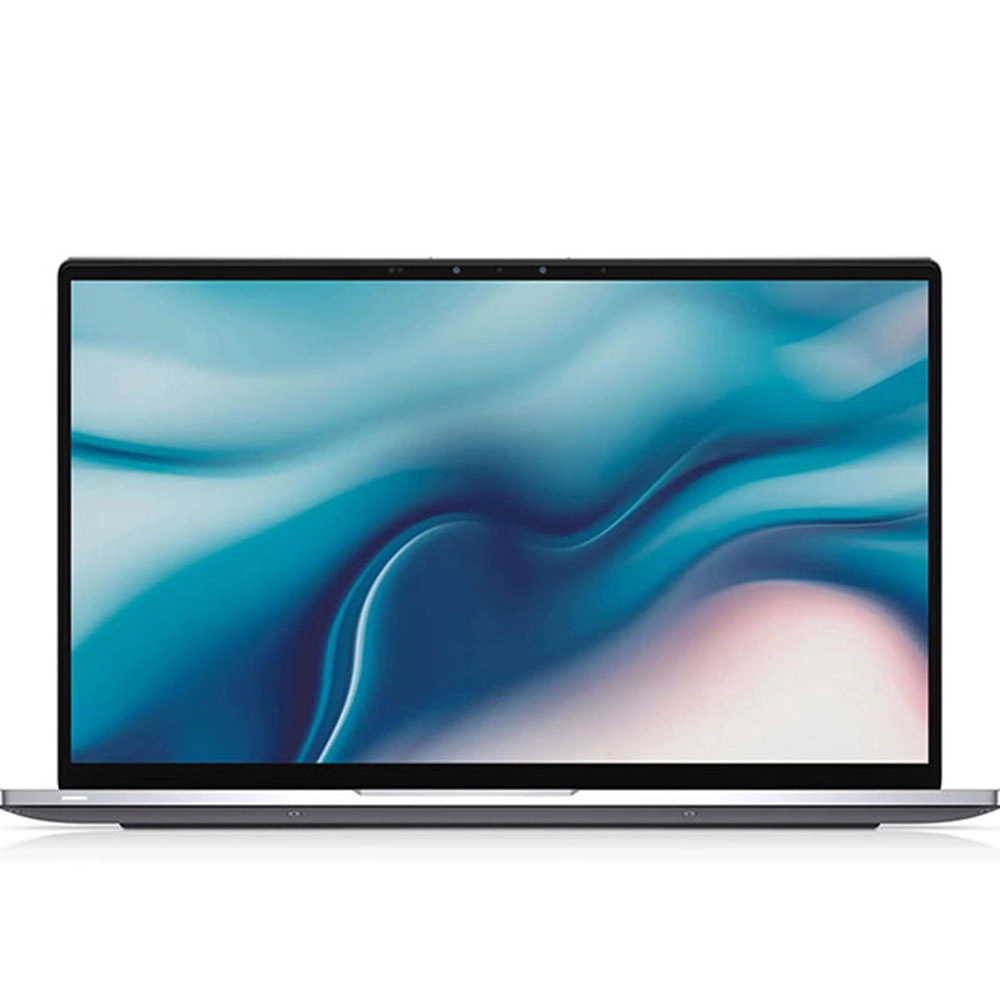
A business laptop has different priorities from a consumer notebook. The Dell Latitude 9410 focuses on secure professional work, flexible use, and dependable connectivity while keeping a relatively compact 14-inch format. In the supplied configuration, it combines a 10th-generation Intel Core i7 processor, 16GB RAM, and a 512GB SSD, giving it a practical hardware foundation for office and business workloads.
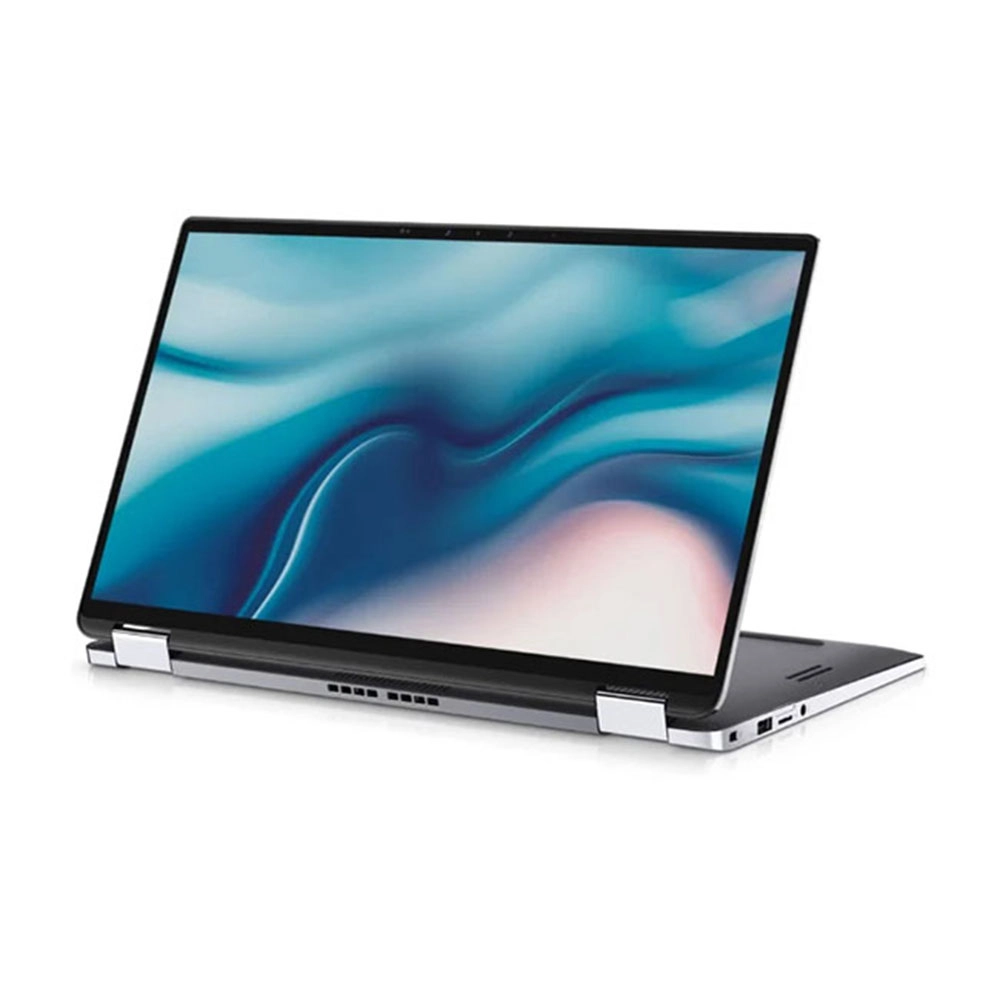
The Latitude 9410 also belongs to Dell’s premium Latitude 9000 Series and uses a 2-in-1 design. Therefore, its value comes not only from processing hardware but also from the way it adapts to different working environments. Dell offered several Core i7 processors for this model, so the exact CPU SKU should be confirmed for the individual unit before publishing configuration-specific performance claims.
Built Around Business Mobility
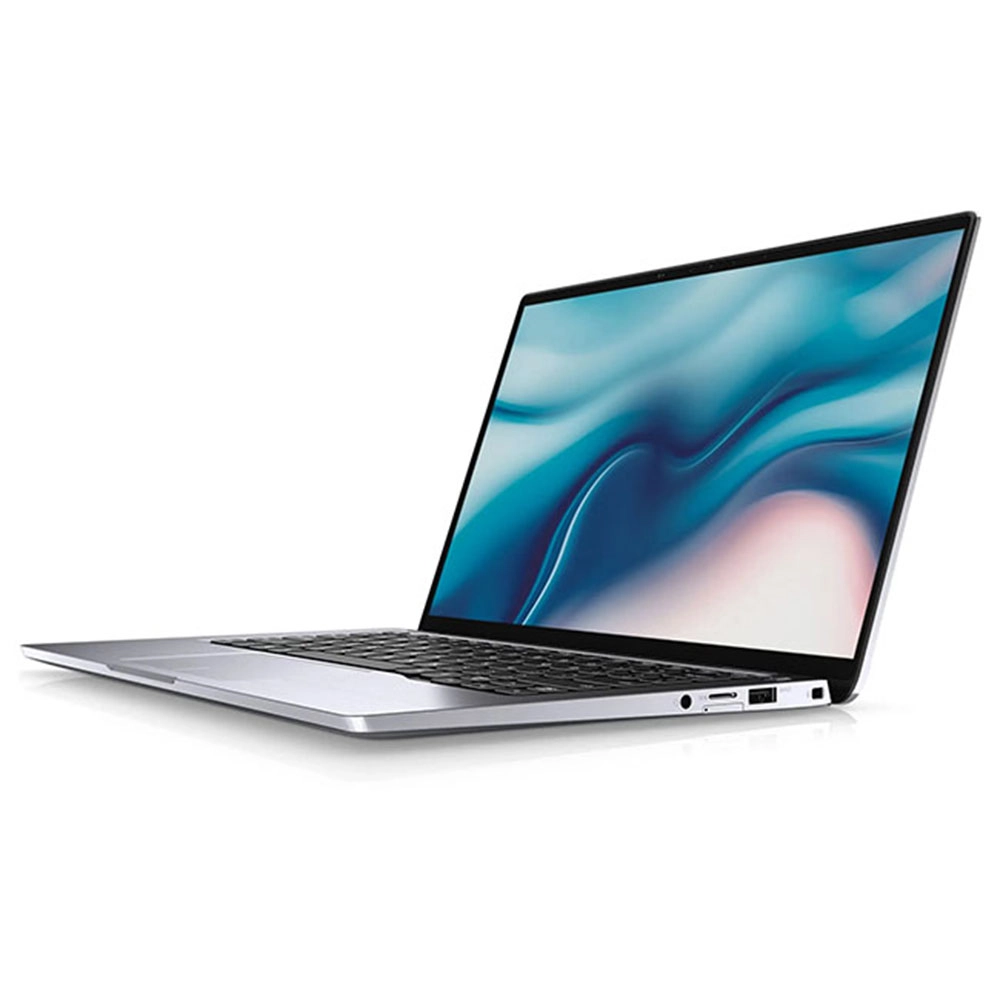
The Latitude 9410 is designed for professionals who frequently move between meetings, offices, and remote workspaces. Its chassis measures approximately 319.77 mm wide and 199.90 mm deep, while the listed weight starts around 1.36 kg. That combination keeps the machine considerably easier to carry than a larger business workstation.
The 2-in-1 format adds another layer of flexibility. Instead of restricting the laptop to a conventional clamshell position, the hinge design allows different operating modes for presentations, collaboration, and touch-based interaction. Dell also offered touch displays for the Latitude 9410 platform.
As a result, this Dell laptop fits users who need one device for desk work and more mobile situations.
A 10th-Generation Core i7 Business Platform
The supplied CPU is identified as a 10th-generation Intel Core i7, but the exact model number is not specified. Dell lists two Core i7 options for the Latitude 9410: the Core i7-10610U and Core i7-10810U. The former has 4 cores and 8 threads, while the latter provides 6 cores and 12 threads. Their maximum turbo frequencies reach up to 4.9 GHz.
This distinction matters when comparing individual Latitude 9410 units. A listing that simply says “Ci7-10XXX” does not identify the exact performance level.
For typical business work, however, both processors provide a solid foundation for documents, spreadsheets, browser applications, communication software, and professional utilities. The 15W processor class also fits the machine’s relatively compact business-oriented design.
16GB Memory Without a Complicated Upgrade Path
The 16GB configuration gives the Latitude 9410 enough memory for a broad range of professional multitasking. Users can work with office applications, browser tabs, email, video meetings, and business software without relying on a basic memory configuration.
Dell specifies LPDDR3 memory at 2133 MHz, with 16GB as the maximum supported capacity. More importantly, the memory sits onboard rather than using conventional removable SO-DIMM slots.
That design keeps the internal architecture compact, but it also means buyers should choose the memory capacity carefully. Since 16GB is already the maximum listed capacity, there is no reason to expect a conventional RAM upgrade later.
512GB NVMe Storage for Everyday Business Data
The supplied configuration includes a 512GB SSD. Dell supports M.2 PCIe NVMe storage in the Latitude 9410, including 512GB configurations using PCIe Gen 3 x4. Both M.2 2230 and 2280 formats appear among the supported storage configurations.
For business use, 512GB offers enough room for Windows, office applications, documents, presentations, development tools, and a moderate collection of local files. The SSD also provides the responsive storage behavior expected from a modern business laptop.
However, professionals who store large media libraries or extensive project archives locally should consider their capacity requirements. In those cases, external storage or network storage may become part of the workflow.
Intel UHD Graphics for Practical Visual Work
The supplied specification describes the graphics as Intel HD, but Dell’s official documentation identifies Intel UHD Graphics for the Latitude 9410’s 10th-generation Core i5/i7 processors. The graphics use shared system memory rather than dedicated VRAM.
This graphics solution matches the laptop’s business purpose. It handles office applications, presentations, web-based work, video playback, and standard external-display tasks without requiring a dedicated GPU.
On the other hand, the Latitude 9410 should not be positioned as a gaming or professional 3D machine. Users who require dedicated graphics acceleration for demanding rendering, advanced 3D design, or modern high-end gaming should choose a different class of laptop.
A 14-Inch FHD Workspace
The Latitude 9410 uses a 14-inch FHD display with a native resolution of 1920 × 1080. Dell lists a wide-viewing-angle panel with 300-nit typical brightness, a 60Hz refresh rate, and 72% NTSC typical color coverage. Touch configurations are also available.
For office productivity, the 14-inch format provides a useful middle ground. It gives users more workspace than a small ultraportable while keeping the chassis compact enough for business travel.
The touch capability becomes particularly useful when the system operates in its convertible modes. Presentations, document review, and collaborative tasks can benefit from direct screen interaction.
Ports That Suit Traditional Business Work
Connectivity is another area where the Latitude 9410 differs from some newer ultra-thin laptops. Dell includes two USB Type-C ports with Thunderbolt 3 functionality, Power Delivery, and DisplayPort support, along with an HDMI 2.0 port and a USB 3.2 Gen 1 Type-A port with PowerShare. An optional smart card reader is also available.
This selection makes the Latitude 9410 practical for office environments where older peripherals still matter. Users can connect a conventional USB accessory while also using modern USB-C devices.
For business deployments, that flexibility can reduce the need for adapters. It also gives the machine a more conventional connectivity profile than some newer laptops that rely almost entirely on USB-C.
Security Is Part of the Design
Security features reinforce the Latitude 9410’s business identity. Dell lists TPM 2.0 security, optional fingerprint authentication, Windows Hello support, ControlVault 3.0 options, and smart-card configurations.
These options make the platform more suitable for organizations that need additional authentication controls. A fingerprint reader integrated into the power button, for example, can provide a convenient alternative to password-only access when the specific configuration includes it.
Because these features vary by configuration, buyers should verify which security hardware is actually installed on the unit rather than assuming every Latitude 9410 includes every option.
Practical Uses for the Latitude 9410
Business and Office Work
This is the natural environment for the Latitude 9410. Its 16GB memory, Core i7 platform, FHD display, and business-oriented connectivity support documents, spreadsheets, presentations, browser applications, and communication tools.
Corporate Mobility
The relatively low starting weight and 2-in-1 design make the system useful for professionals who move between meetings or work locations. Meanwhile, the convertible hinge adds flexibility when presenting information or interacting directly with the display.
Programming
The Core i7 platform and 16GB RAM provide a practical base for code editors, IDEs, terminals, documentation, and local development tools. Developers working with particularly large virtual machines or specialized workloads should still consider the limitations of the 16GB maximum memory configuration.
Student Work
The 14-inch display and portable chassis also make the Latitude 9410 suitable for university work. It can handle research, documents, presentations, browser-heavy study, and programming assignments without the bulk of a larger workstation.
Presentations and Collaboration
The convertible design gives the Latitude 9410 an advantage during presentations and collaborative sessions. Touch functionality, when included, can make document review and direct screen interaction more convenient.
Gaming and GPU-Heavy Tasks
Gaming is not the main purpose of this system. Intel UHD integrated graphics can handle basic visual workloads, but demanding games and GPU-intensive professional applications require a laptop with dedicated graphics.
Technical Specifications
| Specification | Dell Latitude 9410 |
|---|---|
| Brand | Dell |
| Model | Latitude 9410 |
| Product Type | Business 2-in-1 laptop |
| Processor | 10th Generation Intel Core i7; exact SKU not specified |
| Supported Core i7 Options | Core i7-10610U / Core i7-10810U |
| RAM | 16GB LPDDR3 |
| Memory Speed | 2133 MHz |
| Memory Upgradeability | Onboard; 16GB maximum |
| Storage | 512GB SSD |
| Storage Interface | PCIe NVMe Gen 3 x4 |
| Graphics | Intel UHD Graphics |
| Display Size | 14 inches |
| Display Resolution | 1920 × 1080 FHD |
| Display Brightness | 300 nits typical |
| Refresh Rate | 60Hz |
| Color Coverage | 72% NTSC typical |
| Touch | Available depending on configuration |
| USB-C | 2 × USB 3.2 Gen 2 Type-C; Thunderbolt 3 / Power Delivery support |
| USB-A | 1 × USB 3.2 Gen 1 Type-A with PowerShare |
| HDMI | HDMI 2.0 |
| Smart Card Reader | Optional |
| Approx. Weight | 1.36 kg |
| Width | 319.77 mm |
| Depth | 199.90 mm |
| Operating System | Windows 10 Home/Pro supported; later Windows versions may depend on configuration |
The table reflects Dell’s documented Latitude 9410 platform. Configuration-specific features such as the exact processor, touch support, security hardware, and operating system should be verified against the individual unit.
Pros and Cons
Pros
- Business-focused 2-in-1 design provides multiple working modes.
- 16GB LPDDR3 memory is the maximum supported configuration.
- 512GB PCIe NVMe SSD offers practical storage for professional work.
- 14-inch FHD display provides a useful balance between workspace and portability.
- Thunderbolt 3, USB-A, and HDMI 2.0 provide versatile connectivity.
- Optional fingerprint, smart-card, and ControlVault security features suit business environments.
- Approximate 1.36 kg starting weight keeps the system relatively portable.
Cons
- The exact Core i7 model must be confirmed because Dell offered both i7-10610U and i7-10810U.
- LPDDR3 memory is onboard and cannot be upgraded beyond the listed 16GB maximum.
- Intel UHD integrated graphics are not intended for demanding GPU workloads.
- The platform uses an older 10th-generation processor architecture.
- Touch, fingerprint, smart-card, and some security features depend on the individual configuration.
Final Verdict
The Dell Latitude 9410 is best viewed as a business-first convertible rather than simply another 14-inch laptop. Its 2-in-1 design, 16GB onboard memory, 512GB NVMe storage, traditional business ports, and optional security features give it a clear professional identity.
The exact Core i7 model remains important because Dell offered both the four-core i7-10610U and six-core i7-10810U. Likewise, buyers should verify touch functionality and security hardware before ordering.
For office work, business travel, study, programming, presentations, and general professional productivity, the Latitude 9410 remains a well-defined choice within Dell’s Latitude 9000 Series. By contrast, users looking for dedicated graphics, extensive gaming performance, or a modern high-end CPU platform should consider a newer or more performance-focused system.
| Brand | |
|---|---|
| Model | Dell Latitude 9410 |
| Processor | |
| RAM | |
| Storage | |
| Graphics | |
| Screen Size | |
| Camera | Integrated Camera |
| Color | |
| Keyboard | Backlit Keyboard, US-English |
| Operating System | Window 10 Pro |
| Condition | Used-Excellent (Fully Tested) |
Based on 0 reviews
Only logged in customers who have purchased this product may leave a review.
Related products
-
Business Laptops, HP Elitebook, Office and Student
HP EliteBook 840 G8 – Intel Core i5-11th Gen | 8GB RAM | 256GB SSD | 14 inch Display | Windows 11 Pro
-9%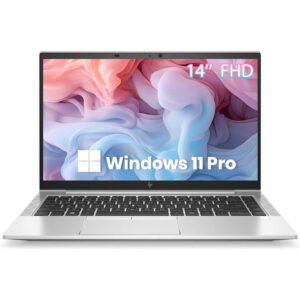 Business Laptops, HP Elitebook, Office and Student
HP EliteBook 840 G8 – Intel Core i5-11th Gen | 8GB RAM | 256GB SSD | 14 inch Display | Windows 11 Pro
Business Laptops, HP Elitebook, Office and StudentHP EliteBook 840 G8 – Intel Core i5-11th Gen | 8GB RAM | 256GB SSD | 14 inch Display | Windows 11 Pro
SKU: n/a -
Business Laptops, HP Elitebook, Office and Student
HP EliteBook 840 G7- Intel Core i7-10th Gen | 16GB RAM | 256GB SSD | 14 inch Display | Windows 10 Pr.
-12% Business Laptops, HP Elitebook, Office and Student
HP EliteBook 840 G7- Intel Core i7-10th Gen | 16GB RAM | 256GB SSD | 14 inch Display | Windows 10 Pr.
Business Laptops, HP Elitebook, Office and StudentHP EliteBook 840 G7- Intel Core i7-10th Gen | 16GB RAM | 256GB SSD | 14 inch Display | Windows 10 Pr.
SKU: n/a -
Business Laptops, HP Elitebook
HP EliteBook 745 G6 14 Inch Laptop Ryzen 7 3700U 16GB RAM 256 GB SSD | WIN 11 PRO
-17% Business Laptops, HP Elitebook
HP EliteBook 745 G6 14 Inch Laptop Ryzen 7 3700U 16GB RAM 256 GB SSD | WIN 11 PRO
Business Laptops, HP ElitebookHP EliteBook 745 G6 14 Inch Laptop Ryzen 7 3700U 16GB RAM 256 GB SSD | WIN 11 PRO
Brand and Model HP EliteBook 745 G6 CPU Model AMD Ryzen 5 PRO 3500U Installed RAM Memory Size 16GB DDR4-2400 (PC4-19200) Graphics Card Description AMD Radeon RX Vega 8 – 2GB Shared System Memory (No Dedicated VRAM) Hard Disk Size SSD Storage (Capacity Not Specified) Screen Size 14 Inches (Full HD 1920 × 1080) Colour Silver SKU: 3F9654-1 -
Business Laptops, HP Elitebook, Office and Student
HP EliteBook 840 G3 Laptop – Intel Core i5-6th Gen | 8GB RAM | 256GB SSD | 14 inch Display | Windows 10 Home
-5% Business Laptops, HP Elitebook, Office and Student
HP EliteBook 840 G3 Laptop – Intel Core i5-6th Gen | 8GB RAM | 256GB SSD | 14 inch Display | Windows 10 Home
Business Laptops, HP Elitebook, Office and StudentHP EliteBook 840 G3 Laptop – Intel Core i5-6th Gen | 8GB RAM | 256GB SSD | 14 inch Display | Windows 10 Home
SKU: n/a
There are no reviews yet.