







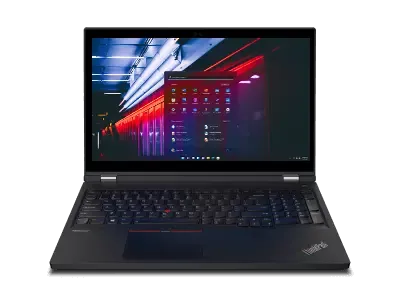
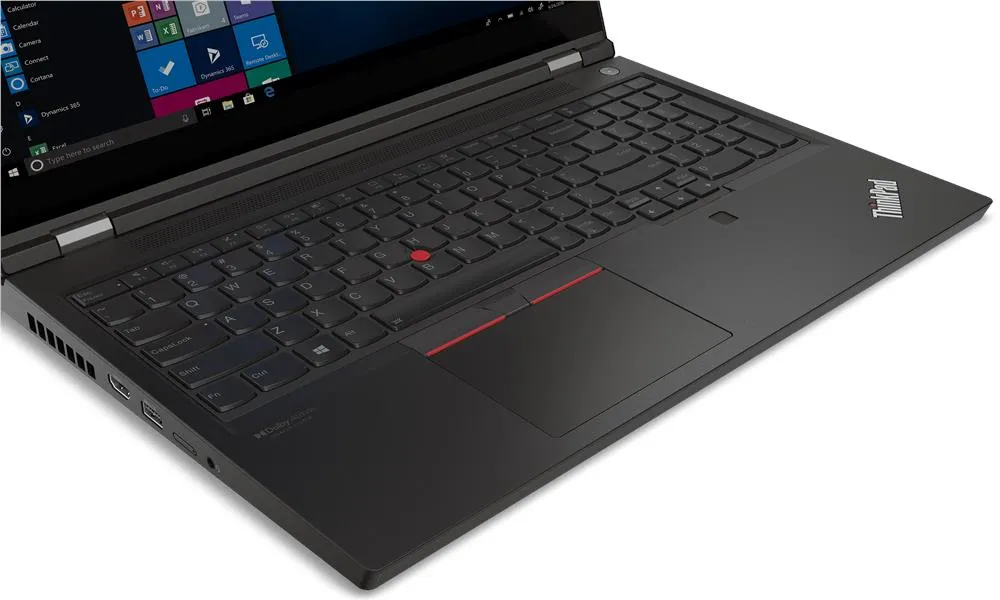

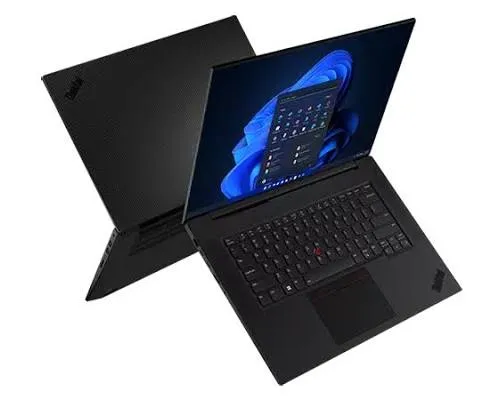
Lenovo ThinkPad P16 Gen 1 – Core i7, 32GB RAM, RTX 16GB

| Brand and Model | Lenovo ThinkPad P16 Gen 1 |
| CPU Model | Intel Core i7-12850HX |
| Installed RAM Memory Size | 32GB |
| Graphics Card Description | NVIDIA RTX A4500 Laptop GPU 16GB GDDR6 ECC |
| Hard Disk Size | 512GB SSD |
| Screen Size | 16 Inches |
| Colour | Black |
4,000 AED 4,500 AED
Overview
The Lenovo Lenovo P16 Gen 1 laptop is a professional mobile workstation built for users who need substantial computing power, a spacious display, and room for future hardware upgrades. This configuration combines the Intel Core i7-12850HX processor, 32GB of RAM, 512GB SSD storage, and an assumed NVIDIA RTX A4500 16GB graphics card. With its 16-inch screen and workstation-focused platform, it is designed for demanding technical tasks, engineering applications, 3D workflows, and professional multitasking.
Unlike a standard office notebook, the Lenovo P16 Gen 1 belongs to the Lenovo ThinkPad P Series, a product family developed for professional computing environments. Its combination of a high-performance HX processor and dedicated graphics makes it a suitable option for users who need more than everyday laptop performance.

Lenovo Lenovo P16 Gen 1 Laptop Specifications
| Specification | Details |
|---|---|
| Brand | Lenovo |
| Model | ThinkPad P16 Gen 1 |
| Processor | Intel Core i7-12850HX |
| Processor Generation | 12th Generation Intel Core |
| Cores / Threads | 16 Cores / 24 Threads |
| RAM | 32GB DDR5 (configuration specified) |
| Graphics Card | NVIDIA RTX A4500 Laptop GPU 16GB GDDR6 ECC (assumed configuration; verify exact unit) |
| Storage | 512GB SSD |
| Display Size | 16 inches |
| Memory Slots | 4 DDR5 SO-DIMM slots |
| Maximum Supported Memory | Up to 128GB |
| Storage Expansion | Two M.2 SSD slots |
| Battery | 94Wh platform battery option |
| Operating System | Depends on the supplied configuration |
| Condition | Depends on the seller listing |
| Warranty | Depends on the seller |
Intel Core i7-12850HX for Complex Professional Work
At the heart of the Lenovo Lenovo P16 Gen 1 laptop is the Intel Core i7-12850HX, a 12th-generation processor designed for high-performance mobile systems. It features 16 cores, consisting of 8 Performance cores and 8 Efficient cores, with 24 threads and a maximum boost frequency of up to 4.8GHz.
This processor architecture helps the workstation handle demanding applications that benefit from parallel processing. Tasks such as compiling software, managing large engineering projects, running technical simulations, and working with several professional applications can take advantage of its multi-core design.
The Core i7-12850HX also makes this configuration relevant to professionals who need consistent processing capability throughout a busy workday. Actual performance depends on application requirements, cooling conditions, power settings, and the specific workload.
RTX A4500 16GB Graphics for Professional Visual Work
For this product description, the graphics configuration is treated as an NVIDIA RTX A4500 Laptop GPU with 16GB of GDDR6 ECC memory. This is an assumption based on the available Lenovo P16 Gen 1 configurations and must be checked against the exact laptop before publication or purchase.
The RTX A4500 is a professional workstation GPU intended for demanding graphics applications. Its 16GB dedicated video memory can be useful when handling complex 3D scenes, detailed CAD assemblies, large visual projects, and professional rendering workloads. It also provides dedicated graphics resources for applications that rely on GPU acceleration.
For architects, designers, engineers, and 3D professionals, graphics memory can influence how comfortably larger projects and detailed assets fit into the available GPU resources. However, the RTX A4500 should not be confused with a consumer GeForce graphics card; it belongs to NVIDIA’s professional workstation graphics family.
32GB RAM and 512GB SSD for a Flexible Workflow
The specified 32GB memory capacity gives the Lenovo P16 Gen 1 a useful foundation for demanding multitasking. Users can work with large documents, technical software, browser tabs, and communication tools without relying on a basic memory configuration.
One of the platform’s important advantages is its upgrade potential. Lenovo specifies four DDR5 SO-DIMM memory slots and support for up to 128GB of system memory. This provides room to expand the workstation as professional software and project requirements become more demanding.
The 512GB SSD offers fast solid-state storage for the operating system, applications, and active projects. The platform also supports two M.2 SSD drives, allowing additional storage capacity to be installed when needed. Before upgrading, users should check drive compatibility and the installed configuration.
16-Inch Display and Workstation Design
The 16-inch display gives the Lenovo Lenovo P16 Gen 1 laptop a larger working area than many conventional 14-inch and 15-inch notebooks. This can be particularly helpful when viewing detailed drawings, editing timelines, comparing documents, or arranging multiple application windows.
Lenovo offered several display configurations for this workstation, including WUXGA, WQXGA, and high-resolution WQUXGA options. Brightness, resolution, color coverage, and panel technology therefore depend on the exact model. Buyers who work with photography, video, or color-sensitive design should verify the installed panel rather than assuming every P16 Gen 1 has the same screen.
Who Should Consider the Lenovo P16 Gen 1?
This workstation is worth considering for professionals whose daily work involves more demanding software and larger project files. Its processor, memory capacity, dedicated graphics option, and upgradeable platform make it relevant to several professional fields.
- Engineers: Suitable for technical design, CAD applications, and complex engineering projects.
- Architects: Useful for working with detailed models and graphics-intensive design software.
- 3D professionals: The assumed RTX A4500 16GB configuration can support demanding visualization and rendering workflows.
- Developers: The multi-core processor and expandable memory can help with software development and resource-intensive tools.
- Professional users: A practical option for people who need workstation-class hardware in a mobile system.
Important Points to Check Before Buying
Although the Lenovo P16 Gen 1 platform supports several high-end hardware options, not every unit has the same configuration. Before ordering, confirm the exact GPU model, installed RAM arrangement, SSD capacity, screen resolution, operating system, battery condition, keyboard layout, and warranty.
In particular, the RTX A4500 16GB graphics card used in this description is an assumed configuration, not a verified specification for the individual laptop. The seller should confirm whether the device contains the RTX A4500 or another graphics option. You can also explore other models in the Lenovo ThinkPad collection and compare them with other business laptops.
Conclusion
The Lenovo Lenovo P16 Gen 1 laptop combines the Intel Core i7-12850HX processor, 32GB RAM, 512GB SSD storage, and a spacious 16-inch display in a professional workstation platform. Its four memory slots and dual M.2 storage support also provide useful flexibility for future upgrades. With the assumed NVIDIA RTX A4500 16GB graphics configuration, it can be a compelling choice for engineering, design, CAD, and 3D workloads. However, buyers should verify the exact GPU and display configuration before making a purchase.
Frequently Asked Questions
1. Which processor does the Lenovo P16 Gen 1 use?
This configuration uses the Intel Core i7-12850HX processor, featuring 16 cores, 24 threads, and a maximum boost frequency of up to 4.8GHz.
2. How much RAM does this Lenovo P16 Gen 1 configuration have?
The specified configuration includes 32GB of DDR5 memory. The platform has four SO-DIMM slots and supports up to 128GB.
3. Which graphics card is included in this product?
This description assumes an NVIDIA RTX A4500 Laptop GPU with 16GB of GDDR6 ECC memory. The exact graphics card must be confirmed with the seller because the ThinkPad P16 Gen 1 was available with several GPU options.
4. Can the Lenovo ThinkPad P16 Gen 1 storage be upgraded?
Yes. The platform supports two M.2 SSD drives, so users can add compatible storage or replace an existing drive to increase capacity.
5. Is the Lenovo P16 Gen 1 suitable for professional design and engineering?
It can be suitable for professional workloads such as CAD, 3D modeling, engineering applications, and technical multitasking. The final experience depends on the exact graphics configuration, display panel, software, and project requirements.
| Brand | |
|---|---|
| Model | ThinkPad P16 Gen 1 |
| Processor | |
| RAM | |
| Storage | |
| Screen Size | |
| Battery | |
| Weight | 2.95kg |
| Camera | Integrated Camera |
| Color | |
| Condition | Used-Excellent (Fully Tested) |
| Graphics | |
| Keyboard | US-English |
| Operating System | Window 10 Pro |
| Warranty | 3 Months |
Based on 0 reviews
Only logged in customers who have purchased this product may leave a review.
Related products
-
Business Laptops, HP Elite 8 (Latest Series), HP Elitebook
HP EliteBook 8 G1a 16 Ryzen AI 5 340 Laptop
-14% Business Laptops, HP Elite 8 (Latest Series), HP Elitebook
HP EliteBook 8 G1a 16 Ryzen AI 5 340 Laptop
Business Laptops, HP Elite 8 (Latest Series), HP ElitebookHP EliteBook 8 G1a 16 Ryzen AI 5 340 Laptop
Brand and Model HP EliteBook 8 G1a 16 CPU Model AMD Ryzen AI 5 340 Installed RAM Memory Size 32GB DDR5 Graphics Card Description AMD Radeon 840M Hard Disk Size 512GB SSD Screen Size 16 Inches Colour Silver AI Features Copilot+ PC SKU: n/a -
Dell Alienware Series, Gaming Laptops
Dell Alienware m16 R1 Core i9-13900HX 32GB 1TB 8GB RTX 4060
-10%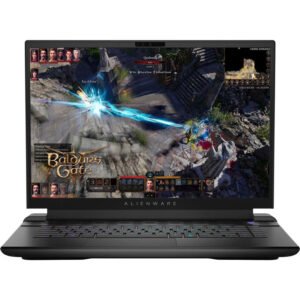 Dell Alienware Series, Gaming Laptops
Dell Alienware m16 R1 Core i9-13900HX 32GB 1TB 8GB RTX 4060
Dell Alienware Series, Gaming LaptopsDell Alienware m16 R1 Core i9-13900HX 32GB 1TB 8GB RTX 4060
Brand and Model Dell Alienware M16-R1 CPU model Intel Core i9-13900HX Installed RAM memory size 32 GB DDR4 Graphics card description NVIDIA RTX 4060 8GB Hard disk size 1TB SSD Nvme Screen size 16.1 Inches Full HD Colour Black SKU: Alienware01 -
HP Omnibook Series
HP OmniBook 5 16 Ryzen AI 7 – 32GB RAM, Touchscreen
HP Omnibook SeriesHP OmniBook 5 16 Ryzen AI 7 – 32GB RAM, Touchscreen
Brand and Model HP OmniBook 5 16 CPU Model AMD Ryzen AI 7 350 Installed RAM Memory Size 32GB Graphics Card Description AMD Radeon 860M Hard Disk Size 512GB SSD Screen Size 16 Inches Display Type Touchscreen Colour Silver SKU: n/a -
Gaming Laptops, Lenovo Legion
Lenovo Legion Gaming Laptop Ryzen 7 5800H 16GB 1TB SSD 6GB Graphics
-20% Gaming Laptops, Lenovo Legion
Lenovo Legion Gaming Laptop Ryzen 7 5800H 16GB 1TB SSD 6GB Graphics
Gaming Laptops, Lenovo LegionLenovo Legion Gaming Laptop Ryzen 7 5800H 16GB 1TB SSD 6GB Graphics
>Graphics card8GB Nvidia</tr><td class=”a-span9″ role=”presentation”>14.1 Inches Full HD
<td class=”a-span9″ role=”presentation”>Lenovo Legion 15.6 Gaming Laptop
</tr>span class=”a-size-base po-break-word”>Silver
=”a-spacing-small po-brand” role=”listitem”>le=”presentation”>&amp;amp;lt;span class=”a-size-base a-text-bold”>Brand and Model
“>ss=”a-span3” role=”presentation”><strong>Installed RAM memory sizerole=”presentation”><strong><span class=”a-size-base po-break-word”>16GB DDR4</strong>Hard disk size512GB SSD Nvme</span></td>Screen sizes=”a-span3″ role=”presentation”>ass=”a-size-base a-text-bold”>Colour
ole=”list” width=”484″>
ass=”a-spacing-small po-model_name” role=”listitem”>ss=”a-span3″ role=”presentation”><strong>CPU model</td>ass=”a-span9″ role=”presentation”>ss=”a-size-base po-break-word”>AMD Ryzen 7</strong>
< SKU: legionpc1
There are no reviews yet.