








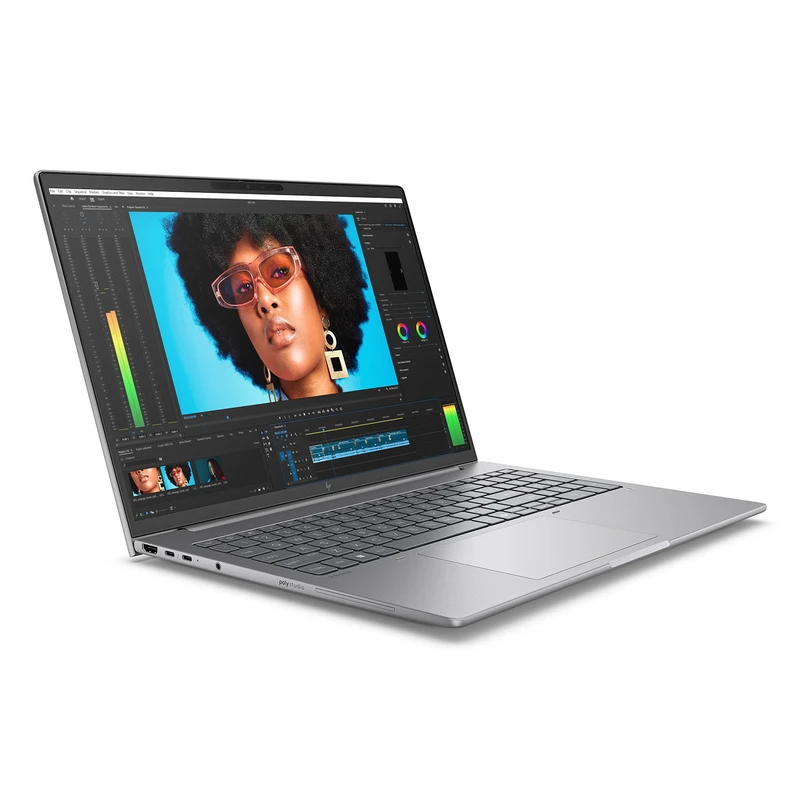
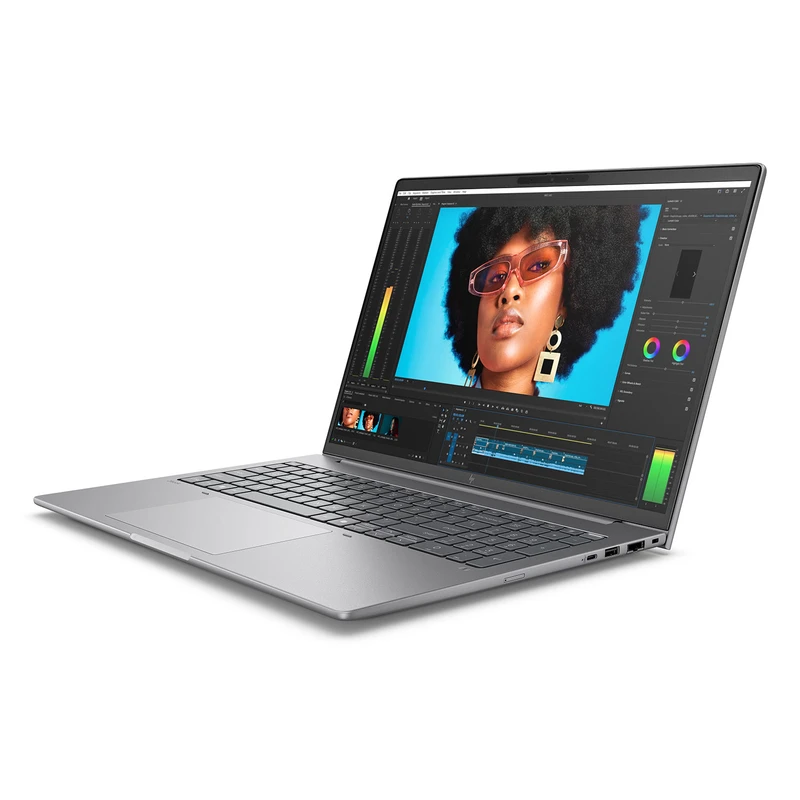
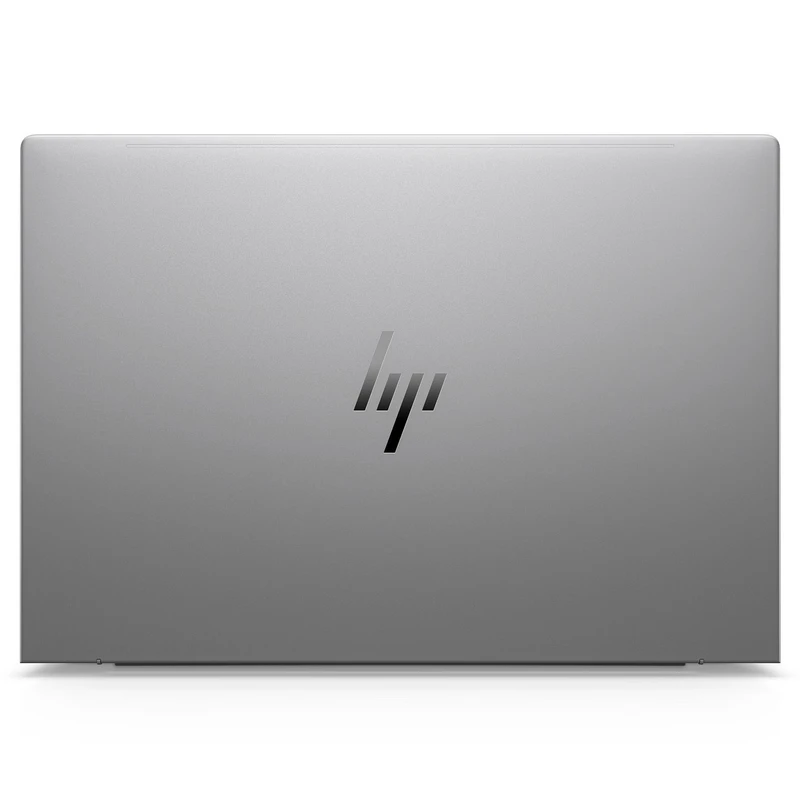

HP ZBook 8 G1i 16 Ultra 7 265H RTX 5000 Ada | 32GB 1TB

| Specification | Details |
|---|---|
| Brand and Model | HP ZBook 8 G1i 16 |
| CPU model | Intel Core Ultra 7 265H |
| Installed RAM memory size | 32GB DDR5-5600 (2 × 16GB) |
| Graphics card description | NVIDIA RTX 500 Ada Generation Laptop GPU 4GB GDDR6 |
| Hard disk size | 1TB SSD |
| Screen size | 16 Inches IPS (1920 × 1200, 60Hz) |
5,000 AED 5,800 AED
HP ZBook 8 G1i 16 Core Ultra 7 265H RTX 500 Ada
The HP ZBook 8 G1i 16 brings workstation hardware to a 16-inch mobile platform. This configuration uses the Intel Core Ultra 7 265H, 32GB DDR5-5600 RAM, a 1TB SSD, and an NVIDIA RTX 500 Ada Generation Laptop GPU with 4GB GDDR6.
The hardware targets professional users who work with engineering software, CAD tools, development environments, data-heavy applications, and moderate 3D workloads. It also gives business users plenty of room for demanding multitasking.
One detail deserves attention from the start. The graphics processor is the RTX 500 Ada, not the RTX 5000 Ada. These GPUs belong to different performance classes, so buyers should not treat their names as interchangeable.
Specifications
| Specification | Details |
|---|---|
| Brand | HP |
| Series | HP ZBook 8 G1i |
| Model | HP ZBook 8 G1i 16 |
| Type | Mobile Workstation |
| Processor | Intel Core Ultra 7 265H |
| CPU | 16 cores / 16 threads |
| Max Turbo | Up to 5.3 GHz |
| Cache | 24MB L3 |
| NPU | Intel AI Boost, up to 13 NPU TOPS |
| RAM | 32GB DDR5-5600 |
| Memory Configuration | 2 × 16GB SODIMM |
| Memory Slots | 2 SODIMM |
| Storage | 1TB SSD |
| Dedicated GPU | NVIDIA RTX 500 Ada Generation Laptop GPU |
| GPU Memory | 4GB GDDR6 |
| Integrated Graphics | Intel Arc Graphics |
| Display | 16-inch WUXGA 1920 × 1200 |
| Panel | IPS-class |
| Refresh Rate | 60Hz |
| Operating System | Windows 11 Pro |
| Wireless | Wi-Fi 7 |
| Bluetooth | Bluetooth 5.4 |
| Camera | 5MP IR |
| Keyboard | Backlit keyboard with numeric keypad |
What Defines This ZBook Configuration?
The main strength of this configuration comes from how its components work together.
The Core Ultra 7 265H handles CPU-heavy applications. The 32GB memory supports extensive multitasking. The 1TB SSD provides local space for applications and projects. Meanwhile, the RTX 500 Ada adds dedicated graphics power for compatible professional software.
That combination gives the ZBook a clear professional identity. It targets users who need more graphics capability than a standard office notebook can provide.
At the same time, the RTX 500 Ada sets a practical performance boundary. Users who work with very large 3D scenes or demanding GPU workloads may need a higher-tier workstation.
Core Ultra 7 265H for Demanding Professional Work
The Intel Core Ultra 7 265H provides 16 cores and 16 threads. It can reach a maximum turbo frequency of 5.3GHz and includes 24MB of L3 cache.
These specifications give the ZBook strong CPU resources for multitasking. Developers can run large IDEs with browsers, databases, containers, and other tools. Engineers can also combine technical applications with supporting utilities.
The processor can handle large office workloads and data-processing tasks as well. However, real-world performance depends on the application, cooling system, power settings, and software optimization.
The 265H also includes Intel AI Boost. Its NPU delivers up to 13 TOPS for compatible AI workloads.
This NPU can help supported applications perform AI tasks more efficiently. It does not automatically accelerate every AI application, so software support remains important.
32GB DDR5-5600 for Multitasking
The system includes 32GB of DDR5-5600 SODIMM memory. The configuration uses two 16GB modules.
This setup gives the ZBook enough memory for demanding multitasking. Users can keep development tools, large documents, browser sessions, and professional applications open together.
The two SODIMM slots also give the platform useful memory flexibility. Users who need more memory in the future can explore a higher-capacity configuration supported by the system.
For professional users, 32GB already provides a strong starting point. It also reduces the need to rely heavily on slower storage when several applications remain open.
1TB SSD for Projects and Applications
The 1TB SSD gives the workstation a practical amount of local storage.
Users can install Windows 11 Pro, professional applications, development tools, and project files without immediately running into the limits of a smaller drive.
The SSD also supports responsive everyday operation. Large applications can load quickly, while project files can move between storage and memory without the delays associated with older hard drives.
Heavy professional users should still consider their storage habits. Large CAD projects, video libraries, datasets, and 3D assets can consume 1TB quickly.
RTX 500 Ada: Professional Graphics with a Clear Limit
The dedicated graphics processor is the NVIDIA RTX 500 Ada Generation Laptop GPU. It includes 4GB of GDDR6 memory.
This GPU gives the ZBook a dedicated graphics path for compatible professional applications. CAD, 3D design, visualization, and other GPU-assisted workloads can benefit from it.
However, the 4GB VRAM capacity matters. Complex 3D scenes, large textures, and demanding GPU rendering workloads can push this memory limit.
Therefore, the RTX 500 Ada fits moderate professional graphics work better than extreme GPU workloads. Users who need high-end rendering or large-scale GPU computing should consider a workstation with a more powerful NVIDIA GPU.
The system also includes Intel Arc Graphics as integrated graphics.
16-Inch WUXGA Display for Professional Productivity
This configuration uses a 16-inch WUXGA display with a 1920 × 1200 resolution and a 60Hz refresh rate.
The 16:10-style workspace gives users more vertical room than a standard 16:9 Full HD screen. That extra space can help with spreadsheets, coding environments, dashboards, documents, and engineering interfaces.
The IPS-class panel also suits general professional productivity.
However, color-critical users should check the exact regional SKU before ordering. ZBook 8 G1i configurations can use different display options. The supplied configuration specifies WUXGA, but buyers should verify the panel details for the exact unit.
Connectivity and Collaboration Features
The ZBook platform supports modern professional connectivity. This configuration lists Wi-Fi 7 and Bluetooth 5.4 for wireless communication.
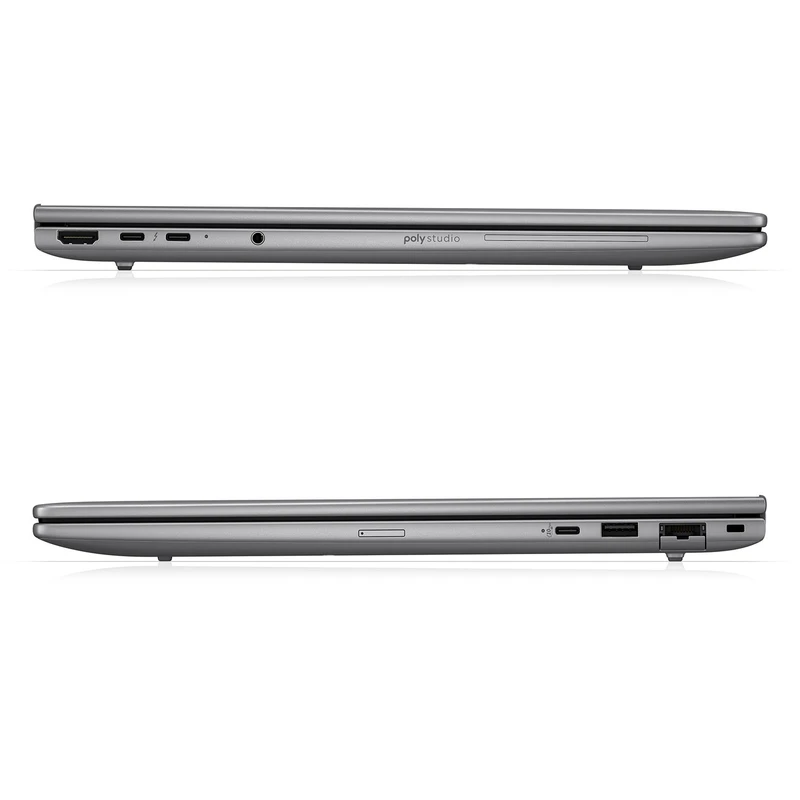
The platform can also offer wired networking and additional external connections, depending on the exact configuration. These options make the ZBook suitable for office desks, docking setups, external displays, and professional peripherals.
The supplied configuration also includes a 5MP IR camera. This feature supports video conferencing and Windows-compatible biometric functions.
HP also highlights Fast Charge technology. Compatible configurations can reach up to 50% battery capacity in around 30 minutes.
Performance Across Real Workloads
CAD and Engineering
The ZBook fits many CAD and engineering workflows. The Core Ultra 7 265H provides strong CPU resources, while the RTX 500 Ada adds dedicated graphics acceleration.
Moderate 3D projects should fit the system well. Very complex scenes may require more VRAM and a stronger professional GPU.
Software Development
Programming is another strong use case.
The 16-core processor gives developers substantial CPU resources. The 32GB memory configuration also works well with IDEs, databases, containers, browsers, and development utilities.
Developers who work with several environments at once can take advantage of the available memory and processing power.
Business Productivity
Windows 11 Pro, 32GB RAM, 1TB storage, and the 16-inch display create a strong environment for professional office work.
The system can handle large spreadsheets, project-management tools, data analysis, documents, communication software, and extensive multitasking.
The larger display also gives users more room for dashboards and side-by-side applications.
3D Design and Visualization
The RTX 500 Ada can accelerate compatible 3D applications.
Its 4GB VRAM, however, limits how far users can push demanding scenes. Large textures, complex models, and heavy GPU rendering can require a stronger graphics solution.
Creative Work
Creative professionals can use the dedicated NVIDIA GPU with compatible applications.
Display specifications matter more for color-sensitive work. Users who edit photos or video should confirm the exact panel and color coverage before selecting this configuration.
AI-Assisted Workloads
The Core Ultra 7 265H includes an NPU with up to 13 TOPS. The RTX 500 Ada can also accelerate compatible GPU-based applications.
This combination can support AI-assisted professional software. However, the ZBook should not be treated as a high-end AI training workstation.
Advantages
- Core Ultra 7 265H with 16 cores and 16 threads provides strong CPU resources.
- Up to 5.3GHz turbo frequency gives the processor additional headroom for demanding tasks.
- 32GB DDR5-5600 RAM supports heavy multitasking.
- 1TB SSD provides useful local storage for professional applications and projects.
- RTX 500 Ada with 4GB GDDR6 adds dedicated professional graphics.
- 16-inch WUXGA display provides a spacious productivity area.
- Windows 11 Pro fits professional business and workstation environments.
- Intel AI Boost with up to 13 NPU TOPS supports compatible AI workloads.
- 5MP IR camera and backlit keyboard with numeric keypad add useful professional features.
Limitations
- The dedicated GPU uses 4GB of VRAM, which can restrict demanding 3D and GPU-compute workloads.
- The configuration uses WUXGA 1920 × 1200, while some ZBook versions offer higher-resolution displays.
- Display specifications can vary between regional SKUs.
- Users who need high-end GPU rendering should consider a stronger professional NVIDIA GPU.
- The RTX 500 Ada does not belong to the same performance class as the RTX 5000 Ada.
Who Should Choose the HP ZBook 8 G1i 16?
This configuration fits professionals who need strong CPU performance and dedicated graphics in one mobile workstation.
Engineers and CAD users can benefit from the combination of CPU resources, 32GB RAM, and NVIDIA graphics.
Developers can use the system for large IDEs, containers, databases, and multitasking.
Business professionals can take advantage of Windows 11 Pro, the large display, and the generous memory capacity.
Creative users can use compatible GPU-accelerated applications, but they should verify the display specifications first.
Users who work with advanced 3D rendering, large AI models, or GPU-heavy simulations should look at a higher-tier ZBook configuration. Those workloads can demand more VRAM than the RTX 500 Ada provides.
Final Verdict
The HP ZBook 8 G1i 16 Core Ultra 7 265H RTX 500 Ada takes a balanced approach to mobile workstation performance.
Its Core Ultra 7 265H supplies strong CPU resources. The 32GB DDR5 memory supports demanding multitasking. The 1TB SSD provides useful local storage. The RTX 500 Ada adds dedicated professional graphics for compatible applications.
The main limitation comes from the GPU’s 4GB VRAM capacity. That makes the configuration more appropriate for moderate professional graphics workloads than for heavy 3D rendering or advanced GPU computing.
For engineers, developers, business professionals, and technical users, the configuration offers a practical workstation platform. Creative users should pay particular attention to the exact display specification before choosing it.
Frequently Asked Questions
Does this HP ZBook use an RTX 5000 Ada GPU?
No. This configuration uses the NVIDIA RTX 500 Ada Generation Laptop GPU with 4GB GDDR6. The RTX 500 Ada and RTX 5000 Ada are different GPU models.
How much RAM does the HP ZBook 8 G1i 16 have?
This configuration includes 32GB DDR5-5600 RAM in a 2 × 16GB SODIMM setup.
Is the HP ZBook 8 G1i 16 good for CAD?
Yes. The Core Ultra 7 265H, 32GB RAM, and RTX 500 Ada make it suitable for many CAD and engineering workloads. Extremely complex 3D projects may require a stronger GPU.
Does it have a 1TB SSD?
Yes. The supplied configuration includes a 1TB SSD for Windows, applications, documents, and professional projects.
Is the 16-inch display suitable for professional work?
The 16-inch WUXGA display provides a useful workspace for coding, documents, spreadsheets, dashboards, and engineering applications. Color-critical users should verify the exact panel specifications.
Can it handle AI workloads?
It can support compatible AI-assisted applications through the Intel AI Boost NPU and dedicated NVIDIA GPU. However, it does not target high-end AI model training.
Is the HP ZBook 8 G1i 16 suitable for programming?
Yes. The Core Ultra 7 265H and 32GB RAM provide a strong environment for IDEs, databases, containers, browsers, and other development tools.
Who should consider a different workstation?
Users who regularly work with very large 3D scenes, advanced GPU rendering, large AI models, or workloads that need substantial VRAM should consider a workstation with a higher-tier NVIDIA GPU.
| Brand | |
|---|---|
| Model | HP Zbook 8 G1i 16 |
| Processor | |
| RAM | |
| Storage | |
| Graphics | |
| Screen Size | |
| Camera | Integrated Camera |
| Color | |
| Keyboard | US-English |
| Operating System | Windows 11 Pro |
| Condition | Used-Excellent (Fully Tested) |
| Battery | |
| Weight | 1.76 kg |
| Warranty | 3 Months |
Based on 0 reviews
Only logged in customers who have purchased this product may leave a review.
Related products
-
HP Zbook Series, Workstation Laptops
HP ZBook Power 15 G10 Core i7-13th 16GB RAM 1TB SSD 4GB Graphics
-13% HP Zbook Series, Workstation Laptops
HP ZBook Power 15 G10 Core i7-13th 16GB RAM 1TB SSD 4GB Graphics
HP Zbook Series, Workstation LaptopsHP ZBook Power 15 G10 Core i7-13th 16GB RAM 1TB SSD 4GB Graphics
<span class=”a-size-base a-text-bold”>Brand and Model HP ZBook Power 15 G10 CPU model Intel Core i7-13th Installed RAM memory size 16GB DDR4 Graphics card description Intel UHD Hard disk size 1TB SSD Nvme 15.6 Inches Full HD Colour Silver SKU: Zb70127 -
HP Zbook Series, Workstation Laptops
ZBook Fury 16 G10 with Core i7-13850HX | 16GB 1TB SSD 8GB Graphics
-13% HP Zbook Series, Workstation Laptops
ZBook Fury 16 G10 with Core i7-13850HX | 16GB 1TB SSD 8GB Graphics
HP Zbook Series, Workstation LaptopsZBook Fury 16 G10 with Core i7-13850HX | 16GB 1TB SSD 8GB Graphics
Brand and Model HP ZBook Fury 16 G10 CPU model Intel Core i7-13850HX Installed RAM memory size 16GB DDR5 Graphics card description NVIDIA RTX with 8GB VRAM Hard disk size 1TB SSD Nvme Screen size 16 Inches Full HD Colour Grey SKU: Zb70114 -
HP Zbook Series, HP Zbook Studio, Workstation Laptops
ZBook Studio 16 G10 Core i9-13th | 32GB 1TB 8GB RTX
-13% HP Zbook Series, HP Zbook Studio, Workstation Laptops
ZBook Studio 16 G10 Core i9-13th | 32GB 1TB 8GB RTX
HP Zbook Series, HP Zbook Studio, Workstation LaptopsZBook Studio 16 G10 Core i9-13th | 32GB 1TB 8GB RTX
Brand and Model HP ZBook Studio 16 G10 CPU model Intel Core i9-13th Gen Installed RAM memory size 32GB DDR4 Graphics card description 8GB RTX Hard disk size 1TB SSD Nvme Screen size 16 Inches Full HD Colour Silver SKU: Zb70119 -
HP Zbook Series, Workstation Laptops
ZBook Studio 15-G8 Core i9-11th |32GB RAM 1TB SSD 4GB Graphics
-13% HP Zbook Series, Workstation Laptops
ZBook Studio 15-G8 Core i9-11th |32GB RAM 1TB SSD 4GB Graphics
HP Zbook Series, Workstation LaptopsZBook Studio 15-G8 Core i9-11th |32GB RAM 1TB SSD 4GB Graphics
Brand and Model HP ZBook Studio 15 G8 CPU model Intel Core i9-11th Gen Installed RAM memory size 32GB DDR4 Graphics card description 4GB Nvidia Graphics Hard disk size 1TB SSD Nvme Screen size 15.6 Inches Full HD Colour Metalic Grey SKU: Zb70123
There are no reviews yet.